Computer Graphics 1 Ludwig-Maximilians-Universitt Mnchen Summer - - PowerPoint PPT Presentation

computer graphics 1
SMART_READER_LITE
LIVE PREVIEW

Computer Graphics 1 Ludwig-Maximilians-Universitt Mnchen Summer - - PowerPoint PPT Presentation

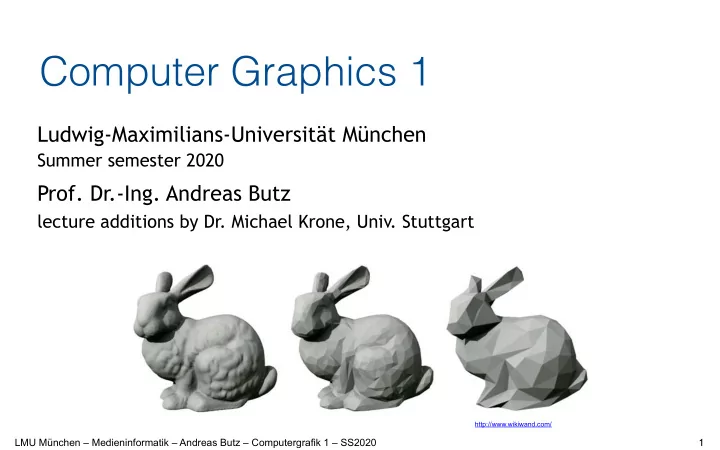
Computer Graphics 1 Ludwig-Maximilians-Universitt Mnchen Summer semester 2020 Prof. Dr.-Ing. Andreas Butz lecture additions by Dr. Michael Krone, Univ. Stuttgart http://www.wikiwand.com/ LMU Mnchen Medieninformatik Andreas Butz


slide-1
SLIDE 1

LMU München – Medieninformatik – Andreas Butz – Computergrafik 1 – SS2020

Computer Graphics 1

Ludwig-Maximilians-Universität München

Summer semester 2020

  • Prof. Dr.-Ing. Andreas Butz

lecture additions by Dr. Michael Krone, Univ. Stuttgart

1

http://www.wikiwand.com/

slide-2
SLIDE 2

LMU München – Medieninformatik – Andreas Butz – Computergrafik 1 – SS2020

Chapter 2 – Transformations & Scene Graphs

  • Three-Dimensional Geometric Transformations
  • Affine Transformations and Homogeneous Coordinates
  • Combining Transformations
  • Why a scene graph?
  • What is stored in the scene graph?
  • Objects
  • Appearance
  • Camera
  • Lights
  • Rendering with a scene graph
  • Practical example

2

slide-3
SLIDE 3

LMU München – Medieninformatik – Andreas Butz – Computergrafik 1 – SS2020

What is a Transformation?

3

slide-4
SLIDE 4

LMU München – Medieninformatik – Andreas Butz – Computergrafik 1 – SS2020

Basic Transformations

  • Transformations in CG normally…
  • can be combined and…
  • are reversible/invertible
  • Exception: Scaling by a factor of zero!

4

isotrope (uniform)
 Scaling Rotation Translation Identity

slide-5
SLIDE 5

LMU München – Medieninformatik – Andreas Butz – Computergrafik 1 – SS2020

Translation

  • Add a vector t
  • Geometrical meaning: Shifting
  • Inverse operation?
  • Neutral operation?

x z y

5

t

slide-6
SLIDE 6

LMU München – Medieninformatik – Andreas Butz – Computergrafik 1 – SS2020

Uniform Scaling

  • Multiply with a scalar s
  • Geometrical meaning:


Changing the size of an object

  • What happens when we scale objects which are not at the origin?
  • How can we fix that?

x z y

6

slide-7
SLIDE 7

LMU München – Medieninformatik – Andreas Butz – Computergrafik 1 – SS2020

Non-Uniform Scaling

  • Multiply with three scalars
  • One for each dimension
  • Geometrical meaning?

x z y

http://en.wikipedia.org/wiki/Utah_teapot

7

x z y x z y

slide-8
SLIDE 8

LMU München – Medieninformatik – Andreas Butz – Computergrafik 1 – SS2020

Reflection (Mirroring)

  • Special case of scaling

x z y

  • Discuss: What does this mean for
  • surface normals?
  • order of polygon edges?
  • handedness?

8

  • Example:

x z y

slide-9
SLIDE 9

LMU München – Medieninformatik – Andreas Butz – Computergrafik 1 – SS2020

Shearing along X Axis

  • Example:
  • Only x coordinate values are modified
  • Modification depends linearly on y coordinate value
  • Areas in x/y and x/z plane, as well as volume remain the same
  • Generalization to other axes and arbitrary axis: see later...

x z y

9

slide-10
SLIDE 10

LMU München – Medieninformatik – Andreas Butz – Computergrafik 1 – SS2020

Rotation about X Axis (1/3)

  • x coordinate value remains constant
  • Rotation takes place in y/z-plane (2D)
  • How to compute new y and z coordinates from old ones?

x z y

10

y z

slide-11
SLIDE 11

LMU München – Medieninformatik – Andreas Butz – Computergrafik 1 – SS2020

Rotation about X Axis (2/3)

y z

11

slide-12
SLIDE 12

LMU München – Medieninformatik – Andreas Butz – Computergrafik 1 – SS2020

Rotation about X Axis (3/3)

  • Special cases, e.g. 90 degrees, 180 degrees?
  • How to rotate about other axes?

12

x z y

slide-13
SLIDE 13

LMU München – Medieninformatik – Andreas Butz – Computergrafik 1 – SS2020

Elementary rotations

  • Combine to express arbitrary rotation
  • This is not always intuitive
  • Order matters (a lot!) g Likely source of mistakes/bugs!

13

slide-14
SLIDE 14

LMU München – Medieninformatik – Andreas Butz – Computergrafik 1 – SS2020

Transformation of Coordinate Systems

  • Applying a geometric transformation...
  • ...to all points of a single object: Transforming the object within its own coordinate system.
  • ...to all points of all objects of the “world”: effectively transforming the reference

coordinate system in the opposite direction!

  • Geometric transformations can be used to…
  • …modify an object
  • ...place an object within a reference coordinate system
  • ...switch to different reference coordinates

14

Isotrope (uniform) scaling Rotation Translation Identity

slide-15
SLIDE 15

LMU München – Medieninformatik – Andreas Butz – Computergrafik 1 – SS2020

Transformation from 3D to 2D: Projection

  • Many different projections exist (see later)
  • Projection onto x/y plane:
  • “Forget” the z coordinate value
  • Other projections?
  • Other viewpoints?

g More detail in lecture about cameras!

x z y x y

15

slide-16
SLIDE 16

LMU München – Medieninformatik – Andreas Butz – Computergrafik 1 – SS2020

Chapter 2 – Transformations & Scene Graphs

  • Three-Dimensional Geometric Transformations
  • Affine Transformations and Homogeneous Coordinates
  • Combining Transformations
  • Why a scene graph?
  • What is stored in the scene graph?
  • Objects
  • Appearance
  • Camera
  • Lights
  • Rendering with a scene graph
  • Practical example

16

slide-17
SLIDE 17

LMU München – Medieninformatik – Andreas Butz – Computergrafik 1 – SS2020

Affine Transformations

  • Mathematically: A transformation preserving collinearity
  • Points lying on a line before are on a line after transformation
  • Ratios of distances are preserved (e.g. midpoint of a line segment)
  • Parallel lines remain parallel
  • Angles, lengths and areas are not necessarily preserved!
  • Basic transformations: translation, rotation, scaling and shearing
  • All combinations of these are affine transformations again
  • Combination is associative, but not commutative
  • General form of computation:
  • New coordinate values are defined by linear function of the old values

17

slide-18
SLIDE 18

LMU München – Medieninformatik – Andreas Butz – Computergrafik 1 – SS2020

Affine Transformations

18

affine not
 affine 1 : 2 1 : 1 affine not affine

slide-19
SLIDE 19

LMU München – Medieninformatik – Andreas Butz – Computergrafik 1 – SS2020

Combining Multiple Transformations

  • Rotation, scaling and shearing are expressed as matrices
  • Associative, hence can all be combined into one matrix
  • Many of these operations can also be combined into one matrix
  • Translation is expressed by adding a vector
  • Adding vectors is also associative
  • Many translations can be combined into a single vector
  • Combination of Translation with other operations?
  • Series of matrix multiplications and vector additions, difficult to combine
  • How about using a matrix multiplication to express translation?!?

19

slide-20
SLIDE 20

LMU München – Medieninformatik – Andreas Butz – Computergrafik 1 – SS2020

Homogeneous Coordinates

20

slide-21
SLIDE 21

LMU München – Medieninformatik – Andreas Butz – Computergrafik 1 – SS2020

Translation Expressed in Homogeneous Coordinates

g Translation has no effect on direction vector (x, y, z, 0)!

21

slide-22
SLIDE 22

LMU München – Medieninformatik – Andreas Butz – Computergrafik 1 – SS2020

Scaling Expressed in Homogeneous Coordinates

22

slide-23
SLIDE 23

LMU München – Medieninformatik – Andreas Butz – Computergrafik 1 – SS2020

Rotation Expressed in Homogeneous Coordinates

23

slide-24
SLIDE 24

LMU München – Medieninformatik – Andreas Butz – Computergrafik 1 – SS2020

Shearing Expressed in Homogeneous Coordinates

x z y

24

slide-25
SLIDE 25

LMU München – Medieninformatik – Andreas Butz – Computergrafik 1 – SS2020

Shearing: General Case

25

slide-26
SLIDE 26

LMU München – Medieninformatik – Andreas Butz – Computergrafik 1 – SS2020

Computational Complexity for 3D Transformations

  • Operations needed:
  • 9 multiplications
  • 9 additions
  • … for an arbitrarily complex affine 3D transformation (of a position vector)
  • Runtime complexity improved by pre-calculation of composed

transformation matrices

  • Hardware implementations in graphics processors
  • Very efficient

26

slide-27
SLIDE 27

LMU München – Medieninformatik – Andreas Butz – Computergrafik 1 – SS2020

Chapter 2 – Transformations & Scene Graphs

  • Three-Dimensional Geometric Transformations
  • Affine Transformations and Homogeneous Coordinates
  • Combining Transformations
  • Why a scene graph?
  • What is stored in the scene graph?
  • Objects
  • Appearance
  • Camera
  • Lights
  • Rendering with a scene graph
  • Practical example

27

slide-28
SLIDE 28

LMU München – Medieninformatik – Andreas Butz – Computergrafik 1 – SS2020

Combining several transformations: Order matters!

A = Rotation 90° around X axis (i.e., Y becomes Z) B = Translation by 5 along Y axis ABp = A(Bp) means: first translate, then rotate the result BAp = B(Ap) means: first rotate, then translate the result

28

· · · · · · · · · · · ·

slide-29
SLIDE 29

LMU München – Medieninformatik – Andreas Butz – Computergrafik 1 – SS2020

The same example in Three.js

var p = new THREE.Vector4( 1, 0, 0, 1); var M = new THREE.Matrix4(); // initialized by identity var A = new THREE.Matrix4(); var B = new THREE.Matrix4(); var gamma = Math.PI / 2; // equals 90 degrees A.makeRotationX( gamma ); // rotation by 90 degrees around X axis B.makeTranslation( 0, 5, 0 ); // translation by 5 along Y axis M.multiply( A ); // Now M contains MA = A M.multiply( B ); // Now M contains AB p.applyMatrix4( M ); // Now p contains ABp

29

slide-30
SLIDE 30

LMU München – Medieninformatik – Andreas Butz – Computergrafik 1 – SS2020

Chapter 2 – Transformations & Scene Graphs

  • Three-Dimensional Geometric Transformations
  • Affine Transformations and Homogeneous Coordinates
  • Combining Transformations
  • Why a scene graph?
  • What is stored in the scene graph?
  • Objects
  • Appearance
  • Camera
  • Lights
  • Rendering with a scene graph
  • Practical example

30

slide-31
SLIDE 31

LMU München – Medieninformatik – Andreas Butz – Computergrafik 1 – SS2020

The 3D Rendering Pipeline (our version for this class)

31

3D models in model coordinates 3D models in world coordinates

2D polygons in camera coordinates

Pixels in image coordinates Scene graph Camera Rasterization Animation, Interaction Lights

slide-32
SLIDE 32

LMU München – Medieninformatik – Andreas Butz – Computergrafik 1 – SS2020

Why a Scene Graph?

  • Naive approach:
  • For each object in the scene, set its transformation by a single matrix 


(i.e., a tree 1 level deep and N nodes wide)

  • Advantage: very fast for rendering
  • Disadvantage: if several objects move in the same way, all of their transforms change
  • Observation: Things in the world are made from parts
  • Approach: define an object hierarchy along the part-of relation
  • Transform all parts only relative to the whole group
  • Transform group as a whole with another transform
  • Parts can be groups again

32

http://www.bosy-online.de/Veritherm/ Explosionszeichnung.jpg https://www.watersafetyshop.com/media/apeks/drawings/apeks-1-stage- flight-800px.jpg

slide-33
SLIDE 33

LMU München – Medieninformatik – Andreas Butz – Computergrafik 1 – SS2020

Chapter 2 – Transformations & Scene Graphs

  • Three-Dimensional Geometric Transformations
  • Affine Transformations and Homogeneous Coordinates
  • Combining Transformations
  • Why a scene graph?
  • What is stored in the scene graph?
  • Objects
  • Appearance
  • Camera
  • Lights
  • Rendering with a scene graph
  • Practical example

33

slide-34
SLIDE 34

LMU München – Medieninformatik – Andreas Butz – Computergrafik 1 – SS2020

Geometry in the Scene Graph

  • Leaves are basic 3D objects
  • Non-leaf nodes (groups) contain a transformation
  • can have one or several children
  • transformation is given by a homogeneous matrix
  • Root is the entire world
  • Nodes can be the child of several groups
  • Not a tree, but a directed 


acyclic graph (DAG)

  • Effective reuse of geometry

34

TAuto TKarosserie TChassis TRäder TKabine

Welt

slide-35
SLIDE 35

LMU München – Medieninformatik – Andreas Butz – Computergrafik 1 – SS2020

Appearance in the Scene Graph

  • Scene graph also contains appearances
  • Appearance: e.g. Color, reflection, transparency, texture


g Details see next lecture(s)

  • Can be reused similarly to geometry
  • Appearance can be only partially specified
  • Unspecified values are inherited

35

Welt

slide-36
SLIDE 36

LMU München – Medieninformatik – Andreas Butz – Computergrafik 1 – SS2020

Lights in the Scene Graph

  • Light sources also need a position and/or direction
  • Just include them into the scene graph
  • Can be animated just like geometry
  • Lights can be in local coordinate


systems of geometry groups

  • Move with them
  • Example: lights on a car

36

Welt

Sonne

Licht1

slide-37
SLIDE 37

LMU München – Medieninformatik – Andreas Butz – Computergrafik 1 – SS2020

The Camera in the Scene Graph

  • Camera also needs a position and direction
  • Just include it into the scene graph
  • Can be animated just like geometry
  • Camera can be in local coordinate


systems of geometry groups

  • Move with them
  • Example: driver‘s view from a car

37

Welt

Sonne

Licht1

Kamera1

Kamera

slide-38
SLIDE 38

LMU München – Medieninformatik – Andreas Butz – Computergrafik 1 – SS2020

Chapter 2 – Transformations & Scene Graphs

  • Three-Dimensional Geometric Transformations
  • Affine Transformations and Homogeneous Coordinates
  • Combining Transformations
  • Why a scene graph?
  • What is stored in the scene graph?
  • Objects
  • Appearance
  • Camera
  • Lights
  • Rendering with a scene graph
  • Practical example

38

slide-39
SLIDE 39

LMU München – Medieninformatik – Andreas Butz – Computergrafik 1 – SS2020

Scene graph traversal for rendering

  • set Tact to TAuto
  • push state
  • set Tact to Tact * TKarosserie
  • push state
  • set Tact to Tact * TChassis
  • render Quader1
  • pop state
  • set Tact to Tact * TKabine
  • render Quader2
  • pop state
  • pop state
  • set Tact to Tact * TRäder
  • ...

39

slide-40
SLIDE 40

LMU München – Medieninformatik – Andreas Butz – Computergrafik 1 – SS2020

Scene Graph Libraries

  • Scene graphs exist on a more abstract layer than OpenGL!
  • VRML/X3D
  • descriptive text format, ISO standard
  • OpenInventor
  • Based on C++ and OpenGL
  • Originally Silicon Graphics, 1988
  • Now supported by VSG3d.com
  • Java3D
  • Provides 3D data structures in Java
  • Not supported anymore
  • Open Scene Graph (OSG)
  • Various game engines
  • e.g. Unity or jMonkey Engine (scene graph based game engine for Java)
  • Three.js

40

http://www.shlomifish.org/open-source/bits-and-bobs/open-inventor-bsd- daemon/

slide-41
SLIDE 41

LMU München – Medieninformatik – Andreas Butz – Computergrafik 1 – SS2020

Scene Graphs in Practice

  • Creation of scene graphs and objects
  • Specific authoring software (e.g. Blender, Maya, 3DS Max)
  • Assets (models, objects) exported to exchange formats
  • E.g. (X3D,) Wavefront OBJ (.obj), 3ds Max (.3ds), Ogre XML (.mesh)
  • Objects typically 


are tesselated

  • Polygon meshes
  • No primitive geometric 

  • bjects visible/readable 


anymore

  • Example:
  • jMonkey Engine Scene 


Viewer / Composer

41

slide-42
SLIDE 42

LMU München – Medieninformatik – Andreas Butz – Computergrafik 1 – SS2020

Chapter 2 – Transformations & Scene Graphs

  • Three-Dimensional Geometric Transformations
  • Affine Transformations and Homogeneous Coordinates
  • Combining Transformations
  • Why a scene graph?
  • What is stored in the scene graph?
  • Objects
  • Appearance
  • Camera
  • Lights
  • Rendering with a scene graph
  • Practical example

42

slide-43
SLIDE 43

LMU München – Medieninformatik – Andreas Butz – Computergrafik 1 – SS2020

Example of a scene graph

  • Graph to be drawn together in the lecture
  • VRML world linked from the class page

43