Compsc psci 101 101 Cle lever H Han angman, Ex Exam am, M - - PowerPoint PPT Presentation

compsc psci 101 101 cle lever h han angman ex exam am m
SMART_READER_LITE
LIVE PREVIEW

Compsc psci 101 101 Cle lever H Han angman, Ex Exam am, M - - PowerPoint PPT Presentation

Compsc psci 101 101 Cle lever H Han angman, Ex Exam am, M Module les Liv ive L Lec ecture Susan Rodger October 22, 2020 10/22/2020 Compsci 101, Fall 2020 1 S is for Software Joy, sorrow, fun, changing the world


slide-1
SLIDE 1

Compsc psci 101 101 Cle lever H Han angman, Ex Exam am, M Module les Liv ive L Lec ecture

10/22/2020 Compsci 101, Fall 2020 1
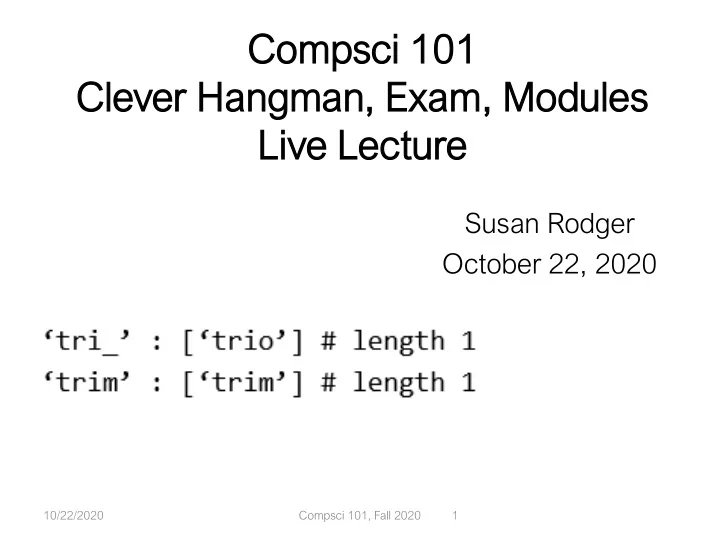
Susan Rodger October 22, 2020

slide-2
SLIDE 2

S is for …

  • Software
  • Joy, sorrow, fun, changing the world
  • System and sys
  • Connecting to the machine at different levels
  • Sorting
  • From hat to tim to more

10/22/2020 Compsci 101, Fall 2020 2

slide-3
SLIDE 3

Announcements

  • APT

APT-6 du due T Thur ursday, Oct 22, T TODAY

  • Assignment

nt 5 Cleve ever Hangma man due due Tu

  • Tues. Oct 2

t 27

  • APT

APT-7 ou

  • ut today

ay! Du Due Nov

  • v 5

5

  • Lab 8

b 8 Friday

  • There is a prelab!
  • Ex

Exam 2 2 in one week, O Oct 29 t 29

  • Covers topics thru today
  • Old exams on old tests page

10/22/2020 Compsci 101, Fall 2020 3

slide-4
SLIDE 4

More Announcements

  • APT

APT Q Qui uiz 2 is Oct 3 30-Nov

  • v 2

2

  • Topics through today
  • Topics through APT-6
  • Definitely question with dictionary
  • Midte

term Survey c closed – we g got t t to 75% 75%!

  • Everyon
  • ne gets

ts a an extr tra c credit p t point t on Exam 2 2!

10/22/2020 Compsci 101, Fall 2020 4

slide-5
SLIDE 5

PFTD

  • Finish Cl

Clever H Hangman detail ils

  • Module

les: re reducing p g pro rogra gram c complexity, re re-use se

  • pathlib library for reading files and folders
  • Using import to develop your own modules
  • Exam

am 2 2 revi view s star art

  • More review next class

10/22/2020 Compsci 101, Fall 2020 5

slide-6
SLIDE 6

CH Review: there will be letters

  • Th

The l e letter er “ “u” h ” has b been een gues essed an and is the e 2n 2nd l letter er Ex: _ u _ _ _ and user guesses ‘r’

  • ["ruddy", "rummy", "rungs", … "rusty"]
  • 5 words start with “ru” and no other “r” or “u”
  • ["burch", "burly", "burns", … "turns"]
  • 17 words only ‘u' as second letter and only ‘r’ third

letter

  • ["bucks", "bucky", … "tufts"]
  • 98 words with only “u” second letter and no ‘r'
  • What s

should o

  • ur s

sec ecret word b be? "r e? "ruddy" ," ,"burc rch" o " or "b "bucks“? “?

10/22/2020 Compsci 101, Fall 2020 6

slide-7
SLIDE 7

Greedy Algorithms

  • “Choosing l

larg rgest g gro roup” -> greed eedy al algorithm

  • Make a locally optimal decision that works in the

long run

  • Choose largest group to make game last …
  • Greed a

as in in “it it chooses th the best t current c t choic ice e every tim time, whic ich results ts in in ge gettin ting th the b best o t overall ll r result” lt”

  • Can

anonical ex exam ample? C Chan ange e with c coins

  • Minimize # coins given for change: 57 cents

10/22/2020 Compsci 101, Fall 2020 7

slide-8
SLIDE 8

Making change for 57 cents

  • When

en c choose n e nex ext coin, always pick b bigges est

  • Wi

With h half-doll llar c coin ins

  • With qu

quarters a and n no h half do dollars

10/22/2020 Compsci 101, Fall 2020 8

slide-9
SLIDE 9

When greedy doesn't work

  • What i

if no nickel els? M Making chan ange f e for 31 cents:

  • Can w

we do do be better? Yes!

10/22/2020 Compsci 101, Fall 2020 9

slide-10
SLIDE 10

Woto-1 Clever Hangman http://bit.ly/101f20-1022-1

10/22/2020 Compsci 101, Fall 2020 10

slide-11
SLIDE 11

Clever vs Plain Hangman

  • Mi

Minor

  • r ch

changes, t thou

  • ugh they r

require cod coding

  • Regular: show ‘a e t w'
  • Clever: show ‘ bcd fghijklmnopqrs uv xyz’
  • User inputs added – debug mode, length of word
  • processUserGuessClever
  • Ma

Major

  • r ch

changes

  • Debug mode
  • List of potential words changes at each turn
  • Function getNewWordList and createTemplate

10/22/2020 Compsci 101, Fall 2020 11

slide-12
SLIDE 12

Testing your code

  • Alte

ternati tive t to lowe werwo word rds.txt?

  • Create your own file of words. Small file
  • Facilitates testing
  • Call

l rando dom.seed(…) (…)

  • If seeded with same number
  • Same words/order every time you play
  • Reproduce errors more easily

10/22/2020 Compsci 101, Fall 2020 12

slide-13
SLIDE 13

Testing your methods

  • Ch

CheckMyFunc unctions ns.py

  • Testin

ting getNewWordlist(guess,letter,words)

  • From watching the debug game play?
  • Better: Test in isolation from game
  • getNewWordList calls

lls createTemplate(template,word,letter)

  • How we test one without the other?
  • Test createTemplate function first and separately

10/22/2020 Compsci 101, Fall 2020 13

slide-14
SLIDE 14

Edge Case

  • Words l

left: t: [ [‘tr trim’, ’, ‘trio’]

  • ’]
  • Hang

ngman n templ plate i is: ‘ ‘tri_’

  • User

ers g gues esses es ‘ ‘m’

  • What should the secret word be? ‘trio’!
  • But the dictionary has a tie!
  • ‘tri_’ : [‘trio’] # length 1
  • ‘trim’ : [‘trim’] # length 1
  • getNewWordList should take this into account
  • Pick the template with most ‘_’

10/22/2020 Compsci 101, Fall 2020 14

slide-15
SLIDE 15

Running program again

  • Create a

a small ll f file ile for t r testing

10/22/2020 Compsci 101, Fall 2020 15

slide-16
SLIDE 16

Martha Pollack

  • Presid

ident o

  • f C

Cornell ( (wa was Provost U

  • U. M

Michig igan)

  • Computers a

and Th Thought A Award, AI 1991 1991

  • Pioneering work in AI and health
  • Linguistics AB, Compsci PhD

10/22/2020 Compsci 101, Fall 2020 16

Over the past two decades, Artificial Intelligence has come of age, and is now embedded in an astonishing array of technologies that impact almost every aspect of our

  • lives. There is little question that these technologies have had

many positive impacts, from improving medical diagnoses and treatment plans to making it easier for us to navigate in unfamiliar cities. But there is also a dawning realization of the problematic effects that AI-based systems have had or can have.

slide-17
SLIDE 17

Why use modules?

  • Easie

ier t r to orga rganize c code

  • Eas

asier er to reuse c e code

  • Eas

asier er t to chan ange c e code

  • As long as the “what” is the same, the “how”

can change

  • Ex: sorted(…), one function many sorting algorithms

10/22/2020 Compsci 101, Fall 2020 17

slide-18
SLIDE 18

In laterLab, Modules for Creating

10/22/2020 Compsci 101, Fall 2020 18

  • “MadLibs”

” → Ta Tag-a-Sto tory

  • User chooses template
  • Computer fills everything in

In lecture I saw a <color> <noun> For lunch I had a <adjective> <food> The day ended with seeing a <animal> <verb> in <place>

slide-19
SLIDE 19

From <noun> to story

In lecture I saw a <color> <noun> For lunch I had a <adjective> <food> The day ended with seeing a <animal> <verb> in <place> In lecture I saw a magenta house For lunch I had a luminous hummus The day ended with seeing a cow sleep in Mombasa

10/22/2020 Compsci 101, Fall 2020 19

This Photo by Unknown Author is licensed under CC BY-NC-ND This Photo by Unknown Author is licensed under CC BY-NC-ND This Photo by Unknown Author is licensed under CC BY-SA

slide-20
SLIDE 20

Demo

10/22/2020 Compsci 101, Fall 2020 20

slide-21
SLIDE 21

Let's create/modify a story

  • Choose a

a template o

  • r make a

a new one

  • We'll choose lecturetemplate.txt first
  • Add a

a new category/replacement

  • We'll choose number and list some choices
  • Run the p

program a and te test o

  • ur modification
  • ns
  • Randomized, hard to test, but doable

10/22/2020 Compsci 101, Fall 2020 21

slide-22
SLIDE 22

Main Parts for tag-a-story

  • Put e

everything t together, t the template a and words

  • Storyline.py
  • Loadi

ding ng and h d handl ndling ng u user choosing ng t templates

  • TemplateChooser.py
  • Loadi

ding ng and p d picking ng t the word f for a a given n tag

  • Replacements.py

10/22/2020 Compsci 101, Fall 2020 22

slide-23
SLIDE 23

Main Parts for tag-a-story

  • Put e

everything t together, t the template a and words

  • Storyline.py
  • Loadi

ding ng and h d handl ndling ng u user choosing ng t templates

  • TemplateChooser.py
  • Loadi

ding ng and p d picking ng t the word f for a a given n tag

  • Replacements.py

10/22/2020 Compsci 101, Fall 2020 23

slide-24
SLIDE 24

Creating a story

  • Main s

n steps in Storylin line.py

  • Get template – use a module
  • Go through template
  • Get words for a tag – use a module
  • Replace tag with word
  • Using

ng m modul ules

  • Assume they work
  • Only care what they do, not how
  • w (abstraction!)

10/22/2020 Compsci 101, Fall 2020 24

slide-25
SLIDE 25

Modules in Action

  • How c

can an we a acces ess TemplateChooser functi tion

  • ns?
  • import and access as shown

10/22/2020 Compsci 101, Fall 2020 25

slide-26
SLIDE 26

Understanding Code/Module

  • What d

does get etRep eplac acemen ent do? ?

  • How does getReplacement do it?

10/22/2020 Compsci 101, Fall 2020 26

slide-27
SLIDE 27

Exam 2 Studying

  • Trai

aining: P : Prior

  • r m

mat ater erial

  • WOTOS, reading quizzes
  • Copies will be released
  • APTs – review concepts in context of a problem
  • Assignments
  • Lecture problems
  • Labs
  • UTA Reviewer App
  • Post questions on Piazza/ Answer questions on Piazza
  • Time T

Tria ial: O Old exams ( s (see w websit site r reso sources) s)

  • Spring 18 and after (Python 3)
  • Before that Python 2 also useful
  • Print and divide are differences

10/22/2020 Compsci 101, Fall 2020 27

slide-28
SLIDE 28

WOTO-2: Exam 2 lists http://bit.ly/101f20-1022-2

not m

  • t multi

tiple c choi

  • ice

10/22/2020 Compsci 101, Fall 2020 31