Color Chapters 1.4.2, 2.5-2.6 The human visual system The human - - PowerPoint PPT Presentation

color
SMART_READER_LITE
LIVE PREVIEW

Color Chapters 1.4.2, 2.5-2.6 The human visual system The human - - PowerPoint PPT Presentation

Color Chapters 1.4.2, 2.5-2.6 The human visual system The human eye has two types of light sensors: rods and cones. Rods sense luminance, or brightness, but not color. They have slower response time than cones but are about


slide-1
SLIDE 1

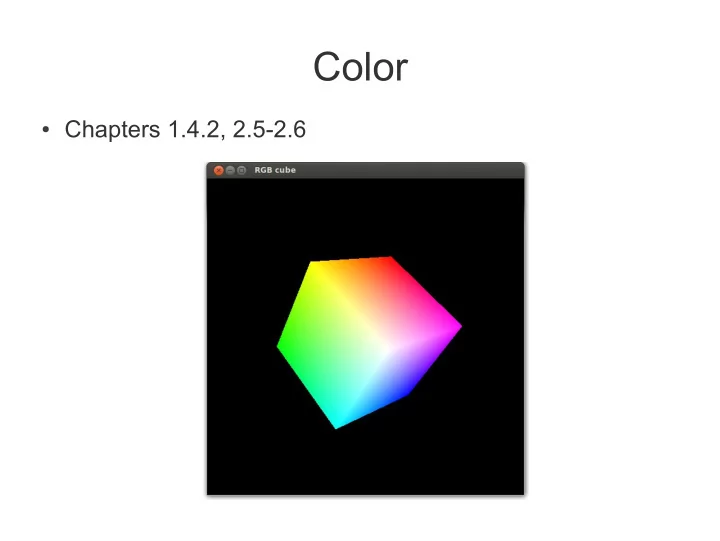
Color

  • Chapters 1.4.2, 2.5-2.6
slide-2
SLIDE 2

The human visual system

  • The human eye has two types
  • f light sensors: rods and

cones.

  • Rods sense luminance, or

”brightness”, but not color. They have slower response time than cones but are about 100 times more sensitive to light.

  • There are three types of cones:

S, blue-sensitive M, green-sensitive L, red-sensitive

slide-3
SLIDE 3

The RGB/CMY color space

  • RGB (Red Green Blue): for additive color mixing, e.g., on

a computer display

  • CMY (Cyan Magenta Yellow): for subtractive color mixing,

e.g., in printing [C, M, Y] = [1, 1, 1] – [R, G, B]

Image source: wikimedia Note: Color values in OpenGL range from 0-1, not 0-255

slide-4
SLIDE 4

Additive vs. subtractive color mixing

R + G + B = white (additive) C + M + Y = black (subtractive)

slide-5
SLIDE 5

RGB in computer displays

  • A display system such as a LCD monitor uses only 3 primary

colors (red, green, and blue) to display nearly all colors in the visible spectrum

  • Each pixel is composed of three tiny light sources (one for each

primary color and cone type). When viewed at a distance, these separate light sources will blend together to a solid color

Individual pixel

slide-6
SLIDE 6

True-color framebuffer

  • Store RGB values directly in the framebuffer
  • Typically, a pixel is represented with 24 bits: 8 for red, 8 for

green, and 8 for blue

  • A 24-bit framebuffer can represent 2^24 (16 million)

simultaneous colors, which is enough for most applications

  • Standard in modern graphics systems
slide-7
SLIDE 7

The HSV/HSL color spaces

  • Decouple intensity from

color information

  • Three components:

▬ Hue (angle) ▬ Saturation (radius) ▬ Value, Lightness (height)

Image source: wikimedia

slide-8
SLIDE 8

RGB vs. HSV

RGB R G B HSV H S V

slide-9
SLIDE 9

Choosing color space

  • OpenGL and GLSL assumes that colors are represented

as RGB or RGBA values

  • Converting RGB colors to HSV/HSL can useful for, e.g.,

toon shading and other image-based postprocessing effects where you want to decouple intensity from color

  • You can use HSV and other non-RGB color spaces

internally in your application program, as long as you convert the resulting colors back to RGB before rendering

  • Regardless of which color space is used in the application,

RGB is the norm in modern displays

slide-10
SLIDE 10

Gamma correction

  • Compensates for the non-linear response of LCD/CRT

monitors

  • See assignment 3, part 1