CMPT-401 Operating System II Instructor: Byron Gao (bgao@sfu.ca) - - PowerPoint PPT Presentation

cmpt 401 operating system ii
SMART_READER_LITE
LIVE PREVIEW

CMPT-401 Operating System II Instructor: Byron Gao (bgao@sfu.ca) - - PowerPoint PPT Presentation

CMPT-401 Operating System II Instructor: Byron Gao (bgao@sfu.ca) Office hour: Tues & Thur after class TA: Carl Wang (carlw@cs.sfu.ca) Office hour: Mon. (1 2pm) / Wed. (3:30-4:30pm)/ Fri. (3:30-4:30) at k9505 Textbook:


slide-1
SLIDE 1

2005/9/10 1

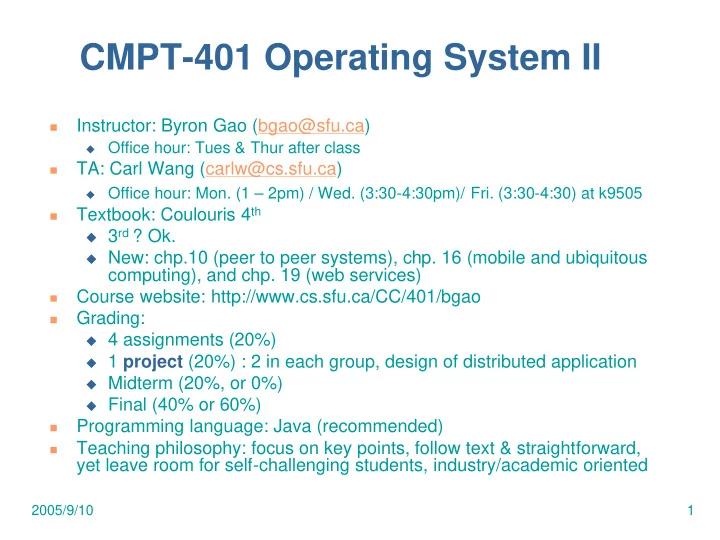
CMPT-401 Operating System II

  • Instructor: Byron Gao (bgao@sfu.ca)

Office hour: Tues & Thur after class

  • TA: Carl Wang (carlw@cs.sfu.ca)

Office hour: Mon. (1 – 2pm) / Wed. (3:30-4:30pm)/ Fri. (3:30-4:30) at k9505

  • Textbook: Coulouris 4th

3rd ? Ok. New: chp.10 (peer to peer systems), chp. 16 (mobile and ubiquitous

computing), and chp. 19 (web services)

  • Course website: http://www.cs.sfu.ca/CC/401/bgao
  • Grading:

4 assignments (20%) 1 project (20%) : 2 in each group, design of distributed application Midterm (20%, or 0%) Final (40% or 60%)

  • Programming language: Java (recommended)
  • Teaching philosophy: focus on key points, follow text & straightforward,

yet leave room for self-challenging students, industry/academic oriented

slide-2
SLIDE 2

2005/9/10 2

Chp 1. Introduction

Road Map 1.1. Introduction 1.2. Examples of DS 1.3. Resource sharing and the web 1.4. Challenges

slide-3
SLIDE 3

2005/9/10 3

1.1. Introduction

Nowadays, distributed systems are ubiquitous internet, intranets, mobile and ubiquitous

computing

What is a DS? Hardware or software components located at

networked computers communicate and coordinate their actions only by message passing

Consequences Concurrency No global clock Independent failures

slide-4
SLIDE 4

2005/9/10 4

1.2. Examples of DS

The Internet

Interconnected computers/intranets, which

communicate over backbone/medium via messages using the IP (Internet protocol)

Medium: wired: copper circuits, fibre optic;

wireless: satellite …

The internet is a very large DS, which

provides worldwide services, e.g., the www services, emails, search engine services, file transfer (ftp), …

slide-5
SLIDE 5

2005/9/10 5

1.2. Examples of DS

intranet ISP desktop computer: backbone satellite link server:

  • network link:
slide-6
SLIDE 6

2005/9/10 6

1.2. Examples of DS

Intranets

An intranet is a part of the Internet, separately

  • wned and protected with firewalls to enforce

local security and internal data sharing

Locally owned interconnected computers – may

be a component of a DS, e.g., the Internet – if so, the intranet is connected via a router

Typically composed of LANs, with firewall (if

connected to the Internet) for filtering incoming/outgoing transmissions

slide-7
SLIDE 7

2005/9/10 7

1.2. Examples of DS

the rest of email server Web server

Desktop computers

File server router/firewall print and other servers

  • ther servers

print Local area network email server the Internet

slide-8
SLIDE 8

2005/9/10 8

1.2. Examples of DS

  • Mobile and ubiquitous computing

Supported/spurred by advances in embedded system design –

device miniaturization and wireless networking

Mobile computing (laptops, PDAs, wearable computing devices) –

access to intranet resources/services on-the-move

Ubiquitous computing (small embedded computers) –

transparent/intimate use of several, distributed and communicating small computing devices in a given physical environment (anywhere, anytime accessible) like office, hospital, home, classroom

wireless sensor network: small/cheap/limited energy, memory,

computational and transmission capacity

slide-9
SLIDE 9

2005/9/10 9

1.2. Examples of DS

Laptop Mobile Printer Camera Internet Host intranet Home intranet WAP Wireless LAN phone gateway Host site

slide-10
SLIDE 10

2005/9/10 10

1.3. Resource sharing and the web

Key motivation of DS: Sharing resources

Search engine Printer Database Web site Authorization server… On-demand computing

slide-11
SLIDE 11

2005/9/10 11

1.3. Resource sharing and the web

  • Service: a distinct part of a computer system that manages

a collection of related resources and presents their functionality to users and applications.

  • Server and client: a server is a running program (a

process) on a networked computer that accepts requests from programs running on other computers to perform a service and responds appropriately. The requesting processes are referred to as clients.

Client invokes an operation upon the server Same process can be both server and client Remote invocation: a complete interaction between a

client and a server, from the point when the client sends its request to when it receives the server’s response

Sometimes refer to the computers

slide-12
SLIDE 12

2005/9/10 12

1.3. Resource sharing and the web

The WWW (World Wide Web): An evolving system for publishing and accessing

resources and services across the Internet

Requires browsers, supported by hypertext linking

mechanism to related documents. Browser designed to accommodate new content- representation formats via plug-ins

Services provided by web servers (there are many

types!) and retrieval depends on the browser and the platform (e.g., PDA browsing vs. laptop browsing).

Open system: can be extended and implemented

in new ways without disturbing its existing functionality

slide-13
SLIDE 13

2005/9/10 13

1.3. Resource sharing and the web

Standard technological components: HTML (HyperText Markup Language): content

format and web-page layout specifications

URL (Uniform Resource Locators) :

document/resource location identifier (helps browsers to locate sites of documents/resources):

scheme: scheme-specific-identifier Scheme declares which types of URL: HTTP, FTP http://servername[:port][/pathname][?args] Servername: DNS (Domain Name System) E.g. http://www.cs.sfu.ca/CC/401/bgao

slide-14
SLIDE 14

2005/9/10 14

1.3. Resource sharing and the web

Server DNS name Pathname on server Args

www.cdk4.net (default) none www.cs.sfu.ca/CC/401/bgao CC/401/bgao none www.google.com search q=assignmentsolution

Internet Browsers Web servers www.google.com www.cdk4.net www.cs.sfu.ca CC 401 http://www.cs.sfu.ca/CC/401/bgao http://www.google.com/search?q=assignmentsolution http://www.cdk4.net File system of www.cs.sfu.ca bgao

slide-15
SLIDE 15

2005/9/10 15

1.3. Resource sharing and the web

  • HTTP: a request-reply protocol tells browsers where and

how to retrieve, one doc at a time

  • CGI (Common Gateway Interface): a program that web

servers run to generate content for clients

Runs at the server downloaded code to provide better interaction:

javascript, applet

HTML and HTTP standards lack for programming

interoperation, not extensible to applications beyond information browsing

XML (Extensible Markup Language): meta-language,

used to describe the capabilities of devices and to describe personal information held by user

Define structured data

slide-16
SLIDE 16

2005/9/10 16

1.4. Challenges

Heterogeneity Openness Security Scalability Failure handling Concurrency Transparency

slide-17
SLIDE 17

2005/9/10 17

1.4. Challenges

  • Heterogeneity: (variety)

Networks Computer hardware Operating System Programming Language

  • Endianness : bit endian, little endian

for big-endian, most significant byte comes first (left to right); for

little-endian, it comes last.

0 0 0 8 (? For big endian, ? For little endian?) NUXI problem: the problem of transferring data between

computers with differing byte order. For example, the string "UNIX", packed two bytes per 16-bit word integer, might look like "NUXI" on a machine with endian.

  • Middleware: Software layer that provides a programming

abstraction as well as masking underlying heterogeneity.

E.g. CORBA (Common Object Request Broker); RMI (Java

Remote Method Invocation)

Mostly implemented over Internet Protocols

slide-18
SLIDE 18

2005/9/10 18

1.4. Challenges

Openness: can the system be extended and

reimplemented in various ways?

Can new resource-sharing programs be added and

made available for use by a variety of client programs?

Key interfaces must be published, but this is only

the starting point. Architectural vision must support

  • penness as well

Published interface: specification & documentation of

the key software interface of the components of a system are made available to software developers

Internet Protocols use RFCs (Requests For

Comments) to publish interfaces

  • http://www.rfc-editor.org/
slide-19
SLIDE 19

2005/9/10 19

1.4. Challenges

  • Security

Confidentiality

Protection against disclosure to unauthorized individuals

Integrity

Protection against alteration or corruption

Availability

Protection against interference with the means to access

the resources

  • First two have reasonably good solutions: encryption
  • Open Issues:

DOS attacks: denial of service Security of mobile code A distributed system has a lot of components and is

  • nly as strong as its weakest link
slide-20
SLIDE 20

2005/9/10 20

1.4. Challenges

  • Scalability

Scalable: system remains effective when there is a

significant increase in number of resources or users

Subchallenges:

Cost of physical resources: should scale at MOST linearly

with the number of users: O(n)

Controlling performance impact: Data lookup needs to scale

at worst as O(logn)

Preventing resources running out. (IP addresses: 32 to 128) Avoiding Performance Bottlenecks

  • Algorithms should be decentralized
  • DNS: was kept in a single master file, now partition the name

table between servers located throughout the Internet and administered locally

slide-21
SLIDE 21

2005/9/10 21

1.4. Challenges

  • Failure handling
  • Lots of things can fail in a distributed system

Any component can die, partial failure A component can get overloaded, temporarily or for a long time A component can get disconnected from the rest of the network

  • Detecting failures: certain failures can be detected

Message corruption can be identified with a checksum Sequence numbers may enable you to detect a lost packet

  • Masking failures: detected failures can be hidden or made less

severe, e.g. retransmission of messages, replication of files

  • Tolerate failures: undetectable, too expensive or impossible to fix
  • Recovery from failures: rollback (discuss later)
  • Redundancy: different routes, replication

Replication design is challenging: keep replicas of rapidly

changing data up-to-date without excessive performance loss

slide-22
SLIDE 22

2005/9/10 22

1.4. Challenges

Concurrency: concurrency control Several clients will attempt to access a

shared recourse at the same time

Examples… Solution: operations must be synchronized

such that data remains consistent

semaphores

  • Problem?
slide-23
SLIDE 23

2005/9/10 23

1.4. Challenges

In the face of all of these challenges, the goal is …

  • TRANSPARENCY

TRANSPARENCY

  • The illusion that you have before you something as

The illusion that you have before you something as simple as a simple as a uniprocessor uniprocessor system system

  • Definition: Concealment from the user and the

Definition: Concealment from the user and the application programmer of the separation of application programmer of the separation of components in a distributed system, so that the components in a distributed system, so that the system is perceived as a whole than rather as a system is perceived as a whole than rather as a collection of independent components collection of independent components

slide-24
SLIDE 24

2005/9/10 24

1.4. Challenges

Access transparency: enables local and

remote resources to be accessed using identical operations

Location transparency: enables resources

to be accessed without knowledge of their physical or network location (for example, which building or IP address)

Two most important transparencies,

together referred to as network transparency

E.g. Electronic mail within internet

slide-25
SLIDE 25

2005/9/10 25

1.4. Challenges

Concurrency transparency: enables

several processes to operate concurrently using shared resources without interference between them

isolation Replication transparency: enables

multiple instances of resources to be used to increase reliability and performance without knowledge of the replicas by users or application programmers

slide-26
SLIDE 26

2005/9/10 26

1.4. Challenges

Failure transparency: enables the

concealment of faults, allowing users and application programs to complete their tasks despite the failure of hardware or software components

Mobility transparency: allows the

movement of resources and clients within a system without affecting the operation

  • f users or programs
slide-27
SLIDE 27

2005/9/10 27

1.4. Challenges

Performance transparency: allows the

system to be reconfigured to improve performance as loads vary

Scaling transparency: allows the system

and applications to expand in scale without change to the system structure or the application algorithms