
SLIDE 1
CM10134 / CM50147 CM10134 / CM50147 Pr Prog
- gramming I
mming I
Lecture Handouts
- Dr. Marina De Vos
CM10134 / CM50147 CM10134 / CM50147 Pr Prog ogramming I mming I - - PDF document
CM10134 / CM50147 CM10134 / CM50147 Pr Prog ogramming I mming I Lecture Handouts Dr. Marina De Vos 2005-2006 Programming 1 06/10/2005 Course Contents CM10134-CM50147 Introduction to object-oriented Programming I programming
Programming 1 06/10/2005 Lecture 1a: Introduction 1
CM10134-CM50147 Programming I Basic Programming in Java
Marina De Vos
06/10/2005 Lecture 1a: Introduction 2Course Contents
programming…
foundation…
large, high-quality software systems.
06/10/2005 Lecture 1a: Introduction 3Buzzwords
interface
javadoc encapsulation coupling cohesion polymorphic method calls inheritance mutator methods collection classes
iterators responsibility-driven design aggregation design patterns reuse abstraction
06/10/2005 Lecture 1a: Introduction 4Goals
principles
(small) software system
in Java
06/10/2005 Lecture 1a: Introduction 5Course Text
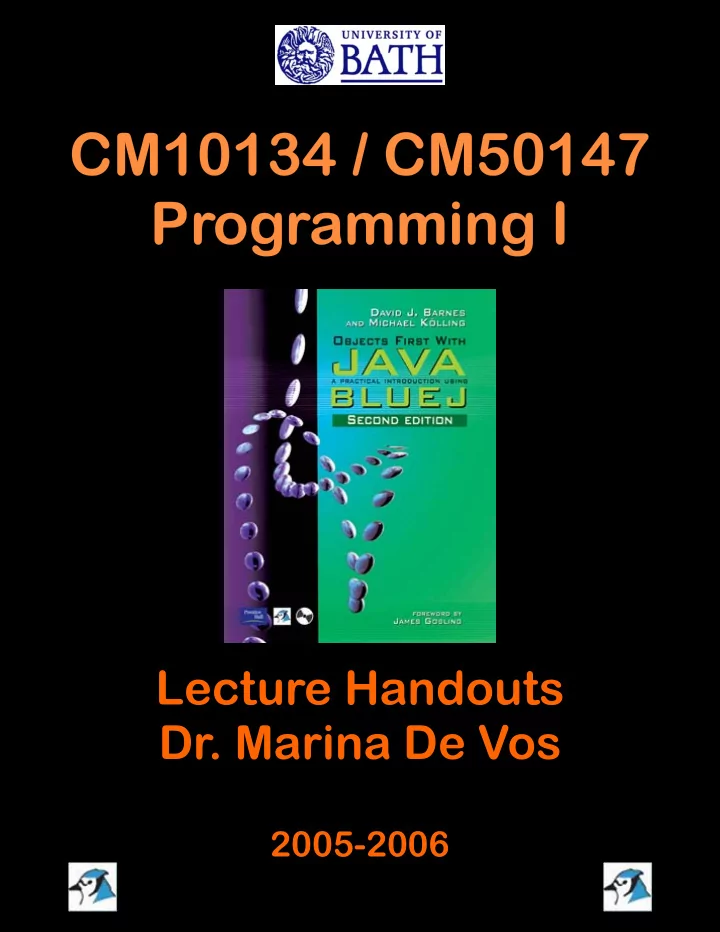
David J. Barnes & Michael Kölling Objects First with Java A Practical Introduction using BlueJ Pearson Education, 2003 ISBN 0-13-044929-6.
06/10/2005 Lecture 1a: Introduction 6Additional Book
Bruce Eckel Thinking in Java, 3rd Edition Prentice-Hall, 2002 ISBN 031002872 Free online copy: “http://www.mindview.net/Books/TIJ/”
Programming 1 06/10/2005 Lecture 1a: Introduction 2
06/10/2005 Lecture 1a: Introduction 7Webpage
The course webpage is at
www.cs.bath.ac.uk/~mdv/courses/prog1.html
Please check it regularly. It will be used for announcements and distribution of material for lectures, labs, coursework.
06/10/2005 Lecture 1a: Introduction 8Mailing lists
the general mailing list for this unit.
to contact the tutors of this unit and to submit lab sheets in case of illness.
06/10/2005 Lecture 1a: Introduction 9Course overview (1)
debugging
Course overview (2)
Passing this Unit
– Answer three questions on theoretical and practical issues of programming.
– Write four medium-sized programs in an object
In order to be allowed to sit the exam and to do the coursework 7 exercise sheets have to be satisfactory completed.
Programming 1 06/10/2005 Lecture 1b: Objects and Classes 1
Objects and Classes
First Programming Concepts
06/10/2005 Lecture 1b: Objects and Classes 2Fundamental Concepts
Objects and Classes
– represent ‘things’ from the real world, or from some problem domain (example: “the red car down there in the car park”)
– represent all objects of a kind (example: “car”)
Objects represent individual instantiations of the
Objects and Classes in BlueJ
06/10/2005 Lecture 1b: Objects and Classes 5Things we can do with Objects
06/10/2005 Lecture 1b: Objects and Classes 6Things we can do with Objects
Programming 1 06/10/2005 Lecture 1b: Objects and Classes 2
06/10/2005 Lecture 1b: Objects and Classes 7Methods and Parameters
signature of the methods
as the interface of that class
information needed to execute
Data Types
kinds of values a parameter can take.
Other Observations
class
fields.
but each object stores its own set of values.
State
06/10/2005 Lecture 1b: Objects and Classes 11Two Circle Objects
06/10/2005 Lecture 1b: Objects and Classes 12Object Interaction
Programming 1 06/10/2005 Lecture 1b: Objects and Classes 3
06/10/2005 Lecture 1b: Objects and Classes 13Source Code
associated with it that defines its details (fields and methods).
and the behavior of each of its instance.
interpreted by Java.
06/10/2005 Lecture 1b: Objects and Classes 14Return Values
value.
– This method returns a String.
– Void indicates that this method does not return anything
06/10/2005 Lecture 1b: Objects and Classes 15Developing Java Programs
needs to learn how to write class definitions, including fields and methods, and how to put these classes together as well
these issues in more detail
06/10/2005 Lecture 1b: Objects and Classes 16Terms
Programming 1 13/10/2005 Lecture 2: Understanding Class Definitions 1
Understanding class definitions
Looking inside classes
13/10/2005 Lecture 2: Understanding Class Definitions 2Main concepts to be covered
Ticket machines – an external view
machine.
– Use the naive-ticket-machine project. – Machines supply tickets of a fixed price.
– How is ‘money’ entered into a machine? – How does a machine keep track of the money that is entered? – How is a ticket provided?
13/10/2005 Lecture 2: Understanding Class Definitions 4Resulting Fields
13/10/2005 Lecture 2: Understanding Class Definitions 5Resulting Methods
13/10/2005 Lecture 2: Understanding Class Definitions 6Ticket machines – an internal view
about its behavior.
that behavior is provided or implemented.
– Looking at the source code
internal view.
Programming 1 13/10/2005 Lecture 2: Understanding Class Definitions 2
13/10/2005 Lecture 2: Understanding Class Definitions 7The Source Code
13/10/2005 Lecture 2: Understanding Class Definitions 8Basic class structure
public class TicketMachine { Inner part of the class omitted. } public class ClassName { Fields Constructors Methods }The outer wrapper
The contents of a class
13/10/2005 Lecture 2: Understanding Class Definitions 9Comments/Documentation
for humans. No effect on the functionality.
– // comment: single-line comments – /* comments */: multiple-lines – more detail – /** */: similar to previous, but used when documentation software is used.
13/10/2005 Lecture 2: Understanding Class Definitions 10Fields
an object.
instance variables.
to view an object’s fields.
visibility modifier type variable name
13/10/2005 Lecture 2: Understanding Class Definitions 11Constructors
an object.
necessary memory to the created object
name as their class.
into the fields.
external parameter values for this.
public TicketMachine(int ticketCost) { price = ticketCost; balance = 0; total = 0; } 13/10/2005 Lecture 2: Understanding Class Definitions 12Passing data via parameters
Programming 1 13/10/2005 Lecture 2: Understanding Class Definitions 3
13/10/2005 Lecture 2: Understanding Class Definitions 13Parameters
method are referred to as Formal Parameters.
are referred to as Actual Parameters.
parameter and 500 is an actual parameter.
13/10/2005 Lecture 2: Understanding Class Definitions 14Space
representation is only created when the constructor is executed.
store a value for ticketCost. This is called the constructor space or method space.
execution.
13/10/2005 Lecture 2: Understanding Class Definitions 15Scope and Lifetime
section of the code from where it can be accessed.
that declares it.
long the variable continues to exist before it is destroyed.
13/10/2005 Lecture 2: Understanding Class Definitions 16Assignment
variables) via assignment statements:
– variable = expression; – price = ticketCost;
the same type, e.g. int, double, String, …
previous value is lost.
13/10/2005 Lecture 2: Understanding Class Definitions 17Accessor methods
header and a body.
public int getPrice()
Accessor methods
public int getPrice() { return price; }
return type method name parameter list (empty) start and end of method body (block) return statement visibility modifier
Programming 1 13/10/2005 Lecture 2: Understanding Class Definitions 4
13/10/2005 Lecture 2: Understanding Class Definitions 19Mutator methods
body.
state.
– Typically contain assignment statements. – Typically receive parameters.
13/10/2005 Lecture 2: Understanding Class Definitions 20Mutator methods
public void insertMoney(int amount) { balance += amount; }
return type (void) method name parameter visibility modifier assignment statement field being changed
13/10/2005 Lecture 2: Understanding Class Definitions 21Printing from methods
public void printTicket() { // Simulate the printing of a ticket. System.out.println("##################"); System.out.println("# The BlueJ Line"); System.out.println("# Ticket"); System.out.println("# " + price + " cents."); System.out.println("##################"); System.out.println(); // Update the total collected with the balance. total += balance; // Clear the balance. balance = 0; }
13/10/2005 Lecture 2: Understanding Class Definitions 22Output
13/10/2005 Lecture 2: Understanding Class Definitions 23Reflecting on the ticket machines
ways:
– No checks on the amounts entered. – No refunds. – No checks for a sensible initialization.
– We need more sophisticated behavior.
13/10/2005 Lecture 2: Understanding Class Definitions 24Making choices
public void insertMoney(int amount) { if(amount > 0) { balance += amount; } else { System.out.println("Use a positive amount: " + amount); } }
Programming 1 13/10/2005 Lecture 2: Understanding Class Definitions 5
13/10/2005 Lecture 2: Understanding Class Definitions 25Making choices
if(perform some test) { Do the statements here if the test gave a true result } else { Do the statements here if the test gave a false result }
‘if’ keyword boolean condition to be tested - gives a true or false result actions if condition is true actions if condition is false ‘else’ keyword
13/10/2005 Lecture 2: Understanding Class Definitions 26Boolean Tests
Local variables
– They store values through the life of an object. – They are accessible throughout the class.
– They exist only as long as the method is being executed. – They are only accessible from within the method.
13/10/2005 Lecture 2: Understanding Class Definitions 28Local variables
public int refundBalance() { int amountToRefund; amountToRefund = balance; balance = 0; return amountToRefund; } A local variable
No visibility modifier
13/10/2005 Lecture 2: Understanding Class Definitions 29Review
methods.
return anything.
13/10/2005 Lecture 2: Understanding Class Definitions 30Review
variables.
constructor or method.
temporary storage.
Programming 1 13/10/2005 Lecture 2: Understanding Class Definitions 6
13/10/2005 Lecture 2: Understanding Class Definitions 31Review
(if) statements.
alternative courses of actions to be taken.
13/10/2005 Lecture 2: Understanding Class Definitions 32Terms
Programming 1 20/10/2005 Lecture 3: Object Interaction 1
Object interaction
Creating cooperating objects
20/10/2005 Lecture 3: Object Interaction 2Main concepts to be covered
A digital clock
20/10/2005 Lecture 3: Object Interaction 4Abstraction and modularization
whole into well-defined parts, which can be built and examined separately, and which interact in well-defined ways.
20/10/2005 Lecture 3: Object Interaction 5Modularizing the clock display
One four-digit display? Or two two-digit displays?
20/10/2005 Lecture 3: Object Interaction 6Implementation: NumberDisplay
public class NumberDisplay { private int limit; private int value; Constructor and methods omitted. }
Programming 1 20/10/2005 Lecture 3: Object Interaction 2
20/10/2005 Lecture 3: Object Interaction 7Implementation ClockDisplay
public class ClockDisplay { private NumberDisplay hours; private NumberDisplay minutes; Constructor and methods omitted. }
20/10/2005 Lecture 3: Object Interaction 8Object diagram
20/10/2005 Lecture 3: Object Interaction 9Class diagram
20/10/2005 Lecture 3: Object Interaction 10Diagrams
– Shows the classes of an application and the relationships between them – Gives information about the source code – Static view of the program
– Shows objects and their relationships at one moment in time during the execution of the program – Dynamic view of the program
20/10/2005 Lecture 3: Object Interaction 11BlueJ and Diagrams
20/10/2005 Lecture 3: Object Interaction 12Primitive types vs. object types
type: primitive types and object types.
Programming 1 20/10/2005 Lecture 3: Object Interaction 3
20/10/2005 Lecture 3: Object Interaction 13Primitive types vs. object types
32
primitive type SomeObject obj; int i;
20/10/2005 Lecture 3: Object Interaction 14Primitive types vs. object types
32
SomeObject a; int a; SomeObject b;
32
int b; b = a;
20/10/2005 Lecture 3: Object Interaction 15Call-by-reference and Call-by-value
methods in many programming languages: call-by-value and call-by-reference.
parameter is passed to the formal parameter
the formal parameter will have no effect on the actual parameter.
20/10/2005 Lecture 3: Object Interaction 16Call-by-reference and Call-by-value
method the ability to directly access to the caller’s data and to modify that data if the called method so chooses.
types and call-by-reference for object types.
20/10/2005 Lecture 3: Object Interaction 17Source code: NumberDisplay
public class NumberDisplay { private int limit; private int value; public NumberDisplay(int rollOverLimit) { limit = rollOverLimit; value = 0; }
20/10/2005 Lecture 3: Object Interaction 18Source code: NumberDisplay
public int getValue() { return value; } public void setValue(int replacementValue) { if((replacementValue >= 0) && (replacementValue < limit)) value = replacementValue; }
Programming 1 20/10/2005 Lecture 3: Object Interaction 4
20/10/2005 Lecture 3: Object Interaction 19Logical Operators
until conclusion can be reached
conclusion can be reached
Source code: NumberDisplay
public String getDisplayValue() { if(value < 10) return "0" + value; else return "" + value; } public void increment() { value = (value + 1) % limit; } }
20/10/2005 Lecture 3: Object Interaction 21String Concatenation
– 12 + 24
– “Java” + “with BlueJ” -> “Javawith BlueJ” – “answer: ” + 42 -> “answer: 42”
20/10/2005 Lecture 3: Object Interaction 22String toString() method
transforming every Object into a String. To tailor this to your own preference write a method toString() returning a String representation of your class/object.
public String toString() { return “value: “ + value + “ with limit ” + limit; }
20/10/2005 Lecture 3: Object Interaction 23The Modulo Operator
remainder of an integer division
– 27 & 4 -> 3
integers, division will result in an integer.
– double res = 5 / 2 -> res = 2 – double res = 5 / (2.0) or 5 / (2 * 1.0)
Objects creating objects
public class ClockDisplay { private NumberDisplay hours; private NumberDisplay minutes; private String displayString; public ClockDisplay() { hours = new NumberDisplay(24); minutes = new NumberDisplay(60); updateDisplay(); } }
Programming 1 20/10/2005 Lecture 3: Object Interaction 5
20/10/2005 Lecture 3: Object Interaction 25Objects creating objects
1. new ClassName(parameter-list)
– It creates a new object of the named class
instance variables.
2. It executes the constructor of that class public NumberDisplay new NumberDisplay
(int rollOverLimit)
formal parameter
(24)
actual parameter
20/10/2005 Lecture 3: Object Interaction 26ClockDisplay object diagram
20/10/2005 Lecture 3: Object Interaction 27Method Overloading
– new Clockdisplay() – new Clockdisplay(hour, minute)
alternative versions of constuctors or methods that provide various ways of achieving a particular task via their distinctive sets of parameters.
Method calling
public void timeTick() { minutes.increment(); if(minutes.getValue() == 0) { // it just rolled over! hours.increment(); } updateDisplay(); }
20/10/2005 Lecture 3: Object Interaction 29Internal method
/** * Update the internal string that * represents the display. */ private void updateDisplay() { displayString = hours.getDisplayValue() + ":" + minutes.getDisplayValue(); }
20/10/2005 Lecture 3: Object Interaction 30Method calls
updateDisplay(); private void updateDisplay()
minutes.increment();
Programming 1 20/10/2005 Lecture 3: Object Interaction 6
20/10/2005 Lecture 3: Object Interaction 31Public and Private Methods
The Mail System
20/10/2005 Lecture 3: Object Interaction 33The this Keyword
public class MailItem { private String from; private String to; private String message; public MailItem(String from, String to, String message) { this.from = from; this.to = to; this.message = message; }
20/10/2005 Lecture 3: Object Interaction 34The this Keyword
– name overloading: the same name is used for two different entities: instance variable and formal parameter. – this is used to go out of the scope of the constructor to class level – this always refers to the current object. – can also used for methods – for internal methods calls and access to instance fields Java automatically inserts this – updateDisplay -> this.updateDisplay
20/10/2005 Lecture 3: Object Interaction 35Debugging
making mistakes or bugs.
– syntax: can be traced using the compiler – logical:
Debugging
Programming 1 20/10/2005 Lecture 3: Object Interaction 7
20/10/2005 Lecture 3: Object Interaction 37Concepts
calls
Programming 1 27/10/2005 Lecture 4: Grouping Objects 1
Grouping objects
Collections and iterators
27/10/2005 Lecture 4: Grouping Objects 2Main concepts to be covered
The requirement to group objects
– Personal organizers. – Library catalogs. – Student-record system.
– Items added. – Items deleted.
27/10/2005 Lecture 4: Grouping Objects 4A personal notebook
A personal notebook
27/10/2005 Lecture 4: Grouping Objects 6Class Libraries
reuse code written by other. There is no point in reinventing the wheel.
which are referred to as the Java API
a directory structure
Programming 1 27/10/2005 Lecture 4: Grouping Objects 2
27/10/2005 Lecture 4: Grouping Objects 7Class Libraries
27/10/2005 Lecture 4: Grouping Objects 8Class libraries
using the import statement
– import java.util.Vector; – import java.util.*;
– The java.util package contains classes for doing this. – We will use ArrayList as a first example
27/10/2005 Lecture 4: Grouping Objects 9Class Libraries
27/10/2005 Lecture 4: Grouping Objects 10import java.util.ArrayList; /** * ... */ public class Notebook { // Storage for an arbitrary number of notes. private ArrayList notes; /** * Perform any initialization required for the * notebook. */ public Notebook() { notes = new ArrayList(); } ... }
27/10/2005 Lecture 4: Grouping Objects 11Object structures with collections
27/10/2005 Lecture 4: Grouping Objects 12Adding a third note
Programming 1 27/10/2005 Lecture 4: Grouping Objects 3
27/10/2005 Lecture 4: Grouping Objects 13Features of the collection
– Does that matter? Does not knowing how prevent us from using it?
27/10/2005 Lecture 4: Grouping Objects 14Using the collection
public class Notebook { private ArrayList notes; ... public void storeNote(String note) { notes.add(note); } public int numberOfNotes() { return notes.size(); } ... } Adding a new note Returning the number of notes (delegation).
27/10/2005 Lecture 4: Grouping Objects 15Index numbering
27/10/2005 Lecture 4: Grouping Objects 16Retrieving an object
Index validity checks Retrieve and print the note public void showNote(int noteNumber) { if(noteNumber < 0) { // This is not a valid note number. } else if(noteNumber < numberOfNotes()) { System.out.println(notes.get(noteNumber)); } else { // This is not a valid note number. } }
27/10/2005 Lecture 4: Grouping Objects 17Removing an item
public void removeNote(int noteNumber) { if(noteNumber < 0) { // This is not a valid note number, so do nothing. } else if(noteNumber < numberOfNotes()) { // This is a valid note number. notes.remove(noteNumber); } else { // This is not a valid note number, so do nothing. } }
27/10/2005 Lecture 4: Grouping Objects 18Removal may affect numbering
Programming 1 27/10/2005 Lecture 4: Grouping Objects 4
27/10/2005 Lecture 4: Grouping Objects 19Review
tested collection classes.
the java.util package.
27/10/2005 Lecture 4: Grouping Objects 20Review
removed (or further items added).
get, remove and size.
27/10/2005 Lecture 4: Grouping Objects 21Iteration
arbitrary number of times.
– E.g., print all the notes in the notebook. How many are there?
statements to make this possible.
– We will focus on its while loop to begin with.
27/10/2005 Lecture 4: Grouping Objects 22While loop pseudo code
while(loop condition) { loop body } while(there is at least one more note to be printed) { show the next note }Boolean test while keyword Statements to be repeated Pseudo-code example to print every note General form of a while loop
27/10/2005 Lecture 4: Grouping Objects 23A Java example
/** * List all notes in the notebook. */ public void listNotes() { int index = 0; while(index < notes.size()) { System.out.println(notes.get(index)); index++; } } Increment by one
27/10/2005 Lecture 4: Grouping Objects 24Increments
being incremented with one
– a = 5; b = a++; – a == 6; b == 5;
i is then used.
– a = 5; b = ++a; – a == 6; b == 6;
Programming 1 27/10/2005 Lecture 4: Grouping Objects 5
27/10/2005 Lecture 4: Grouping Objects 25Iterating over a collection
Iterator it = myCollection.iterator(); while(it.hasNext()) { call it.next() to get the next object do something with that object } java.util.Iterator Returns an Iterator
public void listNotes() { Iterator it = notes.iterator(); while(it.hasNext()) { System.out.println(it.next()); } }
27/10/2005 Lecture 4: Grouping Objects 26Iterators
to iterate over all elements of a collection or container class
Iterator has more elements and next() to take the next object from the Iterator.
The auction project
illustration of collections and iteration.
– The null value. – Casting. Used to store the result of get into a variable:
The auction project
27/10/2005 Lecture 4: Grouping Objects 29The Lot Class
public void bidFor(Person bidder, long value) { if((highestBid == null) || (highestBid.getValue() < value)) { // This bid is the best so far. setHighestBid(new Bid(bidder, value)); } else { System.out.println("Lot number: " + getNumber() + " (" + getDescription() + ")" + " already has a bid of: " + highestBid.getValue()); } }
27/10/2005 Lecture 4: Grouping Objects 30The null Keyword
– The Java keyword null is used to mean ‘no
a reference to a particular object.
– two things are done here:
Programming 1 27/10/2005 Lecture 4: Grouping Objects 6
27/10/2005 Lecture 4: Grouping Objects 31The Auction Class
public void showLots() { Iterator it = lots.iterator(); while(it.hasNext()) { Lot lot = (Lot) it.next(); System.out.println(lot.getNumber() + ": " + lot.getDescription()); // Include any details of a highest bid. Bid highestBid = lot.getHighestBid(); if(highestBid != null) { System.out.println(" Bid: " + highestBid.getValue()); } else { System.out.println(" (No bid)"); } } } 27/10/2005 Lecture 4: Grouping Objects 32Type Casting
– the return value of the Iterator method next() is an object of type Object. To store this in an
it that type. This is called Casting – This can only been done if the objects we have added to the container were originally of type Lot.
27/10/2005 Lecture 4: Grouping Objects 33Type Casting
any type of objects. In order to do so it transforms everything you add into an
we normally cast them back into their
Wrapper Classes
classes: Integer, Float, Double
– Integer a = new Integer(10); – int b = a.intValue();
27/10/2005 Lecture 4: Grouping Objects 35Fixed-size collections
can be pre-determined.
special fixed-size collection type: an array.
type values.
The weblog-analyzer project
– Most popular pages. – Busiest periods. – How much data is being delivered. – Broken references.
Programming 1 27/10/2005 Lecture 4: Grouping Objects 7
27/10/2005 Lecture 4: Grouping Objects 37The weblog-analyzer project
27/10/2005 Lecture 4: Grouping Objects 38Creating an array object
public class LogAnalyzer { private int[] hourCounts; private LogfileReader reader; public LogAnalyzer() { hourCounts = new int[24]; reader = new LogfileReader(); } ... } Array object creation Array variable declaration
27/10/2005 Lecture 4: Grouping Objects 39The hourCounts array
27/10/2005 Lecture 4: Grouping Objects 40Using an array
element: hourCounts[...]
– On the left of an assignment:
– In an expression:
elements are passed by value.
27/10/2005 Lecture 4: Grouping Objects 41The for loop
times.
For loop pseudo-code
for(initialization; condition; post-body action) { statements to be repeated } General form of a for loop Equivalent in while-loop form initialization; while(condition) { statements to be repeated post-body action }
Programming 1 27/10/2005 Lecture 4: Grouping Objects 8
27/10/2005 Lecture 4: Grouping Objects 43A Java example
for(int hour = 0; hour < hourCounts.length; hour++) { System.out.println(hour + ": " + hourCounts[hour]); } int hour = 0; while(hour < hourCounts.length) { System.out.println(hour + ": " + hourCounts[hour]); hour++; } for loop version while loop version
27/10/2005 Lecture 4: Grouping Objects 44Review
collection is required.
when the number of repetitions is known.
arrays.
27/10/2005 Lecture 4: Grouping Objects 45Concepts
Programming 1 03/11/2005 Lecture 5: More Sophisticated Behavior 1
More sophisticated behavior
Using library classes to implement some more advanced functionality
03/11/2005 Lecture 5: More Sophisticated behavior 2Main concepts to be covered
The Java class library
easier
to work with the libraries.
03/11/2005 Lecture 5: More Sophisticated behavior 4Working with the library
You should:
Remember:
implementation.
03/11/2005 Lecture 5: More Sophisticated behavior 5A Technical Support System
Weizenbaum (MIT, 1960s)
questions will try to answer them in an “intelligent” way.
03/11/2005 Lecture 5: More Sophisticated behavior 6A Technical Support System
Programming 1 03/11/2005 Lecture 5: More Sophisticated Behavior 2
03/11/2005 Lecture 5: More Sophisticated behavior 7A Technical Support System
03/11/2005 Lecture 5: More Sophisticated behavior 8Main loop structure
// from the start method in SupportSystem boolean finished = false; while(!finished) {// sentinel controlled loop do something if(exit condition) { finished = true; } else { do something more } }
03/11/2005 Lecture 5: More Sophisticated behavior 9Main loop body
String input = reader.getInput(); ... String response = responder.generateResponse(); System.out.println(response);
03/11/2005 Lecture 5: More Sophisticated behavior 10The exit condition
String input = reader.getInput(); if(input.startsWith("bye")) { finished = true; }
String Info
03/11/2005 Lecture 5: More Sophisticated behavior 12Reading class documentation
HTML format;
Interface
Programming 1 03/11/2005 Lecture 5: More Sophisticated Behavior 3
03/11/2005 Lecture 5: More Sophisticated behavior 13Interface vs implementation
The documentation includes
and methods
and method the interface of the class
03/11/2005 Lecture 5: More Sophisticated behavior 14Interface vs implementation
The documentation does not include
the implementation of the class
03/11/2005 Lecture 5: More Sophisticated behavior 15Interface vs implementation
– signature
– comment
Using library classes
using an import statement (except classes from java.lang).
current project.
03/11/2005 Lecture 5: More Sophisticated behavior 17Packages and import
import java.util.ArrayList;
import java.util.*;
03/11/2005 Lecture 5: More Sophisticated behavior 18Side Note 1: Strings
– immutable objects cannot change content or state once they have been created
String input = reader.getInput(); input = input.trim; if(input.startsWith(“bye”)){ finished = true; } else { … Code omitted }
Programming 1 03/11/2005 Lecture 5: More Sophisticated Behavior 4
03/11/2005 Lecture 5: More Sophisticated behavior 19Side Note 1: StringBuffer
sequence of characters. A string buffer is like a String, but can be modified. At any point in time it contains some particular sequence of characters, but the length and content of the sequence can be changed through certain method calls.
03/11/2005 Lecture 5: More Sophisticated behavior 20Side note 2: String equality
if(input == "bye") { tests identity ... } if(input.equals("bye")) { tests equality ... }
Identity vs equality 1
Other (non-String) objects: person1 == person2 ?
“Fred”
:Person
person1 person2 “Jill”
:Person
03/11/2005 Lecture 5: More Sophisticated behavior 22Identity vs equality 2
Other (non-String) objects: person1 == person2 ?
“Fred”
:Person
person1 person2 “Fred”
:Person
03/11/2005 Lecture 5: More Sophisticated behavior 23Identity vs equality 3
Other (non-String) objects: person1 == person2 ?
“Fred”
:Person
person1 person2 “Fred”
:Person
03/11/2005 Lecture 5: More Sophisticated behavior 24Identity vs equality (Strings)
"bye"
:String
input "bye"
:String String input = reader.getInput(); if(input == "bye") { ... }
== tests identity
== ?
➠ (may be) false!
Programming 1 03/11/2005 Lecture 5: More Sophisticated Behavior 5
03/11/2005 Lecture 5: More Sophisticated behavior 25Identity vs equality (Strings)
"bye"
:String
input "bye"
:String String input = reader.getInput(); if(input.equals("bye")) { ... }
equals tests equality
equals
?
➠ true!
03/11/2005 Lecture 5: More Sophisticated behavior 26Using Random
generate random numbers
import java.util.Random; ... Random randomGenerator = new Random(); ... int index1 = randomGenerator.nextInt(); int index2 = randomGenerator.nextInt(100);
03/11/2005 Lecture 5: More Sophisticated behavior 27Generating random responses
public Responder() { randomGenerator = new Random(); responses = new ArrayList(); fillResponses(); } public String generateResponse() { int index = randomGenerator.nextInt(responses.size()); return (String) responses.get(index); } public void fillResponses() ... 03/11/2005 Lecture 5: More Sophisticated behavior 28Maps
values.
retrieving a value.
Using maps
"Charles Nguyen"
:HashMap
"(531) 9392 4587" "Lisa Jones" "(402) 4536 4674" "William H. Smith" "(998) 5488 0123"
03/11/2005 Lecture 5: More Sophisticated behavior 30Using maps
HashMap phoneBook = new HashMap(); phoneBook.put("Charles Nguyen", "(531) 9392 4587"); phoneBook.put("Lisa Jones", "(402) 4536 4674"); phoneBook.put("William H. Smith", "(998) 5488 0123"); String number = (String)phoneBook.get("Lisa Jones"); System.out.println(number);
Programming 1 03/11/2005 Lecture 5: More Sophisticated Behavior 6
03/11/2005 Lecture 5: More Sophisticated behavior 31Maps in TechSupport
public class Responder { private HashMap responseMap; … Code Omitted public String generateResponse(String word) { String response = (String) responseMap.get(word); if(response != null) { return response; } else { return pickDefaultResponse(); } } 03/11/2005 Lecture 5: More Sophisticated behavior 32Using sets
import java.util.HashSet; import java.util.Iterator; ... HashSet mySet = new HashSet(); mySet.add("one"); mySet.add("two"); mySet.add("three"); Iterator it = mySet.iterator(); while(it.hasNext()) { call it.next() to get the next object do something with that object }
Compare this to ArrayList code!
03/11/2005 Lecture 5: More Sophisticated behavior 33Sets and List
individual element at most once. It does not maintain any specific order.
elements it is been giving regardless of
Tokenizing Strings
public HashSet getInput() { System.out.print("> "); String inputLine = readInputLine().trim().toLowerCase(); StringTokenizer tokenizer = new StringTokenizer(inputLine); HashSet words = new HashSet(); while(tokenizer.hasMoreTokens()) { words.add(tokenizer.nextToken()); } return words; }
03/11/2005 Lecture 5: More Sophisticated behavior 35Writing class documentation
same way library classes are.
class without reading the implementation.
Elements of documentation
Documentation for a class should include:
and characteristics of the class
each method
Programming 1 03/11/2005 Lecture 5: More Sophisticated Behavior 7
03/11/2005 Lecture 5: More Sophisticated behavior 37javadoc
Class comment:
/** * The Responder class represents a response * generator object. It is used to generate an * automatic response. * * @author Michael Kölling and David J. Barnes * @version 1.0 (1.Feb.2002) */
03/11/2005 Lecture 5: More Sophisticated behavior 38Elements of documentation
The documentation for each constructor and method should include:
method
javadoc
Method comment:
/** * Read a line of text from standard input (the text * terminal), and return it as a set of words. * * @param prompt A prompt to print to screen. * @return A set of Strings, where each String is * one of the words typed by the user */ public HashSet getInput(String prompt) { ... }
03/11/2005 Lecture 5: More Sophisticated behavior 40Public vs private
methods) are accessible to other classes.
– Data encapsulation
the same class.
classes should be public.
03/11/2005 Lecture 5: More Sophisticated behavior 41Information hiding
from other objects.
does it.
independence.
large systems and maintenance.
03/11/2005 Lecture 5: More Sophisticated behavior 42The Balls Project
Programming 1 03/11/2005 Lecture 5: More Sophisticated Behavior 8
03/11/2005 Lecture 5: More Sophisticated behavior 43Class and Object Level
their own.
common properties
the company’s details
03/11/2005 Lecture 5: More Sophisticated behavior 44Class and Object Level
point:
– THE CLASS
– class variables or static variables – Exactly one copy exists of a class variable at all times, independent of the number of created instances – The key word static is Java’s syntax to define class variables – methods at object level can access static variables
03/11/2005 Lecture 5: More Sophisticated behavior 45Class and Object Level
public class BouncingBall { private static final int gravity = 3; // effect of gravity private int ballDegradation = 2; private Ellipse2D.Double circle; private Color color; private int diameter; private int xPosition; private int yPosition; private final int groundPosition; // y position of ground private Canvas canvas; private int ySpeed = 1; 03/11/2005 Lecture 5: More Sophisticated behavior 46Class variables
03/11/2005 Lecture 5: More Sophisticated behavior 47Constants
assignment.
mechanism that can guarantee you that the value does not change at all
– similar to maths or physics
– The key word final is Java’s syntax to express constants – Once given a value, initialized, they can change value – Trying to do so will result in a syntax error.
03/11/2005 Lecture 5: More Sophisticated behavior 48Constants
private static final int gravity = 3;
Programming 1 03/11/2005 Lecture 5: More Sophisticated Behavior 9
03/11/2005 Lecture 5: More Sophisticated behavior 49Review
library.
to use a class (interface).
hiding).
be read on its own (class comment, method comments).
03/11/2005 Lecture 5: More Sophisticated behavior 50Concepts
Programming 1 10/11/2005 Lecture 6: Well-behaved Objects and Designing Classes 1
Well-behaved objects
Improving your coding skills
10/11/2005 Lecture 6: Well-behaved Objects and Designing Classes 2Main concepts to be covered
We have to deal with errors
– The compiler will spot these.
– The compiler cannot help with these. – Also known as bugs.
– Commercial software is rarely error free.
10/11/2005 Lecture 6: Well-behaved Objects and Designing Classes 4Prevention vs Detection
(Developer vs Maintainer)
– Use software engineering techniques, like encapsulation.
– Use software engineering practices, like modularization and documentation.
Testing and debugging
– The manifestation of an error may well occur some ‘distance’ from its source.
10/11/2005 Lecture 6: Well-behaved Objects and Designing Classes 6Testing and debugging techniques
Programming 1 10/11/2005 Lecture 6: Well-behaved Objects and Designing Classes 2
10/11/2005 Lecture 6: Well-behaved Objects and Designing Classes 7Unit testing
– Method, class, module (package in Java).
– Finding and fixing early lowers development costs (e.g. programmer time). – A test suite is built up.
10/11/2005 Lecture 6: Well-behaved Objects and Designing Classes 8Testing fundamentals
contract.
– You will be looking for violations. – Use positive tests and negative tests.
– Zero, One, Full.
Unit testing within BlueJ
Test automation
repetitive.
some of the burden.
– Classes are written to perform the testing. – Creativity focused in creating these.
10/11/2005 Lecture 6: Well-behaved Objects and Designing Classes 11Test automation
– Human analysis of the results still required.
diary-test-automation project.
– Intervention only required if a failure is reported.
10/11/2005 Lecture 6: Well-behaved Objects and Designing Classes 12Modularization and interfaces
modules.
– E.g. so that different teams can work on them.
clearly specified.
– Supports independent concurrent development. – Increases the likelihood of successful integration.
Programming 1 10/11/2005 Lecture 6: Well-behaved Objects and Designing Classes 3
10/11/2005 Lecture 6: Well-behaved Objects and Designing Classes 13Modularization in a calculator
implementation details of the other.
– User controls could be a GUI or a hardware device. – Logic could be hardware or software.
10/11/2005 Lecture 6: Well-behaved Objects and Designing Classes 14Method signatures as an interface
// Return the value to be displayed. public int getDisplayValue(); // Call when a digit button is pressed. public void numberPressed(int number); // Call when a plus operator is pressed. public void plus(); // Call when a minus operator is pressed. public void minus(); // Call to complete a calculation. public void equals(); // Call to reset the calculator. public void clear();
10/11/2005 Lecture 6: Well-behaved Objects and Designing Classes 15Debugging
skills.
– Debugging will often be performed on others’ code.
debugging process.
project.
10/11/2005 Lecture 6: Well-behaved Objects and Designing Classes 16Manual walkthroughs
– A low-tech approach. – More powerful than appreciated.
views.
10/11/2005 Lecture 6: Well-behaved Objects and Designing Classes 17Tabulating object state
by its state.
incorrect state.
call.
10/11/2005 Lecture 6: Well-behaved Objects and Designing Classes 18Verbal walkthroughs
doing.
– They might spot the error. – The process of explaining might help you to spot it for yourself.
formal walkthroughs or inspections.
Programming 1 10/11/2005 Lecture 6: Well-behaved Objects and Designing Classes 4
10/11/2005 Lecture 6: Well-behaved Objects and Designing Classes 19Print statements
documented.
Debuggers
environment-specific.
– BlueJ has an integrated debugger.
Review
reduce their occurrence.
Designing classes
How to write classes in a way that they are easily understandable, maintainable and reusable
10/11/2005 Lecture 6: Well-behaved Objects and Designing Classes 23Main concepts to be covered
Software changes
ported, adapted…
time (often decades).
Programming 1 10/11/2005 Lecture 6: Well-behaved Objects and Designing Classes 5
10/11/2005 Lecture 6: Well-behaved Objects and Designing Classes 25Change or die
– Either it is continuously maintained – or it dies.
thrown away.
10/11/2005 Lecture 6: Well-behaved Objects and Designing Classes 26World of Zuul
10/11/2005 Lecture 6: Well-behaved Objects and Designing Classes 27Code quality
Two important concepts for quality of code:
Coupling
units of a program.
details of each other, we say they are tightly coupled.
Loose coupling
Loose coupling makes it possible to:
Cohesion
diversity of tasks that a single unit is responsible for.
logical task, we say it has high cohesion.
Programming 1 10/11/2005 Lecture 6: Well-behaved Objects and Designing Classes 6
10/11/2005 Lecture 6: Well-behaved Objects and Designing Classes 31High cohesion
High cohesion makes it easier to:
Cohesion of methods
Cohesion of classes
defined entity.
10/11/2005 Lecture 6: Well-behaved Objects and Designing Classes 34Code duplication
Code duplication
maintenance.
10/11/2005 Lecture 6: Well-behaved Objects and Designing Classes 35Responsibility-driven design
method (which class)?
manipulating its own data.
responsible for processing it.
Localizing change
responsibility-driven design is to localize change.
possible should be affected.
Programming 1 10/11/2005 Lecture 6: Well-behaved Objects and Designing Classes 7
10/11/2005 Lecture 6: Well-behaved Objects and Designing Classes 37Thinking ahead
what changes are likely to be made in the future.
Refactoring
added.
should be refactored to maintain cohesion and low coupling.
10/11/2005 Lecture 6: Well-behaved Objects and Designing Classes 39Refactoring and testing
refactoring from making other changes.
changing the functionality.
that nothing was broken.
10/11/2005 Lecture 6: Well-behaved Objects and Designing Classes 40Design questions
Common questions:
and coupling.
10/11/2005 Lecture 6: Well-behaved Objects and Designing Classes 41Design guidelines
than one logical entity.
much open to the designer.
10/11/2005 Lecture 6: Well-behaved Objects and Designing Classes 42Review
just performing correct at one time.
maintainable.
Programming 1 10/11/2005 Lecture 6: Well-behaved Objects and Designing Classes 8
10/11/2005 Lecture 6: Well-behaved Objects and Designing Classes 43Review
displays high cohesion, low coupling.
etc.) is also important.
work required to change poorly structured and well structured code.
10/11/2005 Lecture 6: Well-behaved Objects and Designing Classes 44Static Methods
level.
providing services for the class instead an
Static Methods (2)
public class StaticTest { static count = 0; public StaticTest { count++; } public static int giveCount() { return count; } … }
10/11/2005 Lecture 6: Well-behaved Objects and Designing Classes 46Executing without BlueJ
without BlueJ, we need to use a class method.
signature:
– public static void main(String args[]) – args contains the command line options for your application
10/11/2005 Lecture 6: Well-behaved Objects and Designing Classes 47Executing without BlueJ (2)
– javac className.java
– java className – java className command line options – but className should contain a main method
it to execute something.
10/11/2005 Lecture 6: Well-behaved Objects and Designing Classes 48Concepts
testing
design
Programming 1 17/11/2005 Lecture 7: Inheritance 1
Improving structure with inheritance
17/11/2005 Lecture 7: Inheritance 2Main concepts to be covered
The DoME example
"Database of Multimedia Entertainment"
– CD: title, artist, # tracks, playing time, got- it, comment – Video: title, director, playing time, got-it, comment
print lists
17/11/2005 Lecture 7: Inheritance 4DoME objects
17/11/2005 Lecture 7: Inheritance 5DoME classes
17/11/2005 Lecture 7: Inheritance 6DoME object model
Programming 1 17/11/2005 Lecture 7: Inheritance 2
17/11/2005 Lecture 7: Inheritance 7Class diagram
17/11/2005 Lecture 7: Inheritance 8CD source code
public class CD { private String title; private String artist; private String comment; public CD(String theTitle, String theArtist) { title = theTitle; artist = theArtist; comment = " "; } void setComment(String newComment) { ... } String getComment() { ... } void print() { ... } ... }
incomplete (comments!)
[ ]
17/11/2005 Lecture 7: Inheritance 9Video source code
public class Video { private String title; private String director; private String comment; public Video(String theTitle, String theDirect) { title = theTitle; director = theDirect; comment = " "; } void setComment(String newComment) { ... } String getComment() { ... } void print() { ... } ... }
incomplete (comments!)
[ ]
17/11/2005 Lecture 7: Inheritance 10 class Database { private ArrayList cds; private ArrayList videos; ... public void list() { for(Iterator iter = cds.iterator(); iter.hasNext(); ) { CD cd = (CD)iter.next(); cd.print(); System.out.println(); // empty line between items } for(Iterator iter = videos.iterator(); iter.hasNext(); ) { Video video = (Video)iter.next(); video.print(); System.out.println(); // empty line between items } } }Database source code
17/11/2005 Lecture 7: Inheritance 11Critique of DoME
– CD and Video classes very similar (large part are identical) – makes maintenance difficult/more work – introduces danger of bugs through incorrect maintenance
Using inheritance
Programming 1 17/11/2005 Lecture 7: Inheritance 3
17/11/2005 Lecture 7: Inheritance 13Using inheritance
attributes
Inheritance hierarchies
17/11/2005 Lecture 7: Inheritance 15Inheritance in Java
public class Item { ... }public class CD extends Item { ... } public class Video extends Item { ... }
no change here change here
17/11/2005 Lecture 7: Inheritance 16Superclass
public class Item { private String title; private int playingTime; private boolean gotIt; private String comment; // constructors and methods omitted. }
17/11/2005 Lecture 7: Inheritance 17Subclasses
public class CD extends Item { private String artist; private int numberOfTracks; // constructors and methods omitted. } public class Video extends Item { private String director; // constructors and methods omitted. }
17/11/2005 Lecture 7: Inheritance 18public class Item { private String title; private int playingTime; private boolean gotIt; private String comment; /** * Initialise the fields of the item. */ public Item(String theTitle, int time) { title = theTitle; playingTime = time; gotIt = false; comment = ""; } // methods omitted }
Inheritance and constructors
Programming 1 17/11/2005 Lecture 7: Inheritance 4
17/11/2005 Lecture 7: Inheritance 19Inheritance and constructors
public class CD extends Item { private String artist; private int numberOfTracks; /** * Constructor for objects of class CD */ public CD(String theTitle, String theArtist, int tracks, int time) { super(theTitle, time); artist = theArtist; numberOfTracks = tracks; } // methods omitted }
17/11/2005 Lecture 7: Inheritance 20Superclass constructor call
a 'super' call.
(without parameters)
– works only, if the superclass has a constructor without parameters
constructor.
17/11/2005 Lecture 7: Inheritance 21Adding more item types
17/11/2005 Lecture 7: Inheritance 22Deeper hierarchies
17/11/2005 Lecture 7: Inheritance 23Review (so far)
Inheritance (so far) helps with:
public class Database { private ArrayList items; /** * Construct an empty Database. */ public Database() { items = new ArrayList(); } /** * Add an item to the database. */ public void addItem(Item theItem) { items.add(theItem); } ... }
New Database source code
avoids code duplication in client!
Programming 1 17/11/2005 Lecture 7: Inheritance 5
17/11/2005 Lecture 7: Inheritance 25/** * Print a list of all currently stored CDs and * videos to the text terminal. */ public void list() { for(Iterator iter = items.iterator(); iter.hasNext(); ) { Item item = (Item)iter.next(); item.print(); System.out.println(); // empty line between items } }
New Database source code
17/11/2005 Lecture 7: Inheritance 26Subtyping
First, we had:
public void addCD(CD theCD) public void addVideo(Video theVideo)
Now, we have:
public void addItem(Item theItem)
We call this method with:
Video myVideo = new Video(...); database.addItem(myVideo);
17/11/2005 Lecture 7: Inheritance 27Subclasses and subtyping
(This is called substitution .)
17/11/2005 Lecture 7: Inheritance 28Subtyping and assignment
Vehicle v1 = new Vehicle(); Vehicle v2 = new Car(); Vehicle v3 = new Bicycle();
subclass objects may be assigned to superclass variables
17/11/2005 Lecture 7: Inheritance 29Subtyping and parameter passing
public class Database { public void addItem(Item theItem) { ... } } Video video = new Video(...); CD cd = new CD(...); database.addItem(video); database.addItem(cd);
subclass objects may be passed to superclass parameters
17/11/2005 Lecture 7: Inheritance 30Object diagram
Programming 1 17/11/2005 Lecture 7: Inheritance 6
17/11/2005 Lecture 7: Inheritance 31Class diagram
17/11/2005 Lecture 7: Inheritance 32Polymorphic variables
(They can hold objects of more than one type.)
The Object class
All classes inherit from Object.
17/11/2005 Lecture 7: Inheritance 34Polymorphic collections
public void add(Object element) public Object get(int index)
17/11/2005 Lecture 7: Inheritance 35Casting revisited
String s1 = myList.get(1); error!
String s1 = (String) myList.get(1);
(only if the element really is a String!)
17/11/2005 Lecture 7: Inheritance 36Wrapper classes
type Object...
Programming 1 17/11/2005 Lecture 7: Inheritance 7
17/11/2005 Lecture 7: Inheritance 37Wrapper classes
must be wrapped into an object!
simple type wrapper class int Integer float Float char Character ... ...
17/11/2005 Lecture 7: Inheritance 38Wrapper classes
int i = 18; Integer iwrap = new Integer(i); myCollecton.add(iwrap); ... Integer element = (Integer) myCollection.get(0); int value = element.intValue()
wrap the int value add the wrapper retrieve the wrapper unwrap
17/11/2005 Lecture 7: Inheritance 39Review
extensions of other classes.
– avoids code duplication – allows code reuse – simplifies the code – simplifies maintenance and extending
are expected (substitution).
17/11/2005 Lecture 7: Inheritance 40Concepts
Hierarchies
Programming 1 24/12/2005 Lecture 8: More About Inheritance 1
More about inheritance
Exploring polymorphism
24/11/2005 Lecture 8: More about inheritance 2Main concepts to be covered
The inheritance hierarchy
24/11/2005 Lecture 8: More about inheritance 4Conflicting output
CD: A Swingin' Affair (64 mins)* Frank Sinatra tracks: 16 my favourite Sinatra album video: The Matrix (136 mins) Andy & Larry Wachowski must see if interested in virtual reality! title: A Swingin' Affair (64 mins)* my favourite Sinatra album title: The Matrix (136 mins) must see if interested in virtual reality!What we want What we now have
24/11/2005 Lecture 8: More about inheritance 5The problem
common fields.
– A subclass inherits the superclass fields. – The superclass knows nothing about its subclass’s fields.
24/11/2005 Lecture 8: More about inheritance 6Attempting to solve the problem
access to the information it needs.
version.
private.
print method in Item.
Programming 1 24/12/2005 Lecture 8: More About Inheritance 2
24/11/2005 Lecture 8: More about inheritance 7Static type and dynamic type
further concepts to describe it.
– static type – dynamic type – method dispatch/lookup
24/11/2005 Lecture 8: More about inheritance 8Static and dynamic type
Car c1 = new Car();
What is the type of c1?
Vehicle v1 = new Car();
What is the type of v1?
24/11/2005 Lecture 8: More about inheritance 9Static and dynamic type
type.
its dynamic type.
type violations.
Item item = (Item) iter.next(); item.print(); // Compile-time error.
24/11/2005 Lecture 8: More about inheritance 10Overriding: the solution
print method in both super- and subclasses. Satisfies both static and dynamic type checking.
24/11/2005 Lecture 8: More about inheritance 11Overriding
with the same signature.
Method lookup
No inheritance or polymorphism. The obvious method is selected.
Programming 1 24/12/2005 Lecture 8: More About Inheritance 3
24/11/2005 Lecture 8: More about inheritance 13Method lookup
Inheritance but no overriding. The inheritance hierarchy is ascended, searching for a match.
24/11/2005 Lecture 8: More about inheritance 14Method lookup
Polymorphism and overriding. The ‘first’ version found is used.
24/11/2005 Lecture 8: More about inheritance 15Method lookup summary
hierarchy is exhausted.
Super call in methods
them.
the method that overrides it.
– super.method(...) – Compare with the use of super in constructors.
24/11/2005 Lecture 8: More about inheritance 17Calling an overridden method
public class CD { ... public void print() { super.print(); System.out.println(" " + artist); System.out.println(" tracks: " + numberOfTracks); } ... }
24/11/2005 Lecture 8: More about inheritance 18Method polymorphism
method dispatch.
varying types.
– The actual method called depends on the dynamic object type.
Programming 1 24/12/2005 Lecture 8: More About Inheritance 4
24/11/2005 Lecture 8: More about inheritance 19The Object class’s methods
classes.
– public String toString() – Returns a string representation of the object.
24/11/2005 Lecture 8: More about inheritance 20Overriding toString
public class Item { ... public String toString() { String line1 = title + " (" + playingTime + " mins)"); if(gotIt) { return line1 + "*\n" + " " + comment + "\n"); } else { return line1 + "\n" + " " + comment + "\n"); } } ... }
24/11/2005 Lecture 8: More about inheritance 21Overriding toString
– System.out.println(item.toString());
automatically result in toString being called:
– System.out.println(item);
24/11/2005 Lecture 8: More about inheritance 22Protected access
restrictive for a subclass.
supported by protected access.
public access.
– Define protected accessors and mutators.
24/11/2005 Lecture 8: More about inheritance 23Access levels
24/11/2005 Lecture 8: More about inheritance 24Review
– Compilers check static types.
– Dynamic types are used at runtime.
Programming 1 24/12/2005 Lecture 8: More About Inheritance 5
24/11/2005 Lecture 8: More about inheritance 25Concepts
lookup
Class Exercise
application consists of the following classes:
Packet.
information to a given LAN-element.
it is the only one which can put Packets on the LAN.
24/11/2005 Lecture 8: More about inheritance 27Class Exercise (II)
file (which is created with the same name as the Fileserver with a .txt extension). The contents of the Packets should be put in file separated by '@'.
standard output.
Packets cannot drop off the LAN. This means that each LAN-element should keep a link to the next LAN-element.
24/11/2005 Lecture 8: More about inheritance 28Class Exercise (III)
Of course this can only be done if the Packet is addressed to it. Make sure that a Packet does not circle indefinitely.
instance fields and methods. Describe the purpose
relationship between them. Were do you use polymorphism (if ever)?
Programming 1 01/12/2005 Lecture 9: Abstraction Techniques 1
Further abstraction techniques
Abstract classes and interfaces
1.0 01/12/2005 Lecture 9: Abstraction Techniques 2Main concepts to be covered
Simulations
activities.
– city traffic – the weather – nuclear processes – stock market fluctuations – environmental changes – LAN networks – animal behavior
01/12/2005 Lecture 9: Abstraction Techniques 4Simulations
– Greater detail has the potential to provide greater accuracy. – Greater detail typically requires more resources.
Benefits of simulations
– The weather.
– Safer, cheaper, quicker.
– ‘How will the wildlife be affected if we cut a highway through the middle of this national park?’
01/12/2005 Lecture 9: Abstraction Techniques 6Predator-prey simulations
species.
– A lot of prey means a lot of food. – A lot of food encourages higher predator numbers. – More predators eat more prey. – Less prey means less food. – Less food means ...
Programming 1 01/12/2005 Lecture 9: Abstraction Techniques 2
01/12/2005 Lecture 9: Abstraction Techniques 7The foxes-and-rabbits project
01/12/2005 Lecture 9: Abstraction Techniques 8Main classes of interest
– Simple model of a type of predator.
– Simple model of a type of prey.
– Manages the overall simulation task. – Holds a collection of foxes and rabbits.
01/12/2005 Lecture 9: Abstraction Techniques 9The remaining classes
– Represents a 2D field.
– Represents a 2D position.
Counter
– Maintain statistics and present a view
Example of the visualization
01/12/2005 Lecture 9: Abstraction Techniques 11A Rabbit’s state
// Characteristics shared by all rabbits (static fields). // The age at which a rabbit can start to breed. private static final int BREEDING_AGE = 5; // The age to which a rabbit can live. private static final int MAX_AGE = 50; // The likelihood of a rabbit breeding. private static final double BREEDING_PROBABILITY = 0.15; // The maximum number of births. private static final int MAX_LITTER_SIZE = 5; // A shared random number generator to control breeding. private static final Random rand = new Random(); 01/12/2005 Lecture 9: Abstraction Techniques 12A Rabbit’s state
// Individual characteristics (instance fields). // The rabbit's age. private int age; // Whether the rabbit is alive or not. private boolean alive; // The rabbit's position private Location location;
Programming 1 01/12/2005 Lecture 9: Abstraction Techniques 3
01/12/2005 Lecture 9: Abstraction Techniques 13A Rabbit’s behavior
– A rabbit could die at this point.
each step.
– New rabbits could be born at this point.
01/12/2005 Lecture 9: Abstraction Techniques 14A Rabbit’s behavior
public Rabbit(boolean randomAge){…} public void run(Field updatedField, List newRabbits) { incrementAge(); if(alive) { int births = breed(); for(int b = 0; b < births; b++) { Rabbit newRabbit = new Rabbit(false); newRabbits.add(newRabbit); Location loc = updatedField.randomAdjacentLocation(location); newRabbit.setLocation(loc); updatedField.place(newRabbit, loc); }
01/12/2005 Lecture 9: Abstraction Techniques 15A Rabbit’s behavior
Location newLocation = updatedField.freeAdjacentLocation(location); // Only transfer to the updated field if //there was a free location if(newLocation != null) { setLocation(newLocation); updatedField.place(this, newLocation); } else { // can neither move nor stay – //overcrowding - all locations taken alive = false; }}}
01/12/2005 Lecture 9: Abstraction Techniques 16A Rabbit’s behavior
private void incrementAge() { age++; if(age > MAX_AGE) { alive = false; } } private int breed() { int births = 0; if(canBreed() && rand.nextDouble() <= BREEDING_PROBABILITY) { births = rand.nextInt(MAX_LITTER_SIZE) + 1; } return births; } 01/12/2005 Lecture 9: Abstraction Techniques 17Rabbit simplifications
– In effect, all are female.
A Fox’s state
public class Fox { Static fields omitted // The fox's age. private int age; // Whether the fox is alive or not. private boolean alive; // The fox's position private Location location; // The fox's food level, which is increased // by eating rabbits. private int foodLevel; Methods omitted. }
Programming 1 01/12/2005 Lecture 9: Abstraction Techniques 4
01/12/2005 Lecture 9: Abstraction Techniques 19A Fox’s behavior
A Fox’s behavior
public void hunt(Field currentField, Field updatedField, List newFoxes) { incrementAge(); incrementHunger(); if(isAlive()) { // New foxes are born into adjacent locations. int births = breed(); for(int b = 0; b < births; b++) { Fox newFox = new Fox(false); newFoxes.add(newFox); Location loc = updatedField.randomAdjacentLocation(location); newFox.setLocation(loc); updatedField.place(newFox, loc); }
01/12/2005 Lecture 9: Abstraction Techniques 21A Fox’s behavior
// Move towards the source of food if found. Location newLocation = findFood(currentField, location); if(newLocation == null) {// no food found –move randomly newLocation = updatedField.freeAdjacentLocation(location); } if(newLocation != null) { setLocation(newLocation); updatedField.place(this, newLocation); } else { // can neither move nor stay - overcrowding – all // locations taken alive = false; }}} 01/12/2005 Lecture 9: Abstraction Techniques 22A Fox’s behavior
private Location findFood(Field field, Location location) { Iterator adjacentLocations = field.adjacentLocations(location); while(adjacentLocations.hasNext()) { Location where = (Location) adjacentLocations.next(); Object animal = field.getObjectAt(where); if(animal instanceof Rabbit) { Rabbit rabbit = (Rabbit) animal; if(rabbit.isAlive()) { rabbit.setEaten(); foodLevel = RABBIT_FOOD_VALUE; return where; }}} return null; }
01/12/2005 Lecture 9: Abstraction Techniques 23Configuration of foxes
many different ways.
– Should food level be additive? – Is a hungry fox more or less likely to hunt?
The Simulator class
– Setup in the constructor. – The populate method.
– The simulateOneStep method.
updatedField.
Programming 1 01/12/2005 Lecture 9: Abstraction Techniques 5
01/12/2005 Lecture 9: Abstraction Techniques 25The update step
public class Simulator { … public void simulateOneStep() { step++; newAnimals.clear(); // let all animals act for(Iterator iter = animals.iterator(); iter.hasNext(); ) { Object animal = iter.next();
01/12/2005 Lecture 9: Abstraction Techniques 26The update step
if(animal instanceof Rabbit) { Rabbit rabbit = (Rabbit)animal; if(rabbit.isAlive()) { rabbit.run(updatedField, newAnimals); } else { iter.remove(); } } else if(animal instanceof Fox) { Fox fox = (Fox)animal; if(fox.isAlive()) { fox.hunt(field, updatedField, newAnimals); } else { iter.remove(); } }
01/12/2005 Lecture 9: Abstraction Techniques 27Instanceof
– obj instanceof Myclass
refactoring
01/12/2005 Lecture 9: Abstraction Techniques 28Room for improvement
but do not have a common superclass.
specific classes.
– It ‘knows’ a lot about the behavior of foxes and rabbits.
01/12/2005 Lecture 9: Abstraction Techniques 29The Animal superclass
– age, alive, location
information hiding:
– run and hunt become act.
decoupled.
01/12/2005 Lecture 9: Abstraction Techniques 30Revised (decoupled) iteration
for(Iterator iter = animals.iterator(); iter.hasNext(); ) { Animal animal = (Animal)iter.next(); if(animal.isAlive()) { animal.act(field, updatedField, newAnimals); } else { iter.remove(); } }
Programming 1 01/12/2005 Lecture 9: Abstraction Techniques 6
01/12/2005 Lecture 9: Abstraction Techniques 31The act method of Animal
method in Animal.
abstract public void act(Field currentField, Field updatedField, List newAnimals);
01/12/2005 Lecture 9: Abstraction Techniques 32Abstract classes and methods
signature.
implementation.
01/12/2005 Lecture 9: Abstraction Techniques 33The Animal class
public abstract class Animal { fields omitted /** * Make this animal act - that is: make it do * whatever it wants/needs to do. */ abstract public void act(Field currentField, Field updatedField, List newAnimals);
}
01/12/2005 Lecture 9: Abstraction Techniques 34More abstract methods
public boolean canBreed() { return age >= getbreedingAge() } abstract public int getBreedingAge();
they cannot be overridden by subclass version
– both Rabbit and Fox have their own static field BREEDING_AGE and Animal has none.
01/12/2005 Lecture 9: Abstraction Techniques 35Further abstraction
01/12/2005 Lecture 9: Abstraction Techniques 36Selective drawing (multiple inheritance)
// let all animals act for(Iterator iter = actors.iterator(); iter.hasNext();) { Actor actor = (Actor) iter.next(); actor.act(…); } for(Iterator iter = drawables.iterator(); iter.hasNext();) { Drawable item = (Drawable) iter.hasNext(); item.draw(…); }
Programming 1 01/12/2005 Lecture 9: Abstraction Techniques 7
01/12/2005 Lecture 9: Abstraction Techniques 37Selective drawing (multiple inheritance)
01/12/2005 Lecture 9: Abstraction Techniques 38Multiple inheritance
ancestors.
– How to resolve competing definitions?
– No competing implementation.
01/12/2005 Lecture 9: Abstraction Techniques 39An Actor interface
public interface Actor { /** * Perform the actor's daily behavior. * Transfer the actor to updatedField if it is * to participate in further steps of the simulation. * @param currentField The current state of the field. * @param location The actor's location in the field. * @param updatedField The updated state of the field. */ void act(Field currentField, Location location, Field updatedField); }
01/12/2005 Lecture 9: Abstraction Techniques 40Interfaces
form of a type name and methods) that does not define any implementation of methods
Classes implement an interface
public class Fox extends Animal implements Drawable { ... } public class Hunter implements Actor, Drawable { ... }
01/12/2005 Lecture 9: Abstraction Techniques 42Interfaces as types
but ...
interface type.
interfaces as well as classes.
Programming 1 01/12/2005 Lecture 9: Abstraction Techniques 8
01/12/2005 Lecture 9: Abstraction Techniques 43Interfaces as specifications
implementation.
– Though parameter and return types are mandated.
implementation.
– But clients can choose from alternative implementations.
01/12/2005 Lecture 9: Abstraction Techniques 44Alternative implementations
01/12/2005 Lecture 9: Abstraction Techniques 45Review
implementation.
– Concrete and abstract classes.
information.
– Classes and interfaces.
01/12/2005 Lecture 9: Abstraction Techniques 46Review
without requiring implementation.
superclasses.
– No instances.
Interfaces
implementation.
– Interfaces are fully abstract.
Concepts
Programming 1 08/12/2005 Lecture 10: Handling Errors 1
Handling errors
Writing robust code
08/12/2005 Lecture 10: Handling Errors 2Main concepts to be covered
– Anticipating that things could go wrong.
Some causes of error situations
– Does not meet the specification.
– E.g., invalid index.
– E.g. arising through class extension.
08/12/2005 Lecture 10: Handling Errors 4Not always programmer error
– Incorrect URL entered. – Network interruption.
– Missing files. – Lack of appropriate permissions.
08/12/2005 Lecture 10: Handling Errors 5Exploring errors
address-book projects.
– Error reporting. – Error handling.
08/12/2005 Lecture 10: Handling Errors 6Defensive programming
– Should a server assume that clients are well- behaved? – Or should it assume that clients are potentially hostile?
required.
Programming 1 08/12/2005 Lecture 10: Handling Errors 2
08/12/2005 Lecture 10: Handling Errors 7Issues to be addressed
calls?
An example
– Whose ‘fault’ is this?
to apportioning blame.
08/12/2005 Lecture 10: Handling Errors 9Argument values
for a server object.
– Constructor arguments initialize state. – Method arguments often contribute to behavior.
measure.
08/12/2005 Lecture 10: Handling Errors 10Checking the key
public void removeDetails(String key) { if(keyInUse(key)) { ContactDetails details = (ContactDetails) book.get(key); book.remove(details.getName()); book.remove(details.getPhone()); numberOfEntries--; } }
08/12/2005 Lecture 10: Handling Errors 11Server error reporting
– To the user?
– To the client object?
Returning a diagnostic
public boolean removeDetails(String key) { if(keyInUse(key)) { ContactDetails details = (ContactDetails) book.get(key); book.remove(details.getName()); book.remove(details.getPhone()); numberOfEntries--; return true; } else { return false; } }
Programming 1 08/12/2005 Lecture 10: Handling Errors 3
08/12/2005 Lecture 10: Handling Errors 13Client responses
– Attempt recovery on error. – Avoid program failure.
– Cannot be prevented. – Likely to lead to program failure.
Exception-throwing principles
– The normal flow-of-control is interrupted.
Throwing an exception
/** * Look up a name or phone number and return the * corresponding contact details. * @param key The name or number to be looked up. * @return The details corresponding to the key, * or null if there are none matching. * @throws NullPointerException if the key is null. */ public ContactDetails getDetails(String key) { if(key == null){ throw new NullPointerException( "null key in getDetails"); } return (ContactDetails) book.get(key); }
08/12/2005 Lecture 10: Handling Errors 16Throwing an exception
– new ExceptionType("...");
– throw ...
– @throws ExceptionType reason
08/12/2005 Lecture 10: Handling Errors 17The exception class hierarchy
08/12/2005 Lecture 10: Handling Errors 18Exception categories
– Subclass of Exception – Use for anticipated failures. – Where recovery may be possible.
– Subclass of RuntimeException – Use for unanticipated failures. – Where recovery is unlikely.
Programming 1 08/12/2005 Lecture 10: Handling Errors 4
08/12/2005 Lecture 10: Handling Errors 19The effect of an exception
– So the client cannot carry on regardless.
Unchecked exceptions
compiler.
– This is the normal practice.
typical example.
08/12/2005 Lecture 10: Handling Errors 21Argument checking
public ContactDetails getDetails(String key) { if(key == null) { throw new NullPointerException( "null key in getDetails"); } if(key.trim().length() == 0) { throw new IllegalArgumentException( "Empty key passed to getDetails"); } return (ContactDetails) book.get(key); }
08/12/2005 Lecture 10: Handling Errors 22Preventing object creation
public ContactDetails(String name, String phone, String address) { if(name == null) { name = ""; } if(phone == null) { phone = ""; } if(address == null) { address = ""; } this.name = name.trim(); this.phone = phone.trim(); this.address = address.trim(); if(this.name.length() == 0 && this.phone.length() == 0) { throw new IllegalStateException( "Either the name or phone must not be blank."); } } 08/12/2005 Lecture 10: Handling Errors 23Exception handling
controlled.
– In both server and client.
The throws clause
must include a throws clause:
public void saveToFile(String destinationFile) throws IOException
Programming 1 08/12/2005 Lecture 10: Handling Errors 5
08/12/2005 Lecture 10: Handling Errors 25The try block
the call with a try block:
try { Protect one or more statements here. } catch(Exception e) { Report and recover from the exception here. }
08/12/2005 Lecture 10: Handling Errors 26The try block
try{ addressbook.saveToFile(filename); tryAgain = false; } catch(IOException e) { System.out.println("Unable to save to " + filename); tryAgain = true; }
Catching multiple exceptions
try { ... ref.process(); ... } catch(EOFException e) { // Take action on an end-of-file exception. ... } catch(FileNotFoundException e) { // Take action on a file-not-found exception. ... }
08/12/2005 Lecture 10: Handling Errors 28The finally clause
try { Protect one or more statements here. } catch(Exception e) { Report and recover from the exception here. } finally { Perform any actions here common to whether or not an exception is thrown. }
08/12/2005 Lecture 10: Handling Errors 29The finally clause
statement is executed in the try or catch clauses.
exits via the finally clause.
08/12/2005 Lecture 10: Handling Errors 30Defining new exceptions
Exception.
information.
– Include reporting and/or recovery information.
Programming 1 08/12/2005 Lecture 10: Handling Errors 6
08/12/2005 Lecture 10: Handling Errors 31public class NoMatchingDetailsException extends Exception { private String key; public NoMatchingDetailsException(String key) { this.key = key; } public String getKey() { return key; } public String toString() { return "No details matching '" + key + "' were found."; } }
08/12/2005 Lecture 10: Handling Errors 32Error recovery
notifications.
– Check return values. – Don’t ‘ignore’ exceptions.
– Will often require a loop.
08/12/2005 Lecture 10: Handling Errors 33Attempting recovery
// Try to save the address book. boolean successful = false; int attempts = 0; do { try { addressbook.saveToFile(filename); successful = true; } catch(IOException e) { System.out.println("Unable to save to " + filename); attempts++; if(attempts < MAX_ATTEMPTS) { filename = an alternative file name; } } } while(!successful && attempts < MAX_ATTEMPTS); if(!successful) { Report the problem and give up; } 08/12/2005 Lecture 10: Handling Errors 34Error avoidance
to avoid errors.
– More robust clients mean servers can be more trusting. – Unchecked exceptions can be used. – Simplifies client logic.
Text input-output
– It involves interaction with the external environment.
exception.
08/12/2005 Lecture 10: Handling Errors 36Readers, writers, streams
– Based around the char type.
– Based around the byte type.
textual IO.
Programming 1 08/12/2005 Lecture 10: Handling Errors 7
08/12/2005 Lecture 10: Handling Errors 37Text output
– Open a file. – Write to the file. – Close the file.
IOException.
08/12/2005 Lecture 10: Handling Errors 38Text output
try { FileWriter writer = new FileWriter("name of file"); while(there is more text to write) { ... writer.write(next piece of text); ... } writer.close(); } catch(IOException e) { something went wrong with accessing the file }
08/12/2005 Lecture 10: Handling Errors 39Text input
line-based input.
– Open a file. – Read from the file. – Close the file.
IOException.
08/12/2005 Lecture 10: Handling Errors 40Text input
try { BufferedReader reader = new BufferedReader( new FileReader("name of file ")); String line = reader.readLine(); while(line != null) { do something with line line = reader.readLine(); } reader.close(); } catch(FileNotFoundException e) { the specified file could not be found } catch(IOException e) { something went wrong with reading or closing } 08/12/2005 Lecture 10: Handling Errors 41Review
– An inappropriate client call to a server object. – A server unable to fulfill a request. – Programming error in client and/or server.
08/12/2005 Lecture 10: Handling Errors 42Review
failure.
in both client and server.
mechanism.
Programming 1 08/12/2005 Lecture 10: Handling Errors 8
08/12/2005 Lecture 10: Handling Errors 43Concepts
programming
Programming 1 15/12/2005 Lecture 11: Designing Applications 1
Designing applications
Software Engineering from a Code Perspective
15/12/2005 Lecture 11: Designing Applications 2Main concepts to be covered
Analysis and design
relatively small problems.
The verb/noun method
– A source of classes and objects.
– A source of interactions between objects. – Actions are behavior, and hence methods.
15/12/2005 Lecture 11: Designing Applications 5A problem description
The cinema booking system should store seat bookings for multiple theatres. Each theatre has seats arranged in rows. Customers can reserve seats and are given a row number and seat number. They may request bookings of several adjoining seats. Each booking is for a particular show (i.e., the screening of a given movie at a certain time). Shows are at an assigned date and time, and scheduled in a theatre where they are screened. The system stores the customers’ telephone number.
15/12/2005 Lecture 11: Designing Applications 6Nouns and verbs
Cinema booking system Stores (seat bookings) Stores (telephone number) Seat booking Theatre Has (seats) Seat Row Customer Reserves (seats) Is given (row number, seat number) Requests (seat booking) Row number Seat number Show Is scheduled (in theatre) Movie Date Time Telephone number
Programming 1 15/12/2005 Lecture 11: Designing Applications 2
15/12/2005 Lecture 11: Designing Applications 7Using CRC cards
Cunningham.
– A class name. – The class’s responsibilities. – The class’s collaborators.
15/12/2005 Lecture 11: Designing Applications 8A CRC card
Class name Collaborators Responsibilities
15/12/2005 Lecture 11: Designing Applications 9A partial example
CinemaBookingSystem Collaborators Can find shows by Show title and day. Stores collection of Collection shows. Retrieves and displays show details. ...
15/12/2005 Lecture 11: Designing Applications 10Scenarios
– Sometimes known as use cases.
interactions (collaborations).
Scenarios as analysis
description is clear and complete.
analysis.
– Spotting errors or omissions here will save considerable wasted effort later.
15/12/2005 Lecture 11: Designing Applications 12Class design
application structure.
– Each card maps to a class. – Collaborations reveal class cooperation/object interaction.
– And sometimes fields; e.g. “Stores collection ...”
Programming 1 15/12/2005 Lecture 11: Designing Applications 3
15/12/2005 Lecture 11: Designing Applications 13Designing class interfaces
calls, parameters and return values.
stubs.
implementation.
15/12/2005 Lecture 11: Designing Applications 14Documentation
– The focus is on what rather than how. – That it doesn’t get forgotten!
15/12/2005 Lecture 11: Designing Applications 15Cooperation
the exception.
working.
components, also supports cooperation.
15/12/2005 Lecture 11: Designing Applications 16Prototyping
– Early problem identification.
– E.g. always returning a fixed result. – Avoid random behavior which is difficult to reproduce.
15/12/2005 Lecture 11: Designing Applications 17Software growth
– Analysis – Design – Implementation – Unit testing – Integration testing – Delivery
Iterative development
– Analysis – Design – Prototype – Client feedback
Programming 1 15/12/2005 Lecture 11: Designing Applications 4
15/12/2005 Lecture 11: Designing Applications 19Using design patterns
can be complex.
applications.
and promote reuse.
15/12/2005 Lecture 11: Designing Applications 20Pattern structure
– Structures, participants, collaborations.
– Results, trade-offs.
15/12/2005 Lecture 11: Designing Applications 21Decorator
– The Decorator has a similar interface. – Calls are relayed to the wrapped object ... – ... but the Decorator can interpolate additional actions.
– Wraps and augments an unbuffered Reader object.
15/12/2005 Lecture 11: Designing Applications 22Singleton
exists.
– All clients use the same object.
instantiation.
getInstance method.
Factory method
interface type or superclass type.
implementing-class object or subclass
Collection classes.
15/12/2005 Lecture 11: Designing Applications 24Observer
a view of that model.
relationship between objects.
and-rabbits project.
Programming 1 15/12/2005 Lecture 11: Designing Applications 5
15/12/2005 Lecture 11: Designing Applications 25Observers
15/12/2005 Lecture 11: Designing Applications 26Review
must be identified.
– CRC analysis supports this.
and implementation can be beneficial.
– Regard software systems as entities that will grow and evolve over time.
15/12/2005 Lecture 11: Designing Applications 27Review
with others.
– Being aware of existing design patterns will help you to do this.
A case study
Whole-application development
1.0 15/12/2005 Lecture 11: Designing Applications 29The case study
– It operates taxis and shuttles.
The problem description
The company operates both individual taxis and shuttles. The taxis are used to transport an individual (or small group) from one location to another. The shuttles are used to pick up individuals from different locations and transport them to their several destinations. When the company receives a call from an individual, hotel, entertainment venue, or tourist organization, it tries to schedule a vehicle to pick up the fare. If it has no free vehicles, it does not operate any form of queuing system. When a vehicle arrives at a pick-up location, the driver notifies the company. Similarly, when a passenger is dropped off at their destination, the driver notifies the company.
Programming 1 15/12/2005 Lecture 11: Designing Applications 6
15/12/2005 Lecture 11: Designing Applications 31Amendments
– Record details of lost fares. – Record details of how each vehicle passes its time.
profitability.
15/12/2005 Lecture 11: Designing Applications 32Discovering classes
individual, location, destination, hotel, entertainment venue, tourist organization, vehicle, fare, pickup location, driver, passenger.
Simplified nouns and verbs
Company Operates taxis. Receives calls. Schedules a vehicle. Taxi Transports a passenger. Shuttle Transports one or more passengers. Passenger Location Vehicle Pick up individual. Arrives at pickup location. Notifies company of arrival. Notifies company of drop-off. Passenger source Calls the company.
15/12/2005 Lecture 11: Designing Applications 34Scenarios
drop off with CRC cards.
PassengerSource Collaborators Create a passenger. Passenger Request a taxi. TaxiCompany Generate pickup and Location destination.
15/12/2005 Lecture 11: Designing Applications 35Designing class interfaces
public class PassengerSource { /** * Have the source generate a new passenger and * request a pickup from the company. * @return true If the request succeeds, * false otherwise. */ public boolean requestPickup(); /** * Create a new passenger. * @return The created passenger. */ private Passenger createPassenger(); }
15/12/2005 Lecture 11: Designing Applications 36Collaborators
new PassengerSource(taxiCompany)
taxiCompany.requestPickup(passenger)
– Taxi company’s vehicle collection. – Some such objects may be passed as collaborators to other objects, as above.
Programming 1 15/12/2005 Lecture 11: Designing Applications 7
15/12/2005 Lecture 11: Designing Applications 37Outline implementation
adequacy of the interfaces.
– Expect to have to correct the design.
repeated as development continues.
15/12/2005 Lecture 11: Designing Applications 38Iterative development
completion of the overall application.
testing.
– Regression test. – Fix errors early. – Revisit earlier design decisions, if necessary. – Treat errors-found as successes.
15/12/2005 Lecture 11: Designing Applications 39Review
processes to be followed with integrity.
– Analyze carefully. – Specify clearly. – Design thoroughly. – Implement and test incrementally. – Review, revise and learn. Nobody’s perfect!