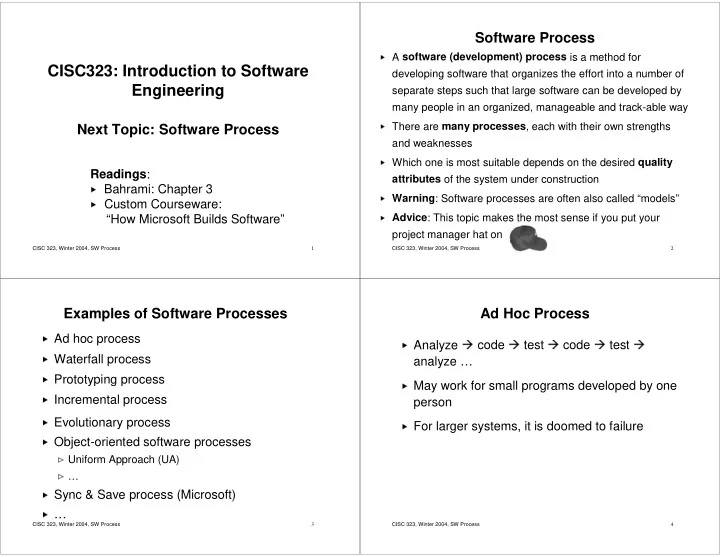
CISC323: Introduction to Software developing software that organizes - - PowerPoint PPT Presentation

cisc323 introduction to software
SMART_READER_LITE
LIVE PREVIEW

CISC323: Introduction to Software developing software that organizes - - PowerPoint PPT Presentation

Software Process A software (development) process is a method for CISC323: Introduction to Software developing software


slide-1
SLIDE 1

CISC 323, Winter 2004, SW Process 1

CISC323: Introduction to Software Engineering

Next Topic: Software Process

Readings:

  • Bahrami: Chapter 3
  • Custom Courseware:

“How Microsoft Builds Software”

CISC 323, Winter 2004, SW Process 2

Software Process

A software (development) process is a method for developing software that organizes the effort into a number of separate steps such that large software can be developed by many people in an organized, manageable and track-able way

There are many processes, each with their own strengths and weaknesses

Which one is most suitable depends on the desired quality attributes of the system under construction

Warning: Software processes are often also called “models”

Advice: This topic makes the most sense if you put your project manager hat on

CISC 323, Winter 2004, SW Process 3

Examples of Software Processes

Ad hoc process

Waterfall process

Prototyping process

Incremental process

Evolutionary process

Object-oriented software processes

Uniform Approach (UA)

Sync & Save process (Microsoft)

CISC 323, Winter 2004, SW Process 4

Ad Hoc Process

Analyze

code

test

code

test

analyze …

May work for small programs developed by one person

For larger systems, it is doomed to failure

slide-2
SLIDE 2

CISC 323, Winter 2004, SW Process 5

Waterfall Process

Note that subprocesses for each phase left unspecified. Free to choose. Could have, for instance, implementation carried out in parallel

Original version, others exist

Requirements Analysis System and Software Design Implementation and Unit Testing Integration and System Testing Operation and maintenance

First explicit process (Royce, 1970)

Cascade of phases, carried

  • ut in fixed order with sign-off
  • f each, before proceeding to

the next

CISC 323, Winter 2004, SW Process 6

Waterfall Process (Cont’d)

Requirements Analysis System and Software Design Implementation and Unit Testing Integration and System Testing Operation and maintenance

  • Describes what software is

supposed to do

  • Describes functional and non-

functional requirements (e.g., performance, usability, availability)

  • Typically expressed from user’s

point of view

  • Defines what it means for the

software to work “properly” For example, for Course Marks program, functional requirements are:

  • Students can specify course he/she is

enrolled in and request grades for that course

  • The student’s grades recorded for that

course will be displayed

CISC 323, Winter 2004, SW Process 7

Waterfall Process (Cont’d)

Requirements Analysis System and Software Design Implementation and Unit Testing Integration and System Testing Operation and maintenance

  • Partitions system into

hardware and software subsystems

  • Establishes overall system and

software architecture

  • Includes, e.g., component

architecture, component interfaces, data model, high- level data structures and algorithms, protocols (how components communicate with each other) Does not describe aspects

  • f the implementation,

e.g., lower-level data structures, algorithms

CISC 323, Winter 2004, SW Process 8

Waterfall Process (Cont’d)

Requirements Analysis System and Software Design Implementation and Unit Testing Integration and System Testing Operation and maintenance

  • Realize design as a set of programs and program

units (components). Includes:

  • Choose implementation language
  • Design and implement data structures,

algorithms, procedures, etc

  • Check that individual code units (e.g., classes,

modules, packages) work properly (unit testing)

slide-3
SLIDE 3

CISC 323, Winter 2004, SW Process 9

Waterfall Process (Cont’d)

Requirements Analysis System and Software Design Implementation and Unit Testing Integration and System Testing Operation and maintenance

  • Check that units work properly in

conjunction with other units (integration testing)

  • Check that whole system works

properly (system testing)

CISC 323, Winter 2004, SW Process 10

Waterfall Process (Cont’d)

Requirements Analysis System and Software Design Implementation and Unit Testing Integration and System Testing Operation and maintenance

  • Software is delivered, installed and

possibly integrated into existing system

  • Typically revisions are needed to

address bugs, changed or new requirements

CISC 323, Winter 2004, SW Process 11

Iterative Waterfall Process

More realistic

After last phase, can revisit earlier phase

Still one phase at a time and cascade to next when done

Requirements Analysis System and Software Design Implementation and Unit Testing Integration and System Testing Operation and maintenance

Source: I. Sommerville. Software Engineering. 2001

CISC 323, Winter 2004, SW Process 12

Weaknesses of Waterfall Process

Consequences of design decisions may not be known until completion of the last phase

May be costly to change early bad design decisions

Design problems may just be “worked around” rather than fixed

User may get badly designed system

Changing requirements may render large parts of the development and the artifacts it yielded useless

Costly to change requirements

User may not get what she really wanted

Don’t use waterfall when

Development team inexperienced, or

Requirements likely to change (e.g., software is highly interactive, for inexperienced, undecided users, or uses new technology)

slide-4
SLIDE 4

CISC 323, Winter 2004, SW Process 13

Strengths of Waterfall Process

Easy to understand, follow, and manage

Most widely used software development process

Reflects standard engineering practice

Use waterfall when

development team experienced, and

requirements very unlikely to change

CISC 323, Winter 2004, SW Process 14

The Importance of Being Right Early

The cost of fixing a problem increases exponentially the earlier it was introduced

1-5 2-10 5-15 Impleme ntation and test

  • 1

2 Design

  • 1

Require ments Implem entation Design Require ments

time introduced time detected

Source:

  • R. Dunn. Software Defect Removal. 1984

Source:

  • S. McConnell. Code Complete. 1993,

CISC 323, Winter 2004, SW Process 15

The Power of Prototypes

Goal: Get the requirements right as early as possible

Problem:

Customers often don’t exactly know what they want

“Maybe that’s what I said, but it’s not what I meant!”

Solution:

Show customer partial implementation of system that has relevant external interfaces and behaviour but not others (prototype)

Customers can refine their expectations and change their expectations without invalidating a complete development effort

Final prototype forms basis of final product

CISC 323, Winter 2004, SW Process 16

Prototyping Process

Full development preceded by sequence of prototypes

Use each prototype to improve requirements and/or design

When customers satisfied, move on to full development Initial Requirements Analysis and Design Customer Evaluation Build Prototype Refine Requirements and/or Design Full Scale Development

slide-5
SLIDE 5

CISC 323, Winter 2004, SW Process 17

Prototyping Process (Cont’d)

  • 1. Initial Requirements Analysis and Design

As in Waterfall, but less rigorous

  • 2. Build Prototype

Quick implementation showing relevant features

  • 3. Customer Evaluation

Customers use prototype, report misunderstandings, shortcomings, additional desired features etc

  • 4. Refine Requirements and Design

Incorporate customer feedback appropriately

  • 5. Full Scale Development

Remaining stages of Waterfall process

CISC 323, Winter 2004, SW Process 18

Prototyping Process (Cont’d)

Strengths:

Prototypes provide early feedback allowing for requirements and design to be developed and refined over time, rather than having to get them right the first time

Customer more likely to get what she wants

Weaknesses:

Wasted work possible

Prototypes often are of substandard quality

So, even if prototypes passes customer evaluation it may have to be throw away

Too many iterations

Easy for customers to require more iterations even if current requirements and design are sufficient

CISC 323, Winter 2004, SW Process 19

The Incremental Process

Requirements analysis as before

However, customer also ranks aspects of the requirements (e.g., program features, services) in the

  • rder of importance

These aspects are then assigned to development increments

Requirements for first increment developed in detail

First increment is designed, implemented and evaluated

using appropriate process

customer possibly revises requirements relating to subsequent increments while development of current increment is going on

Once increment complete, it is integrated with existing increments and resulting system is evaluated

System functionality improves with each iteration

CISC 323, Winter 2004, SW Process 20

Incremental Process (Cont’d)

Strengths:

customer may gain value from system early

Increments provide early feedback allowing for requirements and design to be developed and refined over time, rather than having to get them right the first time

Risk of complete project failure reduced

Most important features receive most testing and evaluation

Weaknesses:

May be difficult to map requirements to appropriately sized increments

May be difficult to identify common/shared services/structures and design system accordingly Initial Requirements Analysis Rank requirements and assign them to increments Design system architecture Design, implement and validate increment Validate system Integrate increment

slide-6
SLIDE 6

CISC 323, Winter 2004, SW Process 21

Evolutionary Development Process

Avoid wasting work by smoothly evolving initial implementation into final product

Analysis, design, implementation, and validation are carried out concurrently with rapid feedback across them

Initial Description Implementation Analysis and Design Validation Initial version Intermediate versions Final version

Concurrent activities

Source:I. Sommerville. Software Engineering. 2001.

CISC 323, Winter 2004, SW Process 22

Evolutionary Development Process (Cont’d)

Strengths:

Same as with prototyping, but also avoids wasting effort

Weaknesses:

Poor progress measurement

Hard for project manager to measure progress, because it is not cost-effective to produce documents which reflect every version of the system

Poor system structure

Continual change tends to corrupt the software structure

Incorporating software changes becomes increasingly difficult and costly

CISC 323, Winter 2004, SW Process 23

Object-Oriented Software Process

Implementation language is object-oriented

Encourages

viewing system as cooperating, communicating “real-world

  • bjects”

modularity

information hiding

reuse

Lots of different versions exist

3 main parts:

Object-oriented analysis (OOA)

Object-oriented development (OOD)

Implementation

CISC 323, Winter 2004, SW Process 24

Object-Oriented Software Process (Cont’d)

Build a Use-Cases Model Object Analysis Validate/Test OO Analysis Write OO code User satisfaction, usability & QA tests Design classes, define attributes and methods Build object and dynamic model Design and prototype user interface Testing: user satisfaction, usability, quality Implementation OO Design

Source: Bahrami

slide-7
SLIDE 7

CISC 323, Winter 2004, SW Process 25

Object-Oriented Analysis

Build a Use-Cases Model:

identify actors (who’s using the system?)

identify scenarios (how are they using the system?)

Object Analysis:

identify the main objects/classes, their attributes, behaviours and relationships in the problem domain (what are the main objects and how do they collaborate?)

Validate/Test:

As much as possible

Example: Library system

actors: librarian, library user, administator

scenarios: check out book, return book, reserve, …

classes, attributes, behaviours, relationships: Book, User, id, lastName, checkOut, …

Think in terms of user and problem domain

CISC 323, Winter 2004, SW Process 26

Object-Oriented Design

Design class structure of code

Start with classes, attributes, behaviours, relationships identified in analysis stage

Find main classes, attributes, behaviours, and relationships in implementation domain that will support implementation of requirements

Validate design through prototypes

Example: Library system

  • rganize library index as balanced search tree

store index permanently in data base

design GUIs for different actors

backups, authentication, communication between multiple terminals, …

Think in terms

  • f programmer

and implementation (but only

  • n high-level)

CISC 323, Winter 2004, SW Process 27

Implementation

Write actual code in OO language

Start with classes, attributes, behaviours, relationships identified in design stage

Find and implement classes, attributes, and methods necessary to implement classes and behaviours identified during design

Validate code through testing and user feedback

Think in terms

  • f programmer

and implementation (on low-level)

CISC 323, Winter 2004, SW Process 28

OO Software Process

Strengths:

Encourages

viewing program as cooperating, communicating “real- world objects”

modularity

information hiding

reuse

Weaknesses:

Several competing and sometimes contradictory versions exist

Seems to work well on small projects, but scalability to larger projects not yet proven

slide-8
SLIDE 8

CISC 323, Winter 2004, SW Process 29

Summary of Software Processes

So far:

Ad Hoc

Waterfall

Prototyping

Incremental

Evolutionary

Object-oriented

One more:

Sync & Save (Microsoft)

Sources for slides 1-28

  • I. Sommerville. Software Engineering. 2001.
  • J. Cordy. Course Notes for CISC327. 2002.
  • A. Baharami. Object-Oriented Systems Development. 1999.

CISC 323, Winter 2004, SW Process 30

The Microsoft Process

Required reading: First paper in custom courseware

How Microsoft Builds Software; Cusumano and Selby, Communications of the ACM, June 1997

Condensed from full-length book: Microsoft Secrets; Cusumano, Selby, Simon & Schuster Inc., 1995

CISC 323, Winter 2004, SW Process 31

Interesting Numbers

Windows 95

contains > 11 million lines of code

more than 200 programmers & testers

management of a project of this size is a major challenge – in addition to the technical challenges

Windows XP

contains > 45 million lines of code

CISC 323, Winter 2004, SW Process 32

The Microsoft Triangle

Decision making focuses on following three dimensions of quality in the end product:

  • 1. Functions supported

allow for evolving requirements, work from vision statement

  • 2. Time to Market

rapid development, daily builds

well established plans and schedules

  • 3. Implementation defects remaining

small number of bugs acceptable

heavy reliance on testing, multiple testing strategies, “testing buddies”

slide-9
SLIDE 9

CISC 323, Winter 2004, SW Process 33

Background

Microsoft started as small group of "hackers"

Old meaning of "hacker": "long-haired, unkempt technical wizards" hacking away at coding. Creative, very good at getting code up and running quickly.

As Microsoft grew, needed more structure without stifling creativity and talent

Two problems with waterfall model:

too rigid when user requirements constantly evolving

not enough freedom for creative, talented employees

Dilemma: provide maximum freedom for employees without allowing for chaos

CISC 323, Winter 2004, SW Process 34

Microsoft's Solution: "Synch-and- Save"

Large project groups divided into many small groups

Each group responsible for subset of features of project

Groups work fairly independently in parallel, subject to some basic ground rules Central master copy of project code

private copy

  • f part of

code in use by one team private copy

  • f part of

code in use by another team

check out check in check out check in

CISC 323, Winter 2004, SW Process 35

Daily Build Process (1)

  • 1. Check Out

private copies of source code from centralized master version

multiple developers can check out same code at same time

  • 2. Implement Feature

developer implements his/her own changes

could take a few hours to several days

  • 3. Build Private Release

developer builds own private copy of the product with newly implemented features

  • 4. Test Private Release

developer tests own copy of product

CISC 323, Winter 2004, SW Process 36

Daily Build Process (2)

  • 5. Synch Code Changes

compare private copies of source files back to master version

  • ther developers may have made changes in the

mean time

  • 6. Merge Code Changes

update private copies of source files to include any changes from other developers

  • 7. Build Private Release

developer builds own copy of product with both

  • wn changes and changes of other developers
  • 8. Test Private Release

test to make sure newly implemented code still works with others’ changes

slide-10
SLIDE 10

CISC 323, Winter 2004, SW Process 37

Daily Build Process (3)

  • 9. Execute Quick Test

done on private release

highly automated

makes sure new changes do not interfere with basic functionality of product

does not test new feature directly

e.g., quick test on EXCEL takes 30 minutes

also called regression test

  • 10. Check in

developer officially checks his private copies into the master version

has to synch and merge again in case of further changes

if conflicts, may have to withdraw changes

deadline for check in

e.g., for EXCEL: 2PM

CISC 323, Winter 2004, SW Process 38

Daily Build Process (4)

  • 11. Complete build of master version

every day after check-in deadline

project's build master generates complete build of product from master version:

compiles all code in master version to create executable program

called daily build

after successful build:

executes series of automated tests

assures basic functionality works correctly

makes daily build available to all project staff

after unsuccessful build or tests fail:

developer who "broke" the build must fix immediately!

CISC 323, Winter 2004, SW Process 39

Microsoft Process

  • 1. Planning phase:

create "vision statement"

divide project into 3-4 sub-projects

first sub-project contains most critical features

  • 2. Development phase:

for each sub-project: design, code, test and debug

pair up developers with testers (“buddy testing”)

each sub-project fairly stable before moving on to next

substantial buffer time

  • 3. Stabilization phase:

no new features are added

additional, comprehensive internal and external testing

CISC 323, Winter 2004, SW Process 40

Microsoft Process

Planning (3-12 months) Stabilization (3-8 months) Development (6-12 months) Stabilization (3-8 months) Milestone 0 Subproject 1 Subproject 2 Subproject 3 Feature Complete: All features implemented, some bugs & performance issues may remain Release Code Complete Visual Freeze: no more changes to user interface

slide-11
SLIDE 11

CISC 323, Winter 2004, SW Process 41

Microsoft Process

Release Planning (3-12 months) Stabilization (3-8 months) Development (6-12 months) Stabilization (3-8 months) Milestone 0 Subproject 1 Subproject 2 Subproject 3 Code, test,

  • ptimize, stabilize

(6-10 weeks) Integration test, debug (2-5 weeks) Buffer time (2-5 weeks)

CISC 323, Winter 2004, SW Process 42

Planning Phase (3-12 months)

Develop vision statement in collaboration with Marketing department using customer input

Create initial, preliminary specification of design goals

20 to 30% changes from start to end of project

project managers keep it up-to-date

answers questions such as

What is the point of this feature?

What does the user want to use this feature for?

Project managers do extensive prototyping

with Visual Basic

from user’s viewpoint

CISC 323, Winter 2004, SW Process 43

Development Phase (6-12 months)

3 or 4 major milestone releases

pretend these will be shipped

Specialization:

Developers write code and fix errors continuously as testers find them

Testers write test suites (buddy testing)

User education staff write draft documentation

1/3 of total development phase is “buffer” time

CISC 323, Winter 2004, SW Process 44

Stabilization Phase (3-8 months)

1/3 of total time in project

Extensive testing & debugging

No new features added

“Zero bug release”

no more high-severity bugs have been found

decision to postpone fixing all remaining bugs until next release

slide-12
SLIDE 12

CISC 323, Winter 2004, SW Process 45

Principles (1)

Manage by milestones

Set intended ship date

Define milestones backwards from target ship date

Start with most difficult things first

Assume change will happen

Don’t write complete specification up front

“Vision Statement” is not a rigid specification

Build in substantial buffer time for unforeseen delays

Focus on customer problems, not on technologies or processes

CISC 323, Winter 2004, SW Process 46

Principles (2)

  • Hire the smartest people

A good programmer is substantially more productive than a bad one

Sackman, Erikson, and Grant (1968):

ratio of initial coding time between best and worst programmers: 20 to 1

ratio of debugging time: >25 to 1

  • Establish small teams with functional specialties

But no separate maintenance group (fixes included in next release)

  • “Fix” project resources

Number of people

Amount of time

CISC 323, Winter 2004, SW Process 47

Role of Program Managers

In typical companies:

managers make all design decisions: structure of code and how to divide tasks

developers follow instructions & turn design into code

At Microsoft:

developers involved in design

manager organizes, keeps records, makes sure decisions get made

success depends on personalities

CISC 323, Winter 2004, SW Process 48

How the Management Supports Testing

Almost equal number of testers and developers

Weekly test releases

to testing group for thorough testing

use highly structured scripts

“guerrilla testing” tries to “break” the product

More on testing at end of course

slide-13
SLIDE 13

CISC 323, Winter 2004, SW Process 49

How the Process Supports Testing

Different kinds of testing in several different places:

regression testing

buddy testing

tester works side by side with developer

developer shares private release with testing buddy

do private release testing before code goes to daily build

tests during daily build

comprehensive internal and external tests during stabilization phase

usability testing

user interfaces tested

lab with users “off the street” development phase

CISC 323, Winter 2004, SW Process 50

How the Programmers Support Testing

P

Developers create debug versions of code using debug flags

Two debug levels (on, off):

debugging turned on (debug=true):

can view internal data structures and intermediate results

debugging turned off (debug=false):

improve memory usage and execution speed

Can have more than two debug levels each with different amounts of debug information being generated

Use run-time assertions

check assumptions about data, intermediate results etc

in Java 1.4:

assert(b); // if b false, exception is thrown

Code is instrumented for user testing

add code that captures e.g. which commands users select and which corresponding source code statements get executed

CISC 323, Winter 2004, SW Process 51

Observations From Book (1)

"Synch and save" makes it easier to react to customer feedback

Works well for some kinds of applications (Word, Excel)

Little architectural documentation

source code is one main document

try to keep code as simple as possible

compartmentalize code

Very few code comments

half life of source code is as little as 18 months

CISC 323, Winter 2004, SW Process 52

Observations From Book (2)

Authors recommend:

Formal design and code reviews

intensive code inspections

detect and fix problems before incorporated into product

refine product architecture

more education for junior developers

Better planning for tightly coupled software

Some software is difficult to break into independent parts

Examples: Operating systems, interactive video applications

These products would benefit from more up-front planning