Characterization of a Cortex-M4 microcontroller with backside - - PowerPoint PPT Presentation

characterization of a cortex m4 microcontroller with
SMART_READER_LITE
LIVE PREVIEW

Characterization of a Cortex-M4 microcontroller with backside - - PowerPoint PPT Presentation

Characterization of a Cortex-M4 microcontroller with backside optical fault injection Research Project 1 Jasper Hupkens Dominika Rusek 05.02.2019 1 Introduction to the world of fault injection Research project at Riscure Fault


slide-1
SLIDE 1

1

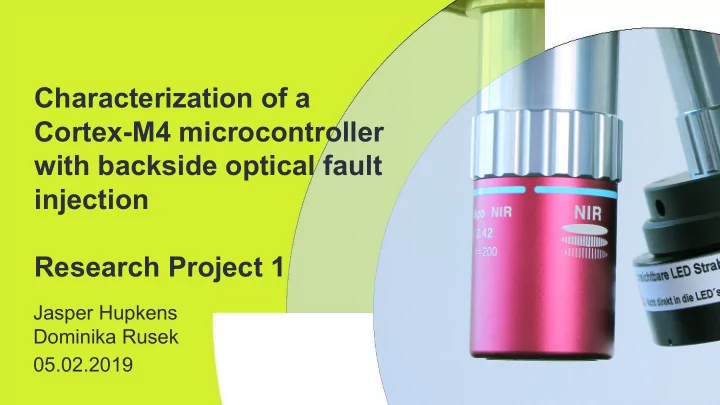
Characterization of a Cortex-M4 microcontroller with backside optical fault injection Research Project 1

Jasper Hupkens Dominika Rusek 05.02.2019

slide-2
SLIDE 2

2

Introduction to the world of fault injection

Introduction

  • Research project at Riscure
  • Fault injection techniques introduce faults into a target by controlled

environmental changes, in order to alter its intended behavior

  • 5 types - clock, voltage, electromagnetic, optical, temperature
  • Our focus - optical (laser) fault injection
slide-3
SLIDE 3

3

Why?

Introduction

  • Secure software relies on hardware functioning in the intended way
  • You can have the best lock in the world on your door, but if your door

is made out of paper, it is useless

  • Used e.g in bypassing secure boot of Nintendo consoles
slide-4
SLIDE 4

4

Research question

Research setup

What is the security impact of injecting laser glitches into an ARM based, Cortex-M4 microcontroller (MCU)?

  • How may laser glitches be injected into the MCU so that it results in a fault?
  • What are the optimal variables for the laser to introduce glitches in the ARM

Cortex-M4 MCU?

  • What behavioral changes occur in the MCU when injecting laser glitches?
slide-5
SLIDE 5

5

Device Under Test - Cortex-M4

Research setup

slide-6
SLIDE 6

6

Test environment

Research setup

slide-7
SLIDE 7

7

Test environment

Research setup

slide-8
SLIDE 8

8

Methodology

Research setup

  • Global vs detailed scan
  • Several laser parameters
  • Color coding of the results:
  • Red/pink – success
  • Green – expected
  • Yellow – mute
  • Orange – reset
  • Cyan – timeout
  • Glitch repeatability
slide-9
SLIDE 9

9

Results: Counter increment

Results

  • Goal: verify the setup, check if glitches

can occur

  • Result: 0.012% successful glitches
  • Different memory and register
  • perations

Code in C: Code in ARM assembly:

slide-10
SLIDE 10

10

Results: Counter increment

Results

slide-11
SLIDE 11

11

Results: Bitwise increment

Results

  • Goal: setting bits in a byte with a consecutive

power of 2

  • Result: 36.14% successful glitches
  • 0xff: 1111 1111
  • 0xfb: 1111 1011
  • 0xf7: 1111 0111
slide-12
SLIDE 12

12

Results: Bitwise increment

Results

slide-13
SLIDE 13

13

Results: Register value modification

Results

  • Goal: Modify value while in register
  • How: Initialize registers with known values
  • Result: 1.50% successful glitches
  • But we are modifying instructions instead
slide-14
SLIDE 14

14

Results: Register value modification

Results

  • Register values:
  • r0: fa ca de 00 r6: de ad be ef r4: ca fe ba be r5: fa ce fe ed
  • NOP instruction: mov r1, r1
  • MOV transformed into Linear Shift Left (LSL)
  • Expected output: 0xfacade00deadbeefcafebabefacefeed
slide-15
SLIDE 15

15

Results: ADD loop

Results

  • Goal: Increment a counter to 10,000 using a single instruction
  • Instruction: add.w r1, r1 #1 repeated 10,000 times
  • Result: 50.77% successful glitches
  • 0xdeadd77f
  • 0xeadc0789
  • 0x1890
slide-16
SLIDE 16

16

Results: ADD loop

Results

slide-17
SLIDE 17

17

Results: ADD loop (0xdeadd77f)

Results

  • Register r0 was first loaded with 0xdeadbeef
  • This value now shows up in r1
  • Subtract 0x1890 from the result
slide-18
SLIDE 18

18

Results: ADD loop (0xeadc0789)

Results

  • The same was true for this result
  • When we subtract 0x1890 from result
slide-19
SLIDE 19

19

Results: ADD loop

Results

  • So how can this happen?
  • We modified the processor instruction, instead loading r1 it loads r0
slide-20
SLIDE 20

20

Results: ADD loop

Results

  • How could we obtain the value of 0x1890
  • Probably the counter was restarted, also this can be explained using a

modified instruction

  • The AND instruction sets the counter back to 1 or 0
slide-21
SLIDE 21

21

Bypass authentication

Results

  • Goal: Attack a real-world scenario, in this case, password verification
  • Result: 0.22% successful glitches
  • Lots of possibilities for introducing

glitches

slide-22
SLIDE 22

22

Results: Bypass authentication

Results

slide-23
SLIDE 23

23

Conclusion

Conclusion

  • There are two ways laser injection can be

performed - backside and frontside

  • Power 20-25% of the maximum 20W seemed

to be most efficient

  • Other variables differ per experiment
  • We have proven to be able to modify processor

instructions What is the security impact of injecting laser glitches into an ARM based, Cortex-M4 microcontroller (MCU)?

slide-24
SLIDE 24

24

Future work

Conclusion

  • Use of different objectives: magnitude 20x or 50x to have smaller

spotsize and more precise aim

  • Target specific features of the board e.g. the Read Data Protection

(RDP) byte

  • Test other processors in Cortex family with more advanced security

features e.g. TrustZone or Memory Protection Unit (MPU)

slide-25
SLIDE 25

25

Thank you! Questions?

Conclusion