Chapter 1 Introduction to Computers, Programs, and Java CS170 - - PDF document

chapter 1 introduction to computers programs and java
SMART_READER_LITE
LIVE PREVIEW

Chapter 1 Introduction to Computers, Programs, and Java CS170 - - PDF document

Chapter 1 Introduction to Computers, Programs, and Java CS170 Introduction to Computer Science 1 What is a Computer? A machine that manipulates data according to a list of instructions Consists of hardware and software Many


slide-1
SLIDE 1

Chapter 1 Introduction to Computers, Programs, and Java

1

CS170 Introduction to Computer Science

What is a Computer?

2
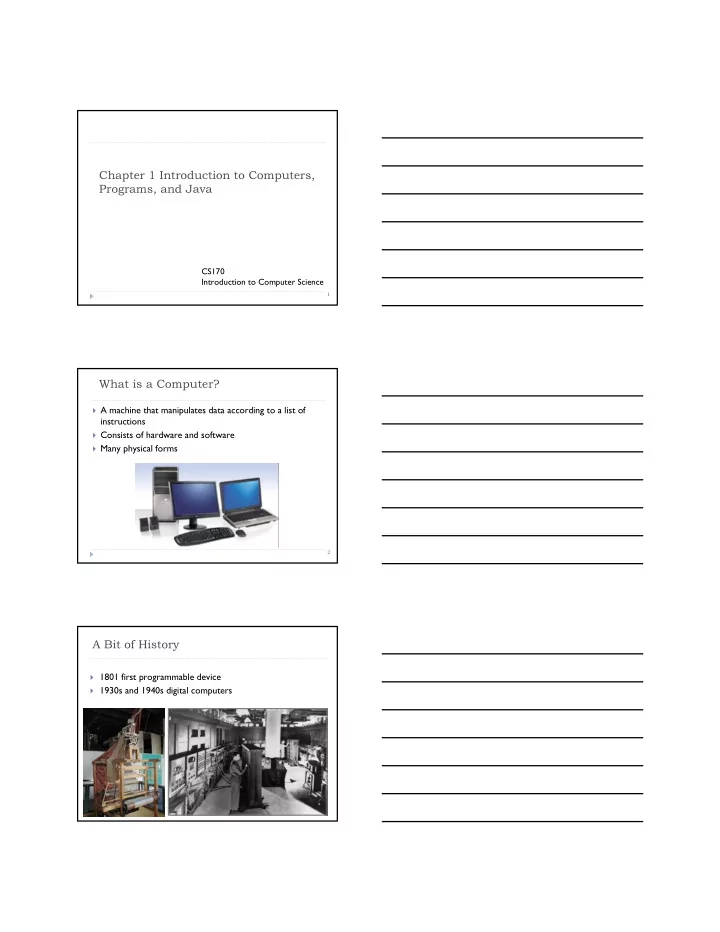
 A machine that manipulates data according to a list of

instructions

 Consists of hardware and software  Many physical forms

A Bit of History

 1801 first programmable device  1930s and 1940s digital computers

slide-2
SLIDE 2

What is a Computer?

4

 Computer components: CPU, memory, hard disk, floppy

disk, monitor, printer, and communication devices.

CPU

5

 Stands for central processing unit  Retrieves instructions from memory and executes them  Speed measured in GHz (gigahertz) (1GHz=1billion of

pulses per second)

 Modern CPU can have few cores

Memory (RAM)

6

 Stores data and program instructions for CPU  Memory unit: byte (a sequence of 8 bits)  What is a bit?  Memory is a volatile storage  Programs and data need to be loaded to main memory

before execution by CPU It’s a binary digit taking value 0 or 1

slide-3
SLIDE 3

How Data is Stored in Memory?

7

 Everything is coded as a series

  • f bits

 Why computers use only

0/1?

 Programmers need not to be

concerned about the encoding and decoding of data

 Performed automatically

Storage Devices

8

 Reminder: main memory is volatile  Programs and data are permanently stored on storage

devices or secondary memory

 Storage device types:  Disk drive  CD…

Input and Output Devices

9

 I/O is the means by which a computer receives

information from the outside world and sends result back.

 Output devices: monitor, printer  Input devices: keyboard, mouse, joystick …

slide-4
SLIDE 4

Getting rid of your keyboard and mouse?

The Mac Wheel

Computer Programs

11

 Computer program is a set of

instructions

 Operating systems: core

software of a computer

 Windows (XP, Vista), Unix,

Linux, MacOS, …

 Application software: any

software other than operating systems

 Web browsers, word

processors, games, …

Operating Systems (OS)

12

 A program that manages and

controls a computer’s activities

 Any other program (internet

browser, word processor) is managed by OS

 The programs you write are

also managed by OS

What are the tasks of OS? What are the tasks of OS?

  • 1. Controlling and monitoring

system activities

  • 2. Allocating and assigning system

resources

  • 3. Scheduling operations
  • 1. Controlling and monitoring

system activities

  • 2. Allocating and assigning system

resources

  • 3. Scheduling operations
slide-5
SLIDE 5

Program Languages

13

 Instructions are specified using a computer programming

language

 Three types of programming languages:  Machine language  Assembly language  High-level language

Machine Language

14

 Set of primitive instructions built into every computer  Instructions are in the form of binary code

 Why don’t we use those languages?

Geek 1 I wrote this awesome program: 10001110 Geek 2 No, no, no. It should be: 10000110 Just a human being OK, hmm, sure, I’ll just…

Assembly Language

15

 Developed to make programming easy  The computer cannot understand assembly language

 Need to convert assembly code to machine code

ADDF3 R1, R2, R3

slide-6
SLIDE 6

High-Level Language

16

 English-like and easy to learn and program  Can be understood by just looking at the code  Required steps to produce byte code?

area = 5 * 5 * 3.1415;

Compiling Source Code

17

 Source code  A program written in a high-level language  Compiler  Used to translate the source program into a machine

language program called an object program

 Linker  Used to link your object program with supporting

libraries

Some Popular High-Level Languages

18

COBOL (COmmon Business Oriented Language) FORTRAN (FORmula TRANslation) BASIC (Beginner All-purpose Symbolic Instructional Code) Pascal (named for Blaise Pascal) Ada (named for Ada Lovelace) C (whose developer designed B first) Visual Basic (Basic-like visual language developed by Microsoft) Delphi (Pascal-like visual language developed by Borland) C++ (an object-oriented language, based on C) C# (a Java-like language developed by Microsoft) Java (We will use this one!!!)

slide-7
SLIDE 7

Java’s History

19

 James Gosling and Sun Microsystems  Java presented on May 20, 1995 during Sun World  HotJava

 The first Java-enabled Web browser

 Why the name Java?

Silk Lyric Pepper NetProse Neon Java DNA WebDancer WebSpinner WRL (WebRunner Languages)

Why Java?

20

 Applications for:

 Internet services (Java Applets, Java Web Applications)  Desktop computers  Hand-held devices

 Well-established and popular language

 Langpop.com

Characteristics of Java

21

 Java Is Object-Oriented  Java Is Distributed  Java Is Robust  Java Is Architecture-Neutral  Java Is Portable  Java Is Secure  Java Is Multithreaded

slide-8
SLIDE 8

Characteristics of Java

22

 Designed to be Object-

Oriented

 Object-Oriented

programming provides great flexibility, modularity, clarity, and reusability

 Java Is Object-Oriented  Java Is Distributed  Java Is Robust  Java Is Architecture-Neutral  Java Is Portable  Java Is Secure  Java Is Multithreaded

Characteristics of Java

23

 Distributed computing

involves several computers working together on a network

 Designed to make

distributed computing easy

 Java Is Object-Oriented  Java Is Distributed  Java Is Robust  Java Is Architecture-Neutral  Java Is Portable  Java Is Secure  Java Is Multithreaded

Characteristics of Java

24

 Java Is Object-Oriented  Java Is Distributed  Java Is Robust  Java Is Architecture-Neutral  Java Is Portable  Java Is Secure  Java Is Multithreaded  Compilers can detect many

problems that would first show up at execution time in other languages

 A runtime exception-

handling feature

slide-9
SLIDE 9

Characteristics of Java

25

 Java Is Object-Oriented  Java Is Distributed  Java Is Robust  Java Is Architecture-Neutral  Java Is Portable  Java Is Secure  Java Is Multithreaded  Write once, run anywhere

Characteristics of Java

26

 Java Is Object-Oriented  Java Is Distributed  Java Is Robust  Java Is Architecture-Neutral  Java Is Portable  Java Is Secure  Java Is Multithreaded  Implements several security

mechanisms to protect your system against harm caused by stray programs

Characteristics of Java

27

 Java Is Object-Oriented  Java Is Distributed  Java Is Robust  Java Is Architecture-Neutral  Java Is Portable  Java Is Secure  Java Is Multithreaded  What is multithreading?  Multithread programming is

smoothly integrated

slide-10
SLIDE 10

Review Questions – what is a computer

1 ________ is the physical aspect of the computer that can be seen.

  • A. Hardware

  • B. Software

  • C. Operating system

  • D. Application program

2 __________ is the brain of a computer.

  • A. Hardware

  • B. CPU

  • C. Memory

  • D. Disk

3 Which of the following are input and output devices?

  • A. Keyboard and mouse

  • B. CPU

  • C. flash stick

  • D. Software

Review questions – computer programs

 1 ____________ are instructions to the computer.  A. Hardware  B. Software  C. Mouse  D. Keyboards  2 Computer can execute the code in ____________.  A. machine language  B. assembly language  C. high-level language  D. none of the above

Java standard

 Language specification

 Syntax and semantics of Java language

 API (Application Program Interface)

 Predefined classes for developing java programs

slide-11
SLIDE 11

JDK Editions

31

 Java Standard Edition (J2SE)

 J2SE can be used to develop client-side standalone

applications or applets.

 Java Enterprise Edition (J2EE)

 J2EE can be used to develop server-side applications such as

Java servlets and Java ServerPages.

 Java Micro Edition (J2ME).

 J2ME can be used to develop applications for mobile devices

such as cell phones.

We will be using J2SE

JDK Versions

32

 JDK 1.02 (1995)  JDK 1.1 (1996)  JDK 1.2 (1998)  JDK 1.3 (2000)  JDK 1.4 (2002)  JDK 1.5 (2004) a. k. a. JDK 5 or Java 5  JDK 1.6 (2006) a. k. a. JDK 6 or Java 6

Creating, Compiling, and Running Programs

33

Source Code Create/Modify Source Code Compile Source Code i.e., javac Welcome.java Bytecode Run Byteode i.e., java Welcome Result If compilation errors If runtime errors or incorrect result public class Welcome { public static void main(String[] args) { System.out.println("Welcome to Java!"); } } … Method Welcome() 0 aload_0 … Method void main(java.lang.String[]) 0 getstatic #2 … 3 ldc #3 <String "Welcome to Java!"> 5 invokevirtual #4 … 8 return Saved on the disk stored on the disk Source code (developed by the programmer) Byte code (generated by the compiler for JVM to read and interpret, not for you to understand)

slide-12
SLIDE 12

Programming Environment in Unix

 Unix operating system

 Command line interface (CLI) through shell window  GNOME desktop environment

 Unix editors

 vi or Vim  gedit

 Java compiler

 javac included in JDK

 Java Virtual Machine (JVM)

 java

Understand Files and Folders

 Java source code are saved as .java files  Files: a collection of items of information that are kept

together

 Files have names, and the rules for legal names differ

from one system to another

 Files are stored in folders or directories; these file

containers can be nested

Integrated Development Environment (IDE)

36

 IDE is a software application that provides

comprehensive facilities for software development

 Source code editor  Compiler and/or interpreter  Debugger

 Popular IDEs

 Eclipse Open Source by IBM  NetBeans Open Source by Sun  Borland JBuilder 2007

slide-13
SLIDE 13

Programming environment in Windows

 See Supplement I.B for installing and configuring JDK  See Supplement I.C for compiling and running Java

from the command window for details www.cs.armstrong.edu/liang/intro7e

Companion Website

A Simple Java Program

38

//This program prints Welcome to Java! public class Welcome { public static void main(String[] args) { System.out.println("Welcome to Java!"); } }

Listing 1.1

Demo

 Create a source program with an editor

 gedit Welcome.java

 Save the program to hard disk  Compile the program with a compiler

 javac Welcome.java

 Execute the program with java JVM

 java Welcome

slide-14
SLIDE 14

Creating and Editing Using gedit

40

To use gedit, type gedit Welcome.java from the shell

Trace a Program Execution

41

//This program prints Welcome to Java! public class Welcome { public static void main(String[] args) { System.out.println("Welcome to Java!"); } }

Enter main method

Trace a Program Execution

42

Execute statement

//This program prints Welcome to Java! public class Welcome { public static void main(String[] args) { System.out.println("Welcome to Java!"); } }

slide-15
SLIDE 15

Trace a Program Execution

43

print a message to the console

//This program prints Welcome to Java! public class Welcome { public static void main(String[] args) { System.out.println("Welcome to Java!"); } }

Anatomy of a Java Program

44

 White spaces  Comments  Package  Reserved words  Modifiers  Statements  Blocks  Classes  Methods  The main method

Comments

45

 Three types of comments  Line comment

//This is an example of line comment

 Paragraph comment

/* This is an example of paragraph comment. It can have few lines…*/

 Javadoc comment

/** This is a Javadoc comment. */

slide-16
SLIDE 16

Package

46

 Packages help to organize code  Package is always declared at the beginning of the

code

Reserved Words

47

 Also known as keywords  Words that have a specific meaning to the compiler  Cannot be used for other purposes in the program

Modifiers

48

 Certain reserved words are called modifiers  They specify the properties of the data, methods, and

classes

 Examples of modifiers are public and static, private, final,

abstract, and protected

slide-17
SLIDE 17

Statements

49

 A statement represents an action or a sequence of

actions

 Other statement: area = r * r *3.14

Blocks

50

 A pair of braces in a program forms a block that

groups components of a program

public class Test { public static void main(String[] args) { System.out.println("Welcome to Java!"); } }

Class block Method block

Classes

51

 The class is the essential Java construct  A class is a template or blueprint for objects  We will learn a lot about classes later in the course

class

slide-18
SLIDE 18

Methods

52

 Method is a collection of statements  Methods perform a sequences of operations  Used by invoking a statement with a string argument  The arguments are enclosed within parentheses and

separated by commas

main Method

53

 The main method provides the control of program flow  The Java interpreter executes the application by invoking

the main method

Another example

54

public class Welcome1 { public static void main(String[] args) { System.out.println(“Programming is fun!"); System.out.println(“Fundamentals first”); System.out.println(“Problem driven”); } }

slide-19
SLIDE 19

Class Exercise

 Write a Java program that displays a smiley face.

//////////// | 0 0 | | ^ | | U | |_____|

Displaying Text in a Message Dialog Box

56

 Java can be used to rapid application development  For instance, you can create message dialog boxes very

fast

 Simply use the showMessageDialog method in the

JOptionPane class

 JOptionPane is one of the many predefined classes in the

Java system

The showMessageDialog Method

57

JOptionPane.showMessageDialog(null, "Welcome to Java!", "Display Message", JOptionPane.INFORMATION_MESSAGE);

slide-20
SLIDE 20

Summary

58

 Computer architecture and components  Programs and Programming languages  Operating System  Java advantages  Programming environment  The first Java program  Binary and decimal number system (readings)