Challenge Day 9.15 As students arrive, get them to fill out Team - - PDF document

challenge day
SMART_READER_LITE
LIVE PREVIEW

Challenge Day 9.15 As students arrive, get them to fill out Team - - PDF document

The IET Faraday Challenge Day 9.15 As students arrive, get them to fill out Team Registration form and check they have Faradays. 9.30 SCRIPT: A sk host school to do introduction to school and hosting (fire alarm and toilets) Welcome to


slide-1
SLIDE 1

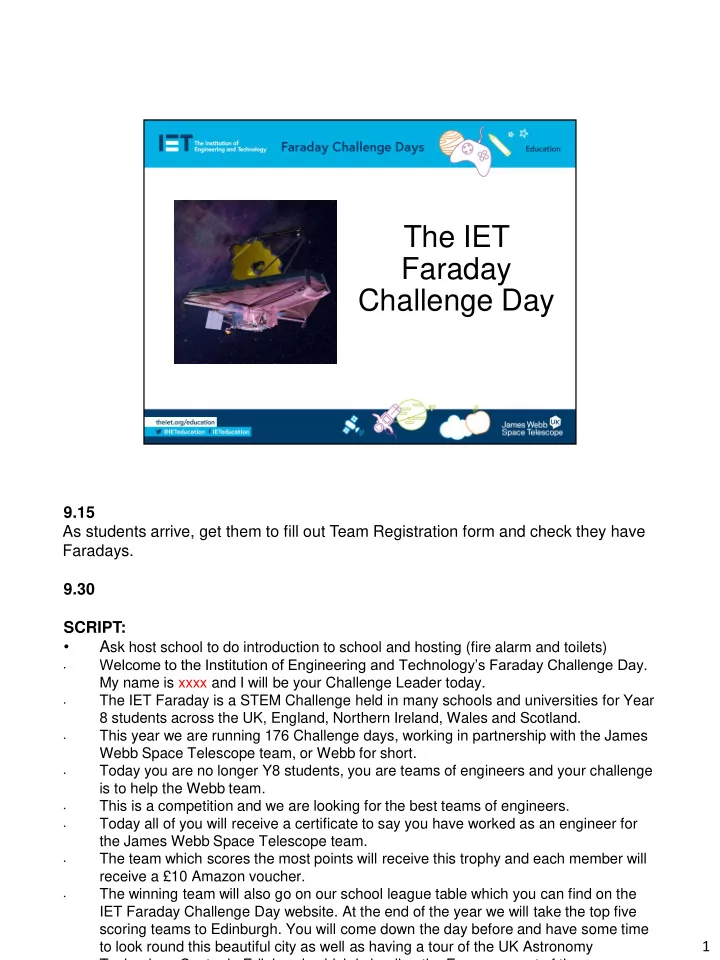
The IET Faraday Challenge Day

9.15 As students arrive, get them to fill out Team Registration form and check they have Faradays. 9.30 SCRIPT:

  • Ask host school to do introduction to school and hosting (fire alarm and toilets)
  • Welcome to the Institution of Engineering and Technology’s Faraday Challenge Day.

My name is xxxx and I will be your Challenge Leader today.

  • The IET Faraday is a STEM Challenge held in many schools and universities for Year

8 students across the UK, England, Northern Ireland, Wales and Scotland.

  • This year we are running 176 Challenge days, working in partnership with the James

Webb Space Telescope team, or Webb for short.

  • Today you are no longer Y8 students, you are teams of engineers and your challenge

is to help the Webb team.

  • This is a competition and we are looking for the best teams of engineers.
  • Today all of you will receive a certificate to say you have worked as an engineer for

the James Webb Space Telescope team.

  • The team which scores the most points will receive this trophy and each member will

receive a £10 Amazon voucher.

  • The winning team will also go on our school league table which you can find on the

IET Faraday Challenge Day website. At the end of the year we will take the top five scoring teams to Edinburgh. You will come down the day before and have some time to look round this beautiful city as well as having a tour of the UK Astronomy Technology Centre in Edinburgh which is leading the European part of the

1

slide-2
SLIDE 2

Project Flow

Project brief Planning Team roles selection Apprenticeship Development Presentation to client

3 minutes SCRIPT: Today you will be working as real-life engineers. You will be following an engineering project flow as shown. We will explain each of these stages when we get to them so you will need to listen carefully to make sure your team completes each section of the project. 2

slide-3
SLIDE 3

What is engineering?

“The application of knowledge and creativity to the needs of humanity”

5 minutes SCRIPT:

  • But before you can be engineers we need to know what engineers do! Ask

the students the question ‘What is engineering?’ and ‘What in this room has an engineer been involved in the creation of?’ *It is up to the CL which are used based on the responses of the students and the time available.*

  • On click - Engineering is the application of knowledge to the needs of

humanity! Engineers use science, technology and mathematics along with creativity, language and design skills to create things which help people.

  • There are many different areas of engineering. All require creativity and

innovative problem-solving. Engineering use their knowledge and ideas to come up with new products or adapt existing products. They challenge

  • themselves. You can use the fidget spinner as an example of a simple idea

developed into a product. 3

slide-4
SLIDE 4

Project Flow

Project brief Planning Team roles selection Apprenticeship Development Presentation to client

1 minute The first step in our project flow is the brief from our client, in this case the Webb team. 4

slide-5
SLIDE 5

The James Webb Space Telescope: your team’s mission

SCRIPT:

  • In a moment I will show you a video telling you all about the development of the

JWST.

  • You need to watch this carefully.

5

slide-6
SLIDE 6

The brief

  • Construction
  • Transportation
  • Launch
  • Deployment in space
  • Operation in space
  • People

SCRIPT: Your mission is to work as part of the JWST and try to help the engineers. There are lots of ways in which you might help them including:

  • Construction – The engineers have had to develop ways in which the parts of the

telescope can be constructed, such as developing clean rooms.

  • Transportation – parts of the telescope have travelled to different places in the

world for assembly.

  • Launch – the engineers have had to think about how to get such a huge telescope

into space.

  • Deployment – once in space the telescope needs to be able to unfold and begin

its work.

  • Operation – parts of the telescope need to be controlled remotely to enable them

to capture the best information about space.

  • People – people are at the centre of this development – how might we keep them

safe and happy in their work? 6

slide-7
SLIDE 7

09:50 Video is embedded and should begin when the slide is shown. 7

slide-8
SLIDE 8

The brief

  • Design and engineer ONE prototype which will help the

JWST team. Include at least one electronic circuit/component.

  • Complete the planning and events log
  • Present your idea to the JWST judge(s).

SCRIPT:

  • On click: You will need to design and engineer one prototype to help the

Webb team. The letter from Tim Peake and the A3 sheet on your table may give you some ideas but BE CREATIVE.

  • Your design will be a prototype. Does any one know what I mean when I

say prototype? (Seek responses from students and emphasize that their design may not be the finished product, that the point is to try out ideas to see if they work. There may be further work to be done but we should be able to see the idea behind their design).

  • On click: When we spoke to the engineers from the Webb team they told

us that one of the biggest problems was communication between the engineers in the 13 countries involved. We need to make sure that you can communicate you team’s engineering progress so you will need to complete the event log at key points during your development.

  • On click: Finally you will need to present your product to the judge(s) this
  • afternoon. Engineers need to be able to develop their ideas but they also

need to be able to tell people about these so that they can be used in the real world – we don’t want these ideas to be a secret! We will brief you about what should be in your presentation at 12.00 so don’t start writing this 8

slide-9
SLIDE 9

Marking criteria

  • Planning
  • Development
  • Budget
  • Product
  • Presentation
  • Teamwork

SCRIPT:

  • You will be scored on all of your work today. It isn’t just about your finished

product, engineering is a journey and we want to know how you have arrived at your final prototype.

  • The marking criteria can be found on the back pages of your JWST Brief

(direct students to look at pages) so it is a good idea to have a look at this to see how you can score marks. You will need to do well in all the areas in

  • rder to score highly.
  • You do not get marks for having money left at the end of the challenge but

we are looking at how you have spent your budget. 9

slide-10
SLIDE 10

Project tools

  • Engineering shop

➢ Cutting station ➢ Hire centre trade card

  • ‘How to’ sheets
  • JWST Student Booklet
  • STEM consultant

SCRIPT:

  • Engineering Shop – This will open later. You have 120 Faradays to spend in the

shop but supplies are limited. If you buy something you don’t need/want you can sell some of these back to the shop for half price as long as they unused but we will be looking at how often you do this as it tells us how good your team is at

  • planning. The shop does not negotiate and does not do deals so don’t even try!
  • Details of what is available to buy are in your Student Handbook. You MUST read

this as it tells you important information and will prevent you buying things you cannot use.

  • Point out the Cutting Station and Hire centre and explain rules for trade card.
  • Budget - Keep accurate records of your purchases on the Accounts sheet on your
  • table. Use your budget carefully to make your product even better.
  • How To sheets – you can take these to your table but please return them to the

centre table when you have finished with them. These sheets will help you with some of the aspects of your designs and some of them MUST be read before you try to connect some of the equipment.

  • JWST brief, student booklet. This MUST be read if you want to have any

chance of winning. There are many things in the book that are essential to score marks that your challenge leader will not tell you and you will only find out by reading. 10

slide-11
SLIDE 11

Health and safety briefing

1. Keep your work station tidy (including the floor around it). 2. Be careful when using the equipment at the cutting station, scissors and the staplers. 3. Retract the blades of the craft knives when you have finished using them. 4. No more than 3 people at the cutting station at any time. 5. Do not remove any tools from the Cutting Station 6. Report any spillages, accidents or potential hazards to the Challenge Leader or STEM Consultant immediately. 7. Do not take food or drink near the shop or cutting station.

2 mins Notes:

  • Go through the tips for safe working!
  • Re-emphasise the rules of the Cutting Station

11

slide-12
SLIDE 12

Project Flow

Project brief Planning Team roles selection Apprenticeship Development Presentation to client

SCRIPT:

  • You have now completed the Project Brief.

12

slide-13
SLIDE 13

Project Flow

Project brief Planning Team roles selection Apprenticeship Development Presentation to client

10:10 Now we go on to Planning. 13

slide-14
SLIDE 14

Planning

Think think think

SCRIPT:

  • Planning is essential to a successful project. We have seen many teams

have great ideas and rush into developing them, only to realise that they won’t work, they don’t have enough Faradays or they simply don’t have the time to develop them.

  • All projects have a large planning aspect. This is an important stage of your

project. 14

slide-15
SLIDE 15

10 minutes 14 minutes 12 minutes 13 minutes 15 minutes 11 minutes 9 minutes 1 minute 2 minutes 3 minutes 5 minutes 4 minutes 7 minutes 6 minutes 8 minutes Time is up

Planning

Draw out your idea with

  • labels. Provide as much detail
  • f the construction as possible

(5 marks). Draw the electronic circuit(s) you will use (5 marks). Explain how your idea will help the Webb telescope mission (3 marks).

10:10 You have 15 minutes to plan out your prototype idea. Use the letter from Tim Peake to help you and have a look at some of the ‘How to ….’ sheets, but please do not take them to your tables at this stage. Read the criteria carefully as these are what we will use to mark your planning sheet later. 15

slide-16
SLIDE 16

Project Flow

Project brief Planning Team roles selection Apprenticeship Development Presentation to client

10.25 SCRIPT: You have now completed the Planning part of the project. Now it is time to move onto our next task which is team roles selection. 16

slide-17
SLIDE 17

Project Flow

Project brief Planning Team roles selection Apprenticeship Development Presentation to client

10.25 5 minutes SCRIPT:

  • In real life, engineers work in teams and their ability to work well as a team

is key to their success. Today, you are going to take on real–life engineering roles to experience what it is like to be part of a problem solving team.

  • You will all be working as Engineers but you may decide you need to take
  • n other roles in order to be successful.
  • There are two roles you must have but after that you can choose which
  • ther roles you want in your team. You do not all have to have a role and

you can make up your own role, it is your team so decide what you will work best for you.

  • Then fill out name stickers and attach them in a sensible place where the

Challenge Leader can see them

  • Remember we are already marking your teamwork.

Notes:

  • Give 1 minute warning.

17

slide-18
SLIDE 18

Project Flow

Project brief Planning Team roles selection Apprenticeship Development Presentation to client

SCRIPT:

  • The project manager role is an important one. You will need to make sure

all your team is engaged on the project and that everyone is involved as an engineer.

  • You must also ensure that the event logs are filled in at regular periods

during the development time. Your challenge leader will remind you when this needs to be done. You do not need to do this yourself but you must make sure whoever does do it is aware of what problems are being faced and how these are being solved as well as how the team is working together.

  • The accountant will be the only person who can buy things from the shop

but they may take one person with them for support and advice. No more than two team members at the shop at any one time or we will ban you from the shop for 15 minutes!

  • You have now completed the Team Roles selection. Now onto our last

18

slide-19
SLIDE 19

task before you can work as part of the Webb engineering team. 18

slide-20
SLIDE 20

Project Flow

Project brief Planning Team roles selection Apprenticeship Development Presentation to client

10:30 SCRIPT:

  • Find the Engineering Apprenticeship sheet on the back of your team roles

sheet. 19

slide-21
SLIDE 21

Engineering Apprenticeship

  • All teams MUST complete the Apprenticeship.
  • Everyone in your team must be involved.
  • Before you start, ensure you read the Engineering

Apprenticeship sheet carefully and be prepared to share your ideas later.

10.30 SCRIPT:

  • All engineers need to complete an apprenticeship. You will need to work as

a team to develop an electrical circuit with a switch and a buzzer.

  • You will also need to discuss the questions on the sheet and be ready to

respond when the challenge leader asks for ideas.

  • You must show me your circuit when you have successfully completed it.
  • Make sure you do not lose anything from the pack as you will need to hand

in your complete apprenticeship pack first before you can start buying things from the shop.

  • Once all teams have finished discuss questions if time. Reind them these

ideas might be important in their development. Questions: ➢ Is there a specific way that the buzzer must be placed in your circuit for it make a sound? ➢ What could you use to replace the push button switch so that the buzzer stays without you having to hold the switch down? ➢ How could you connect another buzzer in the circuit and make both buzzers as loud as just one? NOTES:

  • Watch for them splitting in to boys groups and girls groups – you may want

to point out that each gender brings strengths and they should work across 20

slide-22
SLIDE 22

Project Flow

Project brief Planning Team roles selection Apprenticeship Development Presentation to client

Notes:

  • The room may be noisy now and some teams would have started their

developments a while ago but call for quiet and advise that they have all now completed the Apprenticeship.

  • Encourage them to give themselves a round of applause.

21

slide-23
SLIDE 23

Project Flow

Project brief Planning Team roles selection Apprenticeship Development Presentation to client

SCRIPT:

  • Now you have completed your apprenticeship, the Webb team are happy

for you to begin work on their project. Remember to keep referring to the details of the brief and the ideas for this that you have on your table.

  • Good luck engineers!

22

slide-24
SLIDE 24

Development

SHOP OPEN FOR BUSINESS

  • Hand in your apprenticeship pack to begin using the shop.
  • Begin to develop your product.
  • Make sure you have completed your Planning sheet.

10.40 SCRIPT:

  • Shop open for business! You MUST hand in your apprenticeship pack

before you can buy anything.

  • I will be coming round to mark your planning sheet and the product

design section soon. Make sure you have completed these soon. 23

slide-25
SLIDE 25

Morning break

11.00-11.10 SCRIPT:

  • This is a working break so you may continue to work on your prototypes if

you wish.

  • Keep food and drink away from the electrical components and resources

please! 24

slide-26
SLIDE 26

Event Log Entry 1

  • Record your engineering developments during this period. Include

how your team has worked and what problems you have faced and how you have solved these.

  • Be specific.
  • Be honest and accurate.

11:10 Notes:

  • Remind them to complete the event log for the time period up to this point.

Get them to focus on the engineering progress and to think about how their team is working. IMPORTANT:

  • Event Log 2 will automatically come next after 25 minutes. If you are

working on different schedule you may need to over ride this. 25

slide-27
SLIDE 27
  • Record your engineering developments during this period. Include

how your team has worked and what problems you have faced and how you have solved these.

  • Be specific.
  • Be honest and accurate.

Event Log Entry 2

11:35 Notes:

  • Remind them to complete the event log for the time period up to this point.

Get them to focus on the engineering progress and to think about how their team is working. 26

slide-28
SLIDE 28

The presentation briefing

  • You have 7 minutes to present.
  • Look at the assessment criteria – really important!
  • Remember to demonstrate how your prototype works.
  • Make it interesting!

12:00 Notes:

  • Brief the team on the presentation.
  • Remind them all the team should present.
  • Show them the A4 paper for making notes for their presentation.
  • Move straight on to reminder about Event Log 3

27

slide-29
SLIDE 29

Event Log Entry 3

  • Record your engineering developments during this period. Include

how your team has worked and what problems you have faced and how you have solved these.

  • Be specific.
  • Be honest and accurate.

12:05 Notes:

  • Remind them to complete the event log for the time period up to this point.

Get them to focus on the engineering progress and to think about how their team is working. 28

slide-30
SLIDE 30

Priorities

Record your priorities for the last half hour of workshop time. REMEMBER, focus on the engineering of your prototype.

12:20 Notes:

  • Ask teams to spend 10 minutes identifying their priorities for the last 30

minutes of workshop time.

  • Remind them to be realistic, to look at the marking criteria for the product

and to focus on the engineering rather than on aesthetics.

  • At lunchtime they will need to hand in their planning and event log for
  • marking. They will not get these back after lunch.

29

slide-31
SLIDE 31

Lunch

Tools down – take a 30 minute break

12.30 – 1.00 pm Notes:

  • Ask students to sit away from their tables if they are remaining in the room

for lunch.

  • Ensure all tools are at the cutting station before the students leave the

room

  • Mark paperwork

30

slide-32
SLIDE 32

Final preparations

  • Can you complete your prototype in the time left?
  • Have you started preparing your presentation?
  • Have you filled in your accounts sheet?
  • Do you need to buy anything else from the shop?
  • How can you best use the time remaining?

13.00 Notes:

  • Focus the students on reflecting on what is achievable.

SCRIPT:

  • The shop will close at 1.30 pm so make sure you have bought or sold

back any items. You must be ready to submit your accounts sheets to the shop when it closes.

  • You must be ready to present your pitch at 13.55 so spend time

rehearsing it. 31

slide-33
SLIDE 33

Preparing to present

The shop is now closed

  • Submit your accounts sheets and any

remaining Faradays to the shopkeeper.

  • Return any items you are not using.
  • Practise your presentation – remember to

check the marking criteria!

13.30 pm Notes:

  • Accountants to submit sheets and remaining Faradays to shop. Ask

shopkeeper to note any discrepancies and then to return accountancy sheets to you and sort out Faradays in the box.

  • Remind teams of importance of doing an interesting, rehearsed

presentation and that this is part of the marking criteria. 32

slide-34
SLIDE 34

Project Flow

Project brief Planning Team roles selection Apprenticeship Development Presentation to client

SCRIPT: You have now completed your development section. 33

slide-35
SLIDE 35

Project Flow

Project brief Planning Team roles selection Apprenticeship Development Presentation to client

SCRIPT: This is the time that the engineers would present their ideas to their client; in this case, the Webb team. 34

slide-36
SLIDE 36

Presentation

13.55 SCRIPT:

  • Telling others about your ideas is fun. There may be problems or issues with

prototypes but it is important to be relaxed! Remember I am marking on a number of different things and the competition is not won or lost on the performance of the prototypes. I am using all of the sections of the marking criteria to award marks. Notes:

  • Ask students to come and sit in a semi-circle around the presentation area.

Leave products on tables until ready to present. Run through how the presentations will work e.g. numerical order, once the previous team has finished – round of applause and then the next team can stand up and get ready.

  • Remind them we will cut them off if they go over time.
  • There may be questions if you have time or if anything needs clarifying. Do

not allow questions from students or teachers. 35

slide-37
SLIDE 37

Project Flow

Project brief Planning Team roles selection Apprenticeship Development Presentation to client

14.45 SCRIPT:

  • You have now completed the whole project and worked in the way

engineers work in real-life. Well done to all of you. You should be very proud

  • f your achievements today.
  • Give brief feedback to each team about their strengths if there is time.

36

slide-38
SLIDE 38

And the winner is...

14.50 Notes:

  • Make sure you are finished by 3.00 pm for students to get school buses,

etc.

  • Present trophy/vouchers.
  • Schools cannot keep any part of their prototypes but you may wish to take

photographs for internal use, particularly if there are good ideas. 37

slide-39
SLIDE 39

Thank you and goodbye!

Slide to be shown as students/teachers leave 38