Careers EXPRESS www.expressindia.com THE INDIAN EXPRESS The art - - PowerPoint PPT Presentation

careers
SMART_READER_LITE
LIVE PREVIEW

Careers EXPRESS www.expressindia.com THE INDIAN EXPRESS The art - - PowerPoint PPT Presentation

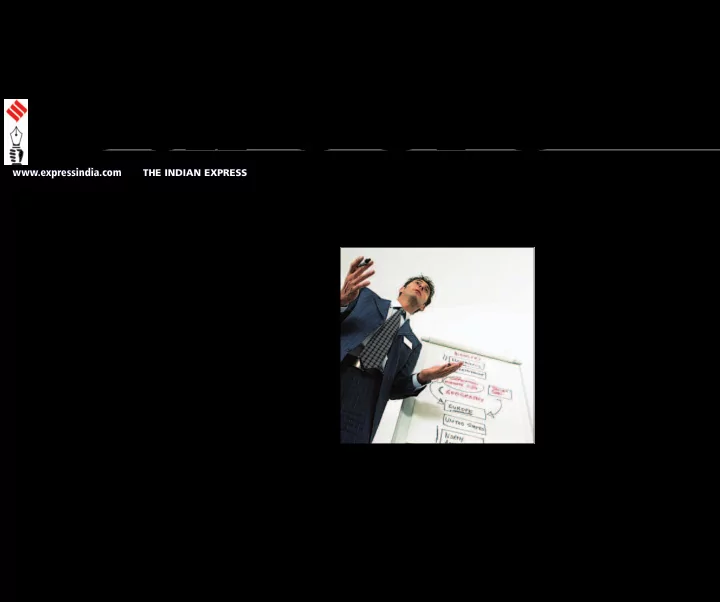
Careers EXPRESS www.expressindia.com THE INDIAN EXPRESS The art of PRESENTATION Presentation skills have therefore become the synonym for indispensable soft skills. A good amount of homework and A preparation would lead you to presenter


slide-1
SLIDE 1

EXPRESS

Careers

www.expressindia.com THE INDIAN EXPRESS

A

presenter has direct interaction with a group of people during his
  • r her presentation. It's an
unparallel process of knowledge sharing coupled with an opportunity to gauge responses. The presenter, enhancing utility of purpose, directly deals with the queries of audience. Basically there are two purposes of
  • presentations. First one is as a part of
curriculum, presenting a seminar, a project or as a part of competition. Another one is as a part of professional life, presentation for prospective clients, for peers as a purpose of training, for various types of meetings and as an expert or a trainer on a particular subject and the like. The basic preparation is quite the same for any kind of presentation. The key to success in presentation is articulation of facts in a way to convince the audience to accept your viewpoint in a way you want them to. The attribute that adds to beauty of presentation is the presence
  • f speaker. This has an advantage over
  • ther audio visual aids like video films
and Power Point presentation. Presentation skills have therefore become the synonym for indispensable soft skills. A good amount of homework and preparation would lead you to commendable presentation. Basic Preparation !Analysing the occasion: Consider the main purpose of presentation. According to the occasion, there would be difference in style of presentation. Get clear idea of expectations from you regarding presentation, what the audience wants to take away at the end
  • f presentation.
! Audience profile: Know the audience for whom the presentation is aimed at, as it is the audience who must be the centre of the event. It's an ardent task to analyse an audience, which has not assembled yet, but it's important to try. Know their basic qualifications; the language known to audience, beliefs and customs of the place and the like. Presentation skills have become 'must' for everyone who wishes to get a competitive edge. So here is the first part
  • f the article

The art of PRESENTATION

  • Contd. on page 11
slide-2
SLIDE 2 ! Defining aims and objectives: A clear idea about the objectives
  • f presentation is the key to
  • succeed. It is a very important step, which would
entail defining the scope and focus area of presentation, a framework wherein you have to concentrate. Content and Structure The important part of presentation is its content and success of presentation depends on how it is
  • structured. Why we attach so much of importance
to content and structure is because audience has
  • nly one chance to understand what the speaker
wants to deliver. ! Gathering material: Various sources are available for gathering information for example, books, websites, personal interviews of experts, research documents etc. ! Selecting material: All the material collected may not be useful, select only that material which serves your objectives. ! Presentation structure: This is the crux of presentation, if it is structured properly, it would drive the point home. Simple structure ensures that if the audience loses the thread, they would be able to pick it up with checkpoints and signposts. It would also help to keep the audience with us. A structure would be construed as good if it is able to draw attention and hold the interest of audience. It is an aid in understanding subject matter and makes the message to be passed memorable. Structures to choose from Oral Presentation can be structured in following ways ! Logical Argument: This type of structure is suitable when we are presenting as a part of competition, a formal debate or we want to convince the audience about our opinion. The structure makes you concentrate on the argument and necessities to prove it. It is much focused and highlights the decided areas. ! Narrative: This type entails making our point through story telling- a description in the form of imitated real world. This way is sure to grab and hold the attention of audience. But we should ensure that the story or narration is suitable to the occasion, is good and well told. Business presentations cannot be all narrative type, but we can use narrations for some part of
  • ur presentation.
! Formal- The oldest form of
  • presentation. If Logical Argument or
Narrative structure is not suitable, the presentation has to be structured in a formal way
  • 1. Tell them what you are going to
explain
  • 2. Tell them the subject matter
  • 3. Tell them what you have told them- the crux.
An ideal presentation should be structured with certain elements such as Introduction, Main Contents and Conclusion. In the next part we shall look at each of these aspects.
  • Sarang Bhola & Vrushali Shah

Careers

EXPRESS

PUNE THURSDAY FEBRUARY 4, 2010 www.expressindia.com THE INDIAN EXPRESS

11

The art of PRESENTATION

  • Contd. from page 10
slide-3
SLIDE 3 The Introduction The introduction should be such that it holds the attention of audience and stimulates the thought process. An effective introduction can be through telling an anecdote, narrating an incident
  • r though display of key visual aids. Any
method that grabs the attention of audience would suffice. In the introduction we have to tell the audience (in short) what they can expect in the presentation. The Main Section This section is best presented in the form
  • f various headings and sub headings so
as to make audience understand the subject clearly. This part is all about 'Tell them'. The sequence of the presentation must be smooth and meaningful. One should take care that all points are adequately explained and there are no loose ends. The help of additional data can be taken if required in the main section. Apt Ending You should conclude with conviction. Summary of important points in the presentation would be better to drive point home and also for retention. A crisp summary followed by the presentation with a relevant anecdote would leave an impact.You may choose to end with an argument, which prompts audience to
  • think. It is also a better option to talk about
the scope of further development in subject matter as closing. A question for the audience to think about, an epigram to suit the occasion., whatever we choose, it has to suit the occasion and leave a mark as it is the last step of presentation. Presentation Aids Presentation can be made more effective with various aids. It's human nature to get
  • distracted. Therefore use of different aids
during presentation, enhance the audience understanding and keep them interested. One has to be careful while choosing the
  • aids. Through an array of technical aids
like OHP , Power Point Presentation using a LCD projector, pointers, flip charts, video clips and the like, aids should be chosen taking into consideration its relevance in the presentation and our familiarity with the instrument operations. Whether the aid would be effective for listeners and appropriate in the place chosen for presentation should also be judged. The speaker must be ready with the alternative solution if the aid doesn't work at the time of presentation. Preparedness for the situation like this would surely lead to success. It would also prevent unnecessary delays or distractions. Speaker's notes The speaker should equip themselves with notes on their proposed presentation. Notes act as a support and yield confidence while mitigating any
  • discomfort. In a way, the format of notes
that are favourite for one, may be of least concern to another, the following approaches are the chosen ones. ! Some speakers - the seasoned ones for 'notes'. They are experienced people having mammoth knowledge
  • n subject and they just keep an
  • utline in the mind and deliver.
! Visual aids like OHP or Power Point Presentation itself can be used as
  • notes. As the points appear on
screen, the speaker elaborates on those points. ! Some speakers prefer a full verbatim script, the matter they have to deliver. ! Prompt cards or sheets are effective aids - the points are written in large font size and cards are serially arranged without stapling them. The speaker puts down each card after the use. A combination of the above mentioned visual aid with Prompt Card can also be
  • used. The best method for speaker is the
  • ne where his/her comfort level is the
highest. Rehearsal Rehearsal of a presentation cannot be
  • discounted. A rehearsal helps to plug
loopholes if any in presentation. Judging timing required for presentation is best advantage from rehearsals apart from refining contents. Battling nerves Everyone, all speakers feel nervous before a presentation, so if you are feeling the same, it is not unusual. What we have to do is to find the best way to face it. Nerves, to some extent are helpful as they help us improve our performance. Everyone has experienced it sometime or
  • ther that we perform better under
  • tensions. Normally the audience is unable
to notice that we are uncomfortble unless
  • ur body language conveys the same -
fumbling pages or material, shuttering or hesitation in speech,- signs of negative body language.There are some confidence building tricks too, which might help you, like picturing your success after presentation or holding some, “Pointed
  • bject in hand and pressing it a bit, the
pain caused attracts attention and we are diverted from depressing thoughts.” If you are able to visit the venue before starting a presentation and have checked the availability of equipments, their working, had been on stage and the view from dais, it makes you feel very comfortable and the tension is naturally reduced Facing questions ! It is good policy to make it clear to the audience when you would like to handle the questions, as and when they arise or after each session or at the end. Clarification regarding questions makes the speaker concentrate and control the proceedings. While dealing with questions, keep in mind the following: ! Listening to questions carefully is very important, if the question is not heard properly repeat it or paraphrase it. ! Clarify the assumptions, the questioner is having. ! Prefer to take a stand and have a good reasoning for it. ! Whatever the situation, you should never put the questioner down and should maintain cool under any circumstances. ! Do not invest a of time in answering a single question. ! You may choose not to answer the question by saying it would be discussed later on personally. Acknowledge Whatever matter you have referred for preparation of presentation should be
  • acknowledged. This acknowledgement is
termed as references. In bibliography, you are supposed to cite books, any published material and websites referred. The standard format of references should be preferred. In the last part we shall wind up with the things you can avoid, the effective use of graphics and animation and more tips for an effective presentation. Sarang Bhola & Vrushali Shah

EXPRESS

PUNE MONDAY FEBRUARY 8, 2010

Careers

www.expressindia.com THE INDIAN EXPRESS

Diving deep…

In this second part, we

go straight into the essentials of conducting a presentation.

slide-4
SLIDE 4

Careers

EXPRESS

PUNE THURSDAY FEBRUARY 11, 2010 www.expressindia.com THE INDIAN EXPRESS

11

I

n the last two parts we have run through the content, the content structure, and the mode of conducting a presentation. Now we conclude the topic with the discussion of other seemingly minute elements like the font, slide design, use of animation, etc. The following are best avoided to make an effective and impact presentation ! Avoid reading verbatim from the script. ! Take care that you are not deviating from the main focus of presentation. ! Fixing your eyes on a single individual would make him as well as others uneasy. Keep on shifting your focus. ! Never turn your back to audience to face the display
  • screen. Arrange the platform in
such a manner that you can see the display screen while facing the audience.

Gelling elements

Slide Design ! Various slide designs are available for preparing a PPT. A slide design with a faint background suitable to the topic of presentation should be preferred. The first slide and last slide should convey a start and an end. The design should be soothing; without distracting the viewers from the main purpose. It is preferable to use a logo on each
  • slide. Each slide should start with
relevant slide title. This title should throw light on contents of slide. ! Preferably a maximum of six points should be covered in one
  • slide. Bullets points should separate
each point, makes for easier
  • retention. Use of sentence case for
points is advisable. Never put paragraphs of text on slide. It makes the presentation clumsy and
  • unattractive. The audience will end
up reading the text and no attention is paid to presenter. Whereas when just a point appears and you supplement it with an explanation, the presentation becomes livelier. Fonts: Type & Size, Colour Use two different types of fonts to provide a style to the presentation. The font size should be such that it makes the text readable. Complimentary colours to slide design should be used for fonts. Important points should be in capital letters. Bold italics should be used only when necessary. Embedded links If some data or tedious calculations are to be shown in addition to points given, a hyperlink can be given on the slide, which would
  • pen to a mouse click to another
file or website. The link can be given for any type of file (Word, Excel, and Adobe Acrobat). The link can be given to another PowerPoint slide too. The slide design for such embedded slide should be different.

Use of Graphics

Graphics enhance understanding. Use clipart, jpg images, graphs, relevant video clips if they are relevant to subject. Too much use of graphics distract viewers.

Animation

Custom animation should be used for slide title as well as points. Similar animation can be used throughout the presentation. (Fly from right, fly from left, fade in, dissolve, etc.). Only one point should appear at a
  • time. The following point should
appear only when discussion on an earlier point is finished. The presentation can be made that it is run automatically or can be advanced with a mouse click. The presentation advancing on the click
  • f the mouse is preferable as the
control of presentation rests with speaker.

All together now

! Visualize the whole
  • presentation. Mentally rehearse
all the steps. This would help to curb loopholes if any. ! Ensure that everything required for presentation is ready and working. ! Use a pointer to highlight the points at the time of presentation ! Handouts, if any should be distributed at the end of session ! Ensure video clips embedded in presentation are working and relevant softwares are loaded in computer system. Remember, success in a presentation depends on the start, voice modulation, body language, timing and a convincing conclusion. The content of your presentation is the crux. So pull up your socks and get going….it's time to leave an impact. Sarang Bhola & Vrushali Shah

Little, Important Things

In this concluding part we look into the things you must avoid and the effective use of fonts, design, graphics and animation.