C P S C 314 WHY IS TEXTURE IMPORTANT? TEXTURE MAPPING TEXTURE - - PowerPoint PPT Presentation

c p s c 314
SMART_READER_LITE
LIVE PREVIEW

C P S C 314 WHY IS TEXTURE IMPORTANT? TEXTURE MAPPING TEXTURE - - PowerPoint PPT Presentation

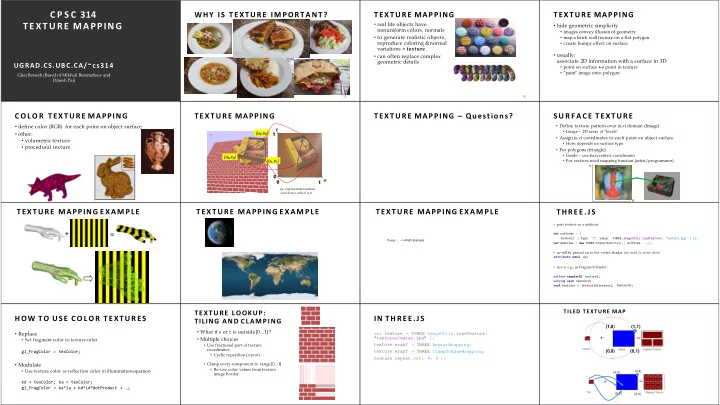
C P S C 314 WHY IS TEXTURE IMPORTANT? TEXTURE MAPPING TEXTURE MAPPING TEXTURE MAPPING real life objects have hide geometric simplicity nonuniform colors, normals images convey illusion of geometry to generate realistic objects,


slide-1
SLIDE 1

C P S C 314 TEXTURE MAPPING

UGRAD.CS.UBC.CA/~cs314

Glen Berseth (Based of Mikhail Bessmeltsev and Dinesh Pai)

12

WHY IS TEXTURE IMPORTANT?

12

TEXTURE MAPPING

  • real life objects have

nonuniform colors, normals

  • to generate realistic objects,

reproduce coloring & normal variations = texture

  • can often replace complex

geometric details

TEXTURE MAPPING

  • hide geometric simplicity
  • images convey illusion of geometry
  • map a brick wall texture on a flat polygon
  • create bumpy effect on surface
  • usually:

associate 2D information with a surface in 3D

  • point on surface ↔ point in texture
  • “paint” image onto polygon

C O L O R TEXTURE MAPPING

  • define color (RGB) for each point on object surface
  • other:
  • volumetric texture
  • procedural texture

TEXTURE MAPPING

u v (u0,v0) (u1,v1) (u2,v2) 1 1

(u, v) parameterization sometimes called (s,t)

TEXTURE MAPPING – Questions? S U R F A C E TEXTURE

u

  • Define texture pattern over (u,v) domain (Image)
  • Image – 2D array of “texels”
  • Assign (u,v) coordinates to each point on object surface
  • How: depends on surface type
  • For polygons (triangle)
  • Inside – use barycentric coordinates
  • For vertices need mapping function (artist/programmer)

v

TEXTURE MAPPING EXAMPLE

+ =

TEXTURE MAPPING EXAMPLE TEXTURE MAPPING EXAMPLE

Pause …. --> Math Example

THREE.JS

  • pass texture as a uniform:

"texture.jpg" ) }}; var uniforms = { texture1: { type: "t", value: THREE.ImageUtils.loadTexture( var material = new THREE.ShaderMaterial( { uniforms, …});

  • uv will be passed on to the vertex shader (no need to write this):

attribute vec2 uv;

  • use it, e.g., in Fragment Shader:

uniform sampler2D texture1; varying vec2 texCoord; vec4 texColor = texture2D(texture1, texCoord);

HOW TO USE C O L O R TEXTURES

  • Replace
  • Set fragment color to texture color

gl_FragColor = texColor;

  • Modulate
  • Use texture color as reflection color in illuminationequation

kd = texColor; ka = texColor; gl_FragColor = ka*ia + kd*id*dotProduct + …;

TEXTURE LOOKUP: TILING AND CLAMPING

  • What if s or t is outside[0…1] ?
  • Multiple choices
  • Use fractional part of texture

coordinates

  • Cyclic repetition (repeat)
  • Clamp every component to range [0…1]
  • Re-use color values from texture

image border

IN THREE.JS

var texture = THREE.ImageUtils.loadTexture( "textures/water.jpg" ); texture.wrapS texture.wrapT = THREE.RepeatWrapping; = THREE.ClampToEdgeWrapping; texture.repeat.set( 4, 4 );

23

(1,0) (0,0) (0,1) (1,1)

TILED TEXTURE MAP

(4,4) (4,0) (0,4) (0,0)

slide-2
SLIDE 2

RECONSTRUCTION

(image courtesy of Kiriakos Kutulakos, U Rochester)

MIPMAPPING

Without MIP-mapping

use “image pyramid” to precompute averaged versions of the texture store whole pyramid in single block of memory

With MIP-mapping

MIPMAPS

  • multum in parvo - - many things in a smallplace
  • prespecify a series of prefiltered texture maps of

decreasing resolutions

  • requires more texture storage
  • avoid shimmering and flashing as objects move
  • texture.generateMipmaps = true
  • automatically constructs a family of textures from original

texturesize down to 1x1

  • texture.mipmaps[…]

without with

MIPMAP STORAGE

  • only 1/3 more space required

HOW TO INTERPOLATE S,T?

Texture coordinate interpolation

  • Perspective foreshortening problem
  • Also problematic for color interpolation, etc.

TEXTURE MAPPING OTHER USES F O R TEXTURES OTHER USES F O R TEXTURES

  • usually provides colour, but …
  • can also use to control other material/object properties
  • surface normal (bump mapping)
  • reflected color (environment mapping)

BUMP MAPPING: NORMALS A S TEXTURE

  • object surface often not smooth – to recreate correctly

need complex geometry model

  • can control shape “effect” by locally perturbing surface

normal

  • random perturbation
  • directional change over region

BUMP MAPPING BUMP MAPPING EMBOSSING

  • at transitions
  • rotate point’s surface normal by θ or - θ

BUMP MAPPING: LIMITATION BUMP MAPPING: LIMITATION

Why don’t we modify geometry instead of modifying normals?

DISPLACEMENT MAPPING

  • bump mapping gets silhouettes wrong
  • shadows wrong too
  • change surface geometry instead
  • only recently available with realtime

graphics

  • need to subdivide surface

https://en.wikipedia.org/wiki/Displacement_map ping#/media/File:Displacement.jpg

ENVIRONMENT MAPPING

  • cheap way to achieve reflective effect
  • generate image of surrounding
  • map to object as texture
slide-3
SLIDE 3

ENVIRONMENT MAPPING

  • used to model object that reflects surrounding textures to

the eye

  • movie example: cyborg in Terminator 2
  • different approaches
  • sphere, cube most popular
  • others possible too

S P H E R E MAPPING

  • texture is distorted fish-eye view
  • point camera at mirrored sphere
  • spherical texture mapping creates texture coordinates that

correctly index into this texture map

CUBE MAPPING

  • 6 planar textures, sides of cube
  • point camera in 6 different directions, facing out from origin

A C B E

CUBE MAPPING

F D

CUBE MAPPING

  • direction of reflection vector r selects the face of the cube to be indexed
  • co-ordinate with largest magnitude
  • e.g., the vector (-0.2, 0.5, -0.84) selects the –Z face
  • remaining two coordinates select the pixel from the face.
  • difficulty in interpolating across faces

CUBE MAPPING

how to calculate?

  • direction of reflection vector r selects the face of the cube to be indexed
  • co-ordinate with largest magnitude
  • e.g., the vector (-0.2, 0.5, -0.84) selects the –Z face
  • remaining two coordinates select the pixel from the face.
  • difficulty in interpolating across faces

ENVIRONMENT MAPS (EM)

  • in theory, every object should have a separate EM
  • in theory, every time something moves, you should re-compute EM
  • “you’ll be surprised at what you can get away with”

VOLUMETRIC TEXTURE

  • define texture pattern over 3D domain - 3D

space containing the object

  • texture function can be digitized or

procedural

  • for each point on object compute texture

from point location in space

  • e.g., ShaderToy
  • computing is cheap,

memory access is expensive !

PR OCEDU R AL TEXTURE EFFECTS: BOMBING

  • randomly drop bombs of various shapes, sizes and orientation

into texture space (store data in table)

  • for point P search table and determine if inside shape
  • if so, color by shape’s color
  • otherwise, color by object’s color

PERLIN NOISE: PR OCEDU R AL TEXTURES

  • several good explanations
  • http://www.noisemachine.com/talk1
  • http://freespace.virgin.net/hugo.elias/models/m_perlin.htm
  • http://www.robo-murito.net/code/perlin-noise-math-faq.html

http://mrl.nyu.edu/~perlin/planet/

PERLIN NOISE: TURBULENCE

  • multiple feature sizes
  • add scaled copies of noise

PERLIN NOISE: TURBULENCE

  • multiple feature sizes
  • add scaled copies of noise

THE RENDERING PIPELINE

Vertex Shader Vertex Post-Processing Rasterization Per-Sample Operations Framebuffer

Vertices and attributes

Modelview transform

Interpolation

Per-vertex attributes Clipping Viewport transform

Scan conversion

Fragment Shader

Texturing/... Lighting/shading Depth test Blending