C Language Introduction Declaring variables Types Structure of a - - PowerPoint PPT Presentation

c language introduction
SMART_READER_LITE
LIVE PREVIEW

C Language Introduction Declaring variables Types Structure of a - - PowerPoint PPT Presentation

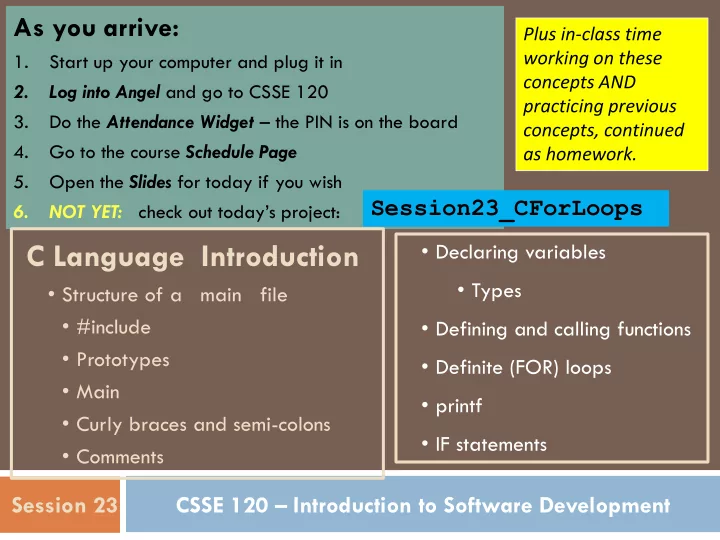
As you arrive: Plus in-class time working on these 1. Start up your computer and plug it in concepts AND 2. Log into Angel and go to CSSE 120 practicing previous 3. Do the Attendance Widget the PIN is on the board concepts, continued


slide-1
SLIDE 1

CSSE 120 – Introduction to Software Development Session 23

As you arrive:

1. Start up your computer and plug it in 2. Log into Angel and go to CSSE 120 3. Do the Attendance Widget – the PIN is on the board 4. Go to the course Schedule Page 5. Open the Slides for today if you wish 6. NOT YET: check out today’s project:

Session23_CForLoops

Plus in-class time working on these concepts AND practicing previous concepts, continued as homework.

C Language Introduction

  • Structure of a main file
  • #include
  • Prototypes
  • Main
  • Curly braces and semi-colons
  • Comments
  • Declaring variables
  • Types
  • Defining and calling functions
  • Definite (FOR) loops
  • printf
  • IF statements
slide-2
SLIDE 2

Lesson #1 learned from Exam 2

 Examples are good, but only if you understand the

example.

 In banking, line 16 was helpful:

account['balance'] = initialBalance

 In chess, rookMove was NOT helpful if you did not

understand completely:

 what it was doing and how it did so

Bottom line: Use examples, yes! But study and understand the example first.

Copy-and-paste-and-then-modify is a terrible technique!

slide-3
SLIDE 3

Lesson #2 learned from Exam 2

 Before you begin ANY problem, figure out how to solve it in

English before you turn to Python

 Do a concrete example by hand.  Introspect the by-hand work that you did to determine

whether you need:

 A loop  If so, what loop pattern  A loop within a loop  Variables to capture values and compute with them  Getting a value from a variable  Setting a variable’s value  IF statements  Call functions to help the function you are writing

slide-4
SLIDE 4

The C Programming Language

 Invented in 1972 by Dennis Ritchie at AT&T Bell Labs  Has been the main development language for UNIX

  • perating systems and utilities for about 30 years

 Our Python interpreter was written in C  Used for serious coding on just about every

development platform

 Especially used for embedded software systems  Is usually compiled to native machine code  Faster but less portable than Python or Java  Compiled, not interpreted, so no interactive mode

slide-5
SLIDE 5

Why C in CSSE 120?

 Practical

 Several upper-level courses in CSSE, ECE, ME, and Math

expect students to program in C

 None of these courses is a prerequisite for the others.  So each instructor had a difficult choice:

 Teach students the basics of C, which may be redundant for

many of them who already know it, or

 Expect students to learn it on their own, which is difficult for

the other students

 But a brief C introduction here will make it easier for

you (and your instructor!) when you take those courses

slide-6
SLIDE 6

Why C in CSSE 120?

 Pedagogical

 Comparing and contrasting two languages is a good

way to reinforce your programming knowledge

 Seeing programming at C's "lower-level" view than

Python's can help increase your understanding of what really goes on in a program

 Many other programming languages (notably Java,

C++, and C#) derive much of their syntax and semantics from C

 Learning those languages will be easier after you have

studied C

slide-7
SLIDE 7

Some C Language trade-offs

 Programmer has more control, but fewer high-level

language features to use

 Strong typing makes it easier to catch programmer

errors, but there is the extra work of declaring types of thing

 “Once an int, always an int”

 Lists and classes are not built-in, but arrays and

structs can be very efficient

 and a bit more challenging for the programmer

slide-8
SLIDE 8

Parallel examples in Python and C

#include <stdio.h> #include <stdlib.h> #include <math.h> void squareRootTable(int n); int main() { squareRootTable(20); return EXIT_SUCCESS; } void squareRootTable(int n) { int k; for (k = 1; k <= n; ++k) { printf("%3i %9.3f\n", k, sqrt(k)); } } from math import sqrt def squareRootTable(n): for k in range(1, n+1): print("{:3i} {:9.3f}" .format(k, sqrt(k))) def main(): squareRootTable(20) if __name__ == '__main__': main()

slide-9
SLIDE 9

#include <stdio.h> #include <stdlib.h> #include <math.h> void squareRootTable(int n); int main() { squareRootTable(20); return EXIT_SUCCESS; } void squareRootTable(int n) { int k; for (k = 1; k <= n; ++k) { printf("%3i %9.3f\n", k, sqrt(k)); } }

This and the following slides use this example to show ten ways that C differs from Python

How C differs from Python, #1: #include instead of import

slide-10
SLIDE 10

#include <stdio.h> #include <stdlib.h> #include <math.h> void squareRootTable(int n); int main() { squareRootTable(20); return EXIT_SUCCESS; } void squareRootTable(int n) { int k; for (k = 1; k <= n; ++k) { printf("%3i %9.3f\n", k, sqrt(k)); } }

How C differs from Python, #2: Functions (except main) should have prototypes which specify the form of the function

In the prototype

void squareRootTable(int n); doesn’t return anything has a single parameter that is an int (i.e. integer) simple C statements end in a semicolon

slide-11
SLIDE 11

#include <stdio.h> #include <stdlib.h> #include <math.h> void squareRootTable(int n); int main() { squareRootTable(20); return EXIT_SUCCESS; } void squareRootTable(int n) { int k; for (k = 1; k <= n; ++k) { printf("%3i %9.3f\n", k, sqrt(k)); } }

How C differs from Python, #3: Execution starts at the special function called

  • main. Every C

program has exactly

  • ne main function.
slide-12
SLIDE 12

#include <stdio.h> #include <stdlib.h> #include <math.h> void squareRootTable(int n); int main() { squareRootTable(20); return EXIT_SUCCESS; } void squareRootTable(int n) { int k; for (k = 1; k <= n; ++k) { printf("%3i %9.3f\n", k, sqrt(k)); } }

How C differs from Python, #4: Bodies of functions, loops, if clauses, etc., are not delimited by indentation. Instead, curly-braces begin and end the body.

Note the style for where the braces are placed. Use this style.

slide-13
SLIDE 13

#include <stdio.h> #include <stdlib.h> #include <math.h> void squareRootTable(int n); int main() { squareRootTable(20); return EXIT_SUCCESS; } void squareRootTable(int n) { int k; for (k = 1; k <= n; ++k) { printf("%3i %9.3f\n", k, sqrt(k)); } }

How C differs from Python, #5: Simple C statements end in a semicolon.

slide-14
SLIDE 14

#include <stdio.h> #include <stdlib.h> #include <math.h> void squareRootTable(int n); int main() { squareRootTable(20); return EXIT_SUCCESS; } void squareRootTable(int n) { int k; for (k = 1; k <= n; ++k) { printf("%3i %9.3f\n", k, sqrt(k)); } }

How C differs from Python, #6: All variables must have their type declared at the point the variable is introduced.

Parameters, local variables, and return value from functions. Types include:

  • - int for integers
  • - double and float for

floating point numbers

  • - char for characters

For return values from functions, void means nothing is returned.

slide-15
SLIDE 15

#include <stdio.h> #include <stdlib.h> #include <math.h> void squareRootTable(int n); int main() { squareRootTable(20); return EXIT_SUCCESS; } void squareRootTable(int n) { int k; for (k = 1; k <= n; ++k) { printf("%3i %9.3f\n", k, sqrt(k)); } } at end of each iteration of the loop, k increases by 1. ++k and k++ are shorthand for k = k + 1 semicolons separate the 3 parts of a for loop

How C differs from Python, #7: No lists or range expressions. The for statement is more primitive:

for (k = 1; k <= n; ++k)

k starts at 1 Parentheses, no colon at end loop continues while k <= n

slide-16
SLIDE 16

#include <stdio.h> #include <stdlib.h> #include <math.h> void squareRootTable(int n); int main() { squareRootTable(20); return EXIT_SUCCESS; } void squareRootTable(int n) { int k; for (k = 1; k <= n; ++k) { printf("%3i %9.3f\n", k, sqrt(k)); } }

How C differs from Python, #8: printf is similar but not identical to

  • ne way of using Python’s print.

In the example:

  • - note parentheses, quotes, commas
  • - %3i means integer, using 3 spaces
  • - %9.3f means floating point, using 9

spaces, 3 spaces after the decimal point (use just %f for floating point with default number of decimals)

  • - %c for printing a character
  • - \n means newline
  • - double quotes for string literals
  • - single quotes for character literals,

e.g. 'R' for the R character

slide-17
SLIDE 17

#include <stdio.h> #include <stdlib.h> #include <math.h> void squareRootTable(int n); int main() { squareRootTable(20); return EXIT_SUCCESS; } void squareRootTable(int n) { int k; for (k = 1; k <= n; ++k) { printf("%3i %9.3f\n", k, sqrt(k)); } }

How C differs from Python, #9: if statements have their condition in parentheses, e.g. if (k <= n) { ... } 0 means False in C. non-0 means True in C.

slide-18
SLIDE 18

#include <stdio.h> #include <stdlib.h> #include <math.h> void squareRootTable(int n); int main() { squareRootTable(20); return EXIT_SUCCESS; } void squareRootTable(int n) { int k; for (k = 1; k <= n; ++k) { printf("%3i %9.3f\n", k, sqrt(k)); } }

How C differs from Python, #10: comments are different:

/* ... (multi-line comment) */ // single line comment

slide-19
SLIDE 19

Calling functions with parameters that return values

 Just like in Python (almost)  Consider the function:

double convertCtoF(double celsius) { return 32.0 + 9.0 * celsius / 5.0; }

 How would we get result from a function

 in Python? fahrenheit = convertCtoF(20.0)  In C?

int fahrenheit;

fahrenheit = convertCToF(20.0);

 What's different in C?

 Declare the type of fahr, use semicolons

slide-20
SLIDE 20

Using C with Eclipse

You must use a different Eclipse workspace for your C programs than the one you use for Python programs.

  • 1. Using MyComputer, create a folder to use for your C projects

 Best place: Parallel to your Python Workspace. For many of

you, that is: My Documents/Courses/CSSE 120/C Workspace

  • 2. In Eclipse:
  • a. File ~ Switch Workspace, then select Browse
  • b. Browse to the C Workspace folder you created. Click OK.

c. Eclipse will shut down and then re-open.

  • d. Window ~ Open Perspective, then Other, then C/C++

If you don’t have a C/C++ perspective, get help from your instructor.

You will have to Switch Workspace every time you switch between C and Python

slide-21
SLIDE 21

Using C with Eclipse (continued)

Once you are in Eclipse in the C/C++ perspective, set your individual repository just as you did for Python:

  • 1. Window ~ Show View, then Other,

then SVN ~ SVN Repositories

  • 2. In the SVN Repositories tab that appears at the bottom,

right-click and select New~ Repository Location

  • 3. For the URL, enter

http://svn.cs.rose-hulman.edu/repos/csse120-201110-username

where you replace username with your own Kerberos username

  • 4. Checkout your Session23-CForLoops project
  • 5. Browse the code in the src folder
  • 6. Run the project (use the Run button).
slide-22
SLIDE 22

Rest of today

 Work through the TODO’s, as numbered.  Ask questions as needed!  Use this exercise to get comfortable with the basics

  • f C notation, and C in Eclipse. Pay attention to

what you are doing!

 Finish the exercise for homework  Also: Have a standup meeting with your Team.

 Make sure everyone has LOTS to do for Thursday!