Bring Your Own Device (BYOD) 4 October 2016 What is BYOD? Define - - PowerPoint PPT Presentation

bring your own device byod
SMART_READER_LITE
LIVE PREVIEW

Bring Your Own Device (BYOD) 4 October 2016 What is BYOD? Define - - PowerPoint PPT Presentation

Bring Your Own Device (BYOD) 4 October 2016 What is BYOD? Define the characteristics of todays students Explore BYOD in the classroom Any Questions pollev.com/bishpoll Student Feedback BYOD Survey for Years 10 - 13. Student


slide-1
SLIDE 1

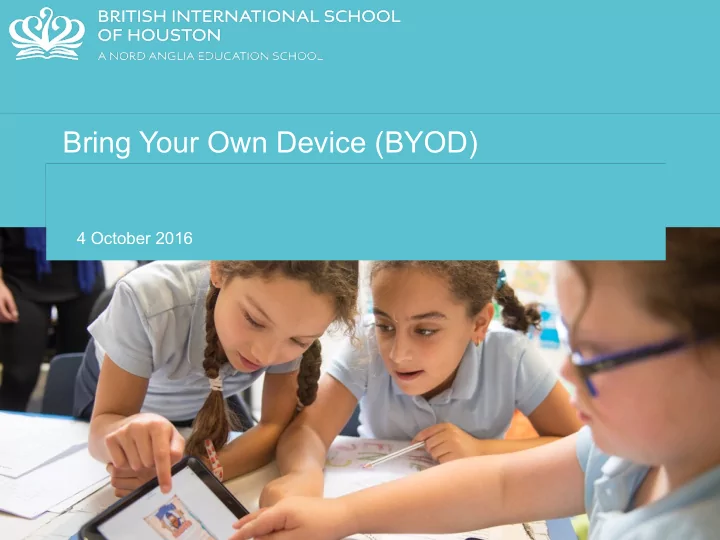
Bring Your Own Device (BYOD)

4 October 2016
slide-2
SLIDE 2
  • What is BYOD?
  • Define the characteristics of today’s students
  • Explore BYOD in the classroom
slide-3
SLIDE 3

Any Questions

pollev.com/bishpoll

slide-4
SLIDE 4

Student Feedback

BYOD Survey for Years 10 - 13.

slide-5
SLIDE 5

Student Feedback

Do you have a device that you can bring into school for the BYOD programme?

slide-6
SLIDE 6

Student Feedback

Do you have a device that you can bring into school for the BYOD programme?

Yes No

97% 3%

slide-7
SLIDE 7

Student Feedback

Do you use cloud storage for your school work?

slide-8
SLIDE 8

Student Feedback

Do you use cloud storage for your school work?

Yes No

51%

49%

slide-9
SLIDE 9

Student Feedback

Are you looking forward to using devices for your learning?

slide-10
SLIDE 10

Student Feedback

Yes No

89% 11%

Are you looking forward to using devices for your learning?

slide-11
SLIDE 11

Student Feedback

Do you believe its essential to have a choice to use devices at school?

slide-12
SLIDE 12

Student Feedback

Do you believe its essential to have a choice to use devices at school?

Yes No

94%

6%

slide-13
SLIDE 13

Student Feedback

Do you believe the use of IT can transform your learning at school?

slide-14
SLIDE 14

Student Feedback

Do you believe the use of IT can transform your learning at school?

Yes No

73%

8%

Maybe

19%

slide-15
SLIDE 15

Student Feedback

Would you be willing to share your ideas of using IT with your Teachers?

slide-16
SLIDE 16

Student Feedback

Would you be willing to share your ideas of using IT with your Teachers?

Yes No

44%

13%

Maybe

43%

slide-17
SLIDE 17

Student Feedback

Will using a device better prepare you for your exams?

slide-18
SLIDE 18

Student Feedback

Will using a device better prepare you for your exams?

Yes No

76%

9%

Maybe

15%

slide-19
SLIDE 19

Open Comments

slide-20
SLIDE 20

Open Comments

slide-21
SLIDE 21

What is BYOD? - Discussion. What have we experienced before that could help our students?

pollev.com/bishpoll

slide-22
SLIDE 22

Our Students as 21st Century Learners.

slide-23
SLIDE 23

Today’s Students

  • They are digital natives
  • They live in a multimedia world
  • Their media is all color
  • They prioritize visual learning
  • They demand creativity
  • They learn best through trial and error
  • They constantly connect and collaborate
  • They access information that is live and linked
slide-24
SLIDE 24

What should learning look like in the 21st century?

collaborative

social

  • nline

personalised

creative

school colourful

  • pen

mobile

multimedia

connected

digital

communication

blended

challenging

projects

slide-25
SLIDE 25

21st Century Learning is…

Mobile

Students live in a world with anytime, anywhere access to information at their fingertips.

slide-26
SLIDE 26

21st Century Learning is…

Collaborative

Technology has provided our students with a social, collaborative world. They thrive on teamwork and figuring things out with their friends.

slide-27
SLIDE 27

21st Century Learning is…

Connected

Today’s students want to connect with others in real time through social media and mobile devices.

slide-28
SLIDE 28

21st Century Learning is…

Multimedia

Today’s students are equal parts consumer and creator. They download and view audio and video, then create their own to upload and share with others. They are used to having multimedia tools at their fingertips, and they are adept at using these tools to express their creativity.

slide-29
SLIDE 29

21st Century Learning is…

Constantly Changing

Constant change requires independent learners with new skills for changing work environments: critical thinking, collaboration, creativity, and communication.

slide-30
SLIDE 30

21st Century Learning is…

Physical and Virtual Learning Spaces

Students live in a world where they can learn anywhere, any time and from anyone.

slide-31
SLIDE 31

21st Century Learning is…

New Skills and Literacies

  • Critical Thinking and Problem Solving
  • Collaboration across Networks and Leading by Influence
  • Agility and Adaptability
  • Initiative and Entrepreneurialism
  • Effective Oral and Written Communication
  • Accessing and Analyzing Information
  • Curiosity and Imagination
slide-32
SLIDE 32

We have a clear vision of 21st century learning, but how do we get there using BYOD?

slide-33
SLIDE 33

What is BYOD?

  • 1. Learning anytime, anywhere without schedule
  • r access restrictions
  • 2. Personalized devices
  • 3. Allows for immediate application in the

classroom

  • 4. Flexibility—support different learners with

different needs

slide-34
SLIDE 34
slide-35
SLIDE 35

BYOD Educational Impact

  • More engaged and motivated students
  • Students are held accountable for their learning, puts them in

charge

  • Encourages continued learning outside of the classroom walls
  • Personalized, students tap into their individual learning

preferences

  • Helps students identify skills that will make them life-long learners
  • Gives students a preview of how their future workplaces will
  • perate
slide-36
SLIDE 36
slide-37
SLIDE 37

BYOD - what we would like.

  • 1. A device with a keyboard.
  • 2. That you can personalize.
  • 3. Charged and ready to use.
  • 4. We will add this to our network.
  • 5. To enable students to learn in new ways.
slide-38
SLIDE 38

Flipped Learning.

slide-39
SLIDE 39
slide-40
SLIDE 40

Flipped Learning

slide-41
SLIDE 41

What can we do with BYOD? - Discussion. What can we now do at school with these devices to enhance learning?

pollev.com/bishpoll

slide-42
SLIDE 42

Teachers can use…

Online Quizzes. Forums. YouTube Videos. Kahoot. Mind Maps. Assignments. Questioning. Padlet. Khan Academy. Online Polls. Infographics. Shared Documents. Surveys. Online Games. Interactive Resources. Collaboration Games. Active Learning. Blogs. Online Courses. Feedback. Portfolios. SeeSaw. Research.

slide-43
SLIDE 43

How will we inspire our students and engage them in 21st century learning?