Book: Dinosaurs? & Dinosaur Wars Frederick P. Brooks' Mythical - - PowerPoint PPT Presentation

book dinosaurs dinosaur wars
SMART_READER_LITE
LIVE PREVIEW

Book: Dinosaurs? & Dinosaur Wars Frederick P. Brooks' Mythical - - PowerPoint PPT Presentation

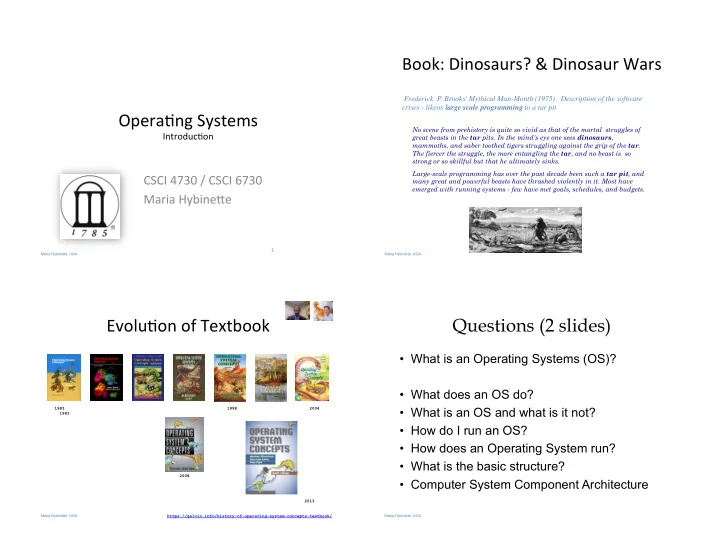
Book: Dinosaurs? & Dinosaur Wars Frederick P. Brooks' Mythical Man-Month (1975). Description of the software crises - likens large scale programming to a tar pit Opera&ng Systems No scene from prehistory is quite so vivid as that of the


slide-1
SLIDE 1

Maria Hybinette, UGA

Opera&ng Systems

Introduc&on

CSCI 4730 / CSCI 6730 Maria Hybine?e

1

Maria Hybinette, UGA

No scene from prehistory is quite so vivid as that of the mortal struggles of great beasts in the tar pits. In the mind's eye one sees dinosaurs, mammoths, and saber toothed tigers struggling against the grip of the tar. The fiercer the struggle, the more entangling the tar, and no beast is so strong or so skillful but that he ultimately sinks. Large-scale programming has over the past decade been such a tar pit, and many great and powerful beasts have thrashed violently in it. Most have emerged with running systems - few have met goals, schedules, and budgets.

Frederick P. Brooks' Mythical Man-Month (1975). Description of the software crises - likens large scale programming to a tar pit

Book: Dinosaurs? & Dinosaur Wars

Maria Hybinette, UGA

Evolu&on of Textbook

https://galvin.info/history-of-operating-system-concepts-textbook/ 1998 2004 2008 1983 1983 2013 Maria Hybinette, UGA

Questions (2 slides)

  • What is an Operating Systems (OS)?
  • What does an OS do?
  • What is an OS and what is it not?
  • How do I run an OS?
  • How does an Operating System run?
  • What is the basic structure?
  • Computer System Component Architecture
slide-2
SLIDE 2

Maria Hybinette, UGA

Questions?

  • What are the major operating system

components?

  • What are basic computer system
  • rganizations?
  • How do you communicate with the
  • perating systems?
  • What services are (or need to be)

provided?

Maria Hybinette, UGA

Poll? Desktop and Mobile OS

  • What desktop/laptop OS do you have?
  • Which desktop/laptop OSs are you familiar with?
  • What do you think the market share (%) is (portion of different

OSs)?

– Windows – Mac (Unix derivative) – Linux (Unix derivative) – Other

  • What about the mobile OS market share?

– iOS (UNIX) – Android (Linux based) – Window – Other

  • Are they different?

Maria Hybinette, UGA

Popularity: OS Market Share Desktop (left) vs. Mobile (right)

https://www.netmarketshare.com/ Based on page views : January 2017 Maria Hybinette, UGA

Usage Share: Desktop vs. Smartphones

  • % that run an OS – at a

par&cular &me.

  • From late 2016 – mobile

started to dominate the desktop market share.

  • Landscape is changing,

mobile plaWorms are star&ng to dominate

https://en.wikipedia.org/wiki/Usage_share_of_operating_systems

slide-3
SLIDE 3

Maria Hybinette, UGA

What is an Opera&ng System

Image Courtesy: Kai Li, Princeton

Hardware

Operating System

vi gcc Browser DVD Player

  • So1ware between applica7ons and hardware

– Hide hardware complexity – Manages resources:

  • Make finite resources infinite

– Provide protec7on and isola7on

Maria Hybinette, UGA

What is an Opera&ng System

  • So1ware between applica&ons and hardware

– Hide hardware complexity – Manages resources:

  • Make finite resources infinite

– Provide protec7on and isola7on

CPU: Scheduling Processes on CPU Disk: Read And Write Files Memory: Manage Running Processes Data GPU: renders images/animation for display – that can also accelerate other aspects of computations – such as financial modeling. Communication: Message Send and Receive Image Courtesy: Ada Gavrilovska, G-Tech Maria Hybinette, UGA

What is an Operating System?

  • An intermediary between a user of a

computer and its computer hardware.

  • A hardware manager
  • A protector
  • Goals:

– Make the computer system convenient to use. – Use the computer hardware in an efficient manner. – Combination of the above. – Handhelds (convenience), Mainframes/Servers (efficiency)

Maria Hybinette, UGA

Where is the OS? Computer System Layers

  • Hardware
  • Operating system
  • Application programs
  • Users

System and Application Programs

compiler assembler text editor

Operating System Computer Hardware

user 1 user 2 user n

Computer system can be divided roughly in four components:

slide-4
SLIDE 4

Maria Hybinette, UGA

Computer System Layers

  • Hardware:

– provides basic computer resources:

  • CPU, Memory, I/O Devices

System and Application Programs

compiler assembler text editor

Operating System Computer Hardware

user 1 user 2 user n

Computer system can be divided roughly in four components:

Maria Hybinette, UGA

Computer System Layers

  • Hardware
  • Operating system:

– Controls and coordinates use of hardware among various applications and users.

System and Application Programs

compiler assembler text editor

Operating System Computer Hardware

user 1 user 2 user n

Computer system can be divided roughly in four components:

Maria Hybinette, UGA

Computer System Layers

  • Hardware
  • Operating system
  • Application programs

– define the ways in which the system resources are used to solve the computing problems of the users

  • Word processors,

compilers, web browsers, database systems, video games System and Application Programs

compiler assembler text editor

Operating System Computer Hardware

user 1 user 2 user n

Computer system can be divided roughly in four components:

Maria Hybinette, UGA

Computer System Layers

  • Hardware
  • Operating system
  • Application programs
  • Users

– People, machines, other computers

System and Application Programs

compiler assembler text editor

Operating System Computer Hardware

user 1 user 2 user n

Computer system can be divided roughly in four components:

slide-5
SLIDE 5

Maria Hybinette, UGA

Computer System Layers

  • Hardware
  • Operating system
  • Application programs
  • Users

System and Application Programs

compiler assembler text editor

Operating System Computer Hardware

user 1 user 2 user n

Computer system can be divided roughly in four components:

Maria Hybinette, UGA

Between Each of the Layers: Interfaces

  • Device Drivers

– Hardware specific so[ware

  • System Calls

– Gateway to ”Kernel Space”

  • Shell

– User Interface

Maria Hybinette, UGA

What "Makes up” the Operating System?

  • Hardware à Drivers -- Operating System – Kernel

à Applications à Users

  • Surprise! No universally accepted definition!

– A GRAY fuzzy border

  • Everything a vendor ships when you order an
  • perating system used to be a good

approximation… But it varies wildly also bloated

  • Operating System is just the Kernel

– It is the one program that runs at all times on the computer – everything else is either a

  • system program (ships with the operating system) or

an

  • application program

Maria Hybinette, UGA

What Does Operating Systems Do?

  • A Space/Time Controller:
  • [Space] It allocates resources

– Manages all resources – Decides between conflicting requests for efficient and fair resource use

  • [Time] It controls execution of running

programs (processes)

– Controls execution of programs to prevent errors and improper use of the computer

slide-6
SLIDE 6

Maria Hybinette, UGA

Overview: The Computer Startup Process

  • A bootstrap program (initial

program) is loaded at power-up

  • r reboot (it itself is called by an

instruction at a specific known address

– Stored in firmware in ROM/ EEROM – Stored on a chip on the mother board (parent board)

  • Initializes all aspects of system
  • At some later point the operating

system kernel is loaded (e.g., from disk) and starts execution

  • Pentium initial bootstrap program

that loads the OS is called the system Basic Input Output System or BIOS.

Maria Hybinette, UGA

Visual of the Time-Line of the Booting Sequence (more detailed)

http://duartes.org/gustavo/blog/post/how-computers-boot-up

Visualizing the booting sequence - please read the below web page for more detail (HW). First instruction executed (Intels) : 0xFFFFFFF0 (reset vector) First instruction is a jump to BIOS entry point

Maria Hybinette, UGA

CMOS/BIOS Configuration Utility

Maria Hybinette, UGA

Booting from hard disk

MBR Partition Partition Partition … i-node i-node i-node … i-node Boot block Super Block i-list Data blocks for files, directories, etc. Partition Table Free Space Management Entire Disk: File System: Disk is divided into 1+ partitions: one file system per partition

slide-7
SLIDE 7

Maria Hybinette, UGA

Entire Disk & Booting Computer

  • Master Boot Record (sector 0) - Contains a program, a

boot loader) that examines partition table for an active partition that contains the secondary boot loader.

– used to boot computer

  • Partition Table

– Located at the end of MBR and contains starting and ending address of each partition

  • A program (e.g., the system Basic Input Output System
  • r BIOS for Pentiums) reads in and executes the MBR

– searches for first active partition (noted in the partition table) – reads in its first block (the boot block) and executes it

MBR Partition Partition Partition … Partition Table

Maria Hybinette, UGA

Partition Layout

  • Boot block:

– contains a hardware specific program that is called automatically to load UNIX at system startup time

  • Super block:

– file system type, #blocks in file system

  • Free space management (two lists):

– a chain of free data block numbers – a chain of free i-node numbers

  • i-list/i-node table:

– administrative information about a file (meta-data: name, type, location, size, protection bits, … ) structured into an array: inode table or simply the i-list – An i-node number:

  • uniquely identifies a file in a file system
  • is an index to the i-node table

Boot block Super Block i-list Data blocks for files, directories, etc. Free Space Management

Maria Hybinette, UGA

Computer System Organization

  • One or more CPUs, device controllers connect through

common bus providing access to shared memory

  • Concurrent execution of CPUs and devices compete for

memory cycles

Maria Hybinette, UGA

  • How do devices communicate to the OS?

For example telling the OS to (when) check for user input?

slide-8
SLIDE 8

Maria Hybinette, UGA

Computer System Operations

  • CPU: the processor that perform the actual computation
  • I/O controll/ers:

– take commands in registers, generate flags and interrupts – each device controller

  • is in charge of a particular device type
  • has a local buffer for I/O
  • Examples: audio – output device, mouse – input, disk – I/O.
  • CPU moves data from/to main memory to/from local buffers.
  • I/O is from the device to local buffer of controller.
  • Device controller informs CPU that it has finished its
  • peration by causing an interrupt.

Maria Hybinette, UGA

Communication: Interrupts

  • Occurrence of an event is signaled by

interrupts either by software or hardware

– A trap is a software-generated interrupt caused either by an error or a user request.

  • Modern operating systems are interrupt

driven.

  • OS Stops what it is doing, preserve the

current state and then handles the interrupt (=overhead) .

An interrupt is a signal to the processor to temporarily suspend execution because some system event needs handling (alert!).

Maria Hybinette, UGA

Terminology

  • Uni-programming
  • Multi-programming
  • Multiprocessing
  • Multithreading
  • Multitasking

Maria Hybinette, UGA

Uni-programming

  • One process [in memory] at one time

– Looking ahead – doesn’t need memory protection of other processes. [OS is protected from processes by checking addresses used buy the process]

slide-9
SLIDE 9

Maria Hybinette, UGA

Multi-programming

  • Single user cannot keep CPU and I/O

devices busy at all times

  • Multiprogramming organizes jobs (code

and data) so CPU always has one to execute

  • A subset of total jobs in system is kept in

memory

  • One job selected and run via job

scheduling

  • When it has to wait (for I/O for example),

OS switches to another job Multiprogramming needed for efficiency

memory layout

Maria Hybinette, UGA

User View: Timesharing (Multitasking)

  • Response time should be < 1 second
  • Each user has at least one program executing in

memory [process

  • If several jobs ready to run at the same time [ CPU

scheduling

  • If processes dont fit in memory, swapping moves them

in and out to run

  • Virtual memory allows execution of processes not

completely in memory Timesharing (multitasking) is logical extension in which CPU switches jobs

so frequently that users can interact with each job while it is running, creating interactive computing

Maria Hybinette, UGA

Definition of Terms

  • Uniprogramming

– one process at the time.

  • Multiprogramming

– multiple processes (with separate address spaces) concurrently on a machine (more on this later)

  • Multiprocessing

– running programs on a machine with multiple processors.

  • Multithreading

– multiple threads per address space (later).

  • Multitasking

– a single user can run multiple processes.

Maria Hybinette, UGA

Storage Structure

  • Main memory – only large storage media that the CPU can access

directly.

  • Secondary storage – extension of main memory that provides large

nonvolatile storage capacity.

slide-10
SLIDE 10

Maria Hybinette, UGA

Storage Structure & Hierarchy

  • Storage systems
  • rganized in hierarchy.

– Speed – Cost – Volatility

  • Caching – copying

information into faster storage system; main memory can be viewed as a last cache for secondary

Maria Hybinette, UGA

An Operating Systems Core Tasks

  • Process Managements
  • Memory Managements
  • File Managements
  • I/O System Managements
  • Protection System

Maria Hybinette, UGA

Process Management

  • A process is a program in execution (an active entity, i.e. a

running program )

– Basic unit of work on a computer – Examples: compilation process, word processing process – A process needs certain resources:

  • e.g. CPU time, memory, files, I/O devices to accomplish its task
  • Each user can run many processes at once (e.g. using &)

– One process:

  • cat file1 file2 &

– Two processes:

  • ls | wc -l
  • A time sharing system (such as UNIX) run several processes

by multiplexing between them

Maria Hybinette, UGA

Process Management Activities

  • Creating and deleting both user and system processes
  • Suspending and resuming processes
  • Providing mechanisms for process synchronization
  • Providing mechanisms for process communication
  • Providing mechanisms for deadlock handling

The operating system is responsible for the following activities in connection with process management:

slide-11
SLIDE 11

Maria Hybinette, UGA

Memory Management

  • Programs become processes when they are

loaded into memory and start executing.

– All data in memory before and after processing – All instructions in memory in order to execute

  • Memory management determines what is in

memory when

– Optimizing CPU utilization and computer response to users

  • Memory management activities

– Keeping track of which parts of memory are currently being used and by whom – Deciding which processes (or parts thereof) and data to move into and out of memory – Allocating and deallocating memory space as needed

Memory Partitions Job 1 Job 2 Job 3 Operating System

Maria Hybinette, UGA

File Management

  • OS provides uniform, logical view of information storage

– Abstracts physical properties to logical storage unit

  • A File : OS maps logical files to physical devices

– Each medium is controlled by device (i.e., disk drive, tape drive)

  • Varying properties include access speed, capacity, data-transfer rate,

access method (sequential or random)

  • File-System management

– Files usually organized into directories – Access control on most systems to determine who can access what – OS activities include

  • Creating and deleting files and directories
  • Primitives to manipulate files and dirs
  • Mapping files onto secondary storage
  • Backup files onto stable (non-volatile) storage media

home maria tucker uga gtech Maria Hybinette, UGA

Mass-Storage Management

  • Main memory is volatile and limited in size

– Use disks to store overflow and data that needs to be persistent.

  • Disks are slower than main memory and processors

– Entire speed of computer operation hinges on disk subsystem and its algorithms

  • OS mass storage management activities:

– Free-space management – Storage allocation – Disk scheduling

  • Some storage need not be fast

– Tertiary storage includes optical storage, magnetic tape – Still must be managed – Varies between WORM (write-once, read-many-times) and RW (read-write)

Maria Hybinette, UGA

I/O Subsystem Management

  • One purpose of OS is to hide peculiarities of hardware

devices from the user

  • I/O subsystem responsible for

– Memory management of I/O including

  • buffering (storing data temporarily while it is being transferred),
  • caching (storing parts of data in faster storage for performance),
  • spooling (the overlapping of output of one job with input of other

jobs)

– General device-driver interface – Drivers for specific hardware devices

slide-12
SLIDE 12

Maria Hybinette, UGA

Protection and Security

  • Protection – any mechanism for controlling access of processes or

users to resources defined by the OS

  • Security – defense of the system against internal and external

attacks

– Huge range, including denial-of-service, worms, viruses, identity theft, theft of service

  • Systems generally first distinguish among users, to determine who

can do what

– User identities (user IDs, security IDs) include name and associated number, one per user – User ID then associated with all files, processes of that user to determine access control – Group identifier (group ID) allows set of users to be defined and controls managed, then also associated with each process, file – Privilege escalation allows user to change to effective ID with more rights

Maria Hybinette, UGA

Computing Environments

  • Traditional computer

– Blurring over time – Office environment

  • PCs connected to a network, terminals attached to mainframe or

minicomputers providing batch and timesharing

  • Now portals allowing networked and remote systems access to same

resources

– Home networks

  • Used to be single system, then modems
  • Now firewalled, networked

Maria Hybinette, UGA

Computing Environments (Cont.)

  • Client-Server Computing

– Dumb terminals supplanted by smart PCs – Many systems now servers, responding to requests generated by clients

  • Compute-server provides an interface to client to request services

(i.e. database)

  • File-server provides interface for clients to store and retrieve files

Maria Hybinette, UGA

Peer-to-Peer Computing

  • Another model of distributed system
  • P2P does not distinguish clients and servers

– Instead all nodes are considered peers – May each act as client, server or both

  • Node must join P2P network

– Registers its service with central lookup service

  • n network, or

– Broadcast request for service and respond to requests for service via discovery protocol

  • Examples include Napster and Gnutella
slide-13
SLIDE 13

Maria Hybinette, UGA

Web-Based Computing

  • Web has become ubiquitous
  • PCs most prevalent devices
  • More devices becoming networked to allow web access
  • New category of devices to manage web traffic among similar

servers: load balancers

  • Use of operating systems like Windows 95, client-side, have evolved

into Linux and Windows XP, which can be clients and servers

Maria Hybinette, UGA

Summary

  • An Operating System (from here on OS) is

a software (a program) that performs two functions:

– it extends the use of the computer hardware and – it manage the computer system resources

Maria Hybinette, UGA

Reading Assignment

  • Read

– Chapters 1 & (2 next week) Book

  • Read about the boot process:

– http://www.bbc.co.uk/news/technology-11430069? ref=nf – http://en.wikipedia.org/wiki/Booting – http://duartes.org/gustavo/blog/post/how- computers-boot-up/ – https://neosmart.net/wiki/mbr-boot-process/