Be Prepared, Have a Plan: Emergency Preparedness Toolkit For - - PowerPoint PPT Presentation

be prepared have a plan emergency preparedness toolkit
SMART_READER_LITE
LIVE PREVIEW

Be Prepared, Have a Plan: Emergency Preparedness Toolkit For - - PowerPoint PPT Presentation

Be Prepared, Have a Plan: Emergency Preparedness Toolkit For persons with disabilities Adapted and Endorsed by the Wisconsin Council on Physical Disabilities 1 About the Wisconsin Council on Physical Disabilities (CPD) Created by the

slide-1
SLIDE 1

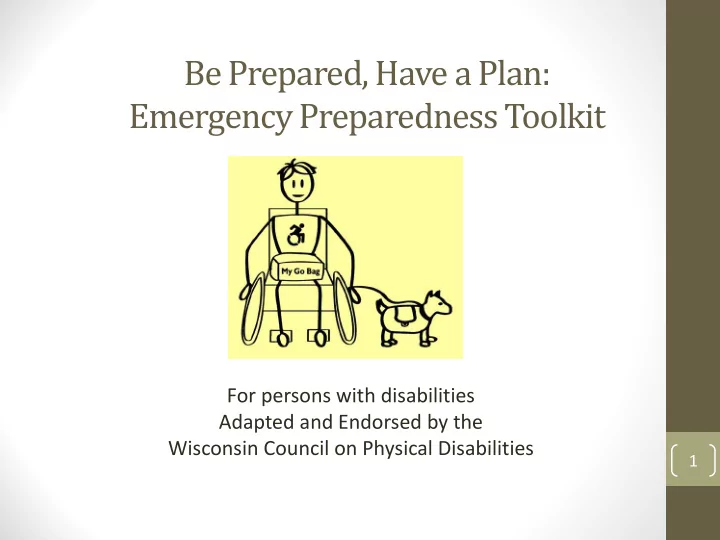
Be Prepared, Have a Plan: Emergency Preparedness Toolkit

For persons with disabilities Adapted and Endorsed by the Wisconsin Council on Physical Disabilities

1

slide-2
SLIDE 2

About the Wisconsin Council on Physical Disabilities (CPD)

  • Created by the state legislature in 1989.
  • Vision: The Council envisions a world

where all persons with physical disabilities have access to the same

  • pportunities and life choices as any
  • ther Wisconsin resident.

2

slide-3
SLIDE 3

About the Wisconsin Council on Physical Disabilities (CPD)

  • Has five major responsibilities:
  • Develop a state plan for services to people with

physical disabilities.

  • Advise state agencies on programs and policies

that affect people with physical disabilities.

  • Promote public understanding of the abilities and

concerns of people with physical disabilities.

  • Encourage development of programs to prevent

physical disabilities.

  • Submit recommendations in an annual report to

the legislature.

3

slide-4
SLIDE 4

Presenters

  • Ben Barrett, CPD Chair
  • Karen Secor, CPD Chair of Emergency

Preparedness Committee

  • Jeff Fox, CPD Member-at-Large

4

slide-5
SLIDE 5

History on Council’s Involvement in Emergency Preparedness

  • The Council has been

working on emergency preparedness for over 11 years.

5

slide-6
SLIDE 6

History on Council’s Involvement in Emergency Preparedness

  • CPD has an Emergency Preparedness

Committee

  • Karen Secor, Chair of the CPD Emergency

Preparedness Committee, serves on Wisconsin’s Emergency Preparedness Advisory Committee as physical disability representative

  • CPD developed an Emergency Preparedness

Toolkit, customized for people with disabilities

6

slide-7
SLIDE 7

Your best chance of survival is to have a plan and be prepared

  • This toolkit is the first step you can take to be prepared and

informed!

  • Here are some things you can do to get started:
  • Set up a meeting
  • Take responsibility
  • Plan ahead
  • Discuss how you will communicate with each other
  • Make plans for your pet(s)/service animal(s)
  • Have an evacuation plan and practice evacuating your home

twice a year

  • Choose who you will make contact with during a disaster
  • Pack emergency supplies that will last for 5 days
  • Be resourceful
  • Be informed

7

slide-8
SLIDE 8

Overview of the Emergency Preparedness Toolkit

  • The toolkit serves as a resource tool providing all

people, especially those individuals with physical

  • r other disabilities, emergency preparedness

information including tips, checklists, wallet card, visual communications tool, and other resources to be prepared and have a plan for emergencies and natural disasters.

  • This toolkit also serves as a resource tool for

professionals and volunteers who may assist people with disabilities during an emergency situation.

8

slide-9
SLIDE 9

ACTIVITY WITH BAG

  • Everyone was given a bag when they came to

this workshop…..

9

slide-10
SLIDE 10

10

slide-11
SLIDE 11

Emergency Preparedness Checklists

  • It is important to plan for what you need to

have available for different types of

  • emergencies. This toolkit includes four

checklists to help you identify what you need.

  • These include a:
  • General Checklist
  • Disability Checklist
  • Car Checklist
  • Important Documents Checklist

11

slide-12
SLIDE 12

General Checklist

12

slide-13
SLIDE 13

General Checklist

  • This checklist includes general items you may

want to include in your GO BAG or HOME KIT.

  • Your GO BAG should include items you need

if you are to evacuate.

  • Your HOME KIT should include supplies

needed to survive for at least five days.

13

slide-14
SLIDE 14

Disability Checklist

14

slide-15
SLIDE 15

Disability Checklist

  • This checklist includes medical devices,

supplies, and assistive technology devices for people with physical disabilities.

  • Pack the items you will need for yourself in

your GO BAG.

  • Additional items or devices may be needed to

meet your individual needs.

15

slide-16
SLIDE 16

Car Checklist

16

slide-17
SLIDE 17

Car Checklist

  • Use this list to determine what you should

have in your car for different emergency situations and/or weather events.

  • You will want to monitor your water and food

supplies when there is excessive heat and/or freezing temperatures.

17

slide-18
SLIDE 18

Important Documents Checklist

18

slide-19
SLIDE 19

Important Documents Checklist

  • This checklist helps to identify important

documents and other items that you should take with you.

  • Make copies of the documents and other

information, and if possible, also copy the information to a flash drive.

  • Put the documents in your GO BAG.
  • Store this document and other important

items/documents in a waterproof container.

  • Always keep the originals in a safety deposit box
  • r other safe location!

19

slide-20
SLIDE 20

Medical Emergency Wallet Card

20

slide-21
SLIDE 21

Medical Emergency Wallet Card

  • Fill out the information on the WALLET CARD that

applies to you. For medication, include dosage, frequency, and specific time you take medication each day.

  • Keep your WALLET CARD with you at all times in

your wallet or purse. If you have a car, also keep a copy of your WALLET CARD in your CAR KIT.

  • All family members in your home should have their
  • wn WALLET CARD with their information.
  • Review your WALLET CARD every six months and

update the information as needed. If you set aside your medication for emergencies, replace/rotate every six months or as medication expires.

21

slide-22
SLIDE 22

Family Emergency Planning Form

22

slide-23
SLIDE 23

Family Emergency Planning Form

  • This form is for everyone in your home. Fill out this form

together.

  • When you have finished completing this form, make

extra copies. Put a copy in your GO BAG. It should be easy to find.

  • Develop a FAMILY EMERGENCY PLAN that includes

everything your family should consider and do in order to be prepared for different emergencies or disasters. See the Evacuation Guide section of the toolkit.

  • If you need assistance, let family, friends, and neighbors

know how they may help, and let them know your emergency plan.

  • Review the four EMERGENCY CHECKLISTS to determine

the items which need to go into the emergency kit(s).

23

slide-24
SLIDE 24

Medical Information and Emergency Health Care Plan

24

slide-25
SLIDE 25

Medical Information and Emergency Health Care Plan

  • This form includes information on your:
  • Personal Data
  • Emergency Contact
  • Medical/Health History
  • Medical Equipment and Devices
  • Daily and Mobility Skills
  • Preferences and Considerations
  • This form should be completed with the Medical

Emergency Wallet Card.

  • You should update this form every six months or

when there is a change in your health status/condition.

25

slide-26
SLIDE 26

Fire Escape Plan

26

slide-27
SLIDE 27

Fire Escape Plan

  • How to Make a Home Fire Escape Plan form is available at:

http://www.nfpa.org/public-education/by-topic/safety-in-the- home/escape-planning/basic-fire-escape-planning.

  • Pull together everyone in your household and make a plan.

Everyone in the household must understand the escape plan.

  • A closed door may slow the spread of smoke, heat and fire.
  • Install smoke alarms in every sleeping room, outside each

sleeping area and on every level of the home.

  • If there are infants, elderly, or family members with mobility

limitations, make sure that someone is assigned to assist them in the fire drill and in the event of an emergency.

27

slide-28
SLIDE 28

Visual Communications Tool

28

slide-29
SLIDE 29

Visual Communications Tool

  • The VISUAL COMMUNICATIONS TOOL can be used

for quick and easy communication during an emergency as stress may make it more difficult to understand others.

  • This tool can be used to tell others what you need.

They can also use the card to tell you what is going

  • n.
  • The VISUAL COMMUNICATIONS TOOL DOES NOT

substitute for accommodations required by the Americans with Disabilities Act (ADA). Shelters and federal aid programs must provide interpreting services and other public accommodations as required by the ADA.

29

slide-30
SLIDE 30

Additional Information Included in the Toolkit

  • Evacuation Planning Guide
  • Evacuating Yourself and Your Family
  • Basic Fire Escape Planning
  • Escape Planning in Tall Buildings
  • Evacuation Procedures/Evacuation Devices
  • Tips for Professionals and Volunteers Working with People with

Disabilities During Emergencies

  • Communicating with People in Emergency Situations
  • Disability Etiquette
  • Tips for Effective Communication
  • Emergencies and Disasters to Plan for by Season
  • Other Emergencies and Disasters
  • Global Weather
  • Frequently Asked Questions
  • Basic Rights for People with Disabilities in Emergencies and Disasters
  • References and Resources

30

slide-31
SLIDE 31

All Toolkit Materials Available Online

  • To download an electronic copy of the

Wisconsin Council on Physical Disabilities, Emergency Preparedness Toolkit, visit: https://cpd.wisconsin.gov/toolkit.htm.

31

slide-32
SLIDE 32

32

slide-33
SLIDE 33

Five Essential Element of Mass Trauma Intervention

1. Promotion of Safety 2. Promotion of Calmness 3. Promotion of Connectedness 4. Promotion for Self and Community Efficacy 5. Instilling Hope (Source: Five Essential Elements of Immediate and Mid-Term Mass Trauma Intervention: Empirical Evidence. Hobell, Walson, Bell, et al 2007)

33

slide-34
SLIDE 34

Impact of Disaster Events

  • Initial Response
  • Immediate support of victims and first responders
  • Command support
  • Push Pull Intervention Model
  • Push – Hotlines, Roving Response Teams
  • Pull – Assistance centers, center
  • Recovery Support

34

slide-35
SLIDE 35

Importance of Psychological First Aid (PFA)

  • This is an evidence informed approach that is built on the concept of

human resilience. Its aim is to reduce stress symptoms and assist in health recovery following a traumatic event, natural disaster, public health emergency, or even a personal crisis.

  • Core Actions of PFA are:
  • Contact and Engagement
  • Safety and Comfort
  • Stabilization
  • Information Gathering: Current Needs and Concerns
  • Practical Assistance
  • Connection with Social Supports
  • Information on Coping
  • Linkage to Collaborative Services
  • The National Child Traumatic Stress Network and the National Center for

PTSD are pleased to make the Second Edition of Psychological First Aid Field Operations Guide and accompanying handouts available at: http://www.nctsn.org/content/psychological-first-aid.

35

slide-36
SLIDE 36

Tips for Communicating in an Emergency

  • Special consideration should be given to the needs of

special populations during a crisis.

  • Some possible situations or conditions someone may

encounter when working with people with disabilities or the elderly include:

  • Delayed Response Syndrome
  • mobility impairments
  • sensory changes (hearing and/or vision loss)
  • service animals
  • chronic illnesses/medications
  • heat and cold (hypothermia, hyperthermia)
  • dementias
  • transfer trauma
  • fear of institutionalization

36

slide-37
SLIDE 37

Disability Sensitivity

  • Watch the Utube video on Disability Sensitivity at:

https://www.youtube.com/watch?v=Gv1aDEFlXq8&list=PLbFK GFkIKL21ureNznAlzeQmeB4zECsOc#action=share

37

slide-38
SLIDE 38

Disability Etiquette

  • It is Important to Remember:
  • Not all disabilities are visible, such as heart disease,

depression, or asthma.

  • Many people have temporary disabilities which are equally

as limiting as permanent disabilities.

  • Not everyone with a disability wishes to discuss it or its
  • limitations. Wait until you know an individual before asking

personal questions.

  • On the next few slides are tips for communicating with people

with various disabilities. These are not all inclusive but may be helpful in emergency situations.

(These tips and resources are from University of Washington: https://depts.washington.edu/uwdrs/faculty/faculty-resources/tips- for-working-with-different-disabilities)

38

slide-39
SLIDE 39

Disability Etiquette

  • Deaf or Hard-of-Hearing
  • Tap someone who is deaf on the shoulder or wave your hand to

get his or her attention.

  • Write notes if you don’t sign (short sentences; common words).
  • Look directly at the person while speaking and don’t obscure your

mouth.

  • Try to limit gum chewing
  • Do not accept a head nod for understanding.
  • Talk directly to the person, not the interpreter.
  • Speak in a normal speed and tone unless asked to do otherwise.
  • Avoid standing in front of a light source.
  • Do not walk between two people using sign language as you will

be cutting off their conversation.

  • Try to be expressive in your body language, gestures and facial

expressions.

39

slide-40
SLIDE 40

Disability Etiquette

  • Wheelchair Users and Other Mobility Device Users
  • Position yourself at the same eye level by sitting down if engaged

in a long conversation with someone who uses a chair.

  • Treat the chair as part of the user’s personal space; do not touch
  • r lean on the chair.
  • Ask before giving assistance to a wheelchair user and take “No”

for an answer.

  • Feel free to use words like “run” or “walk”. Wheelchair users use

these words too.

  • Be aware of architectural features which may cause difficulty for

wheelchair users, such as steps or insufficiently wide doors.

  • Remember that some parking spaces are reserved for people

with mobility limitations, they are not a luxury, they are a necessity.

  • Direct your comments to the individual, not their companion or

care attendant.

  • Never pet, feed or otherwise distract a service animal without

first obtaining permission from the owner.

40

slide-41
SLIDE 41

Disability Etiquette

  • Speech and Language
  • Allow time for the person to speak, as they may need more time

to respond to you.

  • Avoid the urge to interrupt or complete a sentence for the

person.

  • Ask for repetition if you do not understand what the person said.
  • Do not fake understanding.
  • Be aware that you may need to use a variety of communication

methods such as writing notes, emailing, or technological

  • ptions.
  • Be patient and encourage the person toward expression.

41

slide-42
SLIDE 42

Disability Etiquette

  • Learning Disability or ADHD
  • Understand that learning disabilities may impact a

person’s reading, writing, math, memory, and/or information processing.

  • Realize that this is rarely visible evidence of learning

disabilities.

  • Use multiple methods to deliver information.
  • Minimize environment distractions (screen savers,

background noises, etc.).

  • Keep in mind that an unconventional response may be

influenced by a processing difficulty which affects social interaction.

42

slide-43
SLIDE 43

Disability Etiquette

  • Blindness or Visual Impairment
  • Understand that legally blind people may have some vision.
  • Provide very explicit and specific directions if asked. Avoid

using such terms as “over there” or “turn this way”.

  • Never pet, feed or otherwise distract a service animal

without first getting permission from the owner.

  • Provide class information in accessible, electronic formats

to support the individual in using their technology to speak content aloud.

  • Feel free to use words like “see” and “look”.
  • Offer your arm/elbow when leading someone who is blind.
  • Place the person’s hand on the side or back of the chair

when seating them.

43

slide-44
SLIDE 44

Disability Etiquette

  • Chronic or Acute Health

Examples: Cancer, Asthma, Emphysema, Diabetes, HIV/AIDS, Sickle Cell

  • Understand that each person has unique set of symptoms

and treatments.

  • Accept that many health conditions are often invisible to
  • thers.
  • Never define the person by the condition. For example,

someone should be referred to as “the girl who has cancer” not “the cancer girl”.

  • Do not treat the person as if they are contagious.

44

slide-45
SLIDE 45

Disability Etiquette

  • Neurological

Examples: Cerebral Palsy, Seizures, MS, Tourette, Muscular Dystrophy, TBI (traumatic brain injury)

  • Know that some of these conditions will have symptoms

that look like mobility issues, others may have similar effects as learning disabilities.

  • Understand that someone may look like they have no

disability.

45

slide-46
SLIDE 46

Disability Etiquette

  • Psychological
  • Understand that social skills may be impaired.
  • Be sensitive to emotional stress or triggers.
  • Be patient.
  • Set clear boundaries for people repeatedly interacting with
  • you. For example, “Thanks Bob for stopping by. If you want

to chat, you need to make an appointment first”.

46

slide-47
SLIDE 47

Disability Etiquette

  • Cognitive
  • Be very clear and specific in your language. Sarcasm and subtle

humor is often missed.

  • Present instructions in a clear, easy to understand way.
  • Present oral information at a measured pace, using pauses as

appropriate to encourage understanding.

  • Offer cues to help with transitions like “we have 5 minutes left

until our meeting is done”.

  • Reinforce information in multiple formats.
  • Employ modeling, rehearsing and role-playing to help students

learn appropriate interactions.

  • Keep in mind that an unconventional response may be influenced

by a cognitive difficulty which affects social interaction.

47

slide-48
SLIDE 48

Disability Etiquette

  • In Case of an Emergency
  • Be aware of a person with a disability in emergency
  • situations. It may be necessary to alert someone who is

deaf to a fire alarm or lead someone who is blind out of a building.

  • Stay calm. Do your best to keep yourself and others safe.
  • Remember that people with disabilities are not helpless.

Offer help, but only give it when accepted or requested.

  • Use first aid and other emergency responses according to

your training.

48

slide-49
SLIDE 49

Tips for Communicating in an Emergency

1. Get the person’s attention first. Speak to them at eye level. Identify yourself and explain why you are there, no matter how obvious it may seem. 2. Look at the person when you speak. Speak slowly with a low- pitched and calm voice. 3. Use short, familiar words, such as “What do you need?” 4. Ask questions that can be answered with a yes or no, if possible. 5. Ask one question at a time. Also give directions one at a time. 6. Give the person time to respond to your question or follow directions. 7. Repeat, rephrase, or write your message if necessary. 8. Ask permission first, before touching the person. 9. Ask before moving a person or a person’s wheelchair/mobility device.

49

slide-50
SLIDE 50

Apps for Volunteers and First Responders

  • Disability Tips - Mobile-friendly website with information

and tips for first responders Description: The Mobile TIPS for First Responders was developed by Project REDD at the Center on Disability and Development at Texas A&M University. The Mobile TIPS are adapted from Dr. Tony Cahill’s 3rd Edition of the TIPS for First Responders, developed at the Center for Development and Disability at the University of New Mexico and from the TIPS for First Responders and Texas Resources for Services and Supports, developed at the Texas Center on Disability Studies at the University of Texas at Austin. Please visit: http://disabilitytips.tamu.edu/

50

slide-51
SLIDE 51

Apps for Volunteers and First Responders

  • SAMSHA Behavioral Health Disaster Response App

Description: In a disaster, it's essential that behavioral health responders have the resources they need—when and where they need them. The SAMHSA Disaster App makes it easy to provide quality support to survivors. Users can navigate pre-deployment preparation, on-the-ground assistance, post-deployment resources, and more—at the touch of a button from the home screen. Users also can share resources, like tips for helping survivors cope, and find local behavioral health services. And, self-care support for responders is available at all stages of deployment. Apple: https://itunes.apple.com/us/app/samhsa-behavioral-health- disaster/id787518271?mt=8&WT.ac=LP_20140206_DISASTERAPP_IT UNES Google: https://play.google.com/store/apps/details?id=gov.hhs.samhsa.app. disaster&WT.ac=LP_20140206_DISASTERAPP_GOOGLEPLAY

51

slide-52
SLIDE 52

Apps for Volunteers and First Responders

  • Show Me - A communication tool for emergency shelters

Description: The Maryland Office of Preparedness and Emergency Management has created a simple, hands-on tool to reduce communication barriers and better assist individuals with access and functional needs, and professional shelter staff and volunteers, make their needs and concerns understood within a community shelter setting during an emergency. Apple: https://itunes.apple.com/in/app/show-me-for- emergencies/id840012297?mt=8 Google: https://play.google.com/store/apps/details?id=gov.ma.dph.sh

  • wme

52

slide-53
SLIDE 53

Now Be Prepared, Have a Plan! – For Individuals

  • Fill out and carry with you your Medical

Emergency Wallet Card

  • Pack a GO BAG (take with you everywhere)
  • Share emergency plan with family and

caregivers

  • Have drills for emergencies and natural

disasters

  • Check GO BAG and emergency kits when time

change occurs

53

slide-54
SLIDE 54

Now Be Prepared, Have a Plan! – As An Agency/Partner

  • Create a plan to share this information with all

interested staff, community partners, and stakeholders.

  • Educate members of the public about having an

emergency plan with family and caregivers

  • Encourage volunteer or first responder agencies

to have drills for emergencies and natural disasters and how to respond.

  • Teach people about the importance of having a

GO BAG and remind people to check their GO BAG and emergency kits supplies when time change occurs.

54

slide-55
SLIDE 55

Questions

55

slide-56
SLIDE 56

Acknowledgements

This material was made possible in part, by a cooperative grant from the Centers for Disease Control and Prevention (CDC) Public Health Emergency Preparedness (PHEP), Grant Number CFDA 93.074-CDCRFA-TP12-1201. Additional support for this material was provided in part, by the Wisconsin Division of Public Health Public Health Emergency Preparedness Program, Grant Number 5U90TP000561-05 from Centers for Disease Control and Prevention (CDC) Public Health Emergency Preparedness (PHEP) Program. The views expressed in the materials do not necessarily reflect the official policies of the Department of Health and Human Services nor does mention of trade names, commercial practices, or organizations imply endorsement by the U.S. Government.

56

slide-57
SLIDE 57

Contact Information

  • You can also contact the Council at:
  • Website: https://cpd.wisconsin.gov
  • Mailing Address:

Wisconsin Council on Physical Disabilities 1 W. Wilson Street, Room 551 Madison, Wisconsin 53703

  • Phone: 608-266-9354

(Lisa Sobczyk, DHS, Staff Support to Council)

  • Email: lisa.sobczyk@wi.gov

57