B quy t thuy t trnh hi u qu - - PDF document

b quy t thuy t tr nh hi u qu
SMART_READER_LITE
LIVE PREVIEW

B quy t thuy t trnh hi u qu - - PDF document

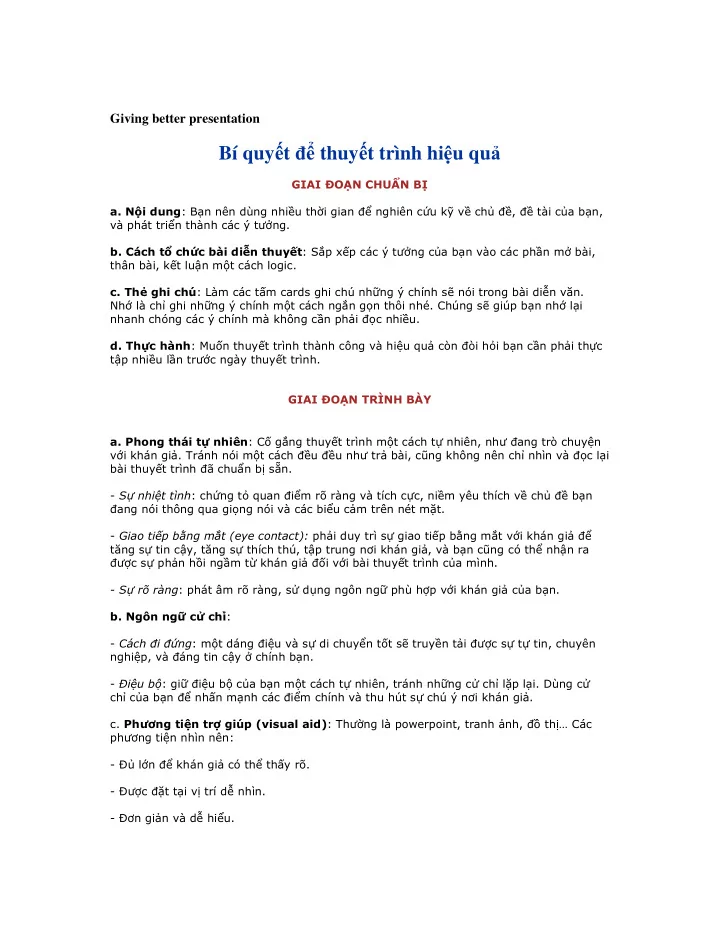
Giving better presentation B quy t thuy t trnh hi u qu


slide-1
SLIDE 1

Giving better presentation

Bí quyt thuyt trình hiu qu

  • ư!"
  • !#$%&ư!'()!

*&+,)-+'"

  • "#$.)/)0123045'67"

89+:23)-$;<=">10419+ 53)<(?;"

  • "%@Ay&C<DE?FFG(?H

,+(ư9yy&C"

  • "&'()
  • *o%,>A$y&C)-HưFyD

9?"I5)-ư?J<:C;+ y&CKLM0N"

  • OGE)P3H)y3

5<E;5?)=)Q"

  • Oee?yC0H'&R)$9?

70H,y70H31,ơ?J5, ưT0H?U()V?A9y&C)C"

  • O*)P0WX<2T9?"
  • ./0̉
  • O )-D0HyA04y?ưT0HHy

D,y!3"

  • O!"#̣2D-)-H2W:+Q+"[W

:/))310H1ơ?"

  • "*ư2345$6789:;Iư+'\e'?UM^>

ươDC

  • O_+9?5/yP"
  • O_ưTQM36C"
  • O_ơ?6"
slide-2
SLIDE 2

^^^^^^^

By Ben Yoskovitz Here’s my suggestion: Do what you need to in order to feel confident and comfortable giving the presentation. If you’re not sure what to do in order to feel confident and comfortable, then I’d lean towards being more prepared than not. Here are some tips for things you can do:

  • 1. Start with your key talking points. There’s no point writing a full script or

presentation until you know what points you want to hammer home. Then, you can stick with a standard format: (a) tell them what you’re going to show them; (b) show them; and, (c) tell them what you just showed them.

  • 2. Write a script. I think this is a good idea. It lets you write everything out and start

massaging the words the way you want. It also gives you a benchmark against which you can practice and refine things.

  • 3. Don’t get hung up on specific words. It’s unlikely that missing or changing any one

word will totally ruin your presentation, so don’t worry about perfection. The only person that knows you “screwed up” is you…

  • 4. Find your speaking style. Over time with enough practice you can learn to speak and

present in any style, but if you’re in crunch mode and don’t have enough time, just try and find your own speaking style. Find your groove. Some people are ultra-

  • enthusiastic. Some are much calmer. For DEMO, I’m aiming for calm confidence. I’m

not a flashy guy. I want people to see the practice I’m putting in, my enthusiasm and my confidence – but I’m not going “Tony Robbins” on them.

  • 5. Practice in front of people. I haven’t done this yet, but I’ll be doing it soon. If you

haven’t given a lot of presentations this will feel awkward but it’s better to get over those feelings now rather than when you’re on stage. So practice in front of others. But be careful about taking their advice, especially if the presentation is fast

  • approaching. The risk is that you try to incorporate changes you’re not really

comfortable with, whether it’s in the actual script or in your presentation style, and you end up causing more damage than good. Given the opportunity you should seek expert help with your presentation, but be careful about how you take any advice, especially late in the game.

  • 6. Practice with distractions. It’s great to sit in a bubble with no distractions

whatsoever and practice. You need the quiet time to memorize things and get a feel for what you’re doing. But I’m also practicing while distracted – be it by other sounds

  • r visually (people walking by my office door, for example) because it makes me feel

more confident that I can pull it off. On the DEMO stage there will be distractions. One person told me there’s a huge clock facing you counting the seconds menacingly. There are big lights, TV screens and oh ya … the people. I have to be prepared for anything, and practicing with distractions is helpful.

  • 7. Practice piece by piece. I’ve found it quite helpful to practice each section of my

presentation in pieces. I’ll focus on one part, memorize the core elements, run through it till I’m comfortable and then move to the next piece. Then it’s just a matter of stringing the pieces together, which is easier.

slide-3
SLIDE 3
  • 8. Think ahead. While practicing my DEMO presentation I’ve found my comfort zone

when I can think of the next 1 or 2 sentences while speaking. So I’m on sentence #5 but my mind is already bringing up sentence #6 and #7. I don’t have to think too far ahead but just enough that the transition from sentence-to-sentence is ultra-smooth and simple. Each sentence triggers a reminder for the next one.

  • 9. Practice hand gestures. If you’re giving a “naked” presentation (with nothing in

front of you like a table, etc.) then you need to be aware of what you’re doing with your hands. And your feet. So think about your hand gestures and how they relate to what you’re saying. If you plan to move around, pace in sync with your words. I’ve been practicing this for a few days with great success. The hand gestures and where I’m walking are triggers cuing what I should be saying.

  • 10. Find your comfort zone. All the advice in the world won’t help if you can’t get

comfortable with your preparation, practice techniques and ultimately, the presentation itself. Do whatever makes you feel comfortable. The more comfortable you feel, the more confident you feel, and the better things will go.

………………….

``\\\"e0e')ae"')`e0e'0") be'\

be'\y'0eey''ec')"dcy'e\e'\Ocy'yy'\++e+e' "

e'e

bey'ey'e0e''\ee'e'\e'e'ee+y'c'\ 00'\e"

e'e

bey'0eOy'0e\00'e00)"dcy'0e00'e+y\++)ec')y'e 0'')0"

f0e0e0

e0eOe'\e'c0e0e'eey'c'"d\+++0'ey'e'y'e"

['g+ee'e+0)e

['g+ee'eey+0)e'\''y'e0e'"bey''\y'e'ee0e'O)e 0ey'+eey'0e+ce+)e'e0eO00)'e+cyeec'e"h'\++e0 c''c+''ce'+eOy'\'''\e++"e++e0i'0'ee\eeec'e"

eeee'')e

@e0ey'e0e)eee0e''')ec'ey'e0e'"e''\e'')' y'0+e0ec'e'e0eeey0\'0)''+y"

j+\y0+ee'0"

slide-4
SLIDE 4

h'e'e'+''cecc'''ey'e0e'".e'0\++ec'ey')e00e0\++e+ e)'e)e)ey'e0e'\eey+''e)"j+\y0+ey''e+00'eee 'y'"

@e)'aey'0ee"

[''ec')y''e0+e00y'ec'ae''ee"d\++0'c+0+e"dcy'e+ey' 0ee\++0'+y'\++eeeee'+ce''y0e0"

dcy'c+'eey'ee'c+"

I00'e'cee0)0e0d0ee"ee'+eeyk\ke+y'0e\'e'ek\k e'ceey\e++ee"ley'e'cmen'\g0)0e000k'''\\ee\0dok\0e0\e++ ee0e"

de0)'eee\ee0'ee'')')0ee"O@I\"

pccecc0'+)e\e+++e"d'ee+e'0')e'e\'\e'eq>+e++y+ec \el'e'\e++g0'"d0'e\00)+++e'c'00\00ee\e'e)"Ie0ee0e \e\'0kdeee%ee'e0e'0e0eerkIe'ce00'+0'O0'\y0'+gy'o

Presentation Topics

h'eee0e'ee0e'"I')ee0ec'y'eye+0'+ey'''0ey''\'" Ie'+e)0y'e'')'e"8'\y'e\'ee''0e'')'cy'ee)e y'e''ee0y'e0e'"#''\'y'''0eee0e''o

"e464e9eoo6

d0e0y'e'"s0c'++'\e0e\'0)+e+e0"

*=9>e o4e699oeoIe00'\++')e'y''ey''y+e

\++e++yeyy'ee"

*=o6o:e::94e 64e9j+''cee0e0'\0y''+e0e)e00e

ee')++ycy'0ee0e++e'0"

?oe48e@o69

e'te'e'cy'\'\0\e++eee"de++y'e\eey'eee+'0'c'0ecee'e ee0+e0e++e0e0"I0\++0'\y'00')e'e\'e0'e0\e+++e"dcy'+e0e '+eeceey'eee" dcy'e'c')e)e'+ee0'0'0''e'0y'e)'e0ey'+ee00y+e"dc y'e'+ee)ec'eOt00ee'+ey'\'\'e0ey'0y+e"

*e49o:o69

Ieey0e00'"l%)+e0\'\e++e'e0'+y0"Ie0ee''0e\e++ ++0e"

slide-5
SLIDE 5

h''+y00'+e+'0'c''0)'0'e0e+'0'c''0++e"h''+yc+'0'ce+ ''0'e\e+e0e'e0ey'eee)00''ce'y'\e0" dcy''y)e0ey'eeet'''ce''\'0)+ee'+ee+eey'y \++e+e'e0"I00e\eey'ce++'\'y000'+e+e'e+y'\+'0'ce0"nee e0')e'cee'ye0e'0de0eeO++ey0+

  • #e)0
  • je'+'y
  • .'e00
  • 8ee+e\'
  • j)e'e%e'0

*4oAe99o:o69

  • dcy'e+'''0e''ce00'+uv00ee0'0'e0e'+eg0e'"neee

ce\e%)+e0

Ie0eee+y00'ce0e'0 @'e'+e't'0 Iey00'cc''++ e'\ee''0'Oe'e >w@O'+y+''+y0)'e

  • Essential Presentation Skills

peee0e'@aem')\ee0ee0)eEe0')y)e0Okne+dge'e0e'') e%\ee'g'\\''k d00+e\e+eee0++0hpf@f#Ix8pbec'ey'e%e0e'" Ieyeee0e)eeye0y')'ey' ec')e"

Advert Looking for presentation skills

slide-6
SLIDE 6

l00e+ee0e'#++0Be4ee9)

CD"EF

nee\ee%'0eeeee00e+ee0'cc')')ey'e0e'c+y" @'0'ce0ee'))'0e0ey'ge00e'\'ceeye)00e'"

"e"4ee*4e9eoG99e:9

Of0e0+0\eey' Owee0eee0eee0e OIeee\++'+ye)e)e ee)e00e0 pxob''\)'eobee+)e'c+e00'0\++ey''e\'+e'e00" >+'0+'ey''ec0'cee00e+0"

Presentation Skills 1. Use Visual Aids

pe'ce)'0'\ec+0y'''y'e0e'0'0+0" we0e0'\0cy'0e0+0y'e\e0+e+y'eey''tee0"

He::e6o9I9e64e99e

f0e0+0y'e%e0e'"

F 9o: o9e89:9J Ko@@e=eAo4Lo464e9eo

  • and tips? Try Audience response systems for

more audience engagement in your presentation.

slide-7
SLIDE 7

e'ce00'j+e@e+''ce0e''\\eec')'e0e'"ne'+eyyz 'cec')'\ee00+'+y{z0e%" Ieee0')e)''+0'0\eec')0c')' |" f0e0+0ue00+e0'0v\eeey' }" d0eey'e'+y0~iz'ce'))')e) ~" [e++e'0

MC=e64e9eoLeLo4:e

  • d#yeb'we0e>eeey0'\e00+0+e0)ecce')e00eee'"

"eeAAeoA989:994: 9e4N "eo:eO64e9@o4o9@o49P994eo 99:@ 9 ee Qe8 o4o>e8e9

dcd0d'+'+ey'e0'cey''tee0e0e'\t0'eee'cey'\'+ '+yeey0e+"jyecy'0e0+)e00t0\e0"

slide-8
SLIDE 8
  • I00yy[ee>'))'00'\ey00+0y'e0e'y''+e%e'+y''+e

ee'cey''tee0"jcy'ey')e0+e0e0e''t'ee\e0e'0 ee'ce'+e)t')'y'+e" Ie'+0'f0e0+0 #''ec++yy'\y'e'e)e00e+'+e"f0e0+0y'e%e0e'" >+'0+e+'\'ey''e0e''cee00e+0"

Presentation Skills 2. Rehearsal

be0ee'e'ce'+e\'0e'0''ee++e'0c+'ee0e'e+yc'ee0e'" Ie'+e00e'\00+\y0ee"

  • &ee49e o464e9eo@::eee4

#'y'0'+e'c'+"d•0''0€ee0€0•o•0+0''c'e0e0y' c'e"d0'+ye)'0'))')0e'c++e0e'0de0ee" h'\'+•e)'c''0ee#e0ee+yew#>'+y'cey•'e+y+ee0"h' \'+•e)'c''e'e'ee+y''c)ee0eey•'''ee0'e+y" hee0e'00eee0\e0ee0e++e)e"

slide-9
SLIDE 9
  • Ie)'ceEeee0+'eee

&ee49o:L=eeAAe4eee@eeoo8e4e64e9eo K*:o4ee49e o464e9eoo:o:e9RLe9

be0e0y'0'+ee0e+e0c')e0cy'e\'ece0')eee"d'\y' e•'e)e\ee0ee0')ye0e'0eee+e'\e'+'cee0+" @e0e'e'cy'ee0+00c''ce++y0yeeO

"Iey\++e++y'Ee++y\eey'e'\'€0\e++0'y'\e0'y'

ee"

M&ee49e9e:o=

dcy'e'ee0e'0'e''c)eey'ey' e0e'0e+'"I00++ye\0')e+eece)et'e0e'"h' 0c')e0'ee)''ce)e"j++'\e%)ey'e0e'c'Ee0'0\'c' ee0€0'+)ey'+c0e'ey" de+e0e'y''+e+''e'ccy'\0\'e')"I0\yy' 0ee'\e)0ee+'"

Q"=e:eAooAF9o4::S9oo=ILeLo4Te o4946

ne0\e+ye0e'e'cee0ee0"d'')0%\ee0'ee0@e#eeen'0e'c >'))'0e+e\'ece"

RUeoo46e4eo4 o49e:A

slide-10
SLIDE 10

jey0)+e'+e+y'\y'ec')e0'e''ee' y'0e+c"I0\++ey'0')e))eecee\++e+ey''ceey'ec')e"

  • e'ee0+0e0+e'c)ye0e'')e0€0'\y'0e)e)'ey'

y'0e+co ['e0\'o€s0e0'cceec')0')e'e\''e\t'0e0eeEe0 $%e&'e()&*''e*e+&'e(,,"'()e-.)/0e-(("e+%e 1e-('e()e.'2e''e()e3"'.e(e"ee--+ &-e.e'*',,44ee 5e,e-"-(6e(e.""e-7

&ee49e o@::eee4

>+'0+e+'\'ey''e'cee00e+0"

Presentation Skills 3. The Rule of Three

I00'e'ce'+e0'c++ee0e'eEe0€'\'0ee)e'cj0'+e" ee'+ee'e)e)e+00'cee0"#ey'e0e''ee0\++e')e)'e)e)'+e" Iew+e'cIee€bee)e)eee0" Ie+e'cee0'e'ce'+e0e''€j0'+e\'e'0''we'"e0)+y0e'+ee'e0+ye)e)eee0" we)e)e0\ey'))0ey''\'e0''y)e'c0"\ey'''e0'++y''+e)e)e\eeee 0"I00e+e'cee

94e6eo6:e@::o: 4eLeLe44ee9A4oL o464e9eo

b\++eyeo

K"eee4e:=e: o4eLeLe4o: 4ee9A4oL o464e9eoI6:8e@e9e@::e

e+ee''ee0ee'+e\++'+ye)e)eee0c')y'e0e'"#'ec'ey'0\y'e0e'+\y' eeey)e00e0\++e"pey'ee0e)e00e00ee)'cy'e0e''e0eeeeye)e0+'''\ey '+eee++0e"

M"e4e4e4ee649o o464e9eo

slide-11
SLIDE 11

Ieee)+eee"#'+'\y'\++'e0eee0"Iee0e+c'e'e'c'e ee"Iee0e'\0''e\c+e"

Q9e:99oA4ee@e4e8e4 o o464e9eo

.00'ceeeee0ec')e+y)e0'ee0ey"Ieye++y0ey'+0e0e0\''\e+e'c0e +e'cee'0e++ee0"

&e)&'.)&8"ee(9:"-"'e';;

$-e(e"e'79<--*e'ee $="e'e79%>- ?@'(e-'"9?(6e''-

9A"-',e"ee

j+00e%)+e'ce+e'cee\0b0'>++•0c)'0+''#\eIe00ee"ne0\e+ye00yd')0ey'' +''0\ee0"be++y0\0‚d')0ey'+''#\eI'+Ie0ƒ"e0e'ce+e'cee\e0)+ye)e)e0 +''0\ee0" Ieee+'0'c'ee%)+e0'ce+e'cee'0+

R*4e9eo9OVe999Co4eP

dcy'ec''0'e'00€'e'"Iey\'•e)e)ey\y"de0e'0+e00e++y0)'e"8''eee')+e'c e0e'e''0'" ee0e'l00e+0 Ieeee0e'l00e+0

  • f0e0+0\eey'
  • wee0eee0eee0e
  • Ieee\++'+ye)e)eee)e00e0

#'eey'eee0e'e00e+0"d0e0y''0++e'%0y'\'''c'ceeceee" #''e0++\'obe++\'0)'0'ce)e€'•e)y\'c'wee0eee'00'em'))ey''\)^" ^^^^^^^^"

A bar chart or bar graph is a chart with rectangular bars with lengths proportional to the values that they represent. The bars can be plotted vertically or horizontally. Bar charts are used for plotting discrete (or 'discontinuous') data which has discrete values and is not continuous. Some examples of discontinuous data include 'shoe size' or 'eye colour', for which you would use a bar chart. In contrast, some examples of continuous data would be 'height' or 'weight'. A bar chart is very useful if you are trying to record certain information whether it is continuous or not continuous data. Bar charts also look a lot like a histogram.They are often mistaken for each other. Biu ct/ thanh dùng biu din các s liu không liên tc (ví d, c giày). Trái ngc vi s liu không lien tc là s liu liên tc (ví d, chiu cao; cân nng)

slide-12
SLIDE 12

A line chart or line graph is a type of graph, which displays information as a series of data points connected by straight line segments.[1] It is a basic type of chart common in many

  • fields. It is an extension of a scatter graph, and is created by connecting a series of points that

represent individual measurements with line segments. A line chart is often used to visualize a trend in data over intervals of time – a time series – thus the line is often drawn chronologically. Biu ng thng/ ng cong biu din dãy s liu dng im (o lng t tng cá th) c ni vi nhau bng nhng on thng và thng theo thi gian. For example, if one were to collect data on the speed of a body at certain points in time, one could visualize the data by a data table such as the following: Graph of Speed Vs Time Elapsed Time (s) "Speed" (ms−1) 1 3 2 7 3 12 4 20 5 30

slide-13
SLIDE 13

6 45 A pie chart (or a circle graph) is a circular chart divided into sectors, illustrating proportion. In a pie chart, the arc length of each sector (and consequently its central angle and area), is proportional to the quantity it represents. When angles are measured with 1 turn as unit then a number of percent is identified with the same number of centiturns. Together, the sectors create a full disk. It is named for its resemblance to a pie which has been sliced. Biu tròn/ bánh biu din t l. Các phn ghép li thành mt bánh/ hình tròn hoàn chnh (100%) In statistics, a histogram is a graphical representation, showing a visual impression of the distribution of data. It is an estimate of the probability distribution of a continuous variable and was first introduced by Karl Pearson.[1] A histogram consists of tabular frequencies, shown as adjacent rectangles, erected over discrete intervals (bins), with an area equal to the frequency of the observations in the interval. The height of a rectangle is also equal to the frequency density of the interval, i.e., the frequency divided by the width of the interval. The total area of the histogram is equal to the number of data. A histogram may also be normalized displaying relative frequencies. It then shows the proportion of cases that fall into each of several categories, with the total area equaling 1. The categories are usually specified as consecutive, non-overlapping intervals of a variable. The categories (intervals) must be adjacent, and often are chosen to be of the same size.[2] Histogram biu din s phân b ca s liu hay c lng mt . Khác bit gia biu ct và histogram là gia các ct trong histogram không có khong trng. Histograms are used to plot density of data, and often for density estimation: estimating the probability density function of the underlying variable. The total area of a histogram used for probability density is always normalized to 1. If the length of the intervals on the x-axis are all 1, then a histogram is identical to a relative frequency plot.

slide-14
SLIDE 14
  • An example histogram of the heights of 31 Black Cherry trees

A scatter plot or scattergraph is a type of mathematical diagram using Cartesian coordinates to display values for two variables for a set of data. The data is displayed as a collection of points, each having the value of one variable determining the position on the horizontal axis and the value of the other variable determining the position on the vertical axis.[2] This kind of plot is also called a scatter chart, scattergram, scatter diagram or scatter graph.