Assignment #4 Which is something that you may wish to So you want - - PDF document

assignment 4
SMART_READER_LITE
LIVE PREVIEW

Assignment #4 Which is something that you may wish to So you want - - PDF document

Assignment #4 Which is something that you may wish to So you want to animate a headless stick do since it is assignment #4. figure walking badly Assignment #4 Assignment #4 Then again.maybe not Goal: Must do 2 out of the


slide-1
SLIDE 1

1

So you want to animate a headless stick figure walking badly

Assignment #4

  • Which is something that you may wish to

do since it is assignment #4.

Assignment #4

  • Then again….maybe not

– Must do 2 out of the 3:

  • Dynamics (Billiards)
  • Articulated Figure Motion (Walking)
  • Behavioral Motion (Flocking)

Assignment #4

  • Goal:

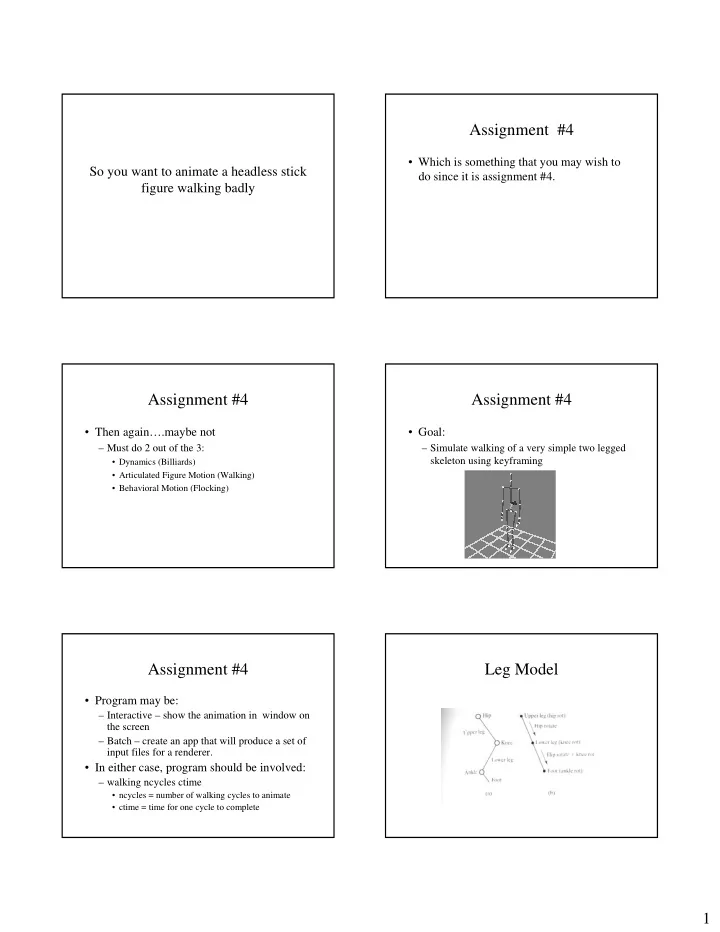
– Simulate walking of a very simple two legged skeleton using keyframing

Assignment #4

  • Program may be:

– Interactive – show the animation in window on the screen – Batch – create an app that will produce a set of input files for a renderer.

  • In either case, program should be involved:

– walking ncycles ctime

  • ncycles = number of walking cycles to animate
  • ctime = time for one cycle to complete

Leg Model

slide-2
SLIDE 2

2

Figure Model

  • Dimensions:

– Upper leg = 1 unit – Lower leg = 1 unit – Foot = 0.25 unit – Hip = 0.5 units (0.25 in each direction) – Body = 1.5 units – Neck = 0.5 units – Shoulder = 1 unit (0.5 in each direction) – Arms (single link) = 2.5 units

Figure Model

  • Use simple geometry to model bones

– Cylinders – Boxes – Lines – Spheres at joints (optional)

Keyframes

  • Simplifying Assumptions:

– Leg forms a planar link – All rotations are about the z axis (coming out of the screen) – Figure will be moving in a straight line – Note: Assignment courtesy of Watt,Watt

Keyframes

  • Hip rotation

Keyframes

  • Knee rotation

Keyframes

  • Ankle rotation
slide-3
SLIDE 3

3

Keyframes

  • Interval 1-2:

– Leg lifts off floor – foot remains in on floor preparing for lift off

  • Interval 2-2B

– Leg is off floor – Ankle rotated to prepare heel for contact

  • Interval 3-3B

– Foot stays flat – Prepare to push up

  • Interval 3B – 4

– Kick is given to heel

  • Interval 4-5

– Return back to start of cycle

Keyframe

  • Must also provide keyframes for

position/orientation of entire object

Keyframe Summary

2 2.45

  • 5
  • 15
  • 20

0.875 2 2.8 1.0 2 2.10

  • 10
  • 30
  • 35

0.75 2 1.75 10

  • 20

0.625 2 1.4 0.5 2 1.05 25 0.375 2 0.7

  • 20
  • 35

45 0.25 2 0.35

  • 10
  • 20

30 0.125 2 0.0 posz Posy Posx Ankle Knee Hip Time

Keyframe Summary

  • Feel free to modify keyframes as you see

fit.

– Please mention modifications in README.

Interpolation

  • Since all joints have 1 degree of freedom

and the axis of rotation will not change

– Simply apply interpolation on angle of rotation for each joint – Use either linear or cubic interpolation

  • Whatever you implemented in Assignment #1
  • Questions?

Remember you have 2 legs

slide-4
SLIDE 4

4

Remember you have 2 legs

  • Cycle of left leg will be out of sync from

right leg

When 1 leg is here The other will be here

Articulated Figures

  • Multiple joints

Articulated Figures

  • Most rendering systems / API maintain a

transformation matrix stack

– Push when going into the hierarchy – Pop when leaving the hierarchy

Articulated Figures

robot base Upper body arm thumb

Articulated Figures

  • We know how to transform of each

component with respect to another component.

– Use the matrix stack in order to calculate the local coordinates of each component.

Drawing Articulated Figures

Define your camera orientation Push Matrix Concatenate transformation for robot as a whole PushMatrix Concatenate transformations for robot base wrt the center of the robot Draw robot base Pop Matrix Push matrix Concatenate transformations for robot body wrt the center of the robot Draw robot body …

slide-5
SLIDE 5

5

Articulated Figures

Push Matrix Concatenate Transformations of Arm wrt body Draw arm Push Matrix Concatenate Transformation of Thumb wrt Arm Draw thumb Pop Matrix // Thumb Pop Matrix // Arm Pop Matrix // body Pop Matrix // robot

Assignments

  • Grading

– Each assignment is worth 20 points:

  • 5 points – for something that compiles
  • 10 points – for something that runs incorrectly
  • 15 points – for something that runs correctly
  • 20 points – something that runs + extras

– Well structured and documented code – Additional bells and whistles

Bells and Whistles

  • 15 points

– Basic walking along a straight line

  • 20 points (any one of the following)

– Walk along a predefined path – Have arms swing

  • 25 points (BONUS)

– Implement an IK solution

Due dates

  • Submission

– Via myCourses – Please include documentation on

  • how to run your app
  • How to build your app

– Makefile – Visual Studio (.dws, and .dsp files)

  • Renderer used if batch
  • Platform (sun vs. Windows)

– Submit as a single zip or tar file

Questions?

  • Next time:

– Advanced Techniques for Articulated Motion – Questions?