Assignment #3 Which is something you may wish to do since it is - - PDF document

assignment 3
SMART_READER_LITE
LIVE PREVIEW

Assignment #3 Which is something you may wish to do since it is - - PDF document

Assignment #3 Which is something you may wish to do since it is Assignment #3 So You Want to Write some Procedural Shaders In fact Assignment #3 Assignments Goal is to be able to produce something nicer than Some advice:


slide-1
SLIDE 1

So You Want to Write some Procedural Shaders

Assignment #3

  • Which is something you may wish to do

since it is Assignment #3

  • In fact…

Assignment #3

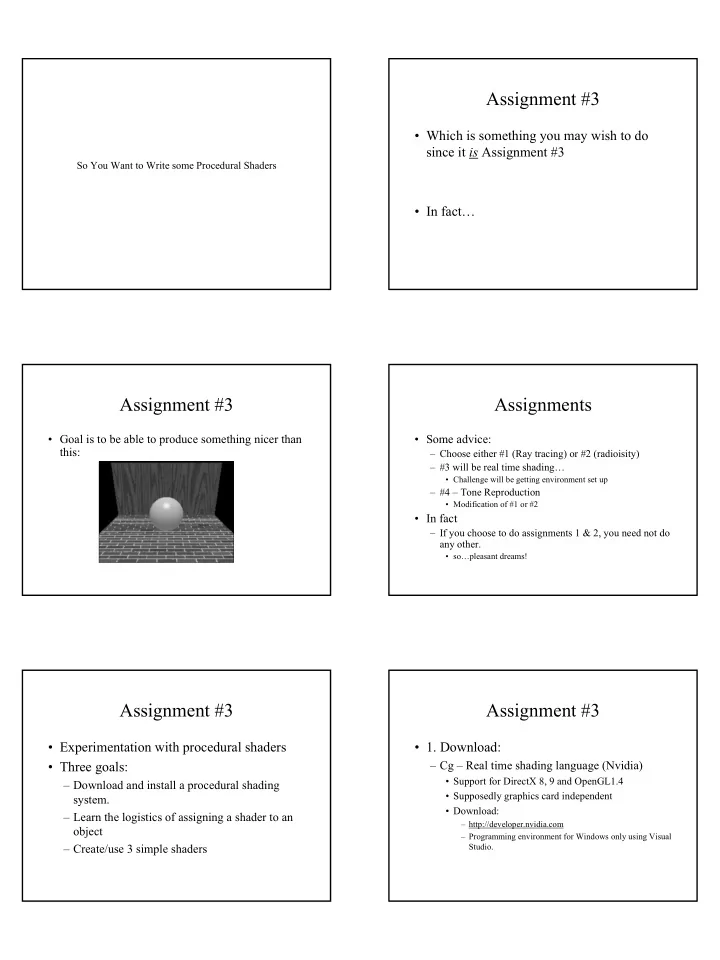
  • Goal is to be able to produce something nicer than

this:

Assignments

  • Some advice:

– Choose either #1 (Ray tracing) or #2 (radioisity) – #3 will be real time shading…

  • Challenge will be getting environment set up

– #4 – Tone Reproduction

  • Modification of #1 or #2
  • In fact

– If you choose to do assignments 1 & 2, you need not do any other.

  • so…pleasant dreams!

Assignment #3

  • Experimentation with procedural shaders
  • Three goals:

– Download and install a procedural shading system. – Learn the logistics of assigning a shader to an

  • bject

– Create/use 3 simple shaders

Assignment #3

  • 1. Download:

– Cg – Real time shading language (Nvidia)

  • Support for DirectX 8, 9 and OpenGL1.4
  • Supposedly graphics card independent
  • Download:

– http://developer.nvidia.com – Programming environment for Windows only using Visual Studio.

slide-2
SLIDE 2

Assignment #3

  • 1. Download

– RenderMonkey

  • For ATI Cards
  • DirectX 8.1+ Support only
  • http://www.ati.com/developer/sdk/radeonSDK/html/Tools/RenderMonkey.html

Assignment #3

  • If you do not have Visual Studio or if your

graphics card is not up to par.

– Renderman shaders

  • Blue Moon Rendering Tools – no longer distributed

but…

– I can get last version for Windows and Linux/Intel

  • Aqsis – Open Source Renderman renderer

– Win32 and MacOS X – http://www.aqsis.com

Assignment #3

  • 2. Attach shaders to objects

– Run the tutorial supplied with the system. – For Cg users

  • http://graphics3d.com/guides/cg/index.html

– For Renderman users

  • BMRT docs
  • Renderman for Poets:

– http://www.cs.utexas.edu/users/amenta/eog/poets.pdf

Assignment #3

  • 3. Create / use simple shaders

– Three required:

  • Phong
  • Brick Shader
  • Grab-bag (one of your choice)

Assignment #3

  • Image Deliverable

phong brick Your choice

Assignment #3

  • A note on “borrowing” shaders

– Shaders are like Makefiles

  • Best to take one that works and modify

– Not only allow but encourage use of others shaders

  • cgshaders.org
  • Renderman repository

– http://www.renderman.org/RMR/RMRShaders.html

slide-3
SLIDE 3

Assignment #3

  • A note on “borrowing” shaders

– If you do use other’s shaders, you must

  • Attribute the source
  • Allow or show results of changing shader

arguments.

Assignment #3

  • Deliverables

– This laptop has a Gforce 4 graphics card. – If Cg

  • Shader code
  • Executable
  • Instructions on using

– If non-Cg

  • Shader code
  • Multiple Screen dumps w/varying shader arguments or
  • Personal demo on your own PC

– If Renderman

  • Shader code
  • Multiple renderings w/varying shader arguments

Assignments

  • Grading

– Each assignment is worth 20 points:

  • 5 points – for something that compiles
  • 10 points – for something that runs incorrectly
  • 15 points – for something that runs correctly
  • 20 points – something that runs + extras

– Well structured and documented code – Additional bells and whistles

Bells and Whistles

  • 15 points

– Produce single image

  • 20 points

– Produce multiple or interactive image with changing shading argument values

  • Note

– Please, please, please submit readable and documented code!

Due dates

  • If doing both assn 1 & 2

– Are you still sleeping?

  • If doing assn 1 OR assn 2

– Due Feb 6th

Questions so far

slide-4
SLIDE 4

Real time shading – Cg

Cg – vertex and fragment programs

Application Vertex Processor Fragment Processor

Assembly & Rasterization Framebuffer Operations

Framebuffer Textures

Program Program

Cg – Cg Runtime

  • Just in Time (JIT) compiler for Cg shaders

– Shaders are compiled and loaded at run-time rather than linked with executable – Flexibility

  • instant support for variety of graphics platforms
  • Questions on Cg?

Another brick in the wall

  • Building a brick shader

– Brick shader will actually be a procedural texture that is mapped onto a surface – Texture coordinates s, t

Building a brick shader

BRICKWIDTH BRICKHEIGHT MORTARTHICKNESS

1 1

Building a brick shader

#define BRICKWIDTH 0.25 #define BRICKHEIGHT 0.08 #define MORTARTHICKNESS 0.01 #define BMHEIGHT (BRICKHEIGHT + MORTARTHICKNESS) #define BMWIDTH (BRICKWIDTH + MORTARTHICKNESS)

slide-5
SLIDE 5

Building a brick shader

surface brick ( uniform Color Cbrick = color (0.5, 0.15, 0.1); uniform Color Cmortar = color (0.5, 0.5, 0.5) ) { // What row is the point in question on float row = t / BMHEIGHT; // If even, offset length by a half if ( row % 2 == 0) s += (BMWIDTH/2);

Building a brick shader

// wrap texture coords to see where on given brick // you are s = s % width; t = t % height; // Set the color based on where you are Color Ct = Cbrick; if (s < MORTARTHICKNESS || t < MORTARTTHICKNESS) Ct = Cmortar // Return correct color Cs = Ct; }

Building a better brick shader

  • Let’s use noise to discolor individual bricks

Building a better brick shader

// Set the color based on where you are // Let the brick color change based on noise float noiseChange = 0.1; float row = s / BMWIDTH; Color Ct = Cbrick + (noise (row,col) * noiseChange); if (s < MORTARTHICKNESS || t < MORTARTTHICKNESS) Ct = Cmortar // Return correct color Cs = Ct; }

Building an even better brick shader

  • Other possible additions

– Bump mapping to have normal dip in mortar and rise on side of brick – Add noise to individual points on each brick – Add graininess – See brick shader for your given system

Questions?