Artificial Artificial neur neural al ne netw twork ork alg - - PowerPoint PPT Presentation

artificial artificial neur neural al ne netw twork ork
SMART_READER_LITE
LIVE PREVIEW

Artificial Artificial neur neural al ne netw twork ork alg - - PowerPoint PPT Presentation

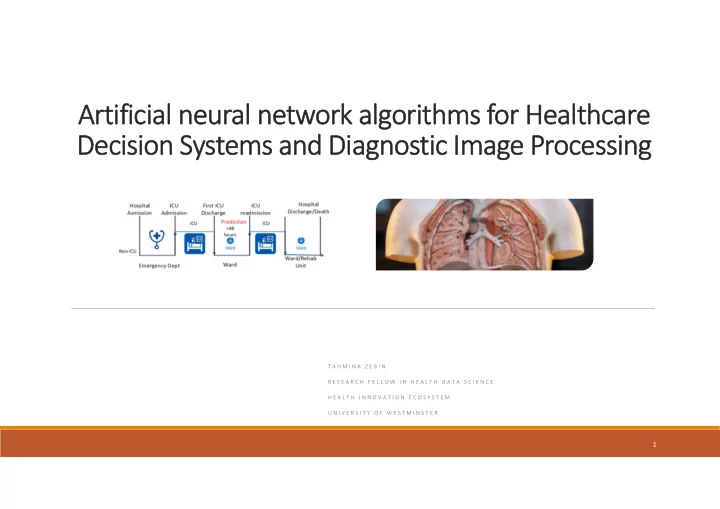
Artificial Artificial neur neural al ne netw twork ork alg algorithm rithms fo for Heal Healthcar care Decision Decisi on Syste Systems and and Di Diagnos agnostic ic Im Image Processing ocessing T A H M I N A Z E B I N R E S E A R C H F E


slide-1
SLIDE 1

Artificial Artificial neur neural al ne netw twork

  • rk alg

algorithm rithms fo for Heal Healthcar care Decisi Decision

  • n Syste

Systems and and Di Diagnos agnostic ic Im Image Processing

  • cessing

T A H M I N A Z E B I N R E S E A R C H F E L L O W I N H E A L T H D A T A S C I E N C E H E A L T H I N N O V A T I O N E C O S Y S T E M U N I V E R S I T Y O F W E S T M I N S T E R

1

slide-2
SLIDE 2

What are Artificial Neural Networks?

  • A family of Machine Learning techniques inspired by the construction of the human brain.
  • Artificial Neural Network approaches are useful for extracting patterns from images, video,

speech and time series data.

  • Some day to day application of Neural Networks you probably have encountered:

Recurrent Neural Networks(Automatic Text suggestion) Convolutional Neural networks (Image labeler/Handwritten digit recognizer)

  • These models can deal with large amounts of data.
  • Artificial intelligence (AI) makes it possible for machines to learn from experience, adjust to new

inputs and perform human‐like tasks.

2

slide-3
SLIDE 3

Biological Neuron vs the Artificial neuron

From Wikipedia

Cost Function: Gradient Descent

Soma/Cell Body(CPU): Combines Signals Dendrite(Input Bus): Combines Input from other neurons Synapse(Interface): Interface and Stores Parameters between Neurons Axon(Output/ Activator/Cable): Sends Activation Signal to other neurons

Perceptron activation = sum(weight_i * x_i) + bias prediction = 1.0 if activation >= 0.0 else 0.0

slide-4
SLIDE 4

Use Cases

Source: Boston Consulting Group

4

slide-5
SLIDE 5

Hidden layer : needed /not needed ?

https://www.youtube.com/watch?v=ru9dXF04iSE

5

slide-6
SLIDE 6

Outline for todays Talk:

6

  • 2. Healthcare Decision Making

Length of Stay Prediction

  • 2. Diagnostic Image Analysis

Lung Segmentation

slide-7
SLIDE 7

Coding will contain several steps

  • 1. Installing/loading your toolboxes. (Python , tensorflow, keras, pytorch, matplotlib )

2 . Loading the dataset. (Luna 16 Dataset/ MIMIC III dataset )

  • 3. Summarizing the dataset/Visualizing the dataset.
  • 4. Training and evaluating(validating) an algorithm. (We will use a U‐net and an Auto‐encoder)
  • 5. Making some predictions.

7

slide-8
SLIDE 8

Use Case 1

8

Healthcare Decision Systems

slide-9
SLIDE 9

Healthcare Decision Systems

9

slide-10
SLIDE 10

MMIMIC III Dataset

10

slide-11
SLIDE 11

Length of Stay Model

11

slide-12
SLIDE 12

Bits from the model

12

slide-13
SLIDE 13

What to take away from the model?

13

The results presented in this paper could be used with other existing tools to provide complementary information to clinicians in the management of data‐ driven decision‐making. This proposed Autoencoder+DNN model showed that the two classes are separable with 77.7% accuracy based upon ICD‐9 and demographics features and vital chart events data such as body temperature, blood pressure, heart rate information available after 24 hour of admission. Adding an unsupervised autoencoder at the first stage of the model substantially improved the performance compared to using a simplistic dense neural network for the classification task. In the future, we would like to improve our model to adapt to the realistic context of high data imbalance. We will also work on heterogeneous ensemble model that can combine multiple predictions to make more accurate predictions in clinical settings.

slide-14
SLIDE 14

Use Case 2

14

Diagnostic Image Processing

slide-15
SLIDE 15

Lung Nodule Analysis(Luna‐16 Dataset)

The raw data provided by LIDC‐IDRI, LUNA. CT scans provided in the .dicom format. A single dicom file contains N slices (images) which cover the entirety of the upper torso. The number of slices N can vary from 100 to 600 depending on the patient. The spacing between the slices may vary as well depending upon the machine used to perform the scan. Our pre‐processing code converts all scans to a uniform spacing. This is done to make the models learn a spacing independent representation of the data. About 800 participants scan.

15

slide-16
SLIDE 16

Image segmentation using U‐net

U‐Net ‐ Convolutional Networks for Biomedical Image Segmentation ‐ Encoder‐decoder architecture. ‐ When desired output should include localization, i.e., a class label is supposed to be assigned to each pixel ‐ Training in patches helps with lack of data

slide-17
SLIDE 17

Data Augmentation

17

slide-18
SLIDE 18

Object detection/segmentation is a first step

slide-19
SLIDE 19

19

slide-20
SLIDE 20

Dice Coefficient and 95% Hausdorff distance)

slide-21
SLIDE 21

Modern Convolutional Detection/Segmentation

Segmentation

  • Mask R‐CNN
  • SegNet
  • U‐Net, DeepLab

Detection

  • R‐FCN
  • Faster R‐CNN
  • YOLO (pose detection

as a regression problem )

  • SSD

http://deeplearning.csail.mit.edu/instance_ross.pdf

slide-22
SLIDE 22

Unified toolboxes

Example code and tutorials for Image classification Image segmentation Generative adversarial networks Graph convolution networks Representation learning with autoencoders

slide-23
SLIDE 23

Check the performance of your model (Tensorboard)

from keras.callbacks import TensorBoard tensorboard =TensorBoard(log_dir='./logs', histogram_freq=1, batch_size=1, write_graph=True, write_grads=True, write_images=False, embeddings_freq=0, embeddings_layer_names=None, embeddings_metadata=None) model.fit(X, Y, epochs=150, batch_size=10, validation_split=0.2, verbose=1, callbacks=[tensorboard])

https://www.tensorflow.org/guide/summaries_and_tensorboard @command prompt or shell: Launch Tensorboard: tensorboard ‐‐logdir=path/to/log‐directory On Web‐browser Inspect: https://localhost:6006

23

slide-24
SLIDE 24

Graphs, Distributions, Histograms

24

slide-25
SLIDE 25

Conclusion..

AI offers exciting possibilities, but unfortunately, most vendors are focused on the goal of simply building and marketing an AI‐based product rather than first identifying needs, potential uses and value to its users. We need to understand the right set of algorithms and machine intelligence and where and when to use them. ‐Interpretability Example: Criteria for loan decisions at a bank ‐Usability Privacy concerns, record identification concerns. Change is tough Digital exclusion, biased decision based on the data available. Autonomous service, Have they reached usable state yet?

Codes and data available at: https://github.com/TZebin

slide-26
SLIDE 26

References

https://stackoverflow.com/questions/48282371/getting‐tensorboard‐to‐work‐with‐keras https://jhui.github.io/2017/03/12/TensorBoard‐visualize‐your‐learning/ https://www.youtube.com/watch?time_continue=75&v=3JQ3hYko51Y https://biomedia.doc.ic.ac.uk/dltk‐released/ https://github.com/NifTK/NiftyNet/tree/dev/niftynet/network https://www.tensorflow.org/community/roadmap Numpy‐ Numerical toolkits Pandas – Data Analysis toolkits Sklearn – Machine learning toolkit in python Keras‐ A neural network API with tensorfow/theano backend Opencv (cv2)‐ Image and video processing library

26

slide-27
SLIDE 27

Thank you for listening! Questions?