Apologies For rushing out so quickly on Thursday. Basic IOStreams - - PDF document

apologies
SMART_READER_LITE
LIVE PREVIEW

Apologies For rushing out so quickly on Thursday. Basic IOStreams - - PDF document

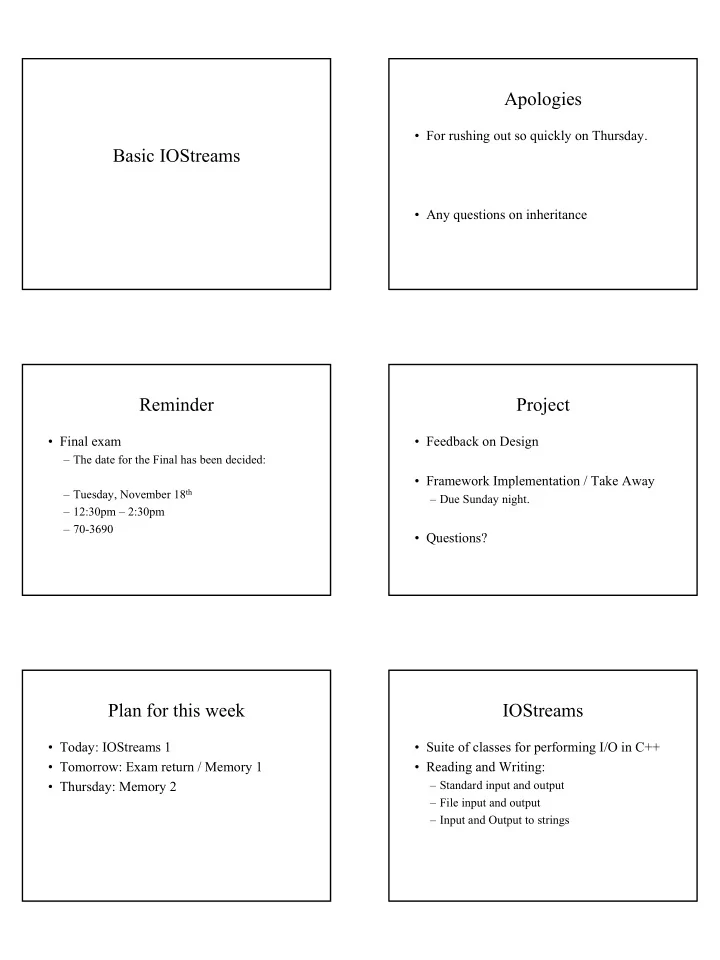
Apologies For rushing out so quickly on Thursday. Basic IOStreams Any questions on inheritance Reminder Project Final exam Feedback on Design The date for the Final has been decided: Framework Implementation / Take


slide-1
SLIDE 1

Basic IOStreams Apologies

  • For rushing out so quickly on Thursday.
  • Any questions on inheritance

Reminder

  • Final exam

– The date for the Final has been decided: – Tuesday, November 18th – 12:30pm – 2:30pm – 70-3690

Project

  • Feedback on Design
  • Framework Implementation / Take Away

– Due Sunday night.

  • Questions?

Plan for this week

  • Today: IOStreams 1
  • Tomorrow: Exam return / Memory 1
  • Thursday: Memory 2

IOStreams

  • Suite of classes for performing I/O in C++
  • Reading and Writing:

– Standard input and output – File input and output – Input and Output to strings

slide-2
SLIDE 2

Streams

  • Like Java, Basic low level mechanism for I/O is

the stream

– Stream is a sequence of bytes

Streams

  • Unlike Java, the basic stream in C++ is

buffered.

– Used to increase efficiency – When the program writes something, it is put into a buffer in memory. – The output doesn't appear on the screen until the buffer is flushed (written)

IOStream class inheritance

cin is an istream cout and cerr are ostreams Other classes inherit from these and add I/O to/from a device, string, or memory

IStream

  • Extraction

– Input from an istream object is called extraction. – pulling characters out of the stream and into your program – istream manages format conversion – istream maintains an error state

  • EOF reached
  • Format errors
  • Serious errors

– Two types of extraction

  • Formatted / Unformatted

Formatted Extraction

  • Done via operator >>

int i;

cin >> i;

  • operator>> overloaded for different datatypes.

– C++ provides operator>> for basic datatypes – You can write your own for classes – operator>> returns a reference to an istream

int i, j, k; cin >> i >> j >> k;

Formatted Extraction

  • Four steps of a formatted extraction

1. The stream’s error state is checked. If it is nonzero (indicating EOF or some error occurred), the remaining steps are skipped 2. If the extraction is from cin, then cout is flushed. 3. Leading whitespace is skipped. 4. Characters are extracted as needed to obtain the desired value. Whitespace terminates the extraction

slide-3
SLIDE 3

Formatted Extraction

  • The error state

– Three error bits

  • eofbit – end of file was reached
  • failbit – an extraction failed (format error,

premature EOF)

  • badbit – the stream is bad and probably can’t be

used any more

Formatted Extraction

  • Testing the error state:

– cin.good()

  • Returns true if none of the error bits are set

– cin.eof()

  • Returns true if eofbit is set

– cin.fail()

  • Returns true failbit or badbit is set

– cin.bad()

  • Returns true if badbit is set

Formatted Extraction

  • Testing the error state.

– istream overrides some operators to allow an istream to be tested as a boolean:

  • if( cin ) is the same as if( !cin.fail() )
  • if( !cin ) is the same as if( cin.fail())

– One can also write

  • if( cin >> i )

– Which is equivalent to

  • cin >> i;
  • if( !cin.fail() )

Formatted Extraction

  • About EOF

– EOF is not set when you’ve read the last character from the stream – it is set when you try to read one character past the end. – If EOF is encountered while skipping leading white space, failbit is set.

Formatted Extraction

  • Example

– sp sp 123 nl

– cin >> i; // all is fine

– sp sp 123

– cin >> i; // extraction success but eofbit // will be set…next read will fail

Formatted Extraction

  • Must test stream after extraction

– A good stream does not guarantee more input

cin >> i; while( !cin.fail() ){ // process the value in i cin >> i; }

Or

while( cin >> i ){ // process the value in i }

slide-4
SLIDE 4

Formatted Extraction

  • But not this:

while( cin ){ cin >> i; // process the value in i }

Formatted Extraction

  • Extraction of int datatypes

– Rules:

  • If the value begins with 0, it is assumed to be an
  • ctal number.
  • If the value begins with 0x or 0X, it is assumed to be

a hexadecimal number.

  • Otherwise, the value is assumed to be a decimal

number.

Formatted Extraction

  • Extraction of int datatypes

– You can force a particular conversion by

  • Setting the format flag in your ios_base (ios:dec,

ios:hex, ios:oct)

  • Send a manipulator (dec, hex, oct) to the istream

Formatted Extraction

  • Example:

– will fail for date 09/10/02 (since 09 will be interpreted as octal)

char slash; int month, day, year; cin >> month >> slash >> day >> slash >> year;

– Use instead:

cin >> dec >> month >> slash >> day >> slash >> year;

Questions?

Unformatted Extraction

  • Allows for reading of byte data directly
  • Formatted vs. Unformatted
  • 1. No conversion is done in unformatted

extractions: bytes are copied, that is all.

  • 2. Leading white space is not skipped.
  • 3. Calls are made to member functions rather

than overloaded operators.

  • 1. get(), getline(), read()

Unformatted Extraction

  • Read one character at a time

ch = cin.get(); while( ch != EOF ){ // process the character ch = cin.get(); }

OR

while( cin.get( ch ) ){ // process the character }

slide-5
SLIDE 5

Unformatted Extraction

  • Read multiple chars

#define BUFLEN ... char buffer[ BUFLEN ]; // reads up to the first , or until BUFLEN chars cin.get( buffer, BUFLEN, ’,’ );

OR

// get chars a line at a time while( cin.getline( buffer, BUFLEN ) ){ // process the line in buffer }

Unformatted Extraction

  • Reading raw bytes

#define N_VALUES ... char values[ N_VALUES ]; cin.read( values, N_VALUES ); // bytes are read into // char arrays

Questions?

OStream

  • Insertion

– Output to an ostream is called an insertion – Output to an ostream is called an insertion – ostream manages format conversion – ostream maintains an error state but it’s not as important as it is with input – Two types of extraction

  • Formatted / Unformatted

Formatted Insertion

  • Done via operator <<

int i = 7;

cout << i;

  • operator<< overloaded for different datatypes.

– C++ provides operator<< for basic datatypes – You can write your own for classes – operator>> returns a reference to an ostream

int i, j, k; cout << i << j << k;

Formatted Insertion

  • Steps of a formatted insertion
  • 1. The stream’s error state is checked. If

failbit or badbit are set, the remaining steps are skipped

  • 2. The value is converted to the appropriate

characters, possibly padded, and then inserted into the stream.

Formatted Insertion

  • Format state is more important than with

input

– The format state consists of

  • a number of flags (default: none set)
  • the fill character (default: ‘ ‘)
  • Precision (default 6)
  • Mimimum Width(default 0)
slide-6
SLIDE 6

Formatted Insertion

  • Format flags

int flags(); // returns flag settings int flags (int f); // replaces current settings int setf (int f); // turns on flags int unsetf (int f); // turns off flags

Formatted Insertion

enum fmt_flags { boolalpha = 0x0001, dec = 0x0002, fixed = 0x0004, hex = 0x0008, internal = 0x0010, left = 0x0020,

  • ct = 0x0040,

right = 0x0080, scientific = 0x0100, showbase = 0x0200, showpoint = 0x0400, showpos = 0x0800, skipws = 0x1000, unitbuf = 0x2000, uppercase = 0x4000 };

Formatted Insertion

  • Manipulating format state:

char fill (); // returns the fill char char fill (char c); // sets the fill char int precision (); // returns the precision int precision (int p); // sets the precision int width (); // returns the width int width (int w); // sets the width

Formatted Insertion

  • Manipulators

– cout << dec;

  • Equivalent to cout.setf( ios::dec );

– cout << oct;

  • Equivalent to cout.setf( ios::oct );

– cout << hex;

  • Equivalent to cout.setf( ios::hex );

– cout << flush;

  • Flushes the output buffer

– cout << endl;

  • Ends a line by inserting a newline and flushing the output buffer

Formatted Insertion

  • Manipulator

– cout << setw( w );

  • Sets the width to w (affects only next << )

– cout << setfill( c );

  • Sets the fill character to c (affects all <<)

– cout << setprecision( p );

– Sets the precision to p (affects all << )

– cout << setiosflags( f );

  • Equivalent to cout.setf( f );

– cout << resetiosflags( f );

  • Equivalent to cout.unsetf( f );

Unformatted Insertion

  • Allows for writing of byte data directly
  • For single byte:

– cout.put (ch);

  • For array of bytes

– cout.write (buffer, len);

slide-7
SLIDE 7

No wait…there’s more

  • Reading/Writing from/to files and strings

– fstream – I/O to/from files – sstream – I/O to and from strings

IOStream Class Hierarchy fstream

  • Reading and Writing from Files

– ifstream (inherits from istream) for input files – ofstream (inherits from ostream) for

  • utput files

– fstream (inherits from iostream) for files that can support both input and output.

Constructors

  • Default constuctors

– ifstream(), ifstream(), fstream() – Creates an unopened file.

  • Can use open() to attach to a file
  • Construct and Open

– ifstream( const char *name, int mode = ios::in, int perm = 0644 ); – ofstream( const char *name, int mode = ios::out, int perm = 0644 ); – fstream( const char *name, int mode, int perm = 0644 ); – badbit set if open fails

Open / Close

  • open( const char *name, int

mode, int perm = 0644 );

– Opens a file and attaches to a stream

  • close();

– closes the file associated with a stream. The stream can be reopened with another file after this.

Using fstreams

  • Since fstreams are derived from istream and
  • stream, I/O is the same as using cin and

cout.

slide-8
SLIDE 8

Using fstreams

  • fstreams support random access

– istream &istream::seekg( streamoff

  • ffset, ios::seek_dir where );

– ostream &ostream::seekp( streamoff

  • ffset, ios::seek_dir where );
  • ios::seek_dir = { ios::begin,

ios:end, ios::cur};

– these are actually implemented in istream and

  • stream, and can be used on any stream that is

associated with a seekable device

fstreams

  • Questions?

sstreams

  • adds functionality to do “input” and

“output” from/to arrays of characters in memory.

  • no actual I/O is done; however, the

conversions performed are exactly the same as those we have already covered.

  • C++ means of doing atoi(), itoa()

sstreams

  • E.g. commandline arguments

main (int argc, char *argv[]) { int intArg; float floatArg; istringstream ints (argv[1]); istringstream floats (argv[2]); ints >> intArg; floats >> floatArg; … }

sstreams

  • One reason to use an istrstream is to do

conversions on data that have already been read in.

sstreams

  • Example: consider a program whose input is

supposed to contain four values on each line:

1 2 3 4 5 6 7 8 9 10 11 12

– Consider the obvious approach:

  • cin >> a >> b >> c >> d;
  • The extractions will skip white space automatically. If the

input is erroneous, for example:

1 2 3 4 5 6 7 9 10 11 12

slide-9
SLIDE 9

sstreams

char buffer[BUFLEN]; int a,b,c,d; while( cin.getline( buffer, BUFLEN ) ) { istringstream S (buffer); S >> a >> b >> c >> d; … }

sstreams

  • E.g. itoa (toString)

char buffer[20];

  • stringstream outs (buffer);

int i = 20;

  • uts << i;

sstreams

  • Questions?

Summary

  • IOStreams

– istreams – ostreams – fstreams – stringstreams

  • Questions?