
SLIDE 1
An introduction to the Mesos Framework Zoo
Benjamin Bannier
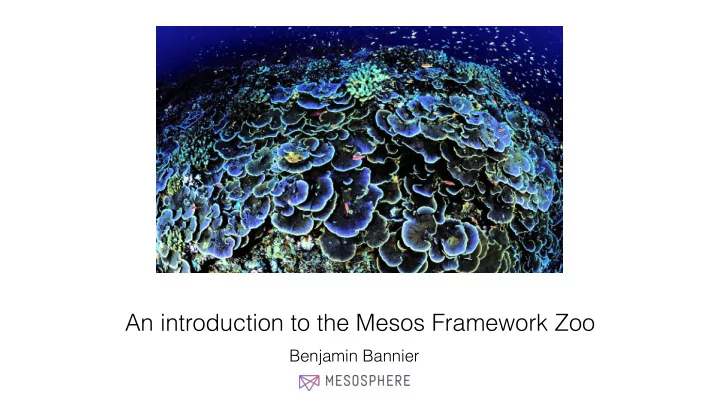
An introduction to the Mesos Framework Zoo Benjamin Bannier - - PowerPoint PPT Presentation
An introduction to the Mesos Framework Zoo Benjamin Bannier Benjamin Bannier benjamin.bannier@mesosphere.io Software engineer at Mesosphere working on Mesos Distributed columnar databases at ParStream (now Cisco ParStream) Experimental High
Benjamin Bannier
2
Benjamin Bannier Software engineer at Mesosphere working on Mesos
benjamin.bannier@mesosphere.io
Distributed columnar databases at ParStream (now Cisco ParStream) Experimental High energy nuclear physics
4
Tasks perform interesting work Frameworks userlands interfaces Mesos abstracts resources
Mesos is concerned with tracking and scheduling
Frameworks are concerned with scheduling computations on Mesos resources.
5
6
Two-level scheduling approach separates responsibilities between Mesos and frameworks.
7
Tasks concerned with domain-specific problems. Framework abstract away operational concerns of distributed environment. Mesos provides low-level abstractions of physical realities.
8
9
Maintenance mode Attributes/labels Quotas Resource reservations Workload isolation and more Roles Persistent volumes Health checks
Mesos is a distributed systems kernel. Frameworks act as userland interfaces for distributed systems.
10
12
Interdependent distributed applications Highly available applications Scalable applications Interactive big data analysis ETL applications
more domain-specific
13
Big data processing Batch scheduling Long-running services
14
Big data processing Cray Chapel Dpark Exelixi Hadoop Hama MPI Spark Storm problem domain- specific adaptors to Mesos
15
Batch scheduling Chronos Jenkins JobServer GoDocker Cook distributed crons, pipelines
16
Long-running services Aurora Marathon Singularity SSSP application scaling, high availability
17
High-level frameworks can be use to manage arbitrary workloads, including other frameworks. Meta-frameworks can implement shells for distributed systems.
18 pkg_path = '/vagrant/hello_world.py' import hashlib with open(pkg_path, 'rb') as f: pkg_checksum = hashlib.md5(f.read()).hexdigest() # copy hello_world.py into the local sandbox install = Process( name = 'fetch_package', cmdline = 'cp %s . && echo %s && chmod +x hello_world.py' % (pkg_path, pkg_checksum)) # run the script hello_world = Process( name = 'hello_world', cmdline = 'python -u hello_world.py') # describe the task hello_world_task = SequentialTask( processes = [install, hello_world], resources = Resources(cpu = 1, ram = 1*MB, disk=8*MB)) jobs = [ Service(cluster = 'devcluster', environment = 'devel', role = 'www-data', name = 'hello_world', task = hello_world_task) ] { "id": "/product", "groups": [ { "id": "/product/database", "apps": [ { "id": "/product/mongo", ... }, { "id": "/product/mysql", ... } ] },{ "id": "/product/service", "dependencies": ["/product/database"], "apps": [ { "id": "/product/rails-app", ... }, { "id": "/product/play-app", ... } ] } ] }
19
Isolation
Docker containers Stateful applications Integration into Service discovery Deployment/ updates Scheduling: constraints & preemption Multitenancy
and more
TODO: Add example of how groups of tasks are managed. Also, aurora final jobs. Maintenance mode in Aurora
Health checks and readiness checks for high-availability
20
health.py needs to respond to
21
Directly expose Mesos health checks in Marathon app definition,
health = Process( name = 'health', cmdline = './health.py {{thermos.ports[health]}}' ) { "id": "rails_app", "cmd": "bundle exec rails server", "cpus": 0.1, "mem": 512, "container" : { // ... }, "health": [ { "protocol": "TCP", "portIndex": 0, } ] }
Also possible are command and TCP checks. Similarly defined are readiness checks. Monitors launched process, but also allows customization,
22
Distributed applications need to be able to find other applications. Frameworks can announce applications to external service discovery. This can be integrated with framework- specific ACLs to control visibility.
23 app = Process( name = 'app', cmdline = "python -m SimpleHTTPServer {{thermos.ports[http]}}") task = SequentialTask( process = [app], resources = Resources(cpu=0.5, ram=32*MB, disk=1*MB)) jobs = [Service( task = task, cluster = 'cluster', environment = 'production', role = 'www', name = 'app', announce = Announcer())]
Creates ZK nodes /aurora/www/production/app/memberXYZ:
{ "status": "ALIVE", "additionalEndpoints": { "aurora": { "host": "192.168.33.7", "port": 31254 }, "http": { "host": "192.168.33.7", "port": 31254 } },
Marathon publishes DiscoveryInfo for tasks to Mesos which can be queried there, e.g.,
{ "id": "app", "cmd": "python -m SimpleHTTPServer $PORT0", "cpus": 0.5, "mem": 32, // ”ports”: [0] "portDefinitions": [ "port": 0, "protocol": "tcp", "name": "http" ] } { "visibility": "FRAMEWORK", "name": "http", "ports": { "ports": [ { "number": 31422, "name": "http", "protocol": "tcp" } ] } }
24
Task placement requirements
Meta-frameworks provide DSLs to express complex scheduling constraints.
25 { "id": "rails_app", "cmd": "bundle exec rails server", "cpus": 1, "mem": 32, "disk": 0, "instances": 10, "constraints": [ [ "type", "CLUSTER", "public_node" ], [ "rack_id", "GROUP_BY" ], [ "rack_id", "MAX_PER", "3" ], [ "hostname", "UNIQUE"] // Also LIKE and UNLIKE. ], "container": {...}, } rails = Process( name = 'rails_app', cmdline = 'bundle exec rails server' ) rails_task = SimpleTask( processes = [rails], resources = Resources(cpu=1, ram=32*MB, disk=0*MB) ) jobs = [ Service( cluster = 'cluster', environment = 'production', role = 'www', name = 'rails', task = rails_task, instances = 10, constraints = { 'type': 'public', 'rack_id', 'limit:3', 'host': ‘limit:1' }, container = ... ) ]
26
Big Data applications work with state Application persists state in disk volume
the data as well. Leverage Mesos persistent volumes and other scheduling constraints.
27 { "id": "foo", "cmd": "./db.sh ./data", "cpus": 1, "mem": 32, "instances": 1, "container": { "volumes": [ { "containerPath": "data", "persistent": { "size": 128 }, "mode": "RW" } ], "type": "MESOS" } } $ mesos-agent --attributes='dedicated:db/data' ... db = Process( name = 'db', cmdline = './db.sh /DATA' ) db_task = SimpleTask( processes = [db], resources = Resources(cpu=1, ram=32*MB, disk=0*MB) ) jobs = [ Service( cluster = 'cluster', environment = 'testing', role = 'www', name = 'rails', task = db_task, instances = 10, constraints = { 'dedicated': 'db/DATA' } ) ]
28
Frameworks are userland-interfaces for distributed applications. Frameworks can interface to Big Data processing toolkits, implement batch schedulers, and even manage other frameworks. Meta-frameworks like Aurora and Marathon provide tools to build distributed applications with high-level control.
28
29 29
31 message HealthCheck { enum Type { UNKNOWN = 0; COMMAND = 1; HTTP = 2; TCP = 3; } message HTTPCheckInfo {
required uint32 port = 1;
repeated uint32 statuses = 4; } message TCPCheckInfo { required uint32 port = 1; }
}
32
Picture references