
SLIDE 1
Amir Budhai, Jonathan Fletcher, Marco Nedungadi, Thomas Segarra
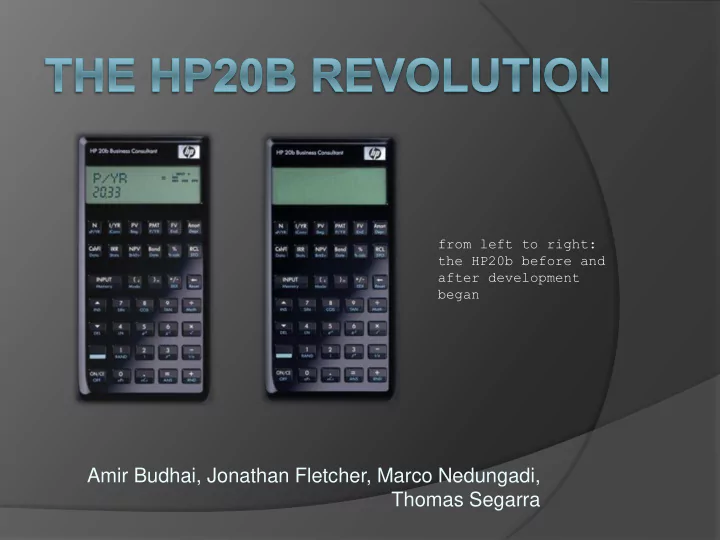
from left to right: the HP20b before and after development began
Amir Budhai, Jonathan Fletcher, Marco Nedungadi, Thomas Segarra - - PowerPoint PPT Presentation
from left to right: the HP20b before and after development began Amir Budhai, Jonathan Fletcher, Marco Nedungadi, Thomas Segarra user_guide() { if (entering a number) { type the number from left to right; // e.g. enter 21 as
Amir Budhai, Jonathan Fletcher, Marco Nedungadi, Thomas Segarra
from left to right: the HP20b before and after development began
if (entering a number) {
type the number from left to right;
○ // e.g. enter “21” as 2, then 1
to negate a number, press +/- ;
○ // this will also make a negative number
positive for (each digit you wish to eliminate) {
○ press the backspace key; ○ }
press ‘INPUT’ to store number;
extern void lcd_put_char7(char ch, int col); extern void lcd_init(void);
#define SEGMENTS 11 void display(int a) { int index = 11; // start with the rightmost LCD segment int isNeg = 0; // initially assume the number is not negative for (i = 0 ; i <= SEGMENTS ; i++) { lcd_put_char7(' ', i); // clear the screen } if (a == 0) { lcd_put_char7('0', index); } else { if (a < 0) { isNeg = 1; // record that the number is negative, then a = -a; // use only its magnitude } while (a != 0) { // while there are digits left to display int digit = a % 10; // find last digit, lcd_put_char7(digit + '0', index); // display it, then a = (a - digit)/10; // remove it from 'a' index--; } if (isNeg == 1) lcd_put_char7('-', index); } }
char key[7][6] = {'N', 'I', 'P', 'P', 'F', 'A'}, {'C', 'I', 'N', 'B', '%', 'R'}, {'I', '(', ')', '~', '<', 0 }, {'^', '7', '8', '9', '/', 0 }, {'v', '4', '5', '6', '*', 0 }, {'S', '1', '2', '3', '-', 0 }, { 0 , '0', '.', '=', '+', 0 } }; char keyboard_key(){ keyboard_init(); for (i = 0 ; i < 7 ; i++){ keyboard_column_low(i); for (j = 0 ; j < 6 ; j++){ if(!keyboard_row_read(j)){ return key[i][j]; // do not check while key is down while(!keyboard_row_read(j)) {} } } keyboard_column_high(i); } return 0; // when no key is down }
void keyboard_get_entry() { int c; int num = 0; while(1){ while(keyboard_key()!= 0); // wait if no key is down while(keyboard_key() == 0); // wait while key is down c = keyboard_key(); if (c >= '0' && c <= '9') { num = num * 10 + (c - '0'); } else if(c == '\b'){ // backspace num = num/10; } else if(c == '~'){ // +/- num = -num;
} else if(((c == '\r') || (c == '/')) || (((c == '*') || (c == '-')) || (c == '+'))){
return; } display(num); } }
int divide(num,den) { int quotient = 0; int neg = 0; if (num * den < 0) neg = 1; num = abs(num); den = abs(den); while (num >= den) { num = num - den; quotient++; } if (neg == 1) { quotient = quotient * -1; } return quotient; }
void keyboard_get_entry() { int c; int digits = 0; // number of digits int num = 0; // number displayed int reset = 0; int stack[16]; int ptr = 0; //how many values are saved in stack while(1){ while(keyboard_key()!=-1); // wait if no key is down while(keyboard_key() == -1); // wait while key is down c = keyboard_key(); if (c >= '0' && c <= '9') { if (reset == 1){ num = 0; digits = 0; reset = 0; } if (digits < 9) { //avoids overflow if (num >= 0) num = num * 10 + (c - '0'); if (num < 0) num = num * 10 - (c - '0'); digits++; if (num == 0){ digits = 0; // do not count extra 0s } } } else if(c == '\b') { num = num/10; if (digits > 0) digits--; } else if(c == '~') { num = -num;
switch (c){ case '\r': // INPUT stack[ptr] = num; ptr++; break; case '+': if (ptr >= 1) { ptr--; num = stack[ptr] + num; } break; case '-': if (ptr >= 1){ ptr--; num = stack[ptr] - num; } break; case '*': if (ptr >= 1){ ptr--; num = stack[ptr] * num; } break; case '/': if (ptr >= 1) { ptr--; num = divide(stack[ptr],num); } break; } reset = 1; } display(num); } } } else if(((c == '\r') || (c == '/')) || (((c == '*') || (c == '-')) || (c == '+'))) {