AmI Design Process Ambient intelligence: technology and design - - PowerPoint PPT Presentation

ami design process
SMART_READER_LITE
LIVE PREVIEW

AmI Design Process Ambient intelligence: technology and design - - PowerPoint PPT Presentation

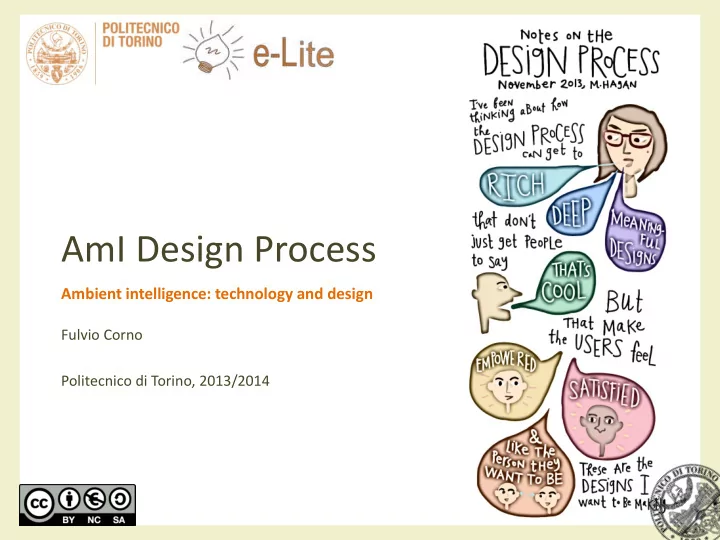
AmI Design Process Ambient intelligence: technology and design Fulvio Corno Politecnico di Torino, 2013/2014 Design process (in Engineering) The engineering design process is the formulation of a plan to help an engineer build a product

slide-1
SLIDE 1

AmI Design Process

Ambient intelligence: technology and design

Fulvio Corno Politecnico di Torino, 2013/2014

slide-2
SLIDE 2

Design process (in Engineering)

  • The engineering design process is the formulation of

a plan to help an engineer build a product with a specified performance goal. [Wikipedia]

  • The engineering design process is the formulation of

a plan to help a team of engineers build a system with specified performance and functionality goals. [improved]

2013/2014 Ambient intelligence: technology and design 2

slide-3
SLIDE 3

Design Process

2013/2014 Ambient intelligence: technology and design 3

http://dilbert.com/strips/comic/2002-02-20/ http://dilbert.com/strips/comic/2001-12-12/

slide-4
SLIDE 4

Summary

  • General design process
  • Main steps of the process

– Step 1: Problem Statement – Step 2: Requirements Elicitation – Step 3: Requirements Identification – Step 4: Architecture Definition – Step 5: Component Selection – Step 6: Design & Implementation – Step 7: Test and Validation

  • Simplified process adopted in the AmI course

2013/2014 Ambient intelligence: technology and design 4

slide-5
SLIDE 5

GENERAL DESIGN PROCESS

AmI Design Process

2013/2014 Ambient intelligence: technology and design 5

slide-6
SLIDE 6

The all-too-common problem

2013/2014 Ambient intelligence: technology and design 6

slide-7
SLIDE 7

Goals

  • To select one possible approach, among the many
  • nes proposed, to design and realize an AmI system
  • To analyze and formalize one possible flow of

activities

  • To understand the activity and the output of the main

steps

  • To define a scaled-down version compatible with the

time constraints we have in the AmI course

2013/2014 Ambient intelligence: technology and design 7

slide-8
SLIDE 8

Assumptions

  • The approach should be technology-neutral, i.e., the

best fitting technologies will be selected during the process, and will not be defined a-priori

  • When existing solutions/devices are available and

suitable for the goal, aim at integrating them. When no suitable existing solution exists, consider developing/prototyping some ad-hoc device(s)

2013/2014 Ambient intelligence: technology and design 8

slide-9
SLIDE 9

What we want to achieve

  • From initial idea…
  • …to working AmI

system

2013/2014 Ambient intelligence: technology and design 9

Sensing Reasoning Acting Interacting

slide-10
SLIDE 10

Proposed process

2013/2014 Ambient intelligence: technology and design 10

slide-11
SLIDE 11

Legend

2013/2014 Ambient intelligence: technology and design 11

Activity Complex activity Document Documents Tools

slide-12
SLIDE 12

Composition of each step

2013/2014 Ambient intelligence: technology and design 12

Activity (what to do) Result (what artifacts we get) Next Activity (what to do next) Iteration

slide-13
SLIDE 13

Proposed process

2013/2014 Ambient intelligence: technology and design 13

Specification (Iterative) Developement

slide-14
SLIDE 14

STEP 1: PROBLEM STATEMENT

AmI Design Process

2013/2014 Ambient intelligence: technology and design 14

slide-15
SLIDE 15

Problem Statement

  • Define what problems

need to be solved/tackled

  • Identify the benefits

– For the users – For the environment

  • Create a brief summary
  • f what the system

does for the users

2013/2014 Ambient intelligence: technology and design 15

slide-16
SLIDE 16

Summary System Description

  • ½ page – 1 page max of “vision”
  • Absolutely avoid describing the technology or making

some technical choices

  • Define the target environment
  • Define your users
  • Describe how the environment supports the users, from

the user point of view

  • Try to hint at AmI features (Sensitive, Responsive,

Adaptive, Transparent, Ubiquitous, Intelligent)

  • Imagine “selling” it to a non-engineer (find someone to

read it)

2013/2014 Ambient intelligence: technology and design 16

slide-17
SLIDE 17

STEP 2: REQUIREMENTS ELICITATION

AmI Design Process

2013/2014 Ambient intelligence: technology and design 17

slide-18
SLIDE 18

Elicitation

  • Consider the needs and

the opinions of

– Users of the system – Stakeholders for the system

  • Collect and evaluate

carefully and objectively

  • If needed, adapt your

vision

2013/2014 Ambient intelligence: technology and design 18

slide-19
SLIDE 19

Roles

Users

  • Persons that will be the final

targets of the system and will interact with the system

  • Or, at least, persons with

similar characteristics to the actual final targets

  • Don’t need to understand

how the system works

  • Need to understand how

they will interact Stakeholders

  • Persons (or institutions)

that will have an interest in the success of the system

  • May not be users
  • “Interest” may be

economic, better efficiency, user satisfaction, higher control or security, better understanding, …

  • May be involved in funding

the system

2013/2014 Ambient intelligence: technology and design 19

slide-20
SLIDE 20

Users know better

  • Serving users should be

the cornerstone of AmI

  • “User Centered Design”

(UCD) is a methodology that includes a set of techniques for involving users throughout the design process

2013/2014 Ambient intelligence: technology and design 20 http://www.mprove.de/script/00/upa/_media/upaposter_85x11.pdf

slide-21
SLIDE 21

UCD requirements

  • ISO standard Human-centered design for interactive

systems (ISO 9241-210, 2010)

– The design is based upon an explicit understanding of users, tasks and environments. – Users are involved throughout design and development. – The design is driven and refined by user-centered evaluation. – The process is iterative. – The design addresses the whole user experience. – The design team includes multidisciplinary skills and perspectives.

2013/2014 Ambient intelligence: technology and design 21

slide-22
SLIDE 22

UCD tools and techniques

Conceptual tools

  • Personas

– a fictional character with all the characteristics of a “typical” user

  • Scenario

– a fictional story about the "daily life of" or a sequence of events with personas as the main character

  • Use Case

– the interaction between an individual and the rest of the world as a series of simple steps for the character to achieve his or her goal

Design techniques

  • Field research
  • Focus groups
  • Interviews
  • Design walkthroughs
  • Low-fi and Hi-fi prototypes
  • Mock-up evaluation
  • Usability testing

2013/2014 Ambient intelligence: technology and design 22

slide-23
SLIDE 23

Result

  • Increased awareness of user perception in your

proposed system

  • Priority for different system features (some will be

abandoned, some will be new)

  • Gather design constraints (price, size, aesthetics,
  • Mediate user inputs with product strategy
  • Transform “a good idea” into “a system that users

want”

2013/2014 Ambient intelligence: technology and design 23

slide-24
SLIDE 24

STEP 3: REQUIREMENTS IDENTIFICATION

AmI Design Process

2013/2014 Ambient intelligence: technology and design 24

slide-25
SLIDE 25

Formalizing requirements

  • The initial vision and user

inputs must be “distilled” into a set of requirements

  • Strategic choices: what is

in, what is out

  • Describes what the

system does, and the external constraints

  • Might be used as a

“specification contract”

2013/2014 Ambient intelligence: technology and design 25

slide-26
SLIDE 26

Requirements engineering

  • The process of establishing the services that the

customer requires from a system and the constraints under which it operates and is developed.

  • The requirements themselves are the descriptions of

the system services and constraints that are generated during the requirements engineering process.

2013/2014 Ambient intelligence: technology and design 26

slide-27
SLIDE 27

What is a requirement?

  • It may range from a high-level abstract statement of a

service or of a system constraint to a detailed mathematical functional specification.

  • This is unavoidable, as requirements may serve a dual

function

– May be the basis for a bid for a contract - therefore must be open to interpretation; – May be the basis for the contract itself - therefore must be defined in detail;

  • Both these statements may be called requirements.

2013/2014 Ambient intelligence: technology and design 27

slide-28
SLIDE 28

Types of requirement

  • User requirements

– Statements in natural language plus diagrams of the services the system provides and its operational

  • constraints. Written for customers.
  • System requirements (a.k.a. developer requirements)

– A structured document setting out detailed descriptions of the system’s functions, services and operational

  • constraints. Defines what should be implemented so may

be part of a contract between client and contractor.

2013/2014 Ambient intelligence: technology and design 28

slide-29
SLIDE 29

Example

2013/2014 Ambient intelligence: technology and design 29

The software must provide a means of representing and accessing external files edited by other tools 1.1 The user should be provided with facilities to define the type of external files 1.2 Each external file type may have an associated tool which may be applied to the file 1.3 Each external file type may be represented as a specific icon on the user’s display 1.4 Facilities should be provided for the icon representing an external file type to be defined by the user 1.5 When a user selects an icon representing an external file the effect of that selection is to apply the tool associated with the external file type to the file represented by the selected icon

User requirement definition System requirements specification

slide-30
SLIDE 30

Requirements readers

System Requirements Software Design Specification User Requirements

Client managers System end-users Client engineers Contractor managers System architects System end-users Client engineers System architects Software developers Client engineers System architects Software developers

2013/2014 Ambient intelligence: technology and design 30

slide-31
SLIDE 31

Functional non-functional req.

  • Functional requirements

– Statements of services the system should provide, how the system should react to particular inputs and how the system should behave in particular situations.

  • Non-functional requirements

– Aka Quality requirements – constraints on the services or functions offered by the system such as timing constraints, constraints on the development process, standards, etc.

  • Domain requirements

– Requirements that come from the application domain of the system and that reflect characteristics of that domain.

2013/2014 Ambient intelligence: technology and design 31

slide-32
SLIDE 32

Good Requirements

  • Correct
  • Unambiguous
  • Complete
  • Consistent
  • Ranked for importance and/or stability
  • Verifiable
  • Modifiable
  • Traceable

2013/2014 Ambient intelligence: technology and design 32

slide-33
SLIDE 33

Good Requirements

  • Correct

– Every requirement stated is one that the software shall meet – Customer or users can determine if the requirement correctly reflects their actual needs

  • Traceability makes this easier

2013/2014 Ambient intelligence: technology and design 33

slide-34
SLIDE 34

Good Requirements

  • Unambiguous

– Every requirement has only one interpretation – Each characteristic of the final product must be described using a single unique term – Both to those who create it and to those who use it.

2013/2014 Ambient intelligence: technology and design 34

slide-35
SLIDE 35

Good Requirements

  • Complete

– Include all significant requirements

  • Address external requirements imposed by system specification

– Define response to all realizable inputs

  • Both correct or incorrect

– Define all terms and unit of measure

2013/2014 Ambient intelligence: technology and design 35

slide-36
SLIDE 36

Good Requirements

  • Internally Consistent

– No subset of requirements is in conflict

  • Characteristics of real-world objects (e.g. GUI)
  • Logical or temporal
  • Different terms for the same object

2013/2014 Ambient intelligence: technology and design 36

slide-37
SLIDE 37

Completeness and consistency

  • In principle, requirements should be both complete

and consistent.

– Complete

  • They should include descriptions of all facilities required.

– Consistent

  • There should be no conflicts or contradictions in the descriptions of

the system facilities.

– In practice, it is impossible to produce a document that is both complete and consistent

2013/2014 Ambient intelligence: technology and design 37

slide-38
SLIDE 38

Good Requirements

  • Ranked

– Stability in the future – Necessity

  • Essential
  • Conditional
  • Optional

2013/2014 Ambient intelligence: technology and design 38

slide-39
SLIDE 39

Good Requirements

  • Verifiable

– there exists some finite cost-effective process with which a person or machine can check that the software product meets the requirement.

  • Ambiguous requirements are not verifiable

2013/2014 Ambient intelligence: technology and design 39

slide-40
SLIDE 40

Good Requirements

  • Modifiable

– structure and style such that any changes can be made easily, completely, and consistently while retaining the structure and style

  • Well structured
  • Non redundant
  • Separate requirements

2013/2014 Ambient intelligence: technology and design 40

slide-41
SLIDE 41

Good Requirements

  • Traceable

– Backward

  • explicitly referencing source in earlier documents

– Forward

  • unique name or reference number

2013/2014 Ambient intelligence: technology and design 41

slide-42
SLIDE 42

Defects in requirements

  • Omission/ incompleteness
  • Inconsistency/contradiction
  • Ambiguity
  • Incorrect Fact
  • Extraneous Information

– Overspecification (design)

  • Unstructured (wrong session)
  • Redundancy

2013/2014 Ambient intelligence: technology and design 42

slide-43
SLIDE 43

Non-functional requirements

  • These define system properties and constraints e.g.

reliability, response time and storage requirements. Constraints are I/O device capability, system representations, etc.

  • Process requirements may also be specified

mandating a particular set of tools, programming language or development method.

  • Non-functional requirements may be more critical

than functional requirements. If these are not met, the system is useless.

2013/2014 Ambient intelligence: technology and design 43

slide-44
SLIDE 44

Non-functional classifications

  • Product requirements

– Requirements which specify that the delivered product must behave in a particular way e.g. execution speed, reliability, etc.

  • Organisational requirements

– Requirements which are a consequence of organisational policies and procedures e.g. process standards used, implementation requirements, etc.

  • External requirements

– Requirements which arise from factors which are external to the system and its development process e.g. interoperability requirements, legislative requirements, etc.

2013/2014 Ambient intelligence: technology and design 44

slide-45
SLIDE 45

Non-functional requirements

2013/2014 Ambient intelligence: technology and design 45

slide-46
SLIDE 46

Users of requirements

System customers Managers System engineers System test engineers System maintenance engineers

Specify the requirements and read them to check that they meet their needs. They specify changes to the requirements Use the requirements document to plan a bid for the system and to plan the system development process Use the requirements to understand what system is to be developed Use the requirements to develop validation tests for the system Use the requirements to help understand the system and the relationship between its parts

2013/2014 Ambient intelligence: technology and design 46

slide-47
SLIDE 47

Requirements Document

  • 1. Purpose and scope
  • 2. The terms used / Glossary
  • 3. The use cases
  • 4. The technology to be used
  • 5. Other various requirements
  • 6. Human backup, legal, political, organizational issues

2013/2014 Ambient intelligence: technology and design 47

slide-48
SLIDE 48

Requirements Document

  • 1. Purpose and scope
  • 2. The terms used / Glossary
  • 3. The use cases
  • 4. The technology to be used
  • 5. Other various requirements
  • 6. Human backup, legal, political, organizational issues
  • What is the overall scope and goal?
  • Stakeholders (who cares?)
  • What is in scope, what is out of scope

2013/2014 Ambient intelligence: technology and design 48

slide-49
SLIDE 49

Requirements Document

  • 1. Purpose and scope
  • 2. The terms used / Glossary
  • 3. The use cases
  • 4. The technology to be used
  • 5. Other various requirements
  • 6. Human backup, legal, political, organizational issues

2013/2014 Ambient intelligence: technology and design 49

slide-50
SLIDE 50

Requirements Document

  • 1. Purpose and scope
  • 2. The terms used / Glossary
  • 3. The use cases
  • 4. The technology to be used
  • 5. Other various requirements
  • 6. Human backup, legal, political, organizational issues
  • The primary actors and their general goals
  • The business use cases (operations concepts)
  • The system use cases
  • Collects most functional requirements

2013/2014 Ambient intelligence: technology and design 50

slide-51
SLIDE 51

Requirements Document

  • 1. Purpose and scope
  • 2. The terms used / Glossary
  • 3. The use cases
  • 4. The technology to be used
  • 5. Other various requirements
  • 6. Human backup, legal, political, organizational issues
  • What technology requirements are there for this system?
  • What systems will this system interface with, with what requirements?

2013/2014 Ambient intelligence: technology and design 51

slide-52
SLIDE 52

Requirements Document

  • 1. Purpose and scope
  • 2. The terms used / Glossary
  • 3. The use cases
  • 4. The technology to be used
  • 5. Other various requirements
  • 6. Human backup, legal, political, organizational issues
  • Development process
  • Business rules
  • Performance
  • Operations, security, documentation
  • Use and usability
  • Maintenance and portability
  • Unresolved or deferred

2013/2014 Ambient intelligence: technology and design 52

slide-53
SLIDE 53

Requirements Document

  • 1. Purpose and scope
  • 2. The terms used / Glossary
  • 3. The use cases
  • 4. The technology to be used
  • 5. Other various requirements
  • 6. Human backup, legal, political, organizational issues
  • What is the human backup to system operation?
  • What legal, what political requirements are there?
  • What are the human consequences of completing this system?
  • What are the training requirements?
  • What assumptions, dependencies are there on the human environment?

2013/2014 Ambient intelligence: technology and design 53

slide-54
SLIDE 54

STEP 4: ARCHITECTURE DEFINITION

AmI Design Process

2013/2014 Ambient intelligence: technology and design 54

slide-55
SLIDE 55

Defining the Architecture

  • System Architecture
  • Hardware Architecture
  • Software Architecture
  • Network Architecture

2013/2014 Ambient intelligence: technology and design 55

slide-56
SLIDE 56

System Architecture

  • What are the main

system components, what is their nature, and what kind of information they exchange with the environment, the user, and other components?

  • Computational nodes

(One? Many?)

  • Sensors/actuators (which

physical interactions? Where installed? How interconnected?)

  • User interfaces (Where?

What functions?)

  • Which functions are

deployed on which nodes?

2013/2014 Ambient intelligence: technology and design 56

slide-57
SLIDE 57

Hardware Architecture

  • Computational nodes
  • Devices (sensors/actuators)

– types, function, location – not yet brand & model

  • User interface devices

– type, function, location

2013/2014 Ambient intelligence: technology and design 58

slide-58
SLIDE 58

Software Architecture

  • Major software architectural modules

– what functions – where are running – how they interact

  • May be existing components, or new SW to be

developed

  • Adopted libraries and frameworks

2013/2014 Ambient intelligence: technology and design 59

slide-59
SLIDE 59

STEP 5: COMPONENT SELECTION

AmI Design Process

2013/2014 Ambient intelligence: technology and design 60

slide-60
SLIDE 60

Selecting components

  • Identifying actual

products to populate the chosen architecture description

  • Evaluating cost-

integration-functionality- design tradeoffs

  • Identifying needs for DIY

HW and for SW development

  • Usually iterates over the

definition of the architecture

2013/2014 Ambient intelligence: technology and design 61

slide-61
SLIDE 61

Selecting HW components

Off-the-shelf

  • Which existing OTS

components may fit the requirements and the design constraints (also considering budget)

  • Aim at selecting, as much as

possible, components that share the same communication protocol

  • Includes Computational

nodes Custom

  • Which components must be

built with DIY techniques

  • What kind of hardware

(electronics, I/O, …) is needed

  • What kind of computational

node is required to support the hardware

2013/2014 Ambient intelligence: technology and design 62

slide-62
SLIDE 62

2013/2014 Ambient intelligence: technology and design 63

slide-63
SLIDE 63

STEP 6: DESIGN & IMPLEMENTATION

AmI Design Process

2013/2014 Ambient intelligence: technology and design 64

slide-64
SLIDE 64

Implementation

  • Realize the HW and SW

components defined in the previous steps

– Implement DIY Hardware – Install and/or configure OTS Hardware – Develop Software – Integrate the SW architecture

  • Parallel activities for

different disciplines

2013/2014 Ambient intelligence: technology and design 65

slide-65
SLIDE 65

2013/2014 Ambient intelligence: technology and design 66

slide-66
SLIDE 66

STEP 7: TEST AND VALIDATION

AmI Design Process

2013/2014 Ambient intelligence: technology and design 67

slide-67
SLIDE 67

Testing the system

  • Deploy the prototype of

the system (carefully)

  • Verify whether

requirements are satisfied.

  • Verify whether users and

stakeholders are satisfied.

  • Test should be executed

by means of small iterative improvements

2013/2014 Ambient intelligence: technology and design 68

slide-68
SLIDE 68

What are we testing?

(aka Verification and Validation)

  • Verification is intended to

check that a product, service, or system meets a set of design specifications.

  • Test with respect to the

Requirements document

  • «Am I building the system

right?»

  • Validation is intended to

ensure a product, service,

  • r system result in a

product, service, or system that meets the

  • perational needs of the

user

  • Test with respect to Users

and Stakeholders inputs

  • «Am I building the right

system?»

2013/2014 Ambient intelligence: technology and design 69

slide-69
SLIDE 69

Loops and iterations

  • Every design steps should

be re-considered, if the need arises

  • “Agile” methodologies

encourage iterative discovery of system design

  • Suggestion: loop over

small improvements.

  • Aim at a minimal working

system, then add features

2013/2014 Ambient intelligence: technology and design 70

slide-70
SLIDE 70

SIMPLIFIED PROCESS ADOPTED IN THE AMI COURSE

AmI Design Process

2013/2014 Ambient intelligence: technology and design 71

slide-71
SLIDE 71

Principles an constraints

  • Propose a simplified process for the Work Groups to

be developed in the course

  • No time for ‘proper’ user testing
  • Need to concentrate resources on development and

testing

  • Component selection constrained by available

devices

2013/2014 Ambient intelligence: technology and design 72

slide-72
SLIDE 72

Simplified process

2013/2014 Ambient intelligence: technology and design 73

  • 1. Vision &

Goal

  • 2. Analysis

& System Design

  • 2. Analysis

& System Design

  • 3. Design &

Implementa tion

  • 4. Testing
slide-73
SLIDE 73

Simplified process (in this course)

  • 1. Vision and Goal

– Provide a system description, including user inputs (gathered informally) – Developed also through the collaborative platform and discussions, and validated by teachers – Deliverable: System summary description

  • 2. Analysis phase & System Design

– Deliverable: Functional Requirements, Non Functional Requirements, proposed Architecture

  • 3. Design & Implementation

– Deliverable: list of components and detailed system architecture – Deliverable: source code (constant updates to GitHub repository)

  • 4. Testing

– Verification and Validation – Deliverable: presentation and demo at the exam (final testing)

2013/2014 Ambient intelligence: technology and design 74

slide-74
SLIDE 74

Practical issues

  • All deliverable should be submitted through the

GitHub platform

  • We will provide “templates” and deadlines for the 4

phases

  • Deliverable will be checked, but not evaluated… if you

have questions or doubts, you are responsible for asking

  • Intermediate deliverable will be evaluated during the

exam.

2013/2014 Ambient intelligence: technology and design 75

slide-75
SLIDE 75

Resources

  • http://en.wikipedia.org/wiki/Verification_and_validat

ion

  • IEEE Std 830-1998, IEEE Recommended Practice for

Software Requirements Specifications

2013/2014 Ambient intelligence: technology and design 76

slide-76
SLIDE 76

License

2013/2014 Ambient intelligence: technology and design 77

  • These slides are distributed under a Creative Commons license

“Attribution – NonCommercial – ShareAlike (CC BY-NC-SA) 3.0”

  • You are free to:

– Share — copy and redistribute the material in any medium or format – Adapt — remix, transform, and build upon the material – The licensor cannot revoke these freedoms as long as you follow the license terms.

  • Under the following terms:

– Attribution — You must give appropriate credit, provide a link to the license, and indicate if changes were made. You may do so in any reasonable manner, but not in any way that suggests the licensor endorses you or your use. – NonCommercial — You may not use the material for commercial purposes. – ShareAlike — If you remix, transform, or build upon the material, you must distribute your contributions under the same license as the original. – No additional restrictions — You may not apply legal terms or technological measures that legally restrict others from doing anything the license permits.

  • http://creativecommons.org/licenses/by-nc-sa/3.0/