
SLIDE 1
¡ ¡ ¡ ¡ ¡ ¡ ¡ ¡ ¡ ¡ ¡ ¡ ¡ ¡ ¡
r£
¡ ¡ ¡
¡
Accessibility
6-XPERTS
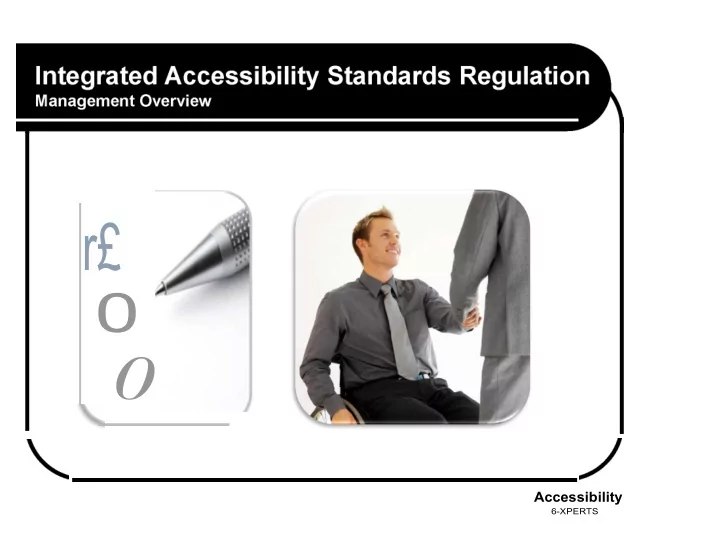
Agenda Background Integrated Accessibility - - PowerPoint PPT Presentation
r 0 0 Accessibility 6-XPERTS Agenda Background Integrated Accessibility Standards Regulation General Requirements
¡ ¡ ¡ ¡ ¡ ¡ ¡ ¡ ¡ ¡ ¡ ¡ ¡ ¡ ¡
¡ ¡ ¡
¡
Accessibility
6-XPERTS
¡
Agenda
¡ ¡ ¡ ¡ ¡ ¡ ¡
Background
¡
¡
Integrated Accessibility Standards
Regulation
¡
¡
General Requirements
¡
¡
Information and Communications
¡
¡
Employment Standard
¡
¡
Transportation Standard
¡
¡
Public Spaces
¡
¡
Next Steps
¡
Accessibility for Ontarians with Disabilities Act
¡
¡ ¡ ¡
Compliance January 1, 2010 – designated public sector January 1, 2012 – private sector/NFP’s
¡ ¡ ¡ ¡
Customer Service Standard
¡¡
How we interact with people with various disabilities and provide goods and services.
¡
¡
Required:
accessible customer service policy, procedures and practices
staff training
a feedback method
alternate communication methods, service animals, support persons and assistive devices
notice of service disruption
¡
Integrated Accessibility Standards Regulation
¡
¡ ¡ ¡ ¡ ¡
¡
Integrated Accessibility Standards Regulation
Released and became law July, 2011
¡
¡ Four Standards:
1.
Information and Communications
2.
Employment
3.
Transportation
4.
Design of Public Spaces
¡
¡
Sectors or Categories
Government of Ontario & Legislative Assembly
Large Designated Public Sector (50 or more)
Small Designated Public Sector (< than 50)
Large Organizations (50 or more)
Small Organizations (< than 50)
Information & Communications Standard
¡ ¡ ¡ ¡ ¡
Employment Standard
¡
¡ ¡ ¡ ¡ ¡ ¡
Transportation Standard
¡ ¡ ¡ ¡ ¡
¡
Public Spaces
¡
Integrated Accessibility Standards Regulation
¡ ¡ ¡ ¡ ¡
¡
General – Large Private & NFP (2014)
Small Private (2015 and X)
¡ ¡
¡
Policies, practices and procedures
Develop, implement and maintain
Statement of Organizational Commitment
Written document (X small private not required)
Available to public - accessible format
¡
Integrated Accessibility Standards Regulation
¡ ¡ ¡ ¡ ¡ ¡ ¡
¡
Policies, practices and procedures
Policies should include:
Purpose (AODA)
Scope and Responsibilities
Policy Statement and Commitment (4 principles)
Definitions
General Provisions
1.
Multi-year plan
2.
Procuring or Acquiring Goods and Services
3.
Training
Information and Communications Standard
1.
Emergency Information
2.
Feedback
3.
Accessible Formats
4.
Accessible Website
¡
Integrated Accessibility Standards Regulation
¡¡ ¡ ¡ ¡
Policies, practices and procedures
Policies continued:
Employment Standard
1.
Recruitment
2.
Employee Notification
3.
Accessible Formats
4.
Individual Accommodation Plan (12 processes)
5.
Return to Work
6.
Performance Management, Career Development and Advancement and Redeployment
7.
Workplace Emergency Response Information
¡¡
Transportation Standard (does not apply to us an organization, but we will inform staff of the upcoming changes and its impact and benefits to the community)
¡
Public Spaces (If our organizations is building new facilities or doing major renovations we will ensure that we following the public spaces standard for; recreational trails and beach access routes, outdoor public use eating areas,
related elements)
¡
Integrated Accessibility Standards Regulation
¡ ¡ ¡ ¡ ¡
¡
General – Large Private & NFP (2014)
Small Private (X)
¡
¡
Accessibility Plan (multi-year)
Lays out what you are going to do over next five years to meet each of the deliverables.
Posted to web site
Available in alternative formats
Review and update every 5 years
¡
Integrated Accessibility Standards Regulation
¡ ¡ ¡ ¡ ¡
3rd Party Service Providers
¡
¡
General – (continued)
¡
¡ ¡
Procuring or Acquiring Goods or Services
¡
Incorporate accessibility criteria and features
Develop a procedure
Except where not practicable to do so (provide upon request an explanation)
Incorporate Accessibility
¡
¡ ¡
Self-Service Kiosks
Interactive electronic terminal for public use (Service Ontario)
Public Sector Organizations - Incorporate
Private - Have regard for accessibility features
“Kiosk” means an interactive electronic terminal, including a point
use that allows users to access one
both
¡
Integrated Accessibility Standards Regulation
¡ ¡ ¡
¡
General – (continued)
¡
¡
Training (Large Public 2014, Small 2015, Large Private 2015, Small 2016)
Training provided on requirements of the Integrated Accessibility Standards Regulation and on Human Rights Code as it pertains to Persons with Disabilities.
All employees and volunteers ¡ Those that participate in developing organizations policies ¡
All others who provide goods, services or facilities on behalf of
¡ Shall be appropriate to duties of employees, volunteers and others
¡ As soon as practicable ¡ Provide training in respect of any changes to policies ¡ Keep a record of the training provided; dates and number of individuals
¡
Integrated Accessibility Standards Regulation
¡
¡ ¡ ¡ ¡ ¡ ¡
Training (Large Public 2014, Small 2015, Large Private 2015, Small 2016)
¡
¡
What do you provide training on:
¡
¡
Human Rights Code
¡
Each of the standards as applicable to their duties:
¡
Your organizations policies
¡
Information and Communications Standard
¡
Employment Standard – rights as an employee
¡
Transportation Standard – mention great things that are happening in community
¡
Public Spaces Standard – new build forward basis
¡
Integrated Accessibility Standards Regulation
¡
¡ ¡ ¡ ¡ ¡ ¡
Discussion:
¡
Issues re training
¡
Best practices
¡
http://www.accessforward.ca/trainingResources/employment-video
¡
Information & Communications Standard
¡ ¡ ¡ ¡
¡
Accessible Formats & Communication Supports (Public 2015, 2016, Large Private 2016)
¡
Create, provide and receive information and communications in ways that are accessible for people with disabilities
¡
In a timely manner - takes into account the person’s accessibility needs due to their disability
¡
¡
Could you send that electronically to me as a Word document please?
.
At a cost no more than regular cost to others
¡
Consult with person regarding suitability of an accessible format or communication support
¡
Notify public re availability
¡ ¡
Does not apply to products and product labels
¡
Upon request
¡
Information and Communications Standard
¡
¡ ¡ ¡
¡
Accessible Formats – what could people ask for?
¡¡
Accessible electronic formats such as MS Word, HTML,
¡
Excel, PDF or email
HTML
¡
Large Print
¡¡
Braille - statistics
¡¡
Accessible audio formats
¡¡
Read, write or draw
¡¡
Captioning or audio description
¡¡
Assistive listening systems
¡ ¡ ¡
Assistive Listening Device
¡ ¡ ¡ ¡ ¡ ¡ ¡ ¡ ¡ ¡ ¡ ¡ ¡ ¡
¡
Braille
¡
Sign Language Interpreters and Interveners
¡¡
Repeating, clarifying or restating information
Information & Communications Standard
¡ ¡ ¡ ¡ ¡ ¡ ¡ ¡ ¡ ¡ ¡ ¡ ¡ ¡ ¡ ¡ ¡
¡
Assistive Devices
¡ ¡ ¡ ¡ ¡ ¡ ¡ ¡ ¡ ¡ ¡ ¡ ¡ ¡ ¡ ¡ ¡ ¡ ¡ ¡
Use “headings” and “styles” in a Word Documents using the Styles Ribbon
Information and Communications Standard
¡
¡ ¡ ¡ ¡
Ensure Electronic Version is Accessible!
¡¡
Clear Print Guidelines
¡ ¡ ¡
Use Headings
¡
Clear Writing Principles
¡
Colour Contrast
¡
Design Incorporates Headings and Styles
Allows individual with screen reader to navigate through
¡Accessibility Experts (Heading 1)
We are an accessibility consulting and training firm.
¡
There are five standards that companies have to comply with.
¡
The employment standard requires you to advertise promote employment for
¡ ¡ ¡ ¡
¡
Hear
document
Ensures consistency throughout document.
See
persons with disabilities.
¡
¡ ¡ ¡ ¡ ¡
Municipality of Clarington
¡
Information & Communications Standard
¡
¡ ¡ ¡ ¡
Feedback (Public 2014, 2015) (Private and NFP 2015, 2016)
Ensure process for receiving and responding to feedback is accessible (upon request)
Highlighted areas marked in yellow mandatory or *
¡¡
Name: Address: Province:
Select province from drop down list
¡
Postal:
¡
Email Address
¡
¡
Emergency Preparedness (2012)
Those that prepare emergency procedures, plans or public safety information – accessible format upon request, and as soon as practicable
¡
Information & Communications Standard
¡ ¡ ¡ ¡ ¡
Accessible Websites
¡
¡
Website – New (2014, Small Non Profit and Private x) Internet & Intranet WCAG 2.0, Level A initially and increase to Level AA
¡
Websites and Content (2021, Small Non Profit and Private x) All internet websites and web content WCAG 2.0, Level AA
¡
¡ ¡
www.accessibilityexperts.ca
¡
¡ ¡ ¡
Web Content Accessibility Guidelines (WCAG) 2.0
¡¡
¡
¡
¡
Employment Standard
¡
¡ ¡ ¡ ¡ ¡
¡
Employment Standard – To promote hiring of
people with disabilities and encourage employees to
¡
Applies to paid employees
¡
Does not apply to volunteers and other non-paid individuals (ex. Board of Directors)
¡
Recruitment Assessment Selection Retention
¡
¡
Timelines: Large Public Sector 2014 Small Public Sector 2015 Large Org. 2016 Small Org. 2017
Em Employmen t Cyc ycle
¡
¡ ¡ ¡ ¡ ¡ ¡ ¡ ¡ ¡ ¡ ¡
Accommodate people with disabilities in our labour force throughout employment cycle!
Employment Standard
¡
¡ ¡ ¡
“Recruit staff based on their abilities and not their disabilities.”
¡
¡ ¡ 1. Recruitment (Large Public 2014,
Small 2015, Large Private 2016, Small 2017)
¡
How we look for employees
¡
¡
Notify employees about availability of accommodation in their recruitment process – advertising internally
¡
Notify public about availability of accommodation in their recruitment process “Accommodations are available upon request.”
¡
¡
If applicant requests an accommodation, employer consults with applicant to provide or arrange suitable accommodation – materials or processes.
Recruitment
Employment Standard - Assessment
¡ ¡ ¡
¡
¡
¡ ¡
¡
Identification and evaluation of knowledge, skills and abilities (e.g. screening, interviewing, reference and police check, psychological or computer skills testing)
¡
a) Let selected participant know accommodations are available - materials or processes.
¡
b) Provide or arrange accommodations – takes into account persons needs due to disability
(Physical, Hearing, Vision, Deaf-Blind, Speech, Mental Health, Learning, Intellectual, Sensory and Temporary Disabilities)
Assessment
¡¡ ¡
Need my own laptop to read information out loud to me
¡ ¡ ¡ ¡ ¡ ¡ ¡
¡
Need my wheelchair to fit under the desk
¡ ¡ ¡ ¡ ¡ ¡
Can’t operate calculator but can use excel
¡ ¡
¡
¡
Employment Standard - Selection
¡¡ ¡ ¡ ¡ ¡
Choosing the most likely candidate to be successful at performing job and hiring them
¡
Offer of employment notify applicant of:
¡
¡
Notify employees of:
accommodation policy
¡
¡ ¡ ¡ ¡
Selection
¡
Employment Standard - Retention
¡
¡ ¡ ¡ ¡ ¡
Processes in place to meet diverse needs of employees and create an environment that encourages employees to remain employed
¡ a)
Successful applicant – notify of policies for accommodation
b)
Inform employees of policies for accommodation
c)
Accessible formats & communication supports – perform job
d)
Individual Accessibility Plan (small private X)
e)
Performance Management
f)
Career Development and Advancement
g)
Return to Work Process
h)
Redeployment
i)
Individual Workplace Emergency Response Info.
¡
Retention
¡
Transportation Standard
¡ ¡ ¡ ¡ ¡ ¡
¡
Is transit accessible?
¡
¡
Accessible Transit
Conventional – transit buses, motor coaches, rail based transportation solely within Province of Ontario Specialized transit – Handi Transit, Wheel trans
(means designated public sector transportation service providers
Other – School buses, ferries and taxis
¡
¡
Accessible Transit Platforms (bus shelters and
bus stops)
¡
Accessible Transit Communication
¡
Design of Public Spaces
¡
¡ ¡ ¡ ¡ ¡ ¡ ¡ ¡
Design of Public Spaces
¡
¡
Applies to public spaces that are on a go forward basis:
¡
¡
¡
¡
¡
¡ ¡ ¡ ¡
Timelines:
¡
¡
Public Sector 2016 Large Org. 2017 Small Org. 2018
¡
Design of Public Spaces
¡¡ ¡ ¡ ¡ ¡ ¡ ¡
What does it cover?
Newly constructed or redeveloped.
¡
¡
Clear widths, firm and stable surfaces, clear signage, location of amenities, ramps ¡
Portion of spaces accessible, level, firm and stable ¡
Firm and stable surfaces, incorporate accessibility features, consult with people with disabilities ¡
Clear widths, ramps, tonal contrast and stairs have tonal contrast and tactile
¡
Design of Public Spaces
¡ ¡ ¡ ¡ ¡ ¡ ¡
¡
What does it cover?
Newly constructed or redeveloped. ¡
Must provide two types of parking Type A – wide parking spot 3400 mm with signage “van accessible” Type B – standard 2400 mm ¡
Service Counters, fixed queuing guides (width, turn around space, cane detectable) and waiting areas (accessible seating and mobility aid space)
¡
Maintain and restore public spaces
¡
Design of Public Spaces
¡ ¡
¡
Nature calms the soul!
¡ ¡ ¡ ¡ ¡ ¡ ¡ ¡ ¡ ¡ ¡ ¡ ¡ ¡ ¡ ¡ ¡ ¡ ¡ ¡ ¡ ¡ ¡ ¡ ¡ ¡ ¡ ¡ ¡ ¡ ¡ ¡
¡
Equal access to public spaces!
¡
Be a leader!
¡ ¡ ¡ ¡
¡
¡
¡
complied
ensure those individuals have had training.
¡
¡
Next steps!
¡ ¡ ¡ ¡ ¡ ¡
¡
1. Create policies
¡
¡ ¡
2. If you have more than 50 employees create a
Multi-Year Accessibility Plan
¡
¡ ¡
3. Make sure you have filed your 2nd report for the
AODA which is due by end of this year (org. with more than 20 people)
¡
¡ ¡
4. Make sure feedback system is accessible
¡
¡ ¡
5. Provide staff training
¡
¡ ¡
6. Give staff a copy of your policies
¡
Next steps continued…
¡¡ ¡ ¡ ¡ ¡ ¡ ¡
7.
HR – reflect on requirements of the Employment Standard – Conference Board of Canada Employment Toolkit (templates)
¡
¡ ¡
8.
Encourage current employees to disclose if they have accessibility requirements on the job.
¡
¡ ¡
9.
Determine level of accessibility re website and how documents are being created and saved to website – clean up website (less conversion later)
¡
¡ ¡
10. Incorporating accessibility is the right thing to do.
¡
We are here to help you!
¡
¡ ¡ ¡ ¡ ¡ ¡ ¡ ¡ ¡ ¡
Thank you!
¡
¡
Contact us if you need any help!
¡
¡
www.accessibilityexperts.ca
¡ ¡
edie@accessibilityexperts.ca
¡
¡
Find information on our resource page. Sign up for our newsletter.