Advanced Pathfinding IMGD 4000 With material from: - - PDF document

advanced pathfinding
SMART_READER_LITE
LIVE PREVIEW

Advanced Pathfinding IMGD 4000 With material from: - - PDF document

3/16/17 Advanced Pathfinding IMGD 4000 With material from: Millington and Funge, Ar#ficial Intelligence for Games , Morgan Kaufmann 2009 (Chapter


slide-1
SLIDE 1

3/16/17 ¡ 1 ¡

Advanced ¡Pathfinding ¡

IMGD ¡4000 ¡ ¡

With ¡material ¡from: ¡ ¡Millington ¡and ¡Funge, ¡Ar#ficial ¡Intelligence ¡for ¡ Games, ¡ ¡Morgan ¡Kaufmann ¡ ¡2009 ¡(Chapter ¡4) ¡and ¡Buckland, ¡Programming ¡ Game ¡AI ¡by ¡Example, ¡Wordware ¡2005 ¡(Chapter ¡5, ¡8). ¡

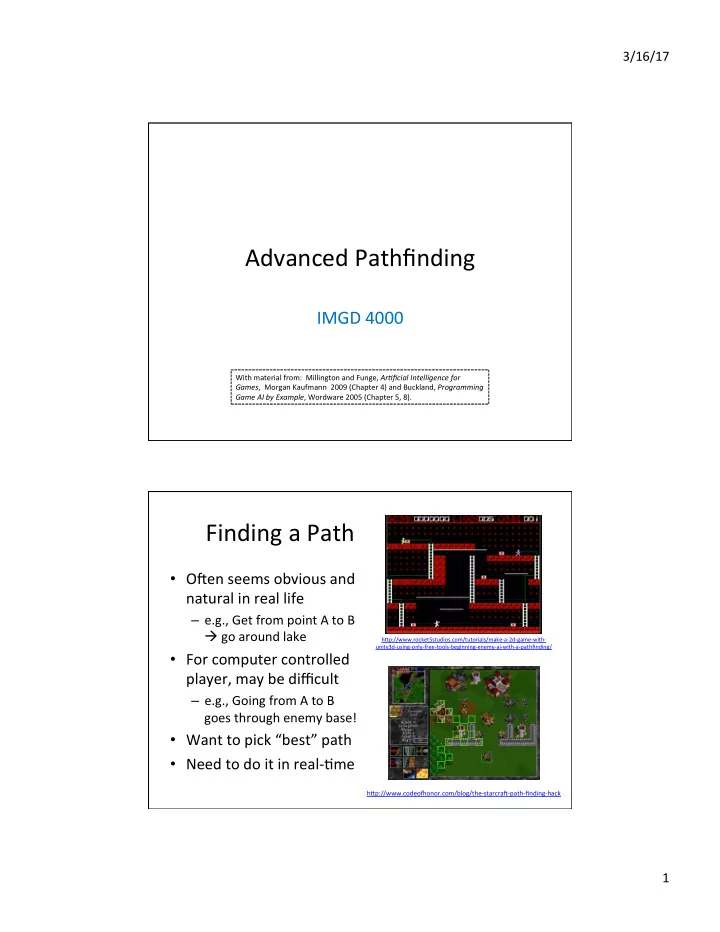
Finding ¡a ¡Path ¡

  • ORen ¡seems ¡obvious ¡and ¡

natural ¡in ¡real ¡life ¡

– e.g., ¡Get ¡from ¡point ¡A ¡to ¡B ¡ à ¡go ¡around ¡lake ¡

  • For ¡computer ¡controlled ¡

player, ¡may ¡be ¡difficult ¡

– e.g., ¡Going ¡from ¡A ¡to ¡B ¡ goes ¡through ¡enemy ¡base! ¡

  • Want ¡to ¡pick ¡“best” ¡path ¡
  • Need ¡to ¡do ¡it ¡in ¡real-­‑\me ¡

h]p://www.rocket5studios.com/tutorials/make-­‑a-­‑2d-­‑game-­‑with-­‑ unity3d-­‑using-­‑only-­‑free-­‑tools-­‑beginning-­‑enemy-­‑ai-­‑with-­‑a-­‑pathfinding/ ¡

h]p://www.codeo^onor.com/blog/the-­‑starcraR-­‑path-­‑finding-­‑hack ¡

slide-2
SLIDE 2

3/16/17 ¡ 2 ¡

Finding ¡a ¡Path ¡

  • Path ¡– ¡a ¡list ¡of ¡cells, ¡points ¡or ¡

nodes ¡that ¡agent ¡must ¡ traverse ¡to ¡get ¡to ¡from ¡start ¡ to ¡goal ¡

– Some ¡paths ¡are ¡be]er ¡than ¡

  • thers ¡

à ¡measure ¡of ¡quality ¡ ¡

  • A* ¡is ¡commonly ¡used ¡

heuris\c ¡search ¡

– Complete ¡algorithm ¡in ¡that ¡if ¡ there ¡is ¡path, ¡will ¡find ¡ – Using ¡“distance” ¡as ¡heuris\c ¡ measure, ¡then ¡guaranteed ¡

  • p\mal ¡

h]p://www.cognaxon.com/index.php?page=educa\onal ¡

A* ¡Pathfinding ¡Search ¡/ ¡Project ¡

  • Basic ¡A* ¡is ¡a ¡minimal ¡requirement ¡for ¡solo ¡

project ¡

– You ¡may ¡use ¡any ¡reference ¡code ¡as ¡a ¡guide, ¡but ¡ not ¡copy ¡and ¡paste ¡(cf. ¡academic ¡honesty ¡policies) ¡

  • Covered ¡in ¡detail ¡in ¡IMGD ¡3000 ¡

h]p://web.cs.wpi.edu/~imgd4000/d16/slides/imgd3000-­‑astar.pdf ¡ ¡

  • Add ¡smoothing ¡feature ¡for ¡an ¡“A” ¡

4 ¡

slide-3
SLIDE 3

3/16/17 ¡ 3 ¡

“Navmesh ¡pathfinding ¡is ¡built ¡into ¡UE4. ¡ ¡ So ¡why ¡are ¡we ¡studying ¡and ¡implemen\ng ¡it ¡ourselves?” ¡ ¡ A1: ¡ ¡Because ¡you ¡are ¡not ¡just ¡the ¡driving ¡the ¡car, ¡you ¡are ¡ also ¡the ¡mechanics ¡J ¡ ¡ ¡ A2: ¡Even ¡though ¡A*-­‑based ¡pathfinding ¡is ¡decades ¡old, ¡if ¡ you ¡go ¡to ¡a ¡technical ¡game ¡conference, ¡you ¡will ¡s\ll ¡find ¡ papers ¡about ¡varia\ons, ¡extensions, ¡and ¡special ¡ adap\ons, ¡that ¡are ¡needed ¡for ¡par\cular ¡games. ¡

Prac\cal ¡Path ¡Planning ¡

  • Some\mes, ¡basic ¡A* ¡is ¡not ¡enough ¡
  • Also, ¡oRen ¡need: ¡

– Naviga\on ¡graphs ¡

  • Points ¡of ¡visibility ¡(pov) ¡– ¡lines ¡connec\ng ¡visible ¡nodes ¡
  • Naviga\on ¡mesh ¡(navmesh) ¡– ¡models ¡traversable ¡areas ¡of ¡

virtual ¡map ¡

– Path ¡smoothing ¡ – Compute-­‑\me ¡op\miza\ons ¡ – Hierarchical ¡pathfinding ¡ – Special ¡case ¡methods ¡

6 ¡

slide-4
SLIDE 4

3/16/17 ¡ 4 ¡

Tile-­‑Based ¡ Naviga\on ¡Graphs ¡

  • Common, ¡especially ¡if ¡environment ¡

already ¡designed ¡in ¡squares ¡or ¡ hexagons ¡

  • Node ¡center ¡of ¡cell; ¡edges ¡to ¡

adjacent ¡cells ¡

  • Each ¡cell ¡already ¡labeled ¡with ¡

material ¡(mud, ¡river, ¡etc.) ¡

  • Downside: ¡

– Can ¡burden ¡CPU ¡and ¡memory ¡

  • e.g., ¡Modest ¡100x100 ¡cell ¡map ¡has ¡

10,000 ¡nodes ¡and ¡78,000 ¡edges! ¡

– Especially ¡if ¡mul\ple ¡AI’s ¡calling ¡at ¡ same ¡\me ¡

Most ¡of ¡this ¡slide ¡deck ¡is ¡survey ¡about ¡ how ¡to ¡do ¡beDer... ¡

7 ¡

h]p://forum.cocos2d-­‑objc.org/t/\lemapkit-­‑complete-­‑\led-­‑tmx-­‑\lemap-­‑support-­‑including-­‑hex-­‑staggered-­‑iso/17313 ¡ ¡ h]p://opinionatedgamers.com/2011/12/07/review-­‑of-­‑kingdom-­‑builder/ ¡ ¡

Outline ¡

  • Introduc\on ¡

¡ ¡ ¡(done) ¡

  • Naviga\on ¡Graphs ¡

¡ ¡(next) ¡

  • Naviga\on ¡Mesh ¡
  • Pathfinding ¡Tuning ¡
  • Pathfinding ¡in ¡UE4 ¡
slide-5
SLIDE 5

3/16/17 ¡ 5 ¡

9 ¡

Point ¡of ¡Visibility ¡(POV) ¡Naviga\on ¡Graph ¡

  • Instead ¡of ¡a ¡complete ¡\ling ¡
  • Place ¡graph ¡nodes ¡(usually ¡by ¡hand) ¡at ¡important ¡

points ¡in ¡environment ¡

  • Such ¡that ¡each ¡node ¡has ¡line ¡of ¡sight ¡to ¡at ¡least ¡one ¡
  • ther ¡node ¡

10 ¡

POV ¡Naviga\on ¡

  • Find ¡closest ¡visible ¡node ¡(a) ¡to ¡current ¡loca\on ¡
  • Find ¡closest ¡visible ¡node ¡(b) ¡to ¡target ¡loca\on ¡
  • Search ¡for ¡least ¡cost ¡path ¡from ¡(a) ¡to ¡(b), ¡e.g. ¡A* ¡
  • Move ¡to ¡(a) ¡
  • Follow ¡path ¡to ¡(b) ¡
  • Move ¡to ¡target ¡loca\on ¡

DEMO ¡(COARSE) ¡ Note, ¡some ¡“backtracking” ¡

slide-6
SLIDE 6

3/16/17 ¡ 6 ¡

11 ¡

Blind ¡Spots ¡in ¡POV ¡

  • No ¡POV ¡point ¡is ¡visible ¡from ¡red ¡spots! ¡
  • Easy ¡to ¡fix ¡manually ¡in ¡small ¡graphs ¡
  • A ¡problem ¡in ¡larger ¡graphs ¡

DEMO ¡(COARSE) ¡

POV ¡Naviga\on ¡

  • Advantage ¡

– Obvious ¡how ¡to ¡build ¡and ¡expand ¡

  • Disadvantages ¡

– Can ¡have ¡“blind ¡spots” ¡ – Can ¡have ¡“jerky” ¡(backtracking) ¡paths ¡ – Can ¡take ¡a ¡lot ¡of ¡developer ¡\me, ¡especially ¡if ¡design ¡is ¡rapidly ¡evolving ¡ – Problema\c ¡for ¡random ¡or ¡user ¡generated ¡maps ¡

  • Solu\ons ¡ ¡ ¡

1. Automa\cally ¡generate ¡POV ¡graphs ¡ 2. Make ¡finer ¡grained ¡graphs ¡ 3. Path ¡smoothing ¡

12 ¡

slide-7
SLIDE 7

3/16/17 ¡ 7 ¡

13 ¡

Automa\c ¡POV ¡by ¡Expanded ¡Geometry ¡

(A) ¡Expand ¡geometry ¡ ¡

– By ¡amount ¡propor\onal ¡ to ¡bounding ¡radius ¡of ¡ moving ¡agents ¡

(B) ¡Connect ¡all ¡ver\ces ¡ ¡ (C) ¡Prune ¡non-­‑line ¡of ¡sight ¡ points ¡ à ¡Avoids ¡objects ¡hirng ¡ edges ¡when ¡pathing ¡ ¡ Note: ¡works ¡best ¡if ¡bounding ¡ radius ¡similar ¡for ¡all ¡units ¡

14 ¡

Finely ¡Grained ¡Graphs ¡

  • Upside? ¡Improves ¡blind ¡spots ¡and ¡path ¡smoothness ¡
  • Downside? ¡Back ¡to ¡similar ¡performance ¡issues ¡as ¡\led ¡graphs ¡
  • Upside? ¡Can ¡oRen ¡generate ¡automa\cally ¡using ¡“flood ¡fill” ¡(next ¡slide) ¡
slide-8
SLIDE 8

3/16/17 ¡ 8 ¡

Flood ¡Fill ¡to ¡Produce ¡Finely ¡Grained ¡Graph ¡

  • Place ¡“seed” ¡in ¡graph ¡
  • Expand ¡outward ¡

– e.g., ¡8 ¡direc\ons ¡ – Making ¡sure ¡nodes ¡ and ¡edges ¡passable ¡by ¡ bounding ¡radius ¡

  • Con\nue ¡un\l ¡covered ¡

à ¡Produces ¡a ¡finely ¡ grained ¡graph ¡

  • Note, ¡same ¡algorithm ¡

used ¡by ¡“paint” ¡ programs ¡to ¡flood ¡fill ¡ color ¡

15 ¡ 16 ¡

Path ¡Finding ¡in ¡Finely ¡Grained ¡Graph ¡

  • Use ¡A* ¡or ¡Dijkstra ¡depending ¡on ¡whether ¡looking ¡for ¡specific ¡or ¡

mul\ple ¡general ¡targets ¡

– e.g., ¡Find ¡exit? ¡ ¡A* ¡typically ¡faster ¡than ¡Dijkstra’s ¡since ¡la]er ¡is ¡ exhaus\ve ¡ – e.g., ¡Find ¡one ¡of ¡many ¡rocket ¡launchers? ¡ ¡A* ¡would ¡need ¡to ¡be ¡re-­‑ run ¡for ¡each, ¡then ¡chose ¡minimum. ¡ ¡

slide-9
SLIDE 9

3/16/17 ¡ 9 ¡

17 ¡

Problem: ¡Kinky ¡Paths ¡

Solu\on? ¡Path ¡smoothing. ¡ ¡

  • ­‑ ¡Simple ¡fix ¡to ¡“penalize” ¡change ¡in ¡direc\on ¡
  • ­‑ ¡Others ¡work ¡be]er ¡(next) ¡

Problem: ¡Path ¡chosen ¡ “kinky”, ¡not ¡natural ¡

18 ¡

Simple ¡Smoothing ¡Algorithm ¡(1 ¡of ¡2) ¡

  • Check ¡for ¡“passability” ¡between ¡adjacent ¡edges ¡
  • Also ¡known ¡as ¡“ray-­‑cast” ¡since ¡if ¡can ¡cast ¡a ¡ray ¡between ¡A ¡

and ¡C ¡then ¡waypoint ¡B ¡is ¡not ¡needed ¡

slide-10
SLIDE 10

3/16/17 ¡ 10 ¡

Simple ¡Smoothing ¡Algorithm ¡(2 ¡of ¡2) ¡

  • 1. Grab ¡source ¡E1 ¡
  • 2. Grab ¡des\na\on ¡E2 ¡
  • 3. If ¡agent ¡can ¡move ¡between, ¡ ¡

a) Assign ¡des\na\on ¡E1 ¡to ¡ des\na\on ¡E2 ¡ b) Remove ¡E2 ¡ c) Advance ¡E2 ¡

  • 4. If ¡agent ¡cannot ¡move ¡

a) Assign ¡E2 ¡to ¡E1 ¡ b) Advance ¡E2 ¡

  • 5. Repeat ¡un\l ¡des\na\on ¡E1 ¡
  • r ¡des\na\on ¡E2 ¡is ¡endpoint ¡ ¡

E1 ¡ E2 ¡ E1 ¡ E1 ¡ E2 ¡ E1 ¡

20 ¡

Path ¡Smoothing ¡Example ¡

DEMO ¡(SMOOTH) ¡

E1 ¡

slide-11
SLIDE 11

3/16/17 ¡ 11 ¡

Outline ¡

  • Introduc\on ¡

¡ ¡ ¡(done) ¡

  • Naviga\on ¡Graphs ¡

¡ ¡(done) ¡

  • Naviga\on ¡Mesh

¡ ¡ ¡(next) ¡

  • Pathfinding ¡Tuning ¡
  • Pathfinding ¡in ¡UE4 ¡

Naviga\on ¡Mesh ¡(NavMesh) ¡

  • Par\\on ¡open ¡space ¡into ¡ ¡

network ¡of ¡convex ¡polygons ¡

– Why ¡convex? ¡à ¡guaranteed ¡ path ¡from ¡any ¡point ¡to ¡any ¡ point ¡inside ¡

  • Instead ¡of ¡network ¡of ¡

points, ¡have ¡network ¡of ¡ polygons ¡

  • Can ¡be ¡automa\cally ¡

generated ¡from ¡arbitrary ¡ polygons ¡

  • Becoming ¡very ¡popular ¡

(e.g., ¡UE4) ¡

22 ¡

slide-12
SLIDE 12

3/16/17 ¡ 12 ¡

NavMesh ¡Example ¡(1 ¡of ¡3) ¡

(Part ¡of ¡Stormwind ¡City ¡in ¡World ¡of ¡WarCraK) ¡

Waypoint ¡ NavMesh ¡

  • NavMesh ¡has ¡more ¡

informa\on ¡(i.e., ¡can ¡ walk ¡anywhere ¡in ¡ polygon) ¡

h]p://www.ai-­‑blog.net/archives/000152.html ¡

NavMesh ¡Example ¡(2 ¡of ¡3) ¡

h]p://www.ai-­‑blog.net/archives/000152.html ¡ (The ¡town ¡of ¡Halaa ¡in ¡World ¡of ¡WarCraK, ¡seen ¡ from ¡above ¡(slightly ¡modified)) ¡

Waypoint ¡ NavMesh ¡

  • Waypoint ¡needs ¡lots ¡of ¡

points ¡ ¡

  • NavMesh ¡needs ¡fewer ¡

polygons ¡to ¡cover ¡same ¡ area ¡

slide-13
SLIDE 13

3/16/17 ¡ 13 ¡

NavMesh ¡Example ¡(3 ¡of ¡3) ¡

h]p://www.ai-­‑blog.net/archives/000152.html ¡ (The ¡town ¡of ¡Halaa ¡in ¡World ¡of ¡WarCraK, ¡seen ¡ from ¡above ¡(slightly ¡modified)) ¡

Waypoint ¡ NavMesh ¡

  • Plus ¡smoothing, ¡else ¡

zigzag ¡

  • Note, ¡smoothing ¡for ¡

navmesh ¡works, ¡too ¡

NavMesh ¡Performance ¡

  • But ¡isn't ¡it ¡slower ¡to ¡do ¡

pathfinding ¡on ¡NavMesh? ¡

  • No. ¡ ¡NavMesh ¡is ¡also ¡a ¡

graph, ¡just ¡like ¡waypoints. ¡ ¡ ¡

  • Difference? ¡Navmesh ¡has ¡

polygon ¡at ¡each ¡graph ¡ node ¡

  • A* ¡runs ¡on ¡any ¡graph ¡

– Square ¡grid ¡ – Waypoint ¡ – Navmesh ¡ ¡

(Illustra#on ¡of ¡graph ¡(red) ¡underlying ¡a ¡ naviga#on ¡mesh) ¡

h]p://www.ai-­‑blog.net/archives/000152.html ¡

slide-14
SLIDE 14

3/16/17 ¡ 14 ¡

NavMesh ¡with ¡other ¡Paths ¡

  • NavMesh ¡can ¡be ¡used ¡

with ¡waypoints ¡

  • Use ¡waypoints ¡for ¡

“seman\c” ¡loca\ons ¡

– E.g., ¡ ¡

  • Soldiers ¡need ¡patrol ¡path ¡
  • Old ¡man ¡needs ¡fishing ¡

path ¡

  • Cover ¡points ¡for ¡hiding ¡
  • NavMesh ¡to ¡get ¡there ¡

(Various ¡terrain ¡markers ¡(AI ¡hints) ¡and ¡NavMesh) ¡

h]p://www.ai-­‑blog.net/archives/000152.html ¡

Outline ¡

  • Introduc\on ¡

¡ ¡ ¡(done) ¡

  • Naviga\on ¡Graphs ¡

¡ ¡(done) ¡

  • Naviga\on ¡Mesh

¡ ¡ ¡ ¡

– Genera\ng ¡a ¡NavMesh ¡ ¡(next) ¡

  • Pathfinding ¡Tuning ¡
  • Pathfinding ¡in ¡UE4 ¡
slide-15
SLIDE 15

3/16/17 ¡ 15 ¡

Genera\ng ¡NavMesh ¡

  • Can ¡be ¡generated ¡by ¡hand ¡

– e.g., ¡lay ¡out ¡polygons ¡(e.g., ¡squares) ¡to ¡cover ¡ terrain ¡for ¡map ¡ – Takes ¡a ¡few ¡hours ¡for ¡typical ¡FPS ¡map ¡

  • Can ¡be ¡generated ¡automa\cally ¡

– Various ¡algorithm ¡choices ¡ – One ¡example ¡[Leo14] ¡

[Leo14] ¡Timothy ¡Leonard. ¡“Procedural ¡Genera\on ¡of ¡ Naviga\on ¡Meshes ¡in ¡Arbitrary ¡2D ¡Environments”, ¡Open ¡ Journal ¡Systems ¡Game ¡Behavior, ¡Volume ¡1, ¡Number ¡1, ¡2014. ¡ Online: ¡h]p://compu\ng.derby.ac.uk/ojs/index.php/gb/ar\cle/view/13 ¡ ¡

Genera\ng ¡NavMesh ¡– ¡Walkable ¡Area ¡

  • Use ¡collision ¡grid ¡to ¡compute ¡walkable ¡area ¡

– Prepare ¡2d ¡array, ¡one ¡for ¡each ¡pixel ¡ – Sample ¡each ¡pixel ¡à ¡if ¡collide, ¡then ¡black ¡else ¡white ¡

Base ¡background ¡(just ¡for ¡show) ¡ Walkable ¡area ¡(white) ¡

slide-16
SLIDE 16

3/16/17 ¡ 16 ¡

Genera\ng ¡NavMesh ¡– ¡Contour ¡

  • Run ¡marching ¡squares ¡

to ¡get ¡contour ¡

– “marching ¡squares” ¡is ¡ graphics ¡algorithm ¡that ¡ generates ¡contours ¡for ¡ 2d ¡field ¡ – Parallelizes ¡really ¡well ¡

  • Contour ¡points ¡used ¡as ¡

ver\ces ¡for ¡triangles ¡for ¡ NavMesh ¡

ARer ¡running ¡marching ¡squares. ¡Purple ¡dots ¡ ¡ show ¡contour ¡of ¡walkable ¡area. ¡ ¡

Genera\ng ¡NavMesh ¡– ¡Simplified ¡ Contour ¡

  • Simplify ¡contour ¡by ¡

removing ¡points ¡along ¡ same ¡horizontal/ver\cal ¡ line ¡

  • Don’t ¡remove ¡all ¡

redundant ¡points ¡to ¡ avoid ¡super-­‑long ¡edges ¡ (can ¡produce ¡odd ¡ naviga\on) ¡in ¡triangles ¡

– Define ¡max ¡distance ¡ between ¡points ¡ ¡

Simplifying ¡contour ¡points, ¡max ¡distance ¡128 ¡

slide-17
SLIDE 17

3/16/17 ¡ 17 ¡

Genera\ng ¡NavMesh ¡– ¡Triangles ¡

  • Fit ¡squares ¡à ¡Loop ¡

– Find ¡point ¡not ¡in ¡ mesh ¡ – Create ¡square ¡at ¡ point ¡ – Expand ¡un\l ¡hits ¡ edge ¡or ¡other ¡ square ¡ – Done ¡when ¡no ¡more ¡ points ¡

  • Split ¡squares ¡into ¡

triangles ¡

  • Connect ¡triangle ¡to ¡

all ¡other ¡triangles ¡in ¡ neighbor ¡squares ¡

  • Now ¡have ¡graph ¡for ¡

pathfinding ¡(e.g., ¡A*) ¡

NavMesh ¡generated ¡using ¡rectangle ¡expansion. ¡Red ¡ lines ¡show ¡neighbors. ¡ ¡

Genera\ng ¡NavMesh ¡– ¡Path ¡

  • Using ¡mid-­‑points, ¡

path ¡will ¡zig-­‑zag ¡ (see ¡right) ¡ ¡ Solu\on? ¡à ¡Path ¡ smoothing ¡

  • A. Simple ¡ray-­‑cast ¡
  • B. Funnel ¡

Path ¡generated ¡using ¡midpoints ¡of ¡triangles ¡

slide-18
SLIDE 18

3/16/17 ¡ 18 ¡

Genera\ng ¡NavMesh ¡– ¡Path ¡ Smoothing ¡by ¡Ray-­‑cast ¡

  • Ray-­‑cast ¡as ¡for ¡

“simple” ¡ smoothing ¡ shown ¡earlier ¡ (see ¡right) ¡

Path ¡generated ¡using ¡ray-­‑cast ¡to ¡remove ¡ unnecessary ¡points ¡ ¡

Genera\ng ¡Navmesh ¡– ¡Path ¡ Smoothing ¡by ¡Funnel ¡

  • Smooth ¡path ¡from ¡start ¡to ¡

goal ¡

  • Move ¡edges ¡along ¡triangle ¡
  • If ¡can ¡ray-­‑cast, ¡then ¡not ¡

path ¡“corner” ¡so ¡con\nue ¡

  • If ¡cannot, ¡then ¡found ¡

“corner” ¡

slide-19
SLIDE 19

3/16/17 ¡ 19 ¡

Outline ¡

  • Introduc\on ¡

¡ ¡ ¡(done) ¡

  • Naviga\on ¡Graphs ¡

¡ ¡(done) ¡

  • Naviga\on ¡Mesh

¡ ¡ ¡(done) ¡

  • Pathfinding ¡Tuning ¡

¡ ¡(next) ¡

  • Pathfinding ¡in ¡UE4 ¡

Possible ¡Pathfinding ¡Load ¡Spikes ¡

  • Could ¡be ¡many ¡AI ¡agents, ¡all ¡moving ¡to ¡different ¡

des\na\ons ¡

  • Each ¡queries ¡and ¡computes ¡independent ¡paths ¡
  • Can ¡lead ¡to ¡spikes ¡in ¡processing ¡\me ¡

à ¡Game ¡loop ¡can’t ¡keep ¡up! ¡

  • Solu\on? ¡ ¡Reduce ¡CPU ¡load ¡by: ¡

1) Pre-­‑compute ¡paths ¡ 2) Hierarchical ¡pathfinding ¡ 3) Grouping ¡ 4) Time ¡slice ¡ (Talk ¡about ¡each ¡briefly, ¡next) ¡

slide-20
SLIDE 20

3/16/17 ¡ 20 ¡

Shortest ¡path ¡table ¡ (next ¡node) ¡ Path ¡cost ¡table ¡ If ¡sta\c ¡paths, ¡pre-­‑generate ¡ paths ¡and ¡costs ¡ (e.g., ¡using ¡Djikstra’s) ¡ Time/space ¡tradeoff ¡

39 ¡

Reduce ¡CPU ¡Overhead ¡– ¡Precompute ¡

e.g., ¡path ¡A ¡to ¡D? ¡

40 ¡

Reduce ¡CPU ¡Overhead ¡– ¡Hierarchical ¡

  • Typically ¡two ¡levels, ¡but ¡can ¡be ¡more ¡
  • First ¡plan ¡in ¡high-­‑level, ¡then ¡refine ¡in ¡low-­‑level ¡
  • E.g., ¡Navigate ¡(by ¡car) ¡Atlanta ¡to ¡Richmond ¡

– States ¡Georgia ¡and ¡Virginia ¡ – State ¡naviga\on: ¡Georgia ¡à ¡South ¡Carolina ¡à ¡North ¡Carolina ¡à ¡Virginia ¡ – Fine ¡grained ¡pathfinding ¡within ¡state ¡

slide-21
SLIDE 21

3/16/17 ¡ 21 ¡

Reduce ¡CPU ¡Overhead ¡– ¡Grouping ¡

  • In ¡many ¡cases, ¡individuals ¡do ¡not ¡need ¡to ¡

independently ¡plan ¡path ¡

– E.g., ¡military ¡has ¡leader ¡

  • So, ¡only ¡have ¡leader ¡plan ¡path ¡

– Normal ¡A* ¡

  • Other ¡units ¡then ¡follow ¡leader ¡

– Using ¡steering ¡behaviors ¡(later ¡topic) ¡

(Sketch ¡of ¡how ¡next) ¡

Reduce ¡CPU ¡Overhead ¡– ¡Time ¡Slice ¡(1 ¡of ¡3) ¡

  • Evenly ¡divide ¡fixed ¡CPU ¡pathfinding ¡budget ¡

between ¡all ¡current ¡callers ¡

– Must ¡be ¡able ¡to ¡divide ¡up ¡searches ¡over ¡mul\ple ¡ steps ¡

  • Considerable ¡work ¡required! ¡

– But ¡can ¡be ¡worth ¡it ¡since ¡makes ¡pathfinding ¡load ¡ constant ¡

42 ¡

slide-22
SLIDE 22

3/16/17 ¡ 22 ¡

Reduce ¡CPU ¡Overhead ¡– ¡Time ¡Slice ¡(2 ¡of ¡3) ¡

  • Pathfinding ¡generalized ¡

– Grab ¡next ¡node ¡from ¡priority ¡queue ¡ – Add ¡node ¡to ¡shortest ¡paths ¡tree ¡ – Test ¡to ¡see ¡if ¡target ¡ – If ¡not ¡target, ¡examine ¡adjacent ¡nodes, ¡placing ¡in ¡ tree ¡as ¡needed ¡

  • Call ¡above ¡a ¡“cycle” ¡
  • Create ¡generalized ¡class ¡so ¡can ¡call ¡one ¡cycle ¡

(next ¡slide) ¡

43 ¡

Generalized ¡Search ¡Class ¡

enum ¡SearchType ¡{Astar, ¡Dijkstra}; ¡ enum ¡SearchResult ¡{found, ¡not_found, ¡incomplete}; ¡ ¡ class ¡GraphSearch ¡{ ¡ ¡ private: ¡ ¡ ¡SearchType ¡search_type; ¡ ¡ ¡Position ¡target; ¡ ¡ public: ¡ ¡ ¡GraphSearch(SearchType ¡type, ¡Position ¡target); ¡ ¡ ¡ ¡ ¡ ¡// ¡Go ¡through ¡one ¡search ¡cycle. ¡ ¡Indicate ¡if ¡found. ¡ ¡ ¡virtual ¡SearchResult ¡cycleOnce()=0; ¡ ¡ ¡ ¡ ¡ ¡virtual ¡double ¡getCost() ¡const=0; ¡ ¡ ¡ ¡// ¡Return ¡list ¡if ¡edges ¡(path) ¡to ¡target. ¡ ¡ ¡virtual ¡std::list<PathEdge> ¡getPath() ¡const=0; ¡ }; ¡

  • Derive ¡specific ¡

search ¡classes ¡ (A*, ¡Dijkstra) ¡

  • Each ¡game ¡loop, ¡

PathManager ¡ calls ¡cycleOnce() ¡

  • (If ¡enough ¡\me, ¡

could ¡call ¡more ¡ than ¡once) ¡

slide-23
SLIDE 23

3/16/17 ¡ 23 ¡

Reduce ¡CPU ¡Overhead ¡– ¡Time ¡Slice ¡(2 ¡of ¡3) ¡

  • Create ¡PathPlanner ¡for ¡Obj ¡
  • Create ¡PathManager ¡to ¡allocate ¡cycles ¡
  • PathPlanner ¡registers ¡with ¡PathManager ¡

– Gets ¡instance ¡of ¡path ¡

  • Each ¡\ck, ¡PathManager ¡distributes ¡cycles ¡among ¡

all ¡

  • When ¡path ¡complete, ¡send ¡message ¡(event) ¡to ¡

PathPlanner, ¡which ¡no\fies ¡Object ¡

  • Objects ¡to ¡use ¡for ¡pathing ¡

45 ¡

(See ¡example ¡next ¡slide) ¡

Time ¡Slice ¡Example ¡ ¡

  • Object ¡requests ¡path ¡to ¡

target ¡

  • PathPlanner ¡

– Provides ¡closest ¡node ¡ – Creates ¡search ¡(A*, ¡also ¡ could ¡be ¡Djikstra) ¡ – Registers ¡with ¡PathManager ¡

  • PathManager ¡ ¡

– Allocates ¡cycles ¡among ¡all ¡ searches ¡ – When ¡done, ¡returns ¡path ¡(or ¡ path ¡not ¡found) ¡

  • PathPlanner ¡

– No\fies ¡Object ¡ – Object ¡requests ¡path ¡

46 ¡

slide-24
SLIDE 24

3/16/17 ¡ 24 ¡

Reduce ¡CPU ¡Overhead ¡– ¡Time ¡Slice ¡(3 ¡of ¡3) ¡

  • Note ¡“\me ¡slicing” ¡implies ¡that ¡caller ¡may ¡have ¡

to ¡wait ¡for ¡answer ¡

– Wait ¡\me ¡propor\onal ¡to ¡size ¡of ¡graph ¡(number ¡of ¡ cycles ¡needed) ¡and ¡number ¡of ¡other ¡Objects ¡pathing ¡

  • What ¡should ¡Object ¡do ¡while ¡wai\ng ¡for ¡path? ¡

– Stand ¡s#ll ¡à ¡but ¡oRen ¡looks ¡bad ¡(e.g., ¡player ¡expects ¡ unit ¡to ¡move) ¡ – So, ¡start ¡moving, ¡preferably ¡ ¡in ¡“general ¡direc\on” ¡of ¡ target ¡

  • “Seek” ¡as ¡behavior ¡(see ¡later ¡topic) ¡
  • “Wander” ¡as ¡behavior ¡(diDo) ¡

– When ¡path ¡returns, ¡“smooth” ¡to ¡get ¡to ¡target ¡ (example ¡next ¡slide) ¡

47 ¡

Time ¡Slicing ¡needs ¡Smoothing ¡

  • Object ¡registers ¡pathfinding ¡to ¡target ¡
  • Starts ¡seeking ¡towards ¡target ¡
  • When ¡path ¡returns, ¡Object ¡will ¡backtrack. ¡ ¡Bad! ¡
  • Solu\on? ¡à ¡Simple ¡smoothing ¡described ¡earlier ¡to ¡remove ¡

48 ¡

Without ¡smoothing ¡ Smoothed ¡

slide-25
SLIDE 25

3/16/17 ¡ 25 ¡

Time ¡Slicing ¡with ¡Seek ¡Fail ¡

  • When ¡wai\ng ¡for ¡path, ¡

head ¡“wrong” ¡direc\on ¡

– May ¡even ¡hit ¡walls! ¡ – Looks ¡stupid ¡

  • Alterna\ve ¡can ¡be ¡to ¡

return ¡path ¡to ¡node ¡closer ¡ to ¡Object ¡

– Modify ¡A* ¡to ¡return ¡answer ¡ aRer ¡X ¡cycles/depth ¡ – Start ¡moving ¡along ¡that ¡path ¡ – Request ¡rest ¡of ¡path ¡

  • When ¡complete ¡path ¡

returned, ¡adjust ¡

Seek ¡heads ¡in ¡obvious ¡(to ¡ player) ¡wrong ¡direc\on ¡

Seek ¡direc\on ¡ Needed ¡direc\on ¡

49 ¡ 50 ¡

Gerng ¡Out ¡of ¡Stuck ¡Situa\ons ¡

DEMO ¡(STUCK) ¡

Object ¡pathing ¡to ¡C ¡ Reaches ¡A, ¡removes ¡and ¡B ¡next ¡ Other ¡Objects ¡“push” ¡Object ¡back ¡ Object ¡s\ll ¡heads ¡to ¡B ¡but ¡hits ¡wall ¡

slide-26
SLIDE 26

3/16/17 ¡ 26 ¡

51 ¡

Gerng ¡Out ¡of ¡Stuck ¡Situa\ons ¡

  • Calculate ¡distance ¡to ¡Object’s ¡next ¡waypoint ¡each ¡

update ¡step ¡

  • If ¡this ¡distance ¡remains ¡about ¡same ¡or ¡

consistently ¡increases ¡

à Probably ¡stuck ¡ à Replan ¡

  • Alterna\vely ¡– ¡es\mate ¡arrival ¡\me ¡at ¡next ¡

waypoint ¡

– If ¡takes ¡longer, ¡probably ¡stuck ¡ à ¡Replan ¡

52 ¡

Advanced ¡Pathfinding ¡Summary ¡ ¡

  • Not ¡necessary ¡to ¡use ¡all ¡techniques ¡in ¡one ¡

game ¡

  • Only ¡use ¡whatever ¡game ¡demands ¡and ¡no ¡

more ¡

  • An ¡advanced ¡pathfinding ¡feature ¡is ¡an ¡
  • p\onal ¡project ¡requirement ¡(for ¡“A”) ¡
  • For ¡reference ¡C++ ¡code ¡see ¡

h]p://samples.jbpub.com/9781556220784/Buckland_SourceCode.zip ¡

(Chapter ¡8 ¡folder) ¡

slide-27
SLIDE 27

3/16/17 ¡ 27 ¡

Outline ¡

  • Introduc\on ¡

¡ ¡ ¡(done) ¡

  • Naviga\on ¡Graphs ¡

¡ ¡(done) ¡

  • Naviga\on ¡Mesh

¡ ¡ ¡(done) ¡

  • Pathfinding ¡Tuning ¡

¡ ¡(done) ¡

  • Pathfinding ¡in ¡UE4 ¡

¡ ¡(next) ¡

Naviga\on ¡in ¡UE4 ¡

  • Has ¡NavMesh ¡

– Auto ¡generated ¡ini\ally ¡ – Tweaked ¡by ¡hand ¡

  • NavLinkProxy ¡to ¡allow ¡“jumping” ¡
  • Auto ¡re-­‑generates ¡when ¡sta\c ¡objects ¡move ¡

(More ¡in ¡upcoming ¡slides) ¡

54 ¡

slide-28
SLIDE 28

3/16/17 ¡ 28 ¡

UE4 ¡NavMesh ¡

  • Modes ¡Panel ¡à ¡

Create ¡à ¡Volumes ¡

  • Translate/scale ¡to ¡

encapsulate ¡ walkable ¡area ¡

  • Press ¡“P” ¡to ¡view ¡

– Green ¡shows ¡mesh ¡

¡

Automa\c ¡Update ¡as ¡Design ¡Level ¡

Move ¡sta\c ¡ mesh ¡ (bridge) ¡ NavMesh ¡ automa\c ¡ update ¡

56 ¡

slide-29
SLIDE 29

3/16/17 ¡ 29 ¡

Automa\c ¡Update ¡at ¡Run\me ¡

  • Edit ¡à ¡Project ¡Se\ngs ¡àNaviga#on ¡Se\ngs ¡

à ¡Rebuild ¡at ¡Run#me ¡

Unreal ¡Engine ¡4 ¡Tutorial ¡-­‑ ¡NavMesh ¡Rebuild ¡Real\me ¡

h]ps://www.youtube.com/watch?v=UpbaCHTcNPA ¡ ¡ ¡ 57 ¡

NavLinkProxy ¡

  • Tell ¡Pawns ¡where ¡can ¡temporarily ¡leave ¡

NavMesh ¡(e.g., ¡to ¡jump ¡off ¡edges) ¡

58 ¡ h]ps://docs.unrealengine.com/latest/INT/Resources/ContentExamples/NavMesh/1_2/index.html ¡ ¡

slide-30
SLIDE 30

3/16/17 ¡ 30 ¡

Use ¡NavMesh ¡with ¡Character ¡

  • Setup ¡AI ¡Character ¡and ¡

AI ¡Controller ¡Blueprint ¡

  • Place ¡character ¡in ¡

scene ¡

  • “Move ¡to ¡loca\on” ¡

– E.g., ¡waypoints ¡

  • “Move ¡to ¡actor” ¡

– E.g., ¡follow ¡or ¡a]ach ¡ character ¡

Unreal ¡Engine ¡4 ¡Tutorial ¡-­‑ ¡Basic ¡AI ¡Naviga\on ¡ h]ps://www.youtube.com/watch?v=-­‑KDazrBx6IY ¡

59 ¡