
SLIDE 1
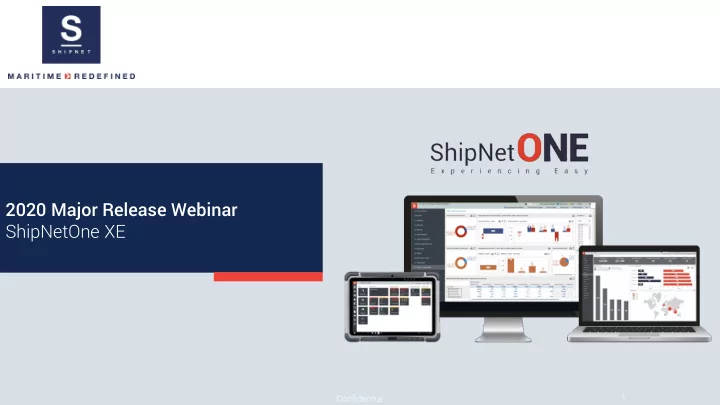
2020 Major Release Webinar ShipNetOne XE
1 Confidential
2020 Major Release Webinar ShipNetOne XE Confidential 1 Agenda 1 - - PowerPoint PPT Presentation
2020 Major Release Webinar ShipNetOne XE Confidential 1 Agenda 1 2020 Major Release Metrics 2 Whats new in the ShipNetOne XE Platform? 3 Whats new in Technical XE and Safety XE? 4 Whats new in Procurement XE? 5 Q&A
1 Confidential
Confidential 2
Tuesday, April 21, 2020
Confidential 3
Tuesday, April 21, 2020
Confidential 4
Tuesday, April 21, 2020
Confidential 5
Tuesday, April 21, 2020
6 Confidential
1 New ShipNet Programs Menu 2 Saving you time when searching for modules to open 3 Automatically saves the most recent 10 applications for you 4 Set your frequently used modules as favorites We have ma made it it fa faster & & easier to get to the mo modules you n need 5 Saves you up to 42% of time in finding and opening modules
Tuesday, April 21, 2020
7 Confidential
1 You can now find additional overview controls for administrators, allowing the ability to impersonate another user’s settings to assist with internal support and configuration checks. We have pro rovided better administra rative controls
Tuesday, April 21, 2020
8 Confidential
1 We have introduced support for Microsoft Edge as the web browser widget which previously was IE 11. 2 We now allow editing of already added widgets to the workspace where previously you could only add. Change nge f from I
ge
Tuesday, April 21, 2020
9 Confidential
1 We have provided a toolset for the generation of ship databases which is now available within ShipNetOne XE As part rt o
f ShipNetOne XE XE
Tuesday, April 21, 2020
10 Confidential
1 Currently holds APIs for Invoice Approval interfaces to 3rd party software. 2 We are in a position to scale-up to Web and Mobile products and any other 3rd party interfaces requiring data from ShipNet. We have imp implemented a fa faster r way fo for y r you to la launch wit ith o
r bra rand new web A API centre
Tuesday, April 21, 2020
11 Confidential
Tuesday, April 21, 2020
1 Now your users can customize all the popup windows/search screens. The customized grid retains column order, width, and window size during any subsequent sessions. 2 This update impacts 40 areas of the detail view sections and popup windows throughout the ShipNetOne Technical XE and Procurement XE Solutions We lo love saving your r customized colu lumn la layouts! S So we have a added mo more…
Confidential 12
Tuesday, April 21, 2020
13 Confidential
SmartFor
ms has n now e expanded on it its fu functionality, ma making it it even sma marter! 1 We have introduced a grid control to better control layout modes set as a table and increase controls over data extraction for reports and dashboards. 2 We now also support the adding of existing excel files as grids into the SmartForm. 3 Additionally, we support conditional statements (IF statements) in the formulae, making it possible to do similar validations as in Excel. 4 We have also added support for other functions such as Min, Max, St, Dev, and Var.
Tuesday, April 21, 2020
14 Confidential
We have pro rovided you b better r contro rol over c calculating ris risk and re reviews 1 We have introduced a switch to control whether calculating a potential risk is possible if existing controls still require setting up. 2 We have also introduced the ability to set the expiry date for risk assessments automatically.
Tuesday, April 21, 2020
15 Confidential
We have ve i imple plement nted d a rede design o ign of the Equipm uipment nt Histor
y Expl plor
to suppor port smart l loadi ding ng 1 The example screenshot on the right presents
years of valuable maintenance data. 2 We now support Smart Loading in this explorer, which will retrieve records sequentially. 3 We intend to extend this design to other relevant modules in the future.
Tuesday, April 21, 2020
16 Confidential
We have added n new c columns to the guid ide ro role le assignments 1 The new columns added include "Last Completed Role" and "Last Completed User" to assist with the creation and assignment of work orders.
Tuesday, April 21, 2020
17 Confidential
We e have implemented a a bet etter way to mark uncont
d copie ies 1 Users can now configure the settings for the watermark. 2 This feature now applies to all printed documents from the system.
Tuesday, April 21, 2020
18 Confidential
The S Solution n now all llows a a quic ick in init itialization of f un-com
issione
d work p procedur dures 1 Included as an option within Work Planning 2 A new tile "Initialize WP(Ship)" has been added under the action menu. This item will be visible and active if the user has enabled the "Show Un-Commissioned Work Procedures" option along with the new switch "Allow to Initialize Work Procedure." 3 Users need to select the site then initialize the parameters such as the date and checkbox "Initialize Next Scheduled Running Hours."
Tuesday, April 21, 2020
19 Confidential
We have ve i imple plement nted d better controls
er U UI Tweak eaks 1 Automatic control resizing. 2 Better mouse control.
Tuesday, April 21, 2020
20 Confidential
We have ve a adde ded A d App s seque uenc nce m mana nage gement nt functiona ionalit litie ies 1 The App sequence functionality has been migrated from ShipNet Fleet Solution. 2 Users can create and set App sequences via the Wizard.
Tuesday, April 21, 2020
21 Confidential
The s solution now s supports b better controls on event type cre reation fro from diff ifferent e explorers 1 Users can limit the types of events created based on pre-configurations of the explorer.
Tuesday, April 21, 2020
22 Confidential
We have ve m made de signif nific icant nt impr prove
nts to t the Data Harmoni moniza zation t ion tool 1 We have added support for the movement
Tuesday, April 21, 2020
23 Confidential
We e have made it ea easier to manage K KPI L Lists 1 The solution supports the Import/Export of KPI's (hierarchical) between ShipNet environments.
Tuesday, April 21, 2020
2 This feature helps in saving time during setup and testing before moving into live environments.
Confidential 24
Tuesday, April 21, 2020
25 Confidential
1 Users now have the option to display both account code and description together. 2 This feature is applicable across the following areas:
Tuesday, April 21, 2020
26 Confidential
1 We now allow the multiple uses of the ledgers in the procurement process.
Tuesday, April 21, 2020
2 The user has two options to use the supplier register for all ledgers or using all the ledgers together. 3 This feature applies to all selections of suppliers, agents,
Solution.
27 Confidential
1 We have introduced unbudgeted limits and validations. 2 We have also introduced unbudgeted cost limits - added to the user maintenance for approval limits.
Tuesday, April 21, 2020
Users now have in increased c controls over u unbudgeted or r budget et e exceed eeded ed s scen enar arios
28 Confidential
1 We have added the following columns for the function code panel:
Tuesday, April 21, 2020
29 Confidential
1 Users can set up external comments as part of the Purchaser remarks on the Excel RFQ sheet sent to the supplier.
Tuesday, April 21, 2020
30 Confidential
1 We have introduced a new procurement settings switch "Allow for dimensions & weight to be zero for WH receipt."
Tuesday, April 21, 2020
31 Confidential
1 We have added a new procurement setting ‘Update of port on PO if port on Outbound TB is altered’
Tuesday, April 21, 2020
2 This setting allows users to update the port information from the Transport Booking to all the linked PO's.
32 Confidential
1 We have added the option to make supplier evaluation mandatory to improve analysis data sets.
Tuesday, April 21, 2020
33 Confidential
1 We have added Port and ETA to the Material Receipts explorer.
Tuesday, April 21, 2020
34 Confidential
1 We have added a new explorer that provides an overview of budget variance.
Tuesday, April 21, 2020
The n new explorer w wil ill have an overview of f budgets, comm mmit itment nts, a and actua uals 2 For customers who are upgrading, they have missed this feature because it was there in the legacy SNAPS 3 For new customers, this is a major enhancement that provides complete budget overviews within ShipNet
35 Confidential
1 Clearing Date and checks based on whether currency rates exist.
Tuesday, April 21, 2020
We have added b better c controls over C Curre rrency Ra Rates 2 We have added an option to use the last available exchange rate. 1 Retrieves function code values for the Invoice Header based on valid combinations pre-populated for the first invoiced order line. We have added p pre re-popula population o ion of function ion codes 1 Calculate due date if Invoice date is changed in Invoice Wizard based on number of days defined in Supplier Ledger. We have ve e enable bled d calc lcula ulations ions of due d dates a autom
icall lly
Confidential 36
Tuesday, April 21, 2020
Confidential 37
Tuesday, April 21, 2020