2.2 Transformations Hao Li http://cs420.hao-li.com 1 OpenGL - - PowerPoint PPT Presentation

2 2 transformations
SMART_READER_LITE
LIVE PREVIEW

2.2 Transformations Hao Li http://cs420.hao-li.com 1 OpenGL - - PowerPoint PPT Presentation

Fall 2017 CSCI 420: Computer Graphics 2.2 Transformations Hao Li http://cs420.hao-li.com 1 OpenGL Transformations Matrices Model-view matrix (4x4 matrix) Projection matrix (4x4 matrix) vertices in canonical 3D world coordinate


slide-1
SLIDE 1

CSCI 420: Computer Graphics

Hao Li

http://cs420.hao-li.com

Fall 2017

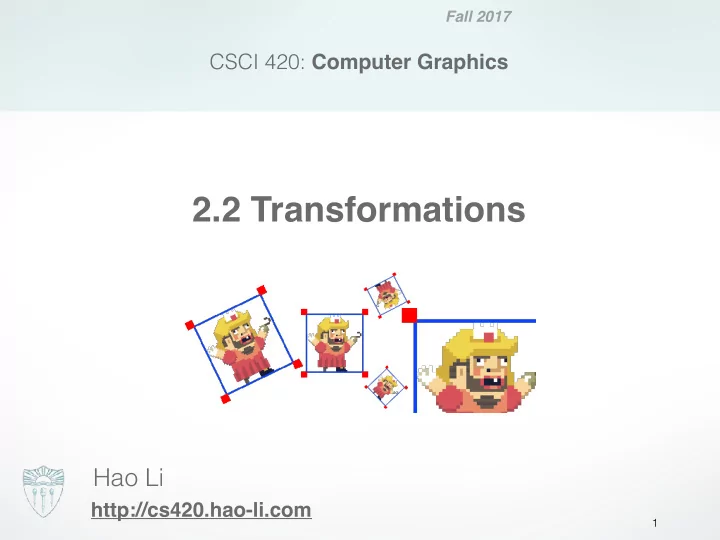
2.2 Transformations

1
slide-2
SLIDE 2

OpenGL Transformations Matrices

Model-view Projection vertices in canonical 
 3D world coordinate 
 system vertices in 3D vertices in 2D

  • Model-view matrix (4x4 matrix)
  • Projection matrix (4x4 matrix)

2

slide-3
SLIDE 3

vertices in 2D vertices in 3D vertices in canonical 
 3D world coordinate 
 system

  • Translate, rotate, scale objects
  • Position the camera

Model-view Projection

4x4 Model-view Matrix (this lecture)

3

slide-4
SLIDE 4

vertices in 2D vertices in 3D vertices in canonical 
 3D world coordinate 
 system

  • Projection from 3D to 2D

Model-view Projection

4x4 Model-view Matrix (next lecture)

4

slide-5
SLIDE 5

Model-view Projection

  • Manipulated separately in OpenGL

(must set matrix mode) : glMatrixMode (GL_MODELVIEW); glMatrixMode (GL_PROJECTION;

OpenGL Transformation Matrices

5

slide-6
SLIDE 6

Setting the Current Model-view Matrix

  • Load or post-multiply

glMatrixMode (GL_MODELVIEW); glLoadIdentity(); // very common usage
 float m[16] = { … }; glLoadMatrixf(m); // rare, advanced glMultMatrixf(m); // rare, advanced

  • Use library functions

glTranslatef(dx, dy, dz); glRotatef(angle, vx, vy, vz); glScalef(sx, sy, sz);

6

slide-7
SLIDE 7

Translated, rotated, scaled object

world

7

slide-8
SLIDE 8

The rendering coordinate system

world Initially (after glLoadIdentity()) :
 rendering coordinate system =
 world coordinate system

8

slide-9
SLIDE 9

The rendering coordinate system

rendering coordinate system glTranslatef(x, y, z); world [x, y ,z]

9

slide-10
SLIDE 10

The rendering coordinate system

rendering coordinate system glRotatef(angle,ax, ay, az); world

10

slide-11
SLIDE 11

The rendering coordinate system

rendering coordinate system glScalef(sx, sy, sz); world

11

slide-12
SLIDE 12

OpenGL code

rendering coordinate system glMatrixMode (GL_MODELVIEW); glLoadIdentity(); glTranslatef(x, y, z); glRotatef(angle, ax, ay, az); glScalef(sx, sy, sz); renderBunny(); world

12

slide-13
SLIDE 13

Rendering more objects

rendering coordinate system world How to obtain this frame?

13

slide-14
SLIDE 14

Solution 1

Find glTranslate(…), glRotatef(…), glScalef(…) world How to obtain this frame?

14

slide-15
SLIDE 15

Solution 2: gl{Push,Pop}Matrix

glMatrixMode (GL_MODELVIEW); glLoadIdentity();
 // render first bunny glPushMatrix(); // store current matrix glTranslate3f(…); glRotatef(…); renderBunny(); glPopMatrix(); // pop matrix
 // render second bunny glPushMatrix(); // store current matrix glTranslate3f(…); glRotatef(…); renderBunny(); glPopMatrix(); // pop matrix

15

slide-16
SLIDE 16

Recall: Linear Algebra

16

slide-17
SLIDE 17

Scalars

  • Scalars , , from a scalar field
  • Operations , , , , ,
  • “Expected” laws apply
  • Examples: rationals or reals with addition and

multiplication

17

α β γ α + β αβ 0 1 −α ()−1

slide-18
SLIDE 18

Vectors

  • Vectors from a vector space
  • Vector addition , subtraction
  • Zero vector
  • Scalar multiplication

18

u, v, w u + v u − v αv

slide-19
SLIDE 19

Euclidean Space

  • Vector space over real numbers
  • Three-dimensional in computer graphics
  • Dot product:
  • ,
  • are orthogonal if
  • defines , the length of

19

α = u>v = u1v1 + u2v2 + u3v3 0>0 = 0 u>v = 0 u, v kvk2 = v>v kvk v

slide-20
SLIDE 20

Lines and Line Segments

  • Parametric form of line:
  • Line segment between and :

for

20

p(α) = p0 + αd q r p(α) = (1 − α)q + αr 0 ≤ α ≤ 1

slide-21
SLIDE 21

Convex Hull

  • Convex hull defined by

for and

21

p = α1p1 + . . . + αnpn α1 + . . . + αn = 1 0 ≤ α1 ≤ 1, i = 1 . . . n

slide-22
SLIDE 22

Projection

  • Dot product projects one vector onto another vector

22

u>v = u1v1 + u2v2 + u3v3 = kukkvk cos(θ) πv(u) = (u>v)v/kvk2

slide-23
SLIDE 23

Cross Product

  • Cross product is


perpendicular to both and

  • Right-hand rule

23

ka ⇥ bk = |a||b|| sin(θ)| a b

slide-24
SLIDE 24

Plane

  • Plane defined by point and

vectors and

  • and should not be parallel
  • Parametric form: 

  • is the normal
  • if and only if lies in plane

24

p0 u v u v t(α, β) = p0 + αu + βv n = u ⇥ v/ku ⇥ vk n>(p − p0) = 0 p

slide-25
SLIDE 25

Coordinate Systems

  • Let be three linearly independent

vectors in a 3-dimensional vector space

  • Can write any vector as

for some scalars

25

v1, v2, v3 w = α1v1 + α2v2 + α3v3 w α1, α2, α3

slide-26
SLIDE 26

Frames

  • Frame = origin + coordinate system
  • Any point

26

p0 p = p0 + α1v1 + α2v2 + α3v3

slide-27
SLIDE 27

In Practice, Frames are Often Orthogonal

27

slide-28
SLIDE 28

Change of Coordinate System

  • Bases { } and { }
  • Express basis vectors in terms of
  • Represent in matrix form:

28

u1, u2, u3 v1, v2, v3 ui vj u1 = γ11v1 + γ12v2 + γ13v3 u2 = γ21v1 + γ22v2 + γ23v3 u3 = γ31v1 + γ32v2 + γ33v3   u>

1

u>

2

u>

3

  = M   v>

1

v>

2

v>

3

  M

slide-29
SLIDE 29

Representing
 3D transformations
 (and model-view matrices)

29

slide-30
SLIDE 30

Linear Transformations

  • 3 x 3 matrices represent linear transformations
  • Can represent rotation, scaling, and reflection
  • Cannot represent translation

30

a = Mb M

slide-31
SLIDE 31

Homogeneous Coordinates

  • In order to represent rotations, scales AND translations
  • Augment by adding a fourth component (1):
  • Homogeneous property:


, for any scalar

31

[α1, α2, α3]> p = [α1, α2, α3, 1]> p = [α1, α2, α3, 1]> = [α1, α2, α3]> 6= 0

slide-32
SLIDE 32

Homogeneous Coordinates

  • Homogeneous coordinates are transformed

by 4x4 matrices world 4-vector 4-vector 4x4 matrix

32

p q q = Ap

slide-33
SLIDE 33

Affine Transformations (4x4 matrices)

  • Translation
  • Rotation
  • Scaling
  • Any composition of the above
  • Later: projective (perspective) transformations
  • Also expressible as 4 x 4 matrices!

33

slide-34
SLIDE 34

Translation

  • where ,
  • ,
  • ,
  • Express in matrix form and solve for

34

q = p + d d = [αx, αy, αz, 0]> p = [x, y, z, 1]> q = [x0, y0, z0, 1]> q = Tp T

slide-35
SLIDE 35

Scaling

  • Express as and solve for

35

x0 = βxx y0 = βyy z0 = βzz q = Sp S

slide-36
SLIDE 36

Rotation in 2 Dimensions

  • Rotation by about the origin
  • Express in matrix form:
  • Note that the determinant is

36

x0 = x cos(θ) − y sin(θ) y0 = x sin(θ) + y cos(θ) θ 1

slide-37
SLIDE 37

Rotation in 3 Dimensions

  • Orthogonal matrices:

  • Affine transformation:

37

RR> = R>R = I det(R) = 1

slide-38
SLIDE 38

Affine Matrices are Composed
 by Matrix Multiplication

  • Applied from right to left
  • When calling glTranslate3f, glRotatef, or glScalef,


OpenGL forms the corresponding 4x4 matrix, 
 and multiplies the current modelview matrix with it.

38

A = A1A2A3 Ap = (A1A2A3)p = A1(A2(A3p))

slide-39
SLIDE 39

Summary

  • OpenGL Transformation Matrices
  • Vector Spaces
  • Frames
  • Homogeneous Coordinates
  • Transformation Matrices

39

slide-40
SLIDE 40

Next Time: Viewing & Projection

40

slide-41
SLIDE 41

http://cs420.hao-li.com

Thanks!

41