10/02/2018 MAV - V1 - February 2018 1 What is MAV - mixed, - - PowerPoint PPT Presentation

10 02 2018 mav v1 february 2018 1 what is mav mixed
SMART_READER_LITE
LIVE PREVIEW

10/02/2018 MAV - V1 - February 2018 1 What is MAV - mixed, - - PowerPoint PPT Presentation

10/02/2018 MAV - V1 - February 2018 1 What is MAV - mixed, augmented and virtual reality. Brief history of virtual and augmented reality. Benefits of mixed reality in education. Some examples of where MAV is being used in


slide-1
SLIDE 1

MAV - V1 - February 2018 1 10/02/2018
slide-2
SLIDE 2
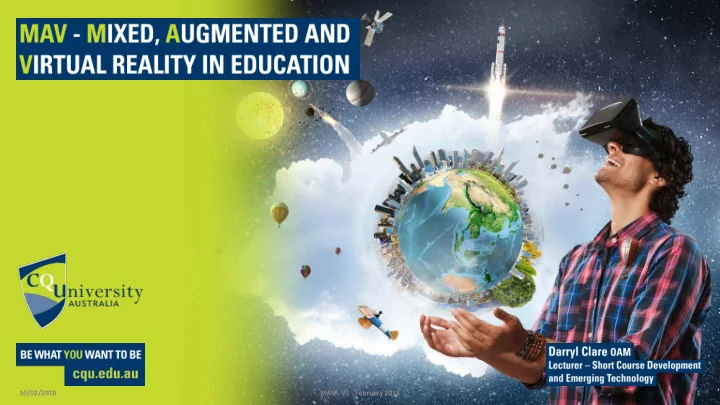
  • What is MAV - mixed, augmented and virtual

reality.

  • Brief history of virtual and augmented reality.
  • Benefits of mixed reality in education.
  • Some examples of where MAV is being used in

CQUniversity.

  • Future directions for MAV in CQUniversity.
  • Some easy ways to implement MAV in the

classroom.

  • Hands on with some virtual and augmented

reality.

MAV - V1 - February 2018 2 10/02/2018

slide-3
SLIDE 3

MAV - mixed, augmented and virtual reality

  • Augmented Reality - direct or indirect view of a physical,

real-world environment whose elements are augmented (or supplemented) by computer-generated sensory input such as sound, video, graphics or GPS data.

  • Virtual Reality - immersive multimedia or computer-

simulated reality, replicates an environment that simulates a physical presence in places in the real world or an imagined world, allowing the user to interact in that world.

  • Mixed Reality - is the merging of real and virtual worlds to

produce new environments and visualizations where physical and digital objects co-exist and interact in real time.

MAV - V1 - February 2018 3 10/02/2018

slide-4
SLIDE 4

10/02/2018 MAV - V1 - February 2018 4

slide-5
SLIDE 5
  • 360 Video – immersive video recordings of a real-world scene, where

the view in every direction is recorded at the same time.

  • During playback the viewer has control of the viewing direction and

can also be used with virtual reality devices; e.g. Google Cardboard.

MAV - V1 - February 2018 5 10/02/2018

slide-6
SLIDE 6
  • Although considered an “emerging technology” the use of virtual and

augmented reality can be traced back as far as 1838.

10/02/2018 MAV - V1 - February 2018 6

slide-7
SLIDE 7
  • 1838 – Stereoscopic photos & viewers
  • In 1838 Charles Wheatstone’s research demonstrated that the brain processes the

different two-dimensional images from each eye into a single object of three

  • dimensions. Viewing two side by side stereoscopic images or photos through a

stereoscope gave the user a sense of depth and immersion.

  • The later development of the popular View-Master stereoscope (patented 1939), was

used for “virtual tourism”.

  • 1838 : The stereoscope (Charles Wheatstone)
  • 1849 : The lenticular stereoscope (David Brewster)
  • 1939 : The View-Master (William Gruber)

10/02/2018 MAV - V1 - February 2018 7

slide-8
SLIDE 8

10/02/2018 MAV - V1 - February 2018 8

1838 : The stereoscope (Charles Wheatstone)

  • The design principles of the Stereoscope is

used today for the popular Google Cardboard and low budget VR head mounted displays for mobile phones.

1939 : The View-Master (William Gruber) 1849 : The lenticular stereoscope (David Brewster) Early stereoscopic photo

slide-9
SLIDE 9

1950s – Morton Heilig’s Sensorama

  • In the mid 1950s cinematographer Morton Heilig developed the Sensorama (patented

1962) which was an arcade-style theatre cabinet that would stimulate all the senses, not just sight and sound. It featured stereo speakers, a stereoscopic 3D display, fans, smell generators and a vibrating chair.

  • The Sensorama was intended to fully immerse the individual in the film. He also created

six short films for his invention all of which he shot, produced and edited himself.

  • The Sensorama films were titled, Motorcycle, Belly Dancer, Dune Buggy, helicopter, A

date with Sabina and I’m a coca cola bottle!

10/02/2018 MAV - V1 - February 2018 9

slide-10
SLIDE 10

10/02/2018 MAV - V1 - February 2018 10

1950s – Morton Heilig’s Sensorama

slide-11
SLIDE 11

1960 – The first VR Head Mounted Display

  • Morton Heilig’s next invention was the Telesphere

Mask (patented 1960) and was the first example

  • f a head-mounted display (HMD), albeit for the

non-interactive film medium without any motion

  • tracking. The headset provided stereoscopic 3D

and wide vision with stereo sound.

10/02/2018 MAV - V1 - February 2018 11

slide-12
SLIDE 12

1961 Headsight – First motion tracking HMD

  • In 1961, the Headsight was developed the first precursor to the

HMD as we know it today – the Headsight. It incorporated a video screen for each eye and a magnetic motion tracking system, which was linked to a closed circuit camera.

  • The Headsight was not actually developed for virtual reality

applications (the term didn’t exist then), but to allow for immersive remote viewing of dangerous situations by the

  • military. Head movements would move a remote camera,

allowing the user to naturally look around the environment.

  • Headsight was the first step in the evolution of the VR head

mounted display but it lacked the integration of computer and image generation.

10/02/2018 MAV - V1 - February 2018 12

slide-13
SLIDE 13

1965 – The Ultimate display by Ivan Sutherland Ivan Sutherland described the “Ultimate Display” concept that could simulate reality to the point where one could not tell the difference from actual reality. His concept included:

  • A virtual world viewed through a HMD and appeared realistic through augmented 3D sound

and tactile feedback.

  • Computer hardware to create the virtual word and maintain it in real time.
  • The ability for users to interact with objects in the virtual world in a realistic way

“The ultimate display would, of course, be a room within which the computer can control the existence of

  • matter. A chair displayed in such a room would be good enough to sit in. Handcuffs displayed in such a room

would be confining, and a bullet displayed in such a room would be fatal. With appropriate programming such a display could literally be the Wonderland into which Alice walked.” – Ivan Sutherland

This paper would become a core blueprint for the concepts that encompass virtual reality today.

10/02/2018 MAV - V1 - February 2018 13

slide-14
SLIDE 14

1968 – Sword of Damocles

  • In 1968 Ivan Sutherland and his student Bob

Sproull created the first VR / AR head mounted display (Sword of Damocles) that was connected to a computer and not a camera.

  • It was a large and scary looking contraption

that was too heavy for any user to comfortably wear and was suspended from the ceiling (hence its name).

  • The user would also need to be strapped into

the device. The computer generated graphics were very primitive wireframe rooms and

  • bjects.

10/02/2018 MAV - V1 - February 2018 14

slide-15
SLIDE 15

1987 – Virtual reality the name was born

  • Even after all of this development in virtual reality, there still wasn’t an all-

encompassing term to describe the field. This all changed in 1987 when Jaron Lanier, founder of the visual programming lab (VPL), coined (or according to some, popularised) the term “virtual reality”. The research area now had a name.

  • Through his company VPL Research, Jaron developed a range of virtual reality gear

including the Dataglove (along with Tom Zimmerman) and the EyePhone head mounted display.

  • They were the first company to sell Virtual Reality goggles (EyePhone 1 $9400;

EyePhone HRX $49,000) and gloves ($9000). A major development in the area of virtual reality haptics.

10/02/2018 MAV - V1 - February 2018 15

slide-16
SLIDE 16
  • 1995 – VFX1 Headgear
  • 2011 – iPhone Virtual Reality Viewer
  • 2013 – Tactical Haptics VR Motion Controller
  • 2014 – Google Cardboard
  • 2015 – Samsung Gear VR
  • 2016 – Oculus Rift
  • 2016 – HTC Vive
  • 2016 – Sony Play Station VR

10/02/2018 MAV - V1 - February 2018 16

slide-17
SLIDE 17
  • Virtual and augmented reality are often associated with

gaming.

  • VR, AR and MVR offer many opportunities in education.

10/02/2018 MAV - V1 - February 2018 17

slide-18
SLIDE 18

Both virtual and augmented reality can support traditional educational methods through:

  • Offering an active rather than passive experience.
  • Delivering an immersive experience without distractions.
  • Increasing students' engagement through engaging interactive material.
  • Providing a hands-on approach that aids with retention.
  • Helping students to understand complex subjects and theories.
  • Giving students the opportunity to experience situations that are “rare

events” that they may not otherwise experience.

10/02/2018 MAV - V1 - February 2018 18

slide-19
SLIDE 19

Both virtual and augmented reality can support traditional educational methods through:

  • Letting students experience hazardous environments in a safe way.
  • Reducing apprehension and embarrassment, which otherwise impede

experimentation in activities like role-playing.

  • Providing a level of visualizations that are not possible in the traditional

classroom.

  • Creating a uniform and equal learning experience between distance and

campus based students.

10/02/2018 MAV - V1 - February 2018 19

slide-20
SLIDE 20

MAV - V1 - February 2018 20 10/02/2018

slide-21
SLIDE 21

10/02/2018 MAV - V1 - February 2018 21

slide-22
SLIDE 22

Augmented Reality in Human Anatomy Atlas 2018 Edition for Apple's iOS 11 creates a transformative learning experience that enables students to visualise gross anatomy and microanatomy as they would in a lab room with cadavers or specimens.

MAV - V1 - February 2018 22 10/02/2018

slide-23
SLIDE 23

10/02/2018 MAV - V1 - February 2018 23

slide-24
SLIDE 24

10/02/2018 MAV - V1 - February 2018 24

Plane Finder AR Sky Guide AR Galileo AR

slide-25
SLIDE 25

10/02/2018 MAV - V1 - February 2018 25

  • The Blippar app lets users look at

real-world objects enhanced with text and digital graphics through their smartphone camera, making real-world images into digital experiences

slide-26
SLIDE 26
  • Microsoft HoloLens is a pair of mixed

reality smart glasses developed and manufactured by Microsoft that create immersive simulations anywhere.

MAV - V1 - February 2018 26 10/02/2018

slide-27
SLIDE 27

10/02/2018 MAV - V1 - February 2018 27

slide-28
SLIDE 28

10/02/2018 MAV - V1 - February 2018 28

slide-29
SLIDE 29

10/02/2018 MAV - V1 - February 2018 29

  • The free Cardboard Camera app lets

you use a smartphone to make 360 images that can be used in a virtual reality viewer like Google Cardboard.

slide-30
SLIDE 30
  • An entry level VR experience that delivers

amazing results.

  • All that is required:
  • An iOS or Android smart phone.
  • Free “FullDive” app from the app store.
  • Hand controllers that can be printed
  • $5 Google Cardboard device
  • The “FullDive” app, turns the phone into a

VR device with access to a wide range of VR content.

slide-31
SLIDE 31
  • CQUniversity has put together a MAV team.
  • Creating a coordinated approach across the University.
  • Scalable AR and VR content from distance students to VR labs.
  • About to commence a Community of Practice.
  • Main priority of MAV in CQUniversity is where it can add to education through

engaging content.

10/02/2018 MAV - V1 - February 2018 31

slide-32
SLIDE 32
  • CQUniversity students have used 3D

printed tools and an augmented reality smartphone app to learn complex paramedic skills.

  • This enables distance students to

practice these skills before attending residential schools.

  • App helps students develop correct

technique through visual and auditory feedback as the procedure is completed.

10/02/2018 MAV - V1 - February 2018 32

slide-33
SLIDE 33

10/02/2018 MAV - V1 - February 2018 33

slide-34
SLIDE 34
  • Science Lab Induction
  • Mass Casualty Scenario
  • Crime Scene Simulation
  • CQUniversity Beauty Salon Induction
  • Tour of Capricornia College
  • 360 Video inside an Ambulance

10/02/2018 MAV - V1 - February 2018 34

slide-35
SLIDE 35

10/02/2018 MAV - V1 - February 2018 35

slide-36
SLIDE 36

10/02/2018 MAV - V1 - February 2018 36

Darryl Clare OAM

au.linkedin.com/in/darrylclare d.clare@cqu.edu.au @das1965