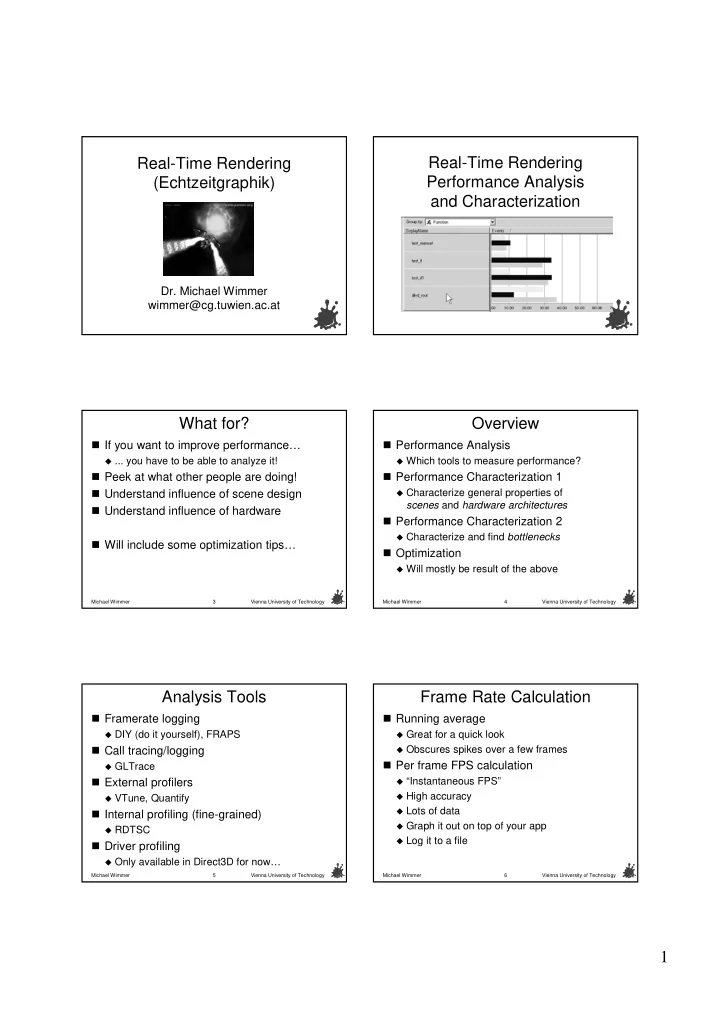
1 Original Frame Rate Original Frame Rate Instantaneous Frame Rate - - PDF document

1
SMART_READER_LITE
LIVE PREVIEW

1 Original Frame Rate Original Frame Rate Instantaneous Frame Rate - - PDF document

Real- -Time Rendering Time Rendering Real- Real -Time Rendering Time Rendering Real Performance Analysis (Echtzeitgraphik ( Echtzeitgraphik) ) Performance Analysis and Characterization and Characterization Dr. Michael Wimmer Dr.


slide-1
SLIDE 1

1

Real Real-

  • Time Rendering

Time Rendering ( (Echtzeitgraphik Echtzeitgraphik) )

  • Dr. Michael Wimmer
  • Dr. Michael Wimmer

wimmer@cg.tuwien.ac.at wimmer@cg.tuwien.ac.at

Real Real-

  • Time Rendering

Time Rendering Performance Analysis Performance Analysis and Characterization and Characterization

Michael Wimmer Vienna University of Technology 3

What for? What for?

  • If you want to improve performance

If you want to improve performance… …

  • ... you have to be able to analyze it!

... you have to be able to analyze it!

  • Peek at what other people are doing!

Peek at what other people are doing!

  • Understand influence of scene design

Understand influence of scene design

  • Understand influence of hardware

Understand influence of hardware

  • Will include some optimization tips

Will include some optimization tips… …

Michael Wimmer Vienna University of Technology 4

Overview Overview

  • Performance Analysis

Performance Analysis

  • Which tools to measure performance?

Which tools to measure performance?

  • Performance Characterization 1

Performance Characterization 1

  • Characterize general properties of

Characterize general properties of scenes scenes and and hardware architectures hardware architectures

  • Performance Characterization 2

Performance Characterization 2

  • Characterize and find

Characterize and find bottlenecks bottlenecks

  • Optimization

Optimization

  • Will mostly be result of the above

Will mostly be result of the above

Michael Wimmer Vienna University of Technology 5

Analysis Tools Analysis Tools

  • Framerate

Framerate logging logging

  • DIY (do it yourself), FRAPS

DIY (do it yourself), FRAPS

  • Call tracing/logging

Call tracing/logging

  • GLTrace

GLTrace

  • External profilers

External profilers

  • VTune

VTune, Quantify , Quantify

  • Internal profiling (fine

Internal profiling (fine-

  • grained)

grained)

  • RDTSC

RDTSC

  • Driver profiling

Driver profiling

  • Only available in Direct3D for now

Only available in Direct3D for now… …

Michael Wimmer Vienna University of Technology 6

Frame Rate Calculation Frame Rate Calculation

  • Running average

Running average

  • Great for a quick look

Great for a quick look

  • Obscures spikes over a few frames

Obscures spikes over a few frames

  • Per frame FPS calculation

Per frame FPS calculation

“Instantaneous FPS Instantaneous FPS” ”

  • High accuracy

High accuracy

  • Lots of data

Lots of data

  • Graph it out on top of your app

Graph it out on top of your app

  • Log it to a file

Log it to a file

slide-2
SLIDE 2

2

Michael Wimmer Vienna University of Technology 7

Original Frame Rate Original Frame Rate

10 20 30 40 50 60 1 n

Frames Frames FPS FPS Average looks pretty good Average looks pretty good

Michael Wimmer Vienna University of Technology 8

Instantaneous Frame Rate Instantaneous Frame Rate

10 20 30 40 50 60 1 n

Frames Frames FPS FPS In reality, a little noisy In reality, a little noisy

Michael Wimmer Vienna University of Technology 9

FRAPS FRAPS

  • Displays frame rate for

Displays frame rate for any any OpenGL app OpenGL app

  • by intercepting calls to opengl32.dll

by intercepting calls to opengl32.dll

  • Average over last few frames

Average over last few frames

  • Has file logging

Has file logging

  • Small

Small performance hit performance hit

  • Good for quick

Good for quick comparisons comparisons

  • www.fraps.com

www.fraps.com

Michael Wimmer Vienna University of Technology 10

GLTrace GLTrace

  • Can log

Can log all all OpenGL calls for any app OpenGL calls for any app

  • Gives call counts

Gives call counts

  • Allows reverse engineering (also of models!)

Allows reverse engineering (also of models!)

  • Cheating

Cheating… … ( (wireframe wireframe) )

  • See VU

See VU-

  • page for

page for link link… …

  • Can use trace for

Can use trace for simulation simulation! ! Application Application GLTrace GLTrace-

  • pengl32.dll
  • pengl32.dll
  • riginal
  • riginal-
  • pengl32.dll
  • pengl32.dll

gltrace.txt gltrace.txt

Michael Wimmer Vienna University of Technology 11

Example Trace (1338 Frames) Example Trace (1338 Frames)

738541 738541 glVertex3fv glVertex3fv 728673 728673 glTexCoord2fv glTexCoord2fv 224682 224682 glColor4fv glColor4fv 206474 206474 glNormal3fv glNormal3fv 201074 201074 glCallList glCallList 180574 180574 glBegin glBegin 180574 180574 glEnd glEnd 168356 168356 glBindTextureEXT glBindTextureEXT 22659 22659 glEnable glEnable 21150 21150 glMaterialfv glMaterialfv 20557 20557 glDisable glDisable 9622 9622 glShadeModel glShadeModel 5706 5706 glPopMatrix glPopMatrix 5706 5706 glPushMatrix glPushMatrix 4216 4216 glBlendFunc glBlendFunc 3478 3478 glMatrixMode glMatrixMode 3164 3164 glLoadIdentity glLoadIdentity 3010 3010 glDepthMask glDepthMask 2546 2546 glAlphaFunc glAlphaFunc 2546 2546 glMultMatrixf glMultMatrixf 2105 2105 glTexEnvf glTexEnvf 1676 1676 glEndList glEndList 1676 1676 glNewList glNewList

1353892 1353892 Fragments Fragments 1024 1024× ×768 768 Image Image 939.0 939.0 Triangles (2D) Triangles (2D) 2535.3 2535.3 Triangles (3D) Triangles (3D) 4326.8 4326.8 Vertices Vertices

Michael Wimmer Vienna University of Technology 12

External Profiling External Profiling – – Sampling Sampling

  • Based on

Based on sampling sampling at regular intervals

  • Example: Intel

Example: Intel VTune VTune

  • Expensive, only Intel processors

Expensive, only Intel processors

  • How much time is spent in

How much time is spent in… …

  • OS

OS

  • Other applications

Other applications

  • Driver (kernel

Driver (kernel-

  • and user

and user-

  • mode)

mode)

  • Application (which function, which line of code)

Application (which function, which line of code)

  • Pros

Pros

  • works with any program, no rebuild necessary

works with any program, no rebuild necessary

  • no slowdowns

no slowdowns

slide-3
SLIDE 3

3

Michael Wimmer Vienna University of Technology 13

VTune VTune

Michael Wimmer Vienna University of Technology 14

External Profiling External Profiling – – Instrumentation Instrumentation

  • Inserts logging directly into code

Inserts logging directly into code

  • Example: Rational Quantify

Example: Rational Quantify

  • Pros

Pros

  • Very accurate

Very accurate

  • True call list and call graph

True call list and call graph

  • Cons

Cons

  • Need to rebuild code

Need to rebuild code

  • Really slows down execution

Really slows down execution

  • So slow, it invalidates all off

So slow, it invalidates all off-

  • CPU interaction

CPU interaction

  • Example: main memory, GPU

Example: main memory, GPU

Michael Wimmer Vienna University of Technology 15

Quantify Quantify

Michael Wimmer Vienna University of Technology 16

Internal Profiling Internal Profiling – – RDTSC RDTSC

  • Current clock cycle counter

Current clock cycle counter

  • Fine

Fine-

  • grained timing (microseconds)

grained timing (microseconds)

  • Calibrate using

Calibrate using GetTickCount GetTickCount() ()

  • Take into account overhead of

Take into account overhead of rdtsc rdtsc itself! itself!

  • Warm up caches (for tight loops)

Warm up caches (for tight loops)

Michael Wimmer Vienna University of Technology 17

Profiling Profiling – – Multitasking effects Multitasking effects

  • Be aware of multitasking! Win2K examples:

Be aware of multitasking! Win2K examples:

  • Clock tick every 10 ms

Clock tick every 10 ms scheduler called scheduler called

  • Thread quantum ~60 ms for foreground apps

Thread quantum ~60 ms for foreground apps

  • > 1000 interrupts per clock tick!

> 1000 interrupts per clock tick!

  • Accuracy

Accuracy not not better than 1 ms for longer runs better than 1 ms for longer runs

  • Consider using higher priority for timing

Consider using higher priority for timing

SetPriorityClass(hProcess SetPriorityClass(hProcess, , REALTIME_PRIORITY_CLASS); REALTIME_PRIORITY_CLASS); SetThreadPriority(hThread SetThreadPriority(hThread, , THREAD_PRIORITY_TIME_CRITICAL); THREAD_PRIORITY_TIME_CRITICAL);

  • Beware thread starvation!

Beware thread starvation!

Michael Wimmer Vienna University of Technology 18

Profiling: Seeing Half the Picture Profiling: Seeing Half the Picture

  • Profiler runs on the CPU

Profiler runs on the CPU

  • GPU is a black box

GPU is a black box

CPU CPU GPU GPU Chipset / Chipset / Memory Controller Memory Controller Main Memory (MM) Main Memory (MM) VMM VMM Application Application

slide-4
SLIDE 4

4

Michael Wimmer Vienna University of Technology 19

  • GPU is a black box

GPU is a black box

  • How to guess hidden bottlenecks?

How to guess hidden bottlenecks?

On-Chip Cache Memory Video Memory System Memory

Rasterization CPU Vertex Shading (T&L) Triangle Setup Fragment Shading and Raster Operations Textures Frame Buffer Geometry Commands

pre-TnL cache post-TnL cache texture cache

On-Chip Cache Memory Video Memory System Memory

Rasterization CPU Vertex Shading (T&L) Triangle Setup Fragment Shading and Raster Operations Textures Frame Buffer Geometry Commands

pre-TnL cache post-TnL cache texture cache

Profiling: Seeing Half the Picture Profiling: Seeing Half the Picture

fragment shader limited raster limited setup limited vertex transform limited texture b/w limited frame buffer b/w limited Michael Wimmer Vienna University of Technology 20

Profiling Graphics Calls Profiling Graphics Calls

  • RDTSC works reasonably for CPU

RDTSC works reasonably for CPU

  • With multitasking caveats

With multitasking caveats

  • Not so for graphics calls (GPU)

Not so for graphics calls (GPU)

  • CPU and GPU run in

CPU and GPU run in parallel parallel

  • Commands are buffered for GPU

Commands are buffered for GPU CPU CPU Command Command Buffer Buffer GPU GPU Command flow Command flow Control flow Control flow

Michael Wimmer Vienna University of Technology 21

Command Buffering Command Buffering

CPU CPU GPU GPU

app app driver driver

SwapBuffers SwapBuffers(); (); glFinish glFinish(); (); (stalls CPU) (stalls CPU)

  • Synchronized rendering

Synchronized rendering

  • Suboptimal utilization of command buffer

Suboptimal utilization of command buffer

Actual Flip! Actual Flip! No GPU work done here! No GPU work done here!

Michael Wimmer Vienna University of Technology 22

Command Buffering Command Buffering

Actual Flip! Actual Flip! CPU CPU GPU GPU

app app driver driver

SwapBuffers SwapBuffers(); (); Work is queued up... Work is queued up... … … GPU: Previous frame GPU: Previous frame … …CPU: Current frame CPU: Current frame… …

  • Asynchronous rendering

Asynchronous rendering

  • Great for load balancing

Great for load balancing

  • Can introduce latency

Can introduce latency

Michael Wimmer Vienna University of Technology 23

Profiling Graphics Calls Profiling Graphics Calls

Case 1: command buffer not full Case 1: command buffer not full

  • RDTSC will measure CPU stuff

RDTSC will measure CPU stuff

  • unpack command and parameters

unpack command and parameters

  • prepare for GPU

prepare for GPU

  • maybe texture transfers

maybe texture transfers

  • maybe vertex transfers (driver decides on

maybe vertex transfers (driver decides on buffering) buffering)

  • queue command

queue command

Michael Wimmer Vienna University of Technology 24

Profiling Graphics Calls Profiling Graphics Calls

Case 2: command buffer full (GPU busy) Case 2: command buffer full (GPU busy)

  • Example: render many large triangles stored

Example: render many large triangles stored in vertex buffer on card in vertex buffer on card

  • RDTSC will measure

RDTSC will measure… …

  • same CPU stuff as before

same CPU stuff as before

  • PLUS additional wait time for GPU

PLUS additional wait time for GPU

  • Conclusion:

Conclusion:

  • Both are useless!

Both are useless!

  • Profiling graphics calls is almost impossible

Profiling graphics calls is almost impossible

  • Use

Use glFinish glFinish() to empty command buffer () to empty command buffer

slide-5
SLIDE 5

5

Michael Wimmer Vienna University of Technology 25

Driver Profiling Driver Profiling

  • NVPerfHud

NVPerfHud (only Direct3D) (only Direct3D)

  • Information about driver internals

Information about driver internals

  • Batch sizes

Batch sizes

  • Wait times

Wait times

  • Bottleneck

Bottleneck identification identification

Michael Wimmer Vienna University of Technology 26

Driver Profiling Driver Profiling

  • FxComposer

FxComposer

  • Internal information about pixel

Internal information about pixel shaders shaders

  • Cycle count

Cycle count

Michael Wimmer Vienna University of Technology 27

Performance Characterization 1 Performance Characterization 1

  • Performance tuning = finding bottlenecks

Performance tuning = finding bottlenecks

  • First, need to understand characteristics of

First, need to understand characteristics of scene (as related to hardware) scene (as related to hardware)

  • Fragment formula

Fragment formula

  • Depth complexity

Depth complexity

  • Design strategies

Design strategies

Michael Wimmer Vienna University of Technology 28

Fragment Formula Fragment Formula

  • Relates geometry and fragment processing

Relates geometry and fragment processing

  • Parameters:

Parameters: F F = number of fragments = number of fragments T T = number of triangles = number of triangles a a = number of fragments per triangle = number of fragments per triangle

T F a =

Michael Wimmer Vienna University of Technology 29

Fragment Formula Fragment Formula – – Meaning Meaning

  • Different meanings for scenes and hardware

Different meanings for scenes and hardware

  • Scenes

Scenes

  • Characterizes triangle distribution in scene

Characterizes triangle distribution in scene

  • a

a = = average average triangle size triangle size

  • Hardware

Hardware

  • Typical SGI performance figure:

Typical SGI performance figure: “ “T T a a-

  • pixel triangles per second

pixel triangles per second” ”

  • a

a = = optimal

  • ptimal triangle size

triangle size

  • F

F, , T T are rates ( are rates (“ “per second per second” ”) )

  • Per

Per-

  • frame and per

frame and per-

  • second related by fps

second related by fps

T F a =

Michael Wimmer Vienna University of Technology 30

Triangle Area Implications Triangle Area Implications

  • Triangle with

Triangle with a a pixels pixels is a balance point is a balance point between: between:

  • Geometry computations per triangle

Geometry computations per triangle

  • Fragment pipeline fill capacity

Fragment pipeline fill capacity

  • Triangles larger than

Triangles larger than a a: :

  • are fill limited (dominated), rate less than

are fill limited (dominated), rate less than T T

  • Triangles smaller than

Triangles smaller than a a: :

  • are geometry limited, rate no faster than

are geometry limited, rate no faster than T T

slide-6
SLIDE 6

6

Michael Wimmer Vienna University of Technology 31

Triangle Area Distribution Triangle Area Distribution

Deering Deering Study Study

  • Scenes: Triangle distribution roughly

Scenes: Triangle distribution roughly exponential towards smaller triangles exponential towards smaller triangles

  • Already for individual objects with LOD

Already for individual objects with LOD

  • Even stronger for whole scenes!

Even stronger for whole scenes!

  • Hardware: historical development

Hardware: historical development

  • For SGI,

For SGI, a a went from ~1000 to ~50 went from ~1000 to ~50

  • For

For NVidia NVidia hardware, hardware, a a was typically 8 was typically 8 (assuming 4 (assuming 4-

  • sample AA)

sample AA)

  • Today: depends on specific vertex/fragment

Today: depends on specific vertex/fragment program complexity! program complexity!

Michael Wimmer Vienna University of Technology 32

Deering Deering Study Study

  • Triangle distribution for architectural scene

Triangle distribution for architectural scene

  • roughly a power function (see log/log plot)

roughly a power function (see log/log plot)

Michael Wimmer Vienna University of Technology 33

Triangle Area Distribution Caveats Triangle Area Distribution Caveats

  • Small

Small and and large triangles in the same scene! large triangles in the same scene!

  • Triangles are geometry/fill limited, not

Triangles are geometry/fill limited, not scenes!!! scenes!!!

  • Even if app is fill limited overall, increasing

Even if app is fill limited overall, increasing geometric detail will slow it down geometric detail will slow it down

  • Even if app is geometry limited overall,

Even if app is geometry limited overall, increasing pixel complexity will slow it down increasing pixel complexity will slow it down

  • Except if triangle areas are roughly equal!

Except if triangle areas are roughly equal!

Michael Wimmer Vienna University of Technology 34

Triangle Area Caveats Triangle Area Caveats

  • Don

Don’ ’t trust vendor t trust vendor-

  • quoted triangle rates

quoted triangle rates

  • Typically only achieved under optimal

Typically only achieved under optimal conditions conditions

  • E.g., large batch sizes (>200 triangles)

E.g., large batch sizes (>200 triangles)

  • However, will see how to get near

However, will see how to get near

Michael Wimmer Vienna University of Technology 35

Depth Complexity Depth Complexity

  • Typical scene characterization figure:

Typical scene characterization figure:

  • Parameters:

Parameters:

  • I = number of image pixels

I = number of image pixels

  • d = depth complexity (or

d = depth complexity (or “ “overdraw

  • verdraw”

”) )

I F d =

Michael Wimmer Vienna University of Technology 36

Depth Complexity Depth Complexity

  • Measure using stencil buffer

Measure using stencil buffer

  • glStencilOp(GL_KEEP

glStencilOp(GL_KEEP, GL_INCR, , GL_INCR, GL_INCR); GL_INCR);

slide-7
SLIDE 7

7

Michael Wimmer Vienna University of Technology 37

Z Z-

  • Buffer Reads and Writes

Buffer Reads and Writes

  • Read

Read-

  • Modify

Modify-

  • Write cycle

Write cycle – – potentially slow potentially slow

  • Expected number of writes?

Expected number of writes?

  • 1 + 1/2 + 1/3 + 1/4 +

1 + 1/2 + 1/3 + 1/4 + … … + 1/d + 1/d

  • Harmonic numbers;

Harmonic numbers; O(log(n O(log(n)) ))

  • Homework assignment (combinatorial problem)

Homework assignment (combinatorial problem) if (f.z < z[f.x][f.y]) { color[f.x][f.y] = blend(f); z[f.x][f.y] = z; }

Michael Wimmer Vienna University of Technology 38

Z Z-

  • Buffer Reads and Writes

Buffer Reads and Writes

  • Important for

Important for fillrate fillrate

  • Read

Read-

  • only is faster than read
  • nly is faster than read-
  • modify

modify-

  • write

write

  • Even more so with

Even more so with “ “Deferred Shading Deferred Shading” ”

  • Pixel shading after z

Pixel shading after z-

  • test

test

  • ATI,

ATI, NVidia NVidia call this call this “ “Early Z Early Z” ” or

  • r “

“Occlusion Test Occlusion Test” ”

  • Different cases for d = 4:

Different cases for d = 4:

  • Best case: 1 overwrite

Best case: 1 overwrite

  • Worst case: 4 (=d) overwrites

Worst case: 4 (=d) overwrites

  • Expected case for random order: 2 overwrites

Expected case for random order: 2 overwrites

  • Sorting by depth is important for new cards!

Sorting by depth is important for new cards!

Michael Wimmer Vienna University of Technology 39

Design Space Design Space

  • Triangle area vs. depth complexity

Triangle area vs. depth complexity

  • Parameters:

Parameters:

  • T = Number of triangles

T = Number of triangles

  • a = Average area of a triangle

a = Average area of a triangle

  • F = Number of fragments

F = Number of fragments

  • I = Image size

I = Image size

  • d = Depth complexity

d = Depth complexity

dI aT F = =

I F d =

T F a =

Michael Wimmer Vienna University of Technology 40

Designing an 80 Million Triangle Scene Designing an 80 Million Triangle Scene

  • Assume movie quality image

Assume movie quality image

  • I = 4K by 2.5K = 10 MP

I = 4K by 2.5K = 10 MP

  • F = d I = 4 x 10 MP = 40 MF

F = d I = 4 x 10 MP = 40 MF

  • Assume maximum geometric detail

Assume maximum geometric detail

  • a = 0.5 F/T (

a = 0.5 F/T (Nyquist Nyquist limit) limit)

  • T = 40 MF / 0.5 = 80 MT

T = 40 MF / 0.5 = 80 MT

  • Scaling up to 60 Hz:

Scaling up to 60 Hz:

  • 60 I/s * 80 MT/I =

60 I/s * 80 MT/I = 4.8 Billion triangles/s 4.8 Billion triangles/s

  • 60 I/s * 40 MF/I =

60 I/s * 40 MF/I = 2.4 Billion fragments/s 2.4 Billion fragments/s

  • Not quite there yet

Not quite there yet… …

Michael Wimmer Vienna University of Technology 41

Design Strategies Design Strategies

  • Previous example assumes:

Previous example assumes:

  • Culling limits d to 4 (visibility, occlusion)

Culling limits d to 4 (visibility, occlusion)

  • Level of detail removes really small triangles

Level of detail removes really small triangles

  • More realistic scene design:

More realistic scene design:

  • Do Culling and LOD

Do Culling and LOD

  • Hardware determines average triangle area!

Hardware determines average triangle area!

  • Very difficult to achieve peak triangle and fill

Very difficult to achieve peak triangle and fill rate simultaneously! rate simultaneously!

Michael Wimmer Vienna University of Technology 42

Performance Characterization 2 Performance Characterization 2

  • Performance tuning = finding bottlenecks

Performance tuning = finding bottlenecks

  • (for pipelined architectures)

(for pipelined architectures)

  • Need to understand characteristics of

Need to understand characteristics of rendering pipeline rendering pipeline

  • Bottlenecks

Bottlenecks

  • Bottleneck identification

Bottleneck identification

slide-8
SLIDE 8

8

Michael Wimmer Vienna University of Technology 43

What Is a Bottleneck? What Is a Bottleneck?

  • Recall: rendering pipeline

Recall: rendering pipeline

  • As fast as slowest unit

As fast as slowest unit bottleneck! bottleneck!

  • Example: total throughput is only

Example: total throughput is only 5 million vertices/s! 5 million vertices/s! 10 10 MVert/s MVert/s 5MVert/s 5MVert/s 12MVert/s 12MVert/s

  • Geometry stage is bottleneck!

Geometry stage is bottleneck! Application Application Geometry Geometry Rasterization Rasterization

Michael Wimmer Vienna University of Technology 44

Locating and Eliminating Bottlenecks Locating and Eliminating Bottlenecks

  • Location: For each stage

Location: For each stage

  • Vary workload (or remove)

Vary workload (or remove)

  • Measure performance impact

Measure performance impact

  • Clock down

Clock down

  • Measure performance impact

Measure performance impact

  • Elimination:

Elimination:

  • Decrease workload of bottleneck:

Decrease workload of bottleneck:

  • Increase workload of

Increase workload of non non-

  • bottleneck stages:

bottleneck stages:

workload workload workload

Michael Wimmer Vienna University of Technology 45

Common Bottlenecks Common Bottlenecks

A graphical application can be (one or all of) A graphical application can be (one or all of)

  • Application

Application-

  • limited

limited

  • Almost all applications

Almost all applications

  • AI, collision detection, vertex copies,

AI, collision detection, vertex copies, … …

  • Fill

Fill-

  • (

(Rasterization Rasterization-

  • )limited

)limited

  • Today

Today’ ’s games in high resolutions s games in high resolutions

  • Geometry

Geometry-

  • (Transformation

(Transformation-

  • )limited

)limited

  • Typical for scientific applications: polygons used

Typical for scientific applications: polygons used “ “as is as is” ” or generated automatically

  • r generated automatically

Michael Wimmer Vienna University of Technology 46

Bottleneck Analysis Bottleneck Analysis

  • Iterative optimization process

Iterative optimization process

  • New bottlenecks appear when removing old

New bottlenecks appear when removing old

  • nes
  • nes
  • Don

Don’ ’t trust performance increase: 20% increase t trust performance increase: 20% increase here could include 10% decrease elsewhere here could include 10% decrease elsewhere

  • Remember: bottlenecks shift

Remember: bottlenecks shift

  • Can be both geometry and fill limited in the

Can be both geometry and fill limited in the same frame same frame

  • Need to do bottleneck analysis for different parts

Need to do bottleneck analysis for different parts

  • f scene (scene decomposition)
  • f scene (scene decomposition)

Michael Wimmer Vienna University of Technology 47

A Glimpse at PC Architecture A Glimpse at PC Architecture

  • API calls write to buffers

API calls write to buffers (commands and data) (commands and data)

  • Buffers pulled by DMA from GPU

Buffers pulled by DMA from GPU

  • Vertex data in indexed arrays

Vertex data in indexed arrays

  • AGP or video memory

AGP or video memory

  • Efficient pull of data

Efficient pull of data

  • Post

Post-

  • TnL

TnL vertex cache eliminates redundant vertex cache eliminates redundant vertex transfers and transforms vertex transfers and transforms

  • Conclusion: include memory transfers in

Conclusion: include memory transfers in bottleneck considerations! bottleneck considerations!

Michael Wimmer Vienna University of Technology 48

A Glimpse at PC Architecture A Glimpse at PC Architecture

On-Chip Cache Memory Video Memory System Memory

Rasterization CPU Vertex Shading (T&L) Triangle Setup Fragment Shading and Raster Operations Textures Frame Buffer Geometry Commands

pre-TnL cache post-TnL cache texture cache

slide-9
SLIDE 9

9

Michael Wimmer Vienna University of Technology 49

Potential Bottlenecks Potential Bottlenecks

On-Chip Cache Memory Video Memory System Memory

Rasterization CPU Vertex Shading (T&L) Triangle Setup Fragment Shading and Raster Operations Textures Frame Buffer Geometry Commands

pre-TnL cache post-TnL cache texture cache

vertex transform limited fragment shader limited CPU limited texture b/w limited frame buffer b/w limited setup limited raster limited AGP transfer limited

Michael Wimmer Vienna University of Technology 50

Bottleneck Identification Bottleneck Identification

Run App Vary FB b/w FPS varies? FB b/w limited Vary texture size/filtering FPS varies? Vary resolution FPS varies? Texture b/w limited Vary fragment instructions FPS varies? Vary vertex instructions FPS varies? Vertex transform limited Vary vertex size/ AGP rate FPS varies? AGP transfer limited Fragment limited Raster limited CPU limited

Yes No No No No No No Yes Yes Yes Yes Yes

Michael Wimmer Vienna University of Technology 51

Frame Buffer B/W Limited Frame Buffer B/W Limited

  • Vary all render target color depths (16

Vary all render target color depths (16-

  • bit vs.

bit vs. 32 32-

  • bit)

bit)

  • If frame rate varies, application is frame buffer

If frame rate varies, application is frame buffer b/w limited b/w limited

On-Chip Cache Memory Video Memory System Memory Rasterization CPU Vertex Shading (T&L) Triangle Setup Fragment Shading and Raster Operations Textures Frame Buffer Geometry Commands

pre- TnL cache post-TnL cache texture cache

Michael Wimmer Vienna University of Technology 52

Texture B/W Limited Texture B/W Limited

  • Otherwise, vary texture sizes or texture

Otherwise, vary texture sizes or texture filtering filtering

  • Force MIPMAP LOD Bias to +10

Force MIPMAP LOD Bias to +10

  • Point filtering versus bilinear versus tri

Point filtering versus bilinear versus tri-

  • linear

linear

  • If frame rate varies, application is texture b/w

If frame rate varies, application is texture b/w limited limited

On-Chip Cache Memory Video Memory System Memory Rasterization CPU Vertex Shading (T&L) Triangle Setup Fragment Shading and Raster Operations Textures Frame Buffer Geometry Commands

pre- TnL cache post-TnL cache texture cache

Michael Wimmer Vienna University of Technology 53

Fragment or Raster Limited Fragment or Raster Limited

  • Otherwise, vary all render target resolutions

Otherwise, vary all render target resolutions

  • If frame rate varies, vary number of instructions

If frame rate varies, vary number of instructions

  • f your fragment programs (for newer HW)
  • f your fragment programs (for newer HW)
  • If frame rate varies, application is fragment

If frame rate varies, application is fragment shader shader limited limited

  • Otherwise, application is raster limited

Otherwise, application is raster limited

On-Chip Cache Memory Video Memory System Memory Rasterization CPU Vertex Shading (T&L) Triangle Setup Fragment Shading and Raster Operations Textures Frame Buffer Geometry Commands

pre- TnL cache post-TnL cache texture cache

Michael Wimmer Vienna University of Technology 54

Vertex Transform Limited Vertex Transform Limited

  • Otherwise, vary the number of instructions

Otherwise, vary the number of instructions

  • f your vertex programs (turn on/off lighting,
  • f your vertex programs (turn on/off lighting,

texture transform for fixed function) texture transform for fixed function)

  • If frame rate varies, application is vertex

If frame rate varies, application is vertex transform limited transform limited

On-Chip Cache Memory Video Memory System Memory Rasterization CPU Vertex Shading (T&L) Triangle Setup Fragment Shading and Raster Operations Textures Frame Buffer Geometry Commands

pre- TnL cache post-TnL cache texture cache

slide-10
SLIDE 10

10

Michael Wimmer Vienna University of Technology 55

AGP Transfer Limited AGP Transfer Limited

  • Otherwise, vary vertex format size or AGP

Otherwise, vary vertex format size or AGP transfer rate (for geometry in AGP memory) transfer rate (for geometry in AGP memory)

  • If frame rate varies, application is AGP transfer

If frame rate varies, application is AGP transfer limited limited

On-Chip Cache Memory Video Memory System Memory Rasterization CPU Vertex Shading (T&L) Triangle Setup Fragment Shading and Raster Operations Textures Frame Buffer Geometry Commands

pre- TnL cache post-TnL cache texture cache

Michael Wimmer Vienna University of Technology 56

CPU Limited CPU Limited

  • Otherwise, application is CPU limited

Otherwise, application is CPU limited

  • Replace all OpenGL calls with dummy calls

Replace all OpenGL calls with dummy calls

  • If frame rate varies, app is driver limited

If frame rate varies, app is driver limited

  • Otherwise, app is application limited

Otherwise, app is application limited

On-Chip Cache Memory Video Memory System Memory Rasterization CPU Vertex Shading (T&L) Triangle Setup Fragment Shading and Raster Operations Textures Frame Buffer Geometry Commands

pre- TnL cache post-TnL cache texture cache

Michael Wimmer Vienna University of Technology 57

Bottleneck Identification Bottleneck Identification

  • NULL 3D caveat

NULL 3D caveat:

:

  • Speedup may also come from missing

Speedup may also come from missing parallelism parallelism

  • Testing parallelism

Testing parallelism

  • Null 3D

Null 3D

  • Absolute

Absolute best best case case

  • Serialization

Serialization

  • Insert

Insert glFinish glFinish() at several points () at several points

  • No more parallel execution

No more parallel execution

  • Absolute

Absolute worst worst case case

Michael Wimmer Vienna University of Technology 58

Bottleneck Identification Shortcuts Bottleneck Identification Shortcuts

  • Run identical

Run identical GPUs GPUs on different speed

  • n different speed

CPUs CPUs

  • If frame rate varies, application is CPU limited

If frame rate varies, application is CPU limited

  • Under

Underclock clock your GPU your GPU

  • If slower core clock affects performance,

If slower core clock affects performance, application is vertex application is vertex-

  • transform, raster, or

transform, raster, or fragment fragment-

  • shader

shader limited limited

  • If slower memory clock affects performance,

If slower memory clock affects performance, application is texture or frame application is texture or frame-

  • buffer b/w limited

buffer b/w limited

Michael Wimmer Vienna University of Technology 59

Optimization Optimization

  • Always after bottleneck analysis

Always after bottleneck analysis

  • Eliminate bottlenecks by

Eliminate bottlenecks by

  • Making more efficient use of resources

Making more efficient use of resources

  • Untapped GPU capabilities

Untapped GPU capabilities

  • Optimized memory transfers

Optimized memory transfers

  • Changing scene properties

Changing scene properties

  • Will look at some optimization tricks for

Will look at some optimization tricks for modern modern GPUs GPUs

Michael Wimmer Vienna University of Technology 60

Use Efficient API Calls Use Efficient API Calls

  • Don

Don’ ’t: t:

  • glBegin()/glEnd

glBegin()/glEnd() for geometry () for geometry

  • Simple vertex arrays

Simple vertex arrays

  • glTexImage2D() for each frame

glTexImage2D() for each frame

  • Do:

Do:

  • Vertex buffer objects (recent ARB extension)

Vertex buffer objects (recent ARB extension)

  • Allows storing geometry in AGP/Video

Allows storing geometry in AGP/Video mem mem

  • Index buffers

Index buffers

  • Drawing a complex object: only a single call!

Drawing a complex object: only a single call!

  • Texture objects

Texture objects

slide-11
SLIDE 11

11

Michael Wimmer Vienna University of Technology 61

Batching Batching

  • GPUs

GPUs require large batches require large batches

  • Large driver overhead for each vertex buffer/array!

Large driver overhead for each vertex buffer/array!

  • ~50k

~50k glDrawTriangles/DrawIndexedPrimitive glDrawTriangles/DrawIndexedPrimitive calls/s COMPLETELY saturate 1.5GHz Pentium 4 calls/s COMPLETELY saturate 1.5GHz Pentium 4

  • At 50fps this means 1k buffers/frame!

At 50fps this means 1k buffers/frame!

  • Use thousands of vertices per vertex buffer/array

Use thousands of vertices per vertex buffer/array

  • Use thousands of triangles per call as possible

Use thousands of triangles per call as possible

  • Use degenerate triangles to join strips together

Use degenerate triangles to join strips together

  • Or:

Or: NV_restart_primitive NV_restart_primitive extensions (send extensions (send -

  • 1 for new

1 for new strip) strip)

  • Or don

Or don’ ’t use strip, but vertex cache t use strip, but vertex cache

Michael Wimmer Vienna University of Technology 62

Indexing, Sorting Indexing, Sorting

  • Use indexed primitives (strips or lists)

Use indexed primitives (strips or lists)

  • Only way to use the pre

Only way to use the pre-

  • and post

and post-

  • TnL

TnL cache! cache!

  • Not useful in some cases (leaves of a tree)

Not useful in some cases (leaves of a tree)

  • Re

Re-

  • order vertices to be sequential in use
  • rder vertices to be sequential in use
  • To maximize pre

To maximize pre-

  • TnL

TnL cache usage! cache usage!

  • (Approximately) sort front to back

(Approximately) sort front to back

  • Exploits early occlusion tests

Exploits early occlusion tests

  • Sort per texture,

Sort per texture, shader shader and render state and render state

  • Avoid pipeline stalls (

Avoid pipeline stalls (glReadPixels glReadPixels, , … …) )

  • Exploit parallelism!

Exploit parallelism!

Michael Wimmer Vienna University of Technology 63

CPU Bottlenecks CPU Bottlenecks

  • Application limited

Application limited

  • AI, collision detection, network, file I/O

AI, collision detection, network, file I/O

  • Graphics should be negligible!

Graphics should be negligible!

  • Use brute

Use brute-

  • force GPU algorithms

force GPU algorithms

  • Avoid smart algorithms to reduce load

Avoid smart algorithms to reduce load

  • Driver/API limited

Driver/API limited

  • Too many OpenGL calls

Too many OpenGL calls

  • Unoptimized

Unoptimized driver paths (no driver paths (no “ “fast path fast path” ”) )

  • Small batches

Small batches

  • Driver should spend most time idling (

Driver should spend most time idling (VTune VTune) )

Michael Wimmer Vienna University of Technology 64

AGP Transfer Bottlenecks AGP Transfer Bottlenecks

  • Unlikely

Unlikely… …

  • Use 16 bit indices

Use 16 bit indices

  • Eliminate unused vertex attributes (e.g.,

Eliminate unused vertex attributes (e.g., color when color when normals normals are specified) are specified)

  • Eliminate dynamic vertices

Eliminate dynamic vertices

  • Use vertex

Use vertex shaders shaders for animation instead! for animation instead!

  • Use the right API calls (VBO = vertex buffer

Use the right API calls (VBO = vertex buffer

  • bject)
  • bject)
  • Prefer static (write once) buffers)

Prefer static (write once) buffers)

  • Vertex size should be multiples of 32 bytes

Vertex size should be multiples of 32 bytes

Michael Wimmer Vienna University of Technology 65

Vertex Transform Bottleneck Vertex Transform Bottleneck

  • Unlikely (usually, bottleneck is before!)

Unlikely (usually, bottleneck is before!)

  • Eliminate expensive lights

Eliminate expensive lights

  • Reorder vertices for cache, use

Reorder vertices for cache, use NVTriStrip NVTriStrip

Michael Wimmer Vienna University of Technology 66

Fragment Bottleneck Fragment Bottleneck

  • Fragment

Fragment shader shader too long too long

  • Move per

Move per-

  • fragment to per

fragment to per-

  • vertex

vertex

  • Use rough front

Use rough front-

  • to

to-

  • back order

back order

  • Or even a z

Or even a z-

  • only pass
  • nly pass
slide-12
SLIDE 12

12

Michael Wimmer Vienna University of Technology 67

Texture Bottlenecks Texture Bottlenecks

  • Use texture compression and 16

Use texture compression and 16-

  • bit maps

bit maps

  • Use

Use mipmaps mipmaps (help cache locality) (help cache locality)

  • Beware dependent texture lookups

Beware dependent texture lookups

  • Anisotropic/

Anisotropic/trilinear trilinear filtering is slower filtering is slower

Michael Wimmer Vienna University of Technology 68

Hardware Fast Paths Hardware Fast Paths

  • Fast buffer clears

Fast buffer clears

  • But: need to clear stencil and depth at the same

But: need to clear stencil and depth at the same time, or turn off stencil time, or turn off stencil

  • Lots of other issues

Lots of other issues

Michael Wimmer Vienna University of Technology 69

High High-

  • Level Optimizations

Level Optimizations

  • Visibility culling

Visibility culling

  • Don

Don’ ’t draw what you don t draw what you don’ ’t see t see

  • Levels of detail

Levels of detail

  • Draw only as complex as necessary

Draw only as complex as necessary

  • Image

Image-

  • based rendering

based rendering

  • Replace geometry with images

Replace geometry with images