1 Virus Pseudocode Virus A Trojan Horse? Some say YES: Purpose of - - PDF document

1
SMART_READER_LITE
LIVE PREVIEW

1 Virus Pseudocode Virus A Trojan Horse? Some say YES: Purpose of - - PDF document

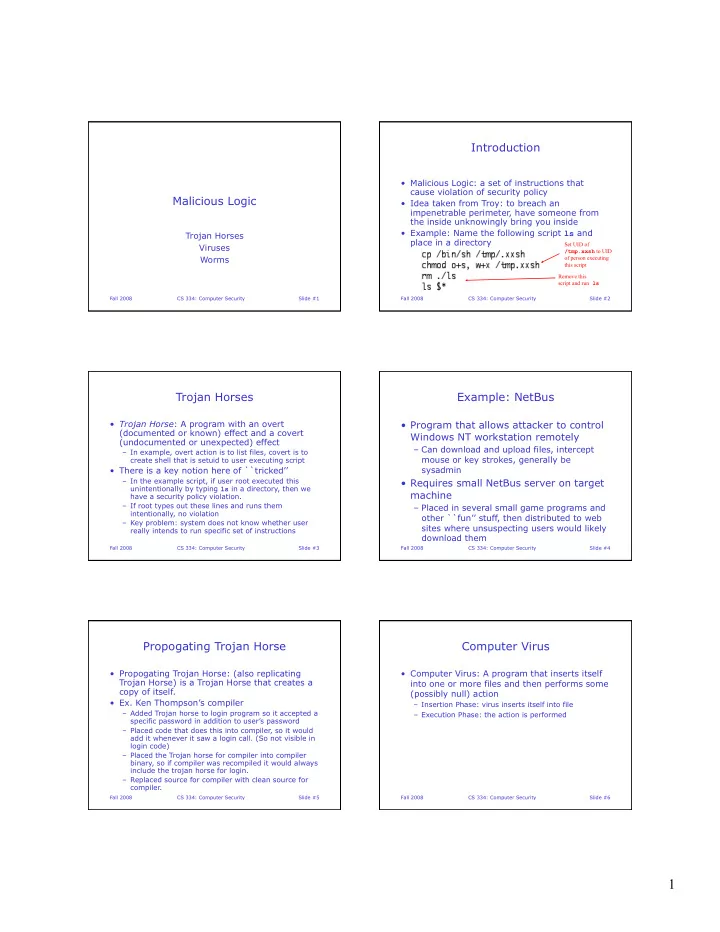
Introduction Malicious Logic: a set of instructions that cause violation of security policy Malicious Logic Idea taken from Troy: to breach an impenetrable perimeter, have someone from the inside unknowingly bring you inside Example:


slide-1
SLIDE 1

1

Fall 2008 CS 334: Computer Security Slide #1

Malicious Logic

Trojan Horses Viruses Worms

Fall 2008 CS 334: Computer Security Slide #2

Introduction

  • Malicious Logic: a set of instructions that

cause violation of security policy

  • Idea taken from Troy: to breach an

impenetrable perimeter, have someone from the inside unknowingly bring you inside

  • Example: Name the following script ls and

place in a directory

Set UID of /tmp.xxsh to UID

  • f person executing

this script Remove this script and run ls

Fall 2008 CS 334: Computer Security Slide #3

Trojan Horses

  • Trojan Horse: A program with an overt

(documented or known) effect and a covert (undocumented or unexpected) effect

– In example, overt action is to list files, covert is to create shell that is setuid to user executing script

  • There is a key notion here of ``tricked’’

– In the example script, if user root executed this unintentionally by typing ls in a directory, then we have a security policy violation. – If root types out these lines and runs them intentionally, no violation – Key problem: system does not know whether user really intends to run specific set of instructions

Fall 2008 CS 334: Computer Security Slide #4

Example: NetBus

  • Program that allows attacker to control

Windows NT workstation remotely

– Can download and upload files, intercept mouse or key strokes, generally be sysadmin

  • Requires small NetBus server on target

machine

– Placed in several small game programs and

  • ther ``fun’’ stuff, then distributed to web

sites where unsuspecting users would likely download them

Fall 2008 CS 334: Computer Security Slide #5

Propogating Trojan Horse

  • Propogating Trojan Horse: (also replicating

Trojan Horse) is a Trojan Horse that creates a copy of itself.

  • Ex. Ken Thompson’s compiler

– Added Trojan horse to login program so it accepted a specific password in addition to user’s password – Placed code that does this into compiler, so it would add it whenever it saw a login call. (So not visible in login code) – Placed the Trojan horse for compiler into compiler binary, so if compiler was recompiled it would always include the trojan horse for login. – Replaced source for compiler with clean source for compiler.

Fall 2008 CS 334: Computer Security Slide #6

Computer Virus

  • Computer Virus: A program that inserts itself

into one or more files and then performs some (possibly null) action

– Insertion Phase: virus inserts itself into file – Execution Phase: the action is performed

slide-2
SLIDE 2

2

Fall 2008 CS 334: Computer Security Slide #7

Virus Pseudocode

Fall 2008 CS 334: Computer Security Slide #8

Virus A Trojan Horse?

  • Some say YES: Purpose of infected program is
  • vert action, injections and execution phase is

the covert action

  • Some say NO: Virus has no covert purpose.

Its overt purpose is to infect and execute.

  • Who cares. Bottom line is that defenses

against Trojan horses inhibit viruses.

Fall 2008 CS 334: Computer Security Slide #9

Some History

  • 1983: Fred Cohen (at time grad student at

USC) designed virus to acquire privileges on VAX-11/750 running Unix.

– Obtained all system rights within half hour on average – Because virus didn’t degrade response time, most users never knew system under attack

  • 1984: Experiment on UNIVAC 1108 showed

virus could infect that system

– UNIVAC partially implemented Bell-LaPadula Model, using mandatory protection mechanisms – Showed that if a system does not prohibit writing using mandatory access controls, then system does little, if anything, to prohibit virus propagation

Fall 2008 CS 334: Computer Security Slide #10

More History

  • 1986-87: Brain (Pakistani) virus infects

IBM PCs

– Alters boot sectors of floppy disks, possibly corrupting files. – Spreads to any uninfected floppy inserted into system. – Numerous variations have been reported

  • 1987: MacMag Peace virus

– Infect Mac, Amiga, among others – Prints ``universal message of peace’’ on March 2, 198, then deletes itself. – Infected copies of Aldus FreeHand program, which were subsequently recalled by manufacturer

Fall 2008 CS 334: Computer Security Slide #11

Still More History

  • 1987: Tom Duff experiments on Unix

with small virus that copies itself into executable files.

– Not virulent, but when placed in 48 programs on heavily used machine, spread to 46 different systems and 466 files in 8 days. – Duff did not violate security mechanism by seeding files – Wrote another virus in Bourne shell script. It could attach itself to any Unix program – Demonstrated that viruses are not intrinsically machine-dependent and can spread to systems of varying architectures

Fall 2008 CS 334: Computer Security Slide #12

Ok, Even More History

  • 1989: Harold Highland develops Lotus 1-2-3

virus

– Virus stored as set of commands for spreadsheet – Loads automatically when file opened – Was for demo only, so it changed the value in specific row and column then spread to other files. – Demonstrated that macros for office programs on PCs could contain viruses.

slide-3
SLIDE 3

3

Fall 2008 CS 334: Computer Security Slide #13

Virus Types

  • Boot Sector Infectors
  • Executable Infectors
  • Multipartite Viruses
  • TSR Viruses
  • Stealth Viruses
  • Encrypted Viruses
  • Polymorphic Viruses
  • Macro Viruses

Fall 2008 CS 334: Computer Security Slide #14

Boot Sector Viruses

  • Boot sector is the part of a disk used to

bootstrap the system or mount a disk

– Code in boot sector is executed when system sees disk for first time

  • Boot sector virus is one that inserts itself into

the boot sector of a disk

– When system or disk boots, virus is executed – Original boot sector code is moved

Fall 2008 CS 334: Computer Security Slide #15

Example: Brain Virus

  • When system boots from infected disk, virus is

in boot sector and is loaded.

  • Moves disk interrupt vector (location 0x13) to

location 0x6d and sets disk interrupt location to invoke Brain virus.

  • Brain virus then loads original boot sector and

continues the boot

  • When user reads another floppy, interrupt at

0x13 is invoked, calling Brain virus

– If value 0x1234 in word at location 0x4 of new disk, boot continues normally. If not, disk is infected – Infection sometimes overwrite some sectors, thus the sometimes destructive nature of the Brain virus

Fall 2008 CS 334: Computer Security Slide #16

Executable Infectors

  • Executable infector: virus that infects

executable programs

– On PC these are COM or EXE viruses because of the file types they infect

  • Viruses prepends or appends itself to

executable

Fall 2008 CS 334: Computer Security Slide #17

Example: Jerusalem Virus

  • Triggered when infected program is

executed

  • Virus puts value 0x0e0 into ax register

and invokes DOS service interrupt (0x21)

  • If on return the high eight bits of ax

contain 0x3, virus is already on system and original program is invoked

  • If not, virus sets itself up to respond to

traps to DOS service interrupt vector

Fall 2008 CS 334: Computer Security Slide #18

Example: Jerusalem Virus

  • Virus checks date

– if a Friday the 13th and year is not 1987, virus sets flag in memory to delete files instead of infecting them

  • In memory, virus checks all calls to DOS

service interrupt, looking for files to be executed (service call 0x4b00)

– Virus checks file name, and deletes file if destruct bit set (except for COMMAND.COM file) – Virus checks last five bytes of file.

  • If string MsDos, file is infected
  • If not, virus checks whether name of file ends in E
  • r M, in which case virus infects it (assuming its a

COM or EXE file)

slide-4
SLIDE 4

4

Fall 2008 CS 334: Computer Security Slide #19

Multipartite Viruses

  • Virus that can infect either boot sectors or

applications

  • Virus typically has two parts, one for each
  • type. Appropriate part is invoked depending
  • n circumstances

Fall 2008 CS 334: Computer Security Slide #20

TSR Viruses

  • Terminate and Stay Resident (TSR)

virus is one that stays active (resident) in memory after application (or bootstrapping or disk mounting) has terminated.

  • Can be boot sector or executable

infectors

– Brain and Jerusalem are both TSR viruses

  • Non TSR viruses execute only when

host application is executed (or infected disk mounted, etc)

Fall 2008 CS 334: Computer Security Slide #21

Stealth Viruses

  • Stealth viruses are those that conceal the

infection of files

  • Intercept calls to the OS that access files

– If call is for file attributes, original (uninfected) file attributes returned – If call is to read file, uninfected version is returned – If call is to execute file, infected file is executed

Fall 2008 CS 334: Computer Security Slide #22

Example: The Stealth Virus

  • Also called IDF virus or 4096 virus
  • Modifies DOS service interrupt handler

– Not interrupt vector. This way inspection of interrupt vectors does not reveal presence

  • f virus
  • If call is for length of file, length of

uninfected file returned

  • If request to open file, file is

temporarily disinfected, then reinfected when file is closed

  • Changes last modification time for file

to indicate the file is not infected

Fall 2008 CS 334: Computer Security Slide #23

Encrypted Viruses

  • Virus that enciphers all of the virus code

except for a small decryption routine

  • Anti-virus software looks for known sequences
  • f code
  • To fight this, some viruses encipher most of

code, leaving only small decryption routine and random cryptographic key in clear

Fall 2008 CS 334: Computer Security Slide #24

Example: 1260 Virus

  • Uses two keys stored in k1 and k2
  • Virus code begins at location sov and ends at

location eov

  • Dual keys and shifting of first key prevent

simple xor from uncovering deciphered virus

slide-5
SLIDE 5

5

Fall 2008 CS 334: Computer Security Slide #25

Polymorphic Viruses

  • A virus that changes its form each time it

inserts itself into another program

  • Considered an encrypted virus
  • With straight encrypted virus, decryption

portion can be detected!

  • Polymorphic viruses designed to defeat this.

– They change instructions in virus to something equivalent but different. Technique is used to hide decryption code.

All do same thing!

Fall 2008 CS 334: Computer Security Slide #26

Example

Fall 2008 CS 334: Computer Security Slide #27

Polymorphic Viruses

  • Production of polymorphic viruses has

been automated

– Mutation Engine (ME) – Trident Polymorphic Engine (TPE)

  • Polymorphism can occur at different

levels

– A deciphering algorithm may have two different implementations – Two different algorithms may produce same result (much harder to detect)

Fall 2008 CS 334: Computer Security Slide #28

Macro Viruses

  • A virus that it composed of a sequence
  • f instructions that is interpreted rather

than executed directly

  • Conceptually no different from ordinary

computer viruses

  • Can execute on any system that can

interpret the instructions

  • Can infect executables or data files

(data virus)

Fall 2008 CS 334: Computer Security Slide #29

Macro Virus

  • If infecting executable, must arrange to

be interpreted at some point

– Ex. Duff’s experiments wrapped executables with shell scripts. Resulting executables invoked Bourne shell which interpreted virus code before invoking usual executable

  • Macro viruses not bound by machine

architecture – use specific programs

– Any system that runs this program can be affected, though effects may differ – Ex. MS Word virus will work on PC, Mac,

Fall 2008 CS 334: Computer Security Slide #30

Example: Melissa Virus

  • Infected Word 97 and 98 documents on

Windows and Mac systems (written in Visual Basic)

  • Installs itself as the ``open’’ macro and

copies itself into the Normal template so that any files that are opened are infected

  • Then invokes mail program and sends

copies to names in address book

– On PC spread was through mail – On Mac, most user didn’t use mail program that Melissa invokes, so spread was not via email.

slide-6
SLIDE 6

6

Fall 2008 CS 334: Computer Security Slide #31

Computer Worms

  • A computer worm is a program that

copies itself from one computer to another (as opposed to hitching a ride)

  • Research on worms began in mid-1970s

– Schopp and Hupp developed distributed programs to do various tasks. These probed workstations, to find idle machines

  • n which they installed code segments do

do work. When other work on machine started, segments shut down.

Fall 2008 CS 334: Computer Security Slide #32

The Internet Worm

  • Nov. 2, 1988: program targeted Berkeley and

Sun Unix based machines.

  • Within hours of introduction to Internet it had

rendered thousands of computers unusable

  • Worm inserted instructions into a running

process on target machine and arranged for instructions to be executed

Fall 2008 CS 334: Computer Security Slide #33

The Internet Worm

  • Recovery required disconnection from network

and reboot

– Several critical programs had to be changed and recompiled to prevent re-infection – Worse, program disassembly required to determine whether other malicious effects present – Fortunately only purpose of worm was self propagation (could have been much worse!)

Fall 2008 CS 334: Computer Security Slide #34

Internet Worm

  • Worm took advantage of flaws in some

standard software installed on Unix systems

  • fingerd is a utility that allows users to
  • btain information about other users
  • gets is a routine that takes input into a

buffer without performing a bounds check

  • sendmail is a program that routes mail

in heterogeneous networks

Fall 2008 CS 334: Computer Security Slide #35

fingerd

  • Program runs as a daemon (background

process)

– Allows connections from remote programs – Reads single line of input, sends back appropriate output

  • Code used call to gets routine to get
  • input. Worm smashed the stack using

this call

  • Unfortunately, several routines remain

with such buffer overflow vulnerabilities

Fall 2008 CS 334: Computer Security Slide #36

sendmail

  • Operates in several modes: worm exploited

debug mode operation

  • Sendmail listens on TCP port 25 for attempts

to deliver mail using simple mail transfer protocol (SMTP)

– When contacted, sendmail enters into dialog to determine sender, etc.

slide-7
SLIDE 7

7

Fall 2008 CS 334: Computer Security Slide #37

sendmail

  • Worm used DEBUG command to specify the

recipient of the message as a set of commands instead of a user address

– This is not allowed in normal mode – In debug mode, allows testers to verify mail is arriving without having to invoke address resolution routines – That is, testers can run programs to show state of mail system without separate login connection or having to send mail

Fall 2008 CS 334: Computer Security Slide #38

Aside: Unix Passwords

  • Passwords encrypted with premuted

version of DES and ciphertext stored in world-readable accounting file

  • Worm used dictionary attack to break

passwords (sometimes as many as 50%

  • f the passwords on a system)
  • Unix now stores passwords in shadow

password file that can only be accessed by sysadmin

– And encryption is done using a privileged routine that delays return for a second or so (prevents online testing)

Fall 2008 CS 334: Computer Security Slide #39

Aside: Trusted Logins

  • BSD Unix has nice support for login from

remote machines

  • One can specify a list of host/login name pairs

that are assumed to be trusted. Login with these pairs does not require a password

– hosts.equiv and .rhosts files

  • Worm exploited this by trying to locate

machines that might trust the current machine

– How do you think it did this? – When one found, worm placed itself on the target machine

Fall 2008 CS 334: Computer Security Slide #40

Internet Worm (High level description)

  • Main program: collect info on other machines
  • n network to which current machine could

connect

– Read config files – Run system utilities to get info about current state of network connections – Used previously mentioned flaws to attempt to establish bootstrap on these machines.

Fall 2008 CS 334: Computer Security Slide #41

Internet Worm (High Level Description)

  • Bootstrap program:

– 99 lines of C code that would be compiled and run on remote machine – Once transferred to target machine, it was compiled and invoked with three command line arguments

  • Network address of infecting machine
  • Number of network port to connect to on machine to

get copies of the main worm files

  • Magic number that acted as one-time challenge

password

– If worm on remote host and port didn’t receive magic number back, it would immediately disconnect from bootstrap program » Possibly to prevent someone from capturing a copy of the worm by spoofing a Worm server

Fall 2008 CS 334: Computer Security Slide #42

Internet Worm (High Level Description)

  • Bootstrap program:

– Connect back with worm that originated it and transfer a set of precompiled code (binaries) to local machine – These binaries represented versions of the main program for various OS versions and machine architectures. – Once binaries transferred, loaded and linked with standard library routines on host machine, then one by one run.

slide-8
SLIDE 8

8

Fall 2008 CS 334: Computer Security Slide #43

Father Christmas Worm

  • Electronic Christmas Card passed around IBM-

base networks

– Card was letter instructing recipient to save letter and run as a program. – Program drew Christmas Tree (with blinking lights!) and printed Merry Christmas

  • Program checked recipients list of previously

received mail as well as address book, then sent itself to all these addresses

  • Overwhelmed network and forced shutdown
  • Macro worm written in high-level job control

language

Fall 2008 CS 334: Computer Security Slide #44

Rabbits and Bacteria

  • Program that absorbs all of some class
  • f resource

– Program copies multiply so fast that resources exhausted. A class of denial of service attack.

  • Ex. (Dennis Ritchie) This will exhaust

disk space or inode tables on a Unix Version 7 system

Fall 2008 CS 334: Computer Security Slide #45

Examples

  • Internet worm:

– During infection, opened a port on target machine. – When another worm tried to infect machine, it checked port. If opened it assumed machine infected. – But apparently to thwart sysadmins opening a small program on that port, every sixth attack it ignored the check. – Lead to many copies of the worm on single machine. These consumed the CPU.

  • Father Christmas:

– Created so much network traffic that network became unusable and had to be shut down

Fall 2008 CS 334: Computer Security Slide #46

Question: Is there an algorithm that can determine if an arbitrary program contains replicating code?

Fall 2008 CS 334: Computer Security Slide #47

Answer (Cohen): No such algorithm can exist. It is provably undecidable whether an arbitrary program contains a computer virus.

Fall 2008 CS 334: Computer Security Slide #48

Logic Bomb

  • Logic bomb is a program that executes

malicious logic when some external event

  • ccurs

– E.g. program attacks on specific date

  • Disaffected employees who plant Trojan horses

in systems often use logic bombs

– E.g. delete entire payroll roster when employee’s name is deleted

slide-9
SLIDE 9

9

Fall 2008 CS 334: Computer Security Slide #49

Example

  • Early 1980s: program posted to

USENET promised to make administering systems easier

  • Directions:

– Unpack shar archive containing program – Compile program and install as root

  • Midway down the shar archive:

A More Modern Perspective on Malicious Logic

We’ve talked a bit about classification and seen an important theoretical

  • result. Now we consider more recent

developments. As always thanks to my Berkeley Colleagues for providing much of the slides on this modern perspective.

Fall 2008 CS 334: Computer Security 50

Outline

  • What is a Worm/Virus?
  • Why are they created?
  • Infection Vectors and Payloads

– How they propagate and what they do

  • Worm propagation rates
  • Virus/Worm detection/prevention

– File scanners, host scanners, network scanners – Host monitors

  • Targeted Worms and Viruses

Fall 2008 CS 334: Computer Security 51

Internet Worms and Viruses

  • Self-replicating code and data

– Worms are self-propagating (search network)

  • Typically exploit vulnerabilities in an application running
  • n a machine or the machine’s OS

– Viruses typically require a human interaction before propagating

  • Running e-mail attachment, or click link in e-mail
  • Inserting/connecting “infected” media to a PC
  • Behavioral invariant: they seek to propagate

Fall 2008 CS 334: Computer Security 52

Why Create Worms/Viruses?

  • Formerly was a prestige motivation

– Finding bugs, mass infections, … – 50% of viruses contain crackers’/groups’ names

  • Cracking for profit, including organized crime

– Create massive botnets 10-100,000+ machines infected

  • Overloading/attacking websites, pay-per-click scams,

spaming/phishing e-mail, or phishing websites…

– More on botnets later… – Corporate/personal espionage (SSN, passwords, docs, …)

  • Closing security loopholes

– Is this ethical?

Fall 2008 CS 334: Computer Security 53

Revisiting Zotob Virus (August 2005)

  • Financially-driven motive

– Infected machines and set IE security to low (enables pop-up website ads) – Revenue from ads that now appear – User may remove virus, but IE settings will likely remain set to low – Continued revenue from ads…

  • Targeted (among others) ABC, CNN, the

Associated Press, NY Times, Caterpillar Inc,

– Cost an average of $97,000 and 80 hours of cleanup per company affected.

Fall 2008 CS 334: Computer Security 54

slide-10
SLIDE 10

10

Revisiting Zotob Virus (August 2005)

  • August 26th, 2005 (two weeks after Zotob)

– Farid Essebar was arrested in Morocco, Atilla Ekici arrested in Turkey

  • September 16, 2006

– Essebar and friend Achraf Bahloul sentenced in Moroccan court.

  • Ekici believed to have bought the worm for

financial gain.

  • Believed that Essebar is part of larger group,

the Dark-side Hackers, behind spread of Zotob

Fall 2008 CS 334: Computer Security 55

Infection Vectors and Payloads

  • Two components to worms and viruses
  • Infection vectors

– How they get onto your machine and then propagate

  • Payloads

– What they do on your machine

Fall 2008 CS 334: Computer Security 56

Infection Vectors

  • Network scanning for potential victims (worms)
  • Local/server/P2P files (viruses/worms)
  • E-mail message components (viruses)
  • Web sites (worms/viruses)

Fall 2008 CS 334: Computer Security 57

Network Scanning for Potential Victims (Worms)

  • How to scan the network?

– Pick address, try to exploit protocol vulnerabilities

  • How to generate addresses?

– Use a PRG, but how to initialize the PRG?

  • Same seed on each host (common flaw!)

– Need to generate local seed…

  • Generate 32-bit IP address or 4 8-bit parts?

– Is even or uneven probing better? – Local hosts are likely to be same OS/patch level and have higher bandwidth – Also local addr space is denser

Fall 2008 CS 334: Computer Security 58

Worm Exploits

  • Buffer overflow on servers/clients

– Identify de-serializing errors, send exploit code – MSBlaster DCOM/RPC exploit

  • Forcing protocol parsing errors

– Identify errors in protocol handling/state machine – Morris worm fingerd remote code exec

  • Weak passwords (more on this in a moment)

– Brute force: try name backwards, appended, …

  • Out-of-the box configuration errors

– Default ID/password – Debugging mode enabled (Morris worm sendmail exploit)

Fall 2008 CS 334: Computer Security 59

Infecting via Files

  • Factory installed
  • Removable media (viruses)

– Floppies, CD/DVD-ROMs, USB drives/keys

  • Files on shared servers and P2P networks

(worms/viruses)

– Have to convince user to click to open… – Or, an infected existing document

  • E-mail file attachments (viruses)

– Have to convince user to click to open…

Fall 2008 CS 334: Computer Security 60

slide-11
SLIDE 11

11

Infecting via E-mail

  • E-mail attachments (viruses)

– Files (see last slide) – Scripts: Windows Scripting Host – HTML files: browser exploits (next slide)

  • HTML-formatted e-mail messages

– Browser exploits (next slide) – User clicks on links (leads to browser exploits) – Windows Scripting Host

  • Executes simply by viewing e-mail msg (LoveLetter)

– Embedded images (JPEG/PNG render exploits)

Fall 2008 CS 334: Computer Security 61

Why E-mail based Infections?

  • E-mail has become globally ubiquitous

– By 2006, e-mail traffic is expected to surge to 60 billion messages daily

  • Message Labs scanned 14.7 billion emails

scanned, found >6% were viral

  • Nearly all of the most virulent worms of 2004

spread by email (Symantec/Sophos)

Fall 2008 CS 334: Computer Security 62

Web Sites (Worms/Viruses)

  • Set up malicious server, or infect existing

server

– Porn, Warez/Crackz/Gamez, anti-spyware(!) sites

  • Exploit bugs in browser rendering engine

– “Drive-by-download” infection

  • ActiveX exploits

– Leverage bugs in ActiveX components – Enable remote script/code execution

  • HTML parsing vulnerabilities

– Redirect to malicious sites – Cause buffer overflow, or file download and execute

Fall 2008 CS 334: Computer Security 63

Types of Payloads

  • Bootstrap loader
  • Message
  • Propagation engine

– System settings/DNS changer, file installer

  • Destructive actions
  • Zombie software installer
  • Trojans/Browser Help Objects installer
  • But, sometimes payloads don’t work

– Inadvertent system crashes instead

Fall 2008 CS 334: Computer Security 64

Payloads

  • Bootstrap loader

– Used when exploit can only send a small amount of code/script – Establishes TFTP connection back to infecting machine to retrieve real payload

  • Message (could be null)
  • Propagation engine

– Permanently installs virus/worm by changing system settings, or replacing/infecting system files (rootkit) – Infect local/server/P2P documents, music, etc.

  • Malicious: disk corruption, or BIOS re-flash

Fall 2008 CS 334: Computer Security 65

Payloads

  • Zombie software install

– Password cracker – Spambot or Distributed Denial of Service bot

  • Trojans/Browser Help Objects installer

– Adware/spyware install

  • Typically, implemented as BHOs

– Collect personal info, logins/passwords for financial sites, files/data and send to attacker – Create popups and search redirects

Fall 2008 CS 334: Computer Security 66

slide-12
SLIDE 12

12

Fast Propagating Worm/Virus Side Effects

  • Traffic floods network links

– Slammer prevented admins from accessing servers to shut them down/patch them – Affected the access links

  • Border Gateway Protocol heartbeats monitor links
  • Timeouts caused links to drop, stopped worm traffic
  • Heartbeats get through, links come back up, worm

traffic flows again (repeat!)

  • Overwhelms servers (e-mail/other)

– Denial of service (sometimes intentional)

Fall 2008 CS 334: Computer Security 67

Virus/Worm Toolkits

  • Dozens of websites and downloadable toolkits

for building worms/viruses

  • Make it easy for script kiddies to create new

threats

  • But, most are built from common building

blocks with the same polymorphic engines

– Can create signatures for blocks and engines

  • Encryption is a looming threat…

Fall 2008 CS 334: Computer Security 68

Our Path

  • What is a Worm/Virus?
  • Why are they created?
  • Infection Vectors and Payloads

– How they propagate and what they do

  • Worm propagation rates
  • Virus/Worm detection/prevention

– File scanners, host scanners, network scanners – Host monitors

  • Targeted Worms and Viruses

Fall 2008 CS 334: Computer Security 69

Propagation Rates

  • Classic theory

– Function of # vulnerable hosts (N), initial compromise rate (K), start time (T)

  • Logistics equation:

– a is the number of infected hosts

Fall 2008 CS 334: Computer Security 70

a = eK(t−T ) 1+ eK(t−T )

Code Red I Propagation

  • Can’t

easily count infected hosts

– Count scans instead

  • Theory

matches

  • bserved

Fall 2008 CS 334: Computer Security 71

Propagation Rates (New Theory)

  • Slammer
  • Doesn’t

apply to fast propagating worms

– Links have bandwidth / latency constraints – No universal connectivity

Fall 2008 CS 334: Computer Security 72

slide-13
SLIDE 13

13

Other Factors

  • TCP (3-way) versus UDP

– Latency between attacker and victim has major impact for TCP – Timeout delay when scanning

  • Also, function of scan algorithm

– PRN quality

  • Broken algorithms mean missed hosts

– Seed computation – Scan distribution (even or local bias?)

Fall 2008 CS 334: Computer Security 73

Propagation Behavior

  • More efficient scanning finds victims faster (< 1hr)
  • Even faster propagation is possible if you cheat

– Wasted effort scanning non-existent or non-vulnerable hosts – Warhol: seed worm with a “hit list” of vulnerable hosts (15 mins)

Fall 2008 CS 334: Computer Security 74

Virus Propagation Rates

  • How to determine virus propagation rates?

– Don’t have universal connectivity

  • Small worlds effect: 6-degrees of separation

– Have to account for queuing delays – Limited (delayed) by human interaction rate – Very hard to model analytically

  • E-mail viruses tend to appear first in Asia,

then Europe, finally North/South America

– Follows business day/timezones

Fall 2008 CS 334: Computer Security 75

Our Path

  • What is a Worm/Virus?
  • Why are they created?
  • Infection Vectors and Payloads

– How they propagate and what they do

  • Worm propagation rates
  • Virus/Worm detection/prevention

– File scanners, host scanners, network scanners – Host monitors

  • Targeted Worms and Viruses

Fall 2008 CS 334: Computer Security 76

Detection/Prevention Techniques

  • File and host scanners and monitors

– Signature-based scanners

  • Have “zero” false negatives/positives
  • Significant human delay (hours to days)

– Heuristic-based scanners

  • Non-zero false negative/positive rates
  • Network scanners
  • Firewalls
  • Throttling

Fall 2008 CS 334: Computer Security 77

Signature Generation Requires Human Intervention

  • Human element slows reaction times

– Malcode collection can take hours – Signature generation can take hours to days – Signature distribution can take hours to days – Novel malcode propagates faster than signatures

  • Signature methods are mired in an arms race

– MyDoom.m and Netsky.b slipped through many mail scanners – Malcode: polymorphic today, encrypted in future – Signature-based approach alone is insufficient

Fall 2008 CS 334: Computer Security 78

slide-14
SLIDE 14

14

File/Host Scanners and Monitors

  • File

– One-time/periodic “scan” or continuous real-time monitor – Scan all files on read/write – Heuristic: look for code similarities (e.g., propagation engines), not identical matches

  • Host scanner

– One-time/periodic “scan” or continuous real-time monitor – Scan active processes, bios, registry, … for infections – Heuristic: examine process memory, look for anomalous registry entries, …

Fall 2008 CS 334: Computer Security 79

Network Scanners

  • Place at network ingress point
  • Scan all incoming traffic, especially e-mail

– Uses signatures like file scanners – Also heuristic e-mail scanning (phishing, spam)

  • Can also apply exfiltration scanning

– Phishing attempts, viruses/worms that attempt to transmit personal/sensitive/corporate data

  • Scaling and reliability issues

Fall 2008 CS 334: Computer Security 80

Firewalls

  • Usually deployed at network ingress points

– Default deny all – Stops worm scans

  • Except for public services, like web servers!
  • And, trusted servers/clients

– Can lead to complacency

  • Remember, network is only one propagation method
  • Laptops are a problem
  • Partial solution: host-based firewalls

– Now mandatory at many places – Still need signatures for detection

Fall 2008 CS 334: Computer Security 81

Network Throttling

  • Heuristic approach: limit #connections/min

– Idea: slow down worm scans or outgoing virus e- mails – Algorithm placed in routers

  • Limit outbound connections to slow down

worms

  • Can’t set a fixed limit, why?

– Users have different sending rates, servers, …

  • Inverse throttling

– Tarpits – Delay connections to non-existent/protected hosts – Consumes precious OS resources on worm machine

Fall 2008 CS 334: Computer Security 82

Our Path

  • What is a Worm/Virus?
  • Why are they created?
  • Infection Vectors and Payloads

– How they propagate and what they do

  • Worm propagation rates
  • Virus/Worm detection/prevention

– File scanners, host scanners, network scanners – Host monitors

  • Targeted Worms and Viruses

Fall 2008 CS 334: Computer Security 83

Example Scenario

  • You arrive at work and start reading e-mail
  • In your inbox is a business proposal from your

biggest competitor

  • You’re curious so you open and read the

proposal

  • You decide to ignore it and continue on with

your work

  • Two weeks later you lose your biggest clients

to the competitor, they lowball you on a bid, announce a better version of your planned killer product, …

  • Fact or fiction?

Fall 2008 CS 334: Computer Security 84

slide-15
SLIDE 15

15

Fact!

  • You’re the victim of a targeted attack
  • Opening the proposal secretly installed a

Trojan horse program

– The Trojan searched your hard drives and network shares for confidential documents and e-mail messages – Then, it sent them out to a server run by your competitor

  • Custom attacks are hard to detect

– One-of nature means no signatures

Fall 2008 CS 334: Computer Security 85

Targeted Attacks

  • Israel (May 19, 2005)

– 7 businessmen and 11 private detectives arrested for using Trojan horse for cyber industrial espionage

  • Satellite TV, cell phone, auto import business
  • Trojan designed by husband-wife pair in

Britain

– Named Rona (variant of Hotword Trojan)

  • Caught because husband installed it on father-

in-law’s computer and it posted copies of a private manuscript online

Fall 2008 CS 334: Computer Security 86

Designing a Targeted Attack

  • How to profile target to identify OS, SW?

– Send an e-mail message and examine reply!

  • User-Agent: Mozilla/5.0 (Windows; U; Windows NT 5.0;

en-US; rv:1.5) Gecko/20031007

– More work to determine OS/SW patch levels

  • Then craft an attack:

– HTML script vulnerabilities – Embedded/remote images – Web site exploits – Office documents (macros, scripts, …) – Other document types (PDF, PS, …)

Fall 2008 CS 334: Computer Security 87

Worm/Virus Summary

  • Arms race between creators and protectors
  • Existing signature approaches are limited
  • Financial motive poses growing threat
  • High risk from Warhol worms
  • Viruses are still a critical threat

– FBI survey of 269 companies in 2004 found that viruses caused ~$55 million in damages

Fall 2008 CS 334: Computer Security 88 Fall 2006 CS 395: Computer Security 89

An aside: User Authentication

E.g., How can a system tell you’re you? Unlike “real world” authentication (e.g., you recognize someone’s voice over the phone) computer can’t “recognize” someone (well, not in the same way).

Fall 2006 CS 395: Computer Security 90

The Basics

  • Three quantities used to confirm user’s identity

– Something the user knows

  • Passwords, PIN numbers, secret handshake, mother’s

maiden name

– Something the user has

  • Identity badge, physical key, driver’s license, uniform

– Something the user is

  • Biometrics: based on physical characteristics of user (e.g.,

fingerprint, pattern of person’s voice, picture of face).

  • These three can be combined
  • Password is the most common means of user

authentication to OS

slide-16
SLIDE 16

16

Fall 2006 CS 395: Computer Security 91

Passwords

  • Although secure in theory, human practice
  • ften degrades quality of this means of

authentication

  • Must handle:

– Loss: depending on implementation, it is possible that no one will be able to restore a lost password. – Use: Supplying password for each file access can be inconvenient and time consuming. – Disclosure: If password disclosed to unauthorized individual, file becomes immediately accessible. If password is then changed, all other legitimate users must be notified. – Revocation: To revoke one user’s access rights to a file, someone must change the password, causing same problems as disclosure.

Fall 2006 CS 395: Computer Security 92

Aside: Multifactor Authentication

  • This is fancy name for use of additional

authentication information

  • E.g., log in allowed only if password check is

valid and

– Log in request received from specific IP address and/

  • r port AND

– Log in request received during specific time period (say between 8 a.m. and 5 p.m.

Fall 2006 CS 395: Computer Security 93

Aside: Multifactor Authentication

  • Two forms if authentication (two-factor

authentication) better than one if both are strong

– But as number of forms increase, so does inconvenience – AND each authentication factor requires system to manage more security info (which, in addition to increased protection resources) may also increase complexity of implementation

Fall 2006 CS 395: Computer Security 94

Attacks on Passwords

  • Passwords limited as protection devices

because of the relatively small number of bits

  • f info they contain
  • Ways to obtain user’s password (in decreasing
  • rder of difficulty)

– Try them all – Try frequently used passwords – Try passwords likely for the particular user – Search for system list of passwords – Ask the user

  • Systems don’t help here, as they often provide

attacker with partial information.

Fall 2006 CS 395: Computer Security 95

Loose-Lipped Systems

  • Note password authentication is based on

premise that user knows nothing of the

  • system. But systems often help an attacker
  • Consider system messages look like above

(uppercase is system message, lowercase is user)

– System is identified, and attacker knows adams is not a valid user name. Intruder can use this with common surnames to build a list of authorized users.

Fall 2006 CS 395: Computer Security 96

Loose-Lipped Systems

  • Better: User is not told whether it is the

username or the password that is bad

  • But message still provides name of the

system.

slide-17
SLIDE 17

17

Fall 2006 CS 395: Computer Security 97

Loose-Lipped Systems

  • Best: adversary receives no information until after

successful authentication.

– After all, legitimate user should know the name of the system, so why provide it beforehand?

Fall 2006 CS 395: Computer Security 98

Exhaustive Attack

  • A.k.a. brute-force attack, is when attacker

tries all passwords (usually in an automated fashion) until correct one is found

  • Difficulty depends on implementation (how

long are passwords, etc)

Fall 2006 CS 395: Computer Security 99

Exhaustive Attack

  • Example: Assume passwords consist of 26

characters from A-Z, and can have length from 1 to 8 characters.

– Num. Passwords = 261 + 262 + 263 +…+ 268 = 269

  • 1 ≈ 5 x 10¹²

– At one password/millisecond, takes 150 years – At on password/microsecond, takes two months!

  • Reasonable time if reward is large enough (e.g.

password protecting file of credit card numbers)

– And expected search times, if all passwords random, is half these times

Fall 2006 CS 395: Computer Security 100

Probable Passwords

  • Reduce search space significantly!
  • When humans choose words at random, they

tend to choose words that are short, common, and easy to spell and pronounce.

  • Attackers use this info:

– Search passwords from shortest to longest

  • All passwords 5 chars or less can be searched in under

4 hours.

  • Time given assumes people choose all passwords with

equal probability (e.g. hdlzm, ehlzx are chosen as often as pizza and beer)

– Spell-checkers often have dictionaries of commonly used words

  • One of these contains 80,000 words. Trying all of them

takes only 80 seconds.

Fall 2006 CS 395: Computer Security 101

Passwords Likely for a User

  • Usually meaningful to the person

– Name of spouse, child, brother, sister, pet, street name, or something memorable or familiar – List of these things is often only a few hundred entries long at most. Can be checked in under a second!

Fall 2006 CS 395: Computer Security 102

Distribution of Actual Passwords

  • 1979 study by Morris and Thompson

– Considered 3,289 passwords

  • Results:

– 15 were single ASCII characters – 72 were two ASCII characters – 464 were three ASCII characters – 477 were four alphabetic letters – 706 were five alphabetic letters, all same case – 605 were six lowercase alphabetic letters – 492 were words in dictionaries or lists of names

  • Total: 2831 (86%) contained in this list!
slide-18
SLIDE 18

18

Fall 2006 CS 395: Computer Security 103

Figures are Not Dated

  • 1990: Klein collected appx 15,000 passwords

– 2.7% guessed within 15 minutes, 21% within one week

  • 1992: Spafford collected appx 15,000

passwords

– Average length 6.8 characters – 28.9% consisted of only lowercase alphabetic characters

Fall 2006 CS 395: Computer Security 104

Figures are Not Dated

  • 2002: British online bank Egg finds 50% of

passwords for online banking service were family members’ names:

– 23% children’s names – 19% spouse or partner – 9% their own name – 8% pet names – 9% each for celebrity and soccer star’s names

Fall 2006 CS 395: Computer Security 105

Still Worse

  • 1998: Knight and Hartley report appx 35% of

passwords derived from syllables and initials of account

  • wner’s name.
  • Several articles claim that God, sex, love, and money

are four most common passwords

  • Lists of common passwords posted online

– http://www.geodsoft.com/howto/password/common.htm – http://www.phenoelit.de/dpl/dpl.html – Also sites that post dictionaries of phrases, science fiction characters, places, mythological names, Chinese words, Yiddish words, and several other specialized lists

  • Sysadmin utilities such as SATAN, COPS, and Crack

allow administrators to check for weak passwords. They also allow attackers to do the same.

  • Changing letters to numbers (e.g., 0 for letter O, 1 for

lowercase L, etc): been done, and the attackers know it.

Fall 2006 CS 395: Computer Security 106

Knight and Hartley 12 Password Guessing Steps

  • No password
  • The same as the user ID
  • Is, or is derived from, the user name
  • Common word list (e.g., password, secret) plus common

names and patterns (e.g., asdfg, aaaaaa)

  • Short college dictionary
  • Complete English word list
  • Common non-English language dictionaries
  • Short college dictionary with capitalizations (PaSsWorD) and

substitutions (0 for O, etc)

  • Complete English with capitalizations and substitutions
  • Common non-English dictionaries with capitalizations and

substitutions

  • Brute force, lowercase alphabetic characters
  • Brute force, full character set

Fall 2006 CS 395: Computer Security 107

Plaintext System Password List

  • Not a good idea
  • Even if protected via access control (e.g., only

OS level functions can access it) it’s not good

– Many OS functions never need to read the file, and

  • pening it to all OS functions means that if even one
  • f these functions is compromised, password list is

compromised as well

  • System backups often lack protection

mechanisms (physical security and access control to the backup tapes themselves are

  • nly security for these).
  • Password file is stored on a disk, so anyone

who can overcome file restrictions or have access to disk can obtain password file.

Fall 2006 CS 395: Computer Security 108

Encrypted Password File

  • Password table entries are encrypted using a one way function

(e.g. hash) and then stored.

  • One log in, hash of user password is checked with entry in the

password file.

  • A problem: two users who pick same password will notice that

they have the same password hash

  • Salt: A small number formed from other info, and appended to

password – Password + salt is what is hashed – Salt stored in plaintext. On authentication attempt, OS appends salt to the password and hashes the extended password to check against password file. – E.g., Unix salt is a 12-bit number formed from system time and process ID.

  • Still a good idea to limit access to password file (even if

encrypted)

slide-19
SLIDE 19

19

Fall 2006 CS 395: Computer Security 109

Indiscreet Users

  • Tape password to side of terminal or write it

down on card just inside top desk drawer

  • Users sharing files share passwords “my

password is x, just get the file yourself”

  • Verisign (2005) in unscientific poll found that

2/3 of people approached on street volunteered to disclose their password in exchange for coupon good for a cup of coffee. 79% admitted they use same password for multiple systems or sites.