1 Supporting Multiple Window User commands and spell Systems - - PDF document

1
SMART_READER_LITE
LIVE PREVIEW

1 Supporting Multiple Window User commands and spell Systems - - PDF document

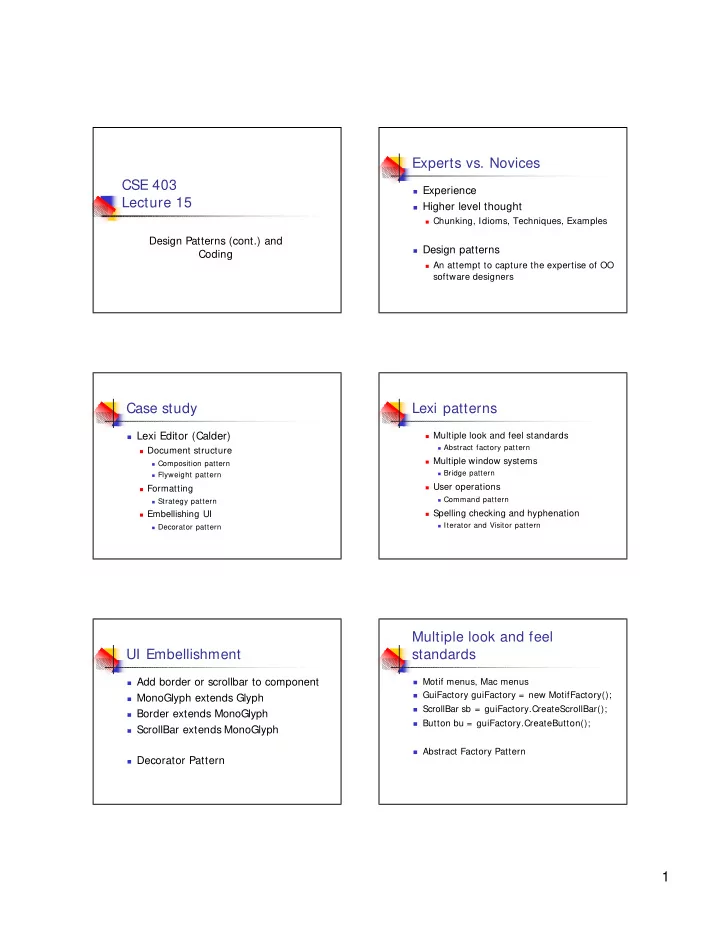
Experts vs. Novices CSE 403 Experience Lecture 15 Higher level thought Chunking, Idioms, Techniques, Examples Design Patterns (cont.) and Design patterns Coding An attempt to capture the expertise of OO software designers


slide-1
SLIDE 1

1 CSE 403 Lecture 15

Design Patterns (cont.) and Coding

Experts vs. Novices

Experience Higher level thought

Chunking, Idioms, Techniques, Examples

Design patterns

An attempt to capture the expertise of OO

software designers

Case study

Lexi Editor (Calder)

Document structure

Composition pattern Flyweight pattern

Formatting

Strategy pattern

Embellishing UI

Decorator pattern

Lexi patterns

Multiple look and feel standards

Abstract factory pattern

Multiple window systems

Bridge pattern

User operations

Command pattern

Spelling checking and hyphenation

Iterator and Visitor pattern

UI Embellishment

Add border or scrollbar to component MonoGlyph extends Glyph Border extends MonoGlyph ScrollBar extends MonoGlyph Decorator Pattern

Multiple look and feel standards

Motif menus, Mac menus GuiFactory guiFactory = new MotifFactory(); ScrollBar sb = guiFactory.CreateScrollBar(); Button bu = guiFactory.CreateButton(); Abstract Factory Pattern

slide-2
SLIDE 2

2 Supporting Multiple Window Systems

Window Class Hierarchy WindowImp Class Hierarchy

Extend WindowImp for each different

system

Avoid polluting Window Class with system

dependencies

Bridge Pattern

Link between Window and WindowImp

User commands and spell check/hyphenation

User commands Command Pattern

Includes Undo functionality

Spell check and hyphenation

Iterate over words of document Iterator Pattern and Visitor pattern

Classification of patterns

  • Creational
  • Abstract factory, builder,

factory method, prototype, singleton

  • Structural
  • Adapter, bridge, composite,

decorator, façade, flyweight, proxy

  • Behavioral
  • Chain of responsibility,

command, interpreter, iterator, mediator, memento, observer, state, strategy, template method, visitor

Original GoF patterns

Code

“Where the rubber meets the road” The code defines what actually happens

when you run a program

No matter what the requirements are, no

matter what the design is, no matter what the documentation says

Guidelines

In general, you can’t generalize about

the best way to program

In theory, there is no difference

between theory and practice

A good programmer will write good

programs in any language; a bad programmer will write bad programs in any language

The problem

In any language, there are many ways

to do effectively the same thing

if ((a==b) && (c==d)) … if (a==b) if (c==d) ..

Tons of examples

Error codes via return values or

parameters?

Null terminated strings vs. explicit lengths for vs. while vs. repeat loops

...

slide-3
SLIDE 3

3 The question

When you have lots of choices of how to do

things, how do you choose?

Can you make better and worse choices?

Absolutely

Why is this true?

Sometimes equivalent pieces of code aren’t

equivalent, but in subtle ways

When someone (maybe you) reads it later on,

some approaches may be more clear

IOCCC

International Obfuscated C Code Contest

http://www.ioccc.org/ int i;main(){for(;i["]<i;++i){ --i;}"];read('-'-'-',i+++"hell\

  • , world!\n",'/'/'/'));}read(j,i,p){write(j/p+p,i ---j,i/i);}

A better example ☺

  • # include < st dio.h

> char * T= "IeJKLMaYQCE]jbZRskc[SldU^ V \\ X\ \| /_< [< :90! \"$434-./ 2> ] s", K[3][1000],* F,x,A,* M[2],* J,r[4],* g,N,Y ,* Q,W,*k,q,D;X(){ r [r [r[3]= M[1 - (x&1)][* r= W,1],2]= * Q+ 2,1]= x+ 1+ Y,* g+ + = ((((x& 7) -1)> > 1)- 1)?* r:r[x > > 3],(+ + x< * r)&&X();} E(){ A| | X(x= 0,g = J ),x= 7&(* T> > A* 3),J[(x[F]- W-x)^ A* 7] = Q[ x&3] ^ A* (* M)[ 2 + ( x&1)] ,g=J+ ((x[k] -W)^ A* 7)- A,g[1]= (* M)[* g= M[T+ = A ,1 ][x&1],x&1],(A^ = 1)&&(E(),J+ = W);} l(){ E(-- q&&l () );} B(){ * J&&B((D= * J,Q[2]< D&&D< k[1]&&(* g+ + = 1 ), !(D -W&&D-9&&D- 10&&D -13)&&(!* r&&(* g+ + = 0) ,* r= 1)| | 64< D&&D< 91&&(* r= 0,* g+ + = D- 63)| | D > = 97&&D< 123&&(* r= 0,* g+ + = D- 95)| | !(D-k[ 3] )&&(* r= 0,* g+ + = 12)| | D> k[3]&&D< = k[ 1] -1&&(* r= 0,* g+ + = D -47),J+ + ));} j( ){ putchar(A);} b(){ (j(A = (* K)[D* W+ r[2]* Y+ x]),+ + x < Y)&&b();} t () { (j((b(D= q[g],x = 0),A= W) ), + + q< (* (r+ 1)< Y?* (r+ 1): Y) )&&t();} R(){ (A = (t( q= 0),'\ n'),j(),+ + r [2 ]< N)&&R();} O() { ( j((r[2]= 0,R( )) ),r[1]- = q) && O(g -=- q) ;} C(){ ( J= gets (K [1]))&&C((B(g= K[2]),* r= !(!* r&&(* g+ + = 0)),(*r)[r]= g - K[2],g= K[2 ],r[ 1]&& O()) );;} main (){ C ((l( (J= ( A= 0) [K], A[M ] = (F= (k= ( M[ !A ] = (Q = T+ ( q= (Y = (W= 32)- (N= 4 )))) + N)+ 2)+ 7 )+ 7) ),Y= N< < ( * r= ! - A)) );;}

Coding standards

Many projects have standards to which every

member is supposed to adhere

These are almost always written standards Adherence is usually an informal issue, but

sometimes is done through inspections and in some cases using compliance checking tools

Goals include making it faster to write code

(fewer decisions) and making it easier to read code (less context switching)

Language-specific

Coding standards are almost always

language-specific

Many of the examples (today) are in C/C+ +

GNU’s coding standards, Writing Solid Code

In some cases, a better language would

alleviate the need for the standard

But standards are always useful, regardless

  • f language

Standards can cover...

Layout guidelines

Parameters, variable declarations, etc. Indentation (spaces, tabs, etc.) Long expressions

Naming schemes Commenting guidelines Restrictions on usage of the language
slide-4
SLIDE 4

4 More naming

Many projects have naming conventions,

even if not as strict at Hungarian

Do your variables start with a capital letter? Do you separate sub-words with capital letters or

underscores or something else?

Do you capitalize class names but not instance

names?

Remember, the goal is to allow you to spend

more time on the hard and interesting stuff