Workshop 2: Overview workshop Amanda Hartmann Speech Pathologist - - PowerPoint PPT Presentation

workshop 2 overview workshop amanda hartmann
SMART_READER_LITE
LIVE PREVIEW

Workshop 2: Overview workshop Amanda Hartmann Speech Pathologist - - PowerPoint PPT Presentation

Workshop 2: Overview workshop Amanda Hartmann Speech Pathologist Inclusive Technology Consultant Spectronics Inclusive Learning Technologies Communication Alternative and Why Proloquo2Go? Top AAC features Symbols used Speech/ voice options


slide-1
SLIDE 1

Workshop 2: Overview workshop
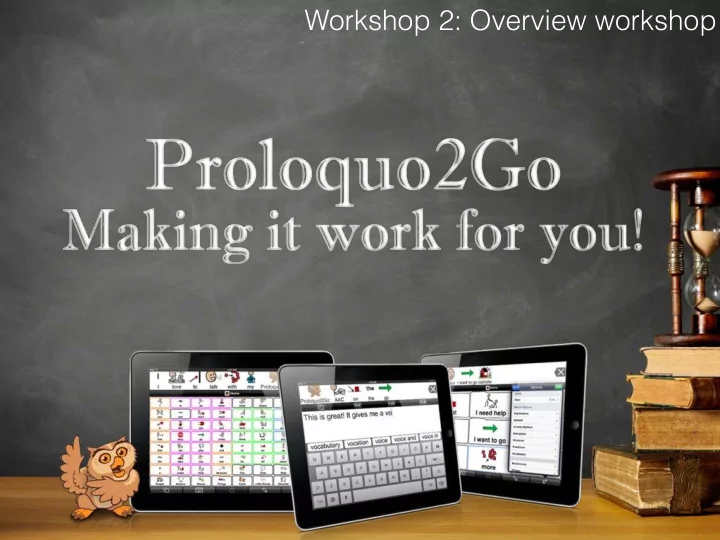
slide-2
SLIDE 2

Amanda Hartmann

Speech Pathologist Inclusive Technology Consultant Spectronics Inclusive Learning Technologies

slide-3
SLIDE 3

Communication

Alternative and

slide-4
SLIDE 4

Why Proloquo2Go?

slide-5
SLIDE 5

Top AAC features

Symbols used Speech/ voice options Customisation Backing up and sharing Accessibility Preprogrammed vocab

slide-6
SLIDE 6

When to use Proloquo2Go?

No age prerequisite As speech is developing - AAC won't stop a child talking! To support speech that is hard to understand When no speech has developed Can still use in conjunction with low tech methods

slide-7
SLIDE 7

Amanda's top tips

Lock app to bottom dock Use Guided Access Limited other distractions on the iPad Take screen captures of pages as paper backups Personalise vocabulary with your own images & words Make it fun, engaging & purposeful

slide-8
SLIDE 8

Version 3

slide-9
SLIDE 9

What it already did....

slide-10
SLIDE 10

Access to 14,000 SymbolStix symbols Plus easy to add photos from your photo library, or take photos.

slide-11
SLIDE 11

Preprogrammed vocabulary sets Research based Core word vs Basic Communication

slide-12
SLIDE 12

Grammar support

slide-13
SLIDE 13

Powerful editing Customise pages, folders and buttons Personalise!

slide-14
SLIDE 14

Allows for multiple users on one device

slide-15
SLIDE 15

What's new...

slide-16
SLIDE 16

Meet the new family of voices

Fair Dinkum!

slide-17
SLIDE 17

Add intonation Add personality

ExpressivePowerTM

slide-18
SLIDE 18

Adaptive Switch access Adjustable direct access Select on release

slide-19
SLIDE 19

Share your words...

slide-20
SLIDE 20

Dropbox support for backing up and restoring

Back up and Restore can still be done via WIFI and iTunes File Sharing

slide-21
SLIDE 21

Personalise your vocab Customise your settings

Powerful communication solution

slide-22
SLIDE 22

In the classroom Ideas for using Proloquo2Go

slide-23
SLIDE 23

Communication Requests, comments, protests, etc. etc.

slide-24
SLIDE 24

Communication in games & play

Scripting

slide-25
SLIDE 25

Something's wrong

slide-26
SLIDE 26

Simon Says

slide-27
SLIDE 27

Take my Quiz

slide-28
SLIDE 28

Barrier Games Giving directions/

Core word vocab

slide-29
SLIDE 29

Books- shared reading Text innovations

Copy and paste text

slide-30
SLIDE 30

Songs

slide-31
SLIDE 31

Recounts/news

Macros Copy and paste text

slide-32
SLIDE 32

Show & Tell

Expressive Power Add button

slide-33
SLIDE 33

Schedules Timetables

Macros List view

slide-34
SLIDE 34

Social Stories

List view ExpressivePower

slide-35
SLIDE 35

Class rules

slide-36
SLIDE 36

Talking rules

slide-37
SLIDE 37

Rewards

slide-38
SLIDE 38

Email & Messages

slide-39
SLIDE 39

Where to get more information

slide-40
SLIDE 40

facebook.com/Spectronics twitter.com/Spectronics Spectronics.com.au/Blog

slide-41
SLIDE 41

Spectronics P2Go Facebook page

slide-42
SLIDE 42

Proloquo2Go Professionals

slide-43
SLIDE 43

Proloquo2Go Parents

slide-44
SLIDE 44

http://bit.ly/spectronicsp2go

Access our website for resources

slide-45
SLIDE 45
slide-46
SLIDE 46

spectronics.com.au/online

Subscription

slide-47
SLIDE 47

Join the Spectronics team for four full-on days of immersion in the world

  • f technologies to support diverse learners!
slide-48
SLIDE 48

Six awesome Keynote Presenters now confirmed!

Kevin Honeycutt Educational Technology Integration Evangelist Carole Zangari AAC in Special Ed and Autism Specialist Dave Edyburn Special Education Technology Research Publisher Jason Carroll Instructional Technology Consultant and UDL Advocate Jason Gibson Learning Support Specialist focused on Research-based Strategies Greg O'Connor Australian Educator Specialising in Support of Diverse Learners

slide-49
SLIDE 49

Upcoming Workshops

slide-50
SLIDE 50

Amanda Hartmann

Inclusive Technology Consultant (Speech Pathologist)

amandah@spectronics.com.au