Why estimations? Chair of Softw are Engineering Software - - PDF document

why estimations
SMART_READER_LITE
LIVE PREVIEW

Why estimations? Chair of Softw are Engineering Software - - PDF document

Why estimations? Chair of Softw are Engineering Software Engineering Project Change Price selection (bids) requests Prof. Dr. Bertrand Meyer March 2007 June 2007 Costs Lecturer: Hermann Lehner (http://sct.inf.ethz.ch/h) Based on


slide-1
SLIDE 1

Software Engineering

  • Prof. Dr. Bertrand Meyer

March 2007 – June 2007

Chair of Softw are Engineering
Lecture 6: Estimation Techniques

Lecturer: Hermann Lehner (http://sct.inf.ethz.ch/h) Slides: Based on KSE06 – With kind permission of Peter Müller

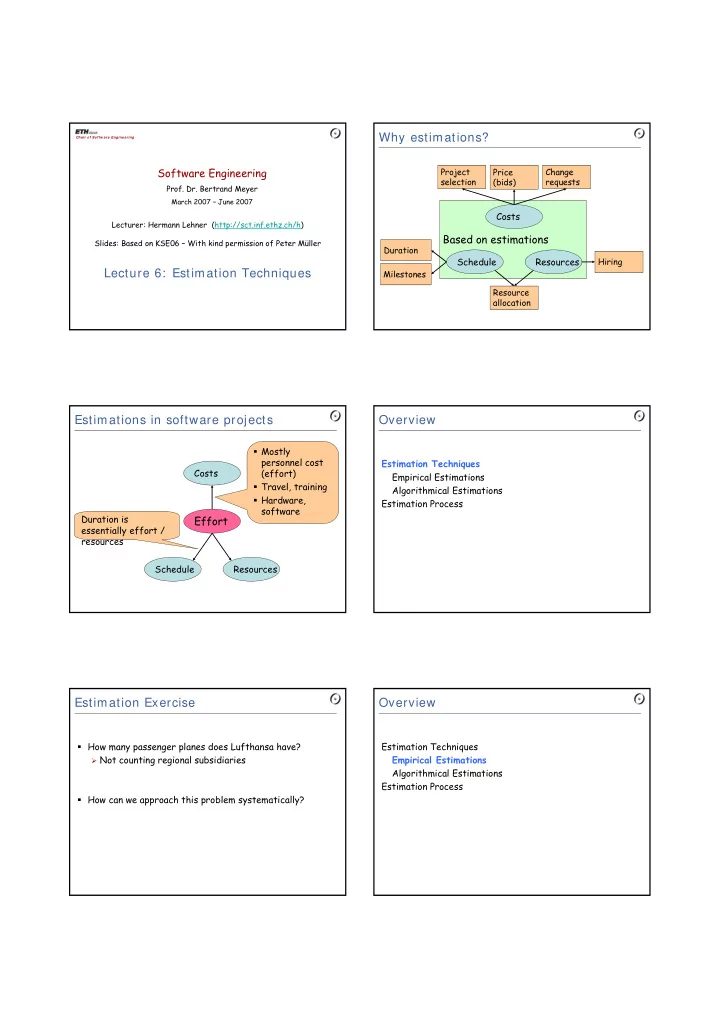
Why estimations?

Based on estimations

Resources Schedule

Resource allocation Hiring Milestones Duration

Costs

Price (bids) Change requests Project selection

Estimations in software projects

Resources Schedule Costs

Effort

Mostly personnel cost (effort) Travel, training Hardware, software Duration is essentially effort / resources

Overview

Estimation Techniques Empirical Estimations Algorithmical Estimations Estimation Process

Estimation Exercise

How many passenger planes does Lufthansa have?

Not counting regional subsidiaries

How can we approach this problem systematically?

Overview

Estimation Techniques Empirical Estimations Algorithmical Estimations Estimation Process

slide-2
SLIDE 2

Empirical estimation: Expert judgment

Estimate is based on experience and historical data Involve experts in

Development techniques Application domain

Most common technique in practice

Top-down estimation

Estimation by analogy

Comparison with similar projects Analysis of differences Typical example: SAP introduction

Pros Quicker and less expensive than other methods Can be done early in the project Cons Underestimation of difficult technical problems likely No detailed justification

  • f estimate

Be aware of scalability problems!

Top-down estimation: Delphi method

More accurate than ordinary expert judgment

Eliminates outliers

More expensive to produce

Step 1: Each expert submits Estimate Justification Step 3: Each expert submits New estimate Justification of deviation from average

  • f previous estimates

Top-down estimation: Typical figures

Typical figures for software development

Analysis

20%

Design

40%

Implementation

15%

Test

25% Very helpful to validate estimations

Analysis Design Implementation Test

Bottom-up estimation

Estimation by decomposition

Estimating the effort for individual work packages Cost and accuracy depend on size of the work

packages Pros See “cons” of top-down estimation Cons Underestimation because effort does not grow linearly (due to complexity, etc.) Underestimation of integration effort Requires initial system design

Program evaluation and review technique

Goal: Manage probabilities with simple statistics Approach: Ask several experts for three estimates

Optimistic, Likely (mode), and Pessimistic

Important formulas

Mean

M = ( O + 4 × L + P ) / 6

Deviation V = ( P – O ) / 6

Assumptions

Project effort is normally distributed

(more than 20 work packages)

Work package efforts are statistically independent

(ignores single underlying cause of delay)

slide-3
SLIDE 3

Overview

Estimation Techniques Empirical Estimations Algorithmical Estimations Estimation Process

Algorithmic estimation of software

Basic cost model Size: Some measurement of the software size A: Constant factor that depends on Organizational practices Type of software B: Usually lies between 1 and 1.5 X: Vector of cost factors m: Adjustment multiplier

Effort = A × SizeB × m(X)

Cost models

Cost models

Define a way to determine the size Define cost factors X Provide defaults for parameters A, B, m

(based on hundreds of projects) Important examples

Function point analysis Constructive cost model (COCOMO)

Effort = A × SizeB × m(X)

Measuring size: Lines of code

Software size can be measured in lines of source code

Most commonly used metric

Difficult in early phases of the project (before design is known)

Reuse, make-or-buy decisions

Influenced heavily by choice of programming language Should only be used indirectly

Function point analysis

Size is estimated based on requirements

Function

External files Internal files

Inputs Outputs Inquiries

Functions

Inputs

Forms, dialogs, messages, XML documents

Outputs

Web pages, reports, graphs, messages, XML

documents Inquiries (input/output combinations)

Simple web inputs, generally producing a single output

Logical internal files (controlled by the program)

Tables, views or files in database

External files (controlled by other programs)

Tables or files used from other systems or databases

slide-4
SLIDE 4

Complexity of functions

Factor Simple Average Complex Inputs 3 4 6 Outputs 4 5 7 Inquiries 3 4 6

  • Ext. files

7 10 15

  • Int. files

5 7 10

Determine complexity of each function Weight each function according to complexity

Input Simple Average Complex Data elements 1-5 6-10 >10 Checking Formal Formal, logical Formal, logical, requires DB access

Cost factors

Data communications Distributed processing Performance Heavy use Transaction rate Online data entry Complex interface Online data update Complex processing Reusability Installation ease Operational ease Multiple sites Facilitate change

Rate each element from 0 – 5

0: no influence 1: insignificant influence 2: moderate influence 3: average influence 4: significant influence 5: strong influence

Technical complexity factor

TCF = 0.65 + 0.01 × sum Varies between 0.65 and 1.35

Function point computation

Adjusted function points: FP = UFP × TCF

Determining effort and size

Empirical value for effort

Or use a table

Empirical value for size Huge differences in productivity

Factor 10-20 between individual programmers Factor 4 between companies

Effort = FP1.4 / 150

Observation about software size

Consider a project that requires 10 Web pages, 15 reports, and 20 database tables

315 function points, if each item is medium complexity

How many lines of C code would it have?

About 32,000 lines

What if you used Excel?

About 2,000 lines

Why do you think there are so many spreadsheets out there?

Function point analysis: Discussion

Pros Based on requirements (instead of code size) Can be applied in early project phases Can be calibrated (for company, project type) Counting standards by “International Function Points User Group” Technology-independent Cons Estimation of overall effort (not per phase) Tailored towards functional decomposition (rather than OO) Tailored towards information systems Needs calibration to produce reliable results

slide-5
SLIDE 5

Estimation techniques: Discussion

Empirical studies

Do not show that uncalibrated algorithmic estimation

is, in general, more accurate

Show that algorithmic estimation is more accurate

than experts who do not have important domain knowledge Empirical Estimation Accurate if experts are experienced Experts can be strongly biased (over-optimism) Algorithmic Estimation Very accurate if model is calibrated Calibration is very difficult and expensive Estimation is expensive

Other estimation strategies

Parkinson’s Law Work expands to fill the time available

  • Gold plating

Effort is determined by available resources Important for team management Pricing to win Cost is estimated to whatever the customer is willing to spend Common strategy to win projects Features are negotiated later, constrained by agreed costs Costs are fixed, not requirements

Overview

Estimation Techniques Empirical Estimations Algorithmical Estimations Estimation Process

Estimate types

Rough order of magnitude

  • 25 / +75%

Initial estimates Budgetary

  • 10 / +25%

Decision making, response to proposals Definitive

  • 5 / +10%

Project plan, proposals

Refine your estimates at each project stage

Requirements document, system design, detailed design, working code

Estimating process

Establish

  • bjectives

Determine project details Document Generate effort estimate Determine team size and duration Select strategy and plan Validate and finalize Why? Accuracy? Audience? Document assumptions Different method, review Duration = √Effort Duration = 3.0 × Effort1/3 (Effort in person months, Duration in months) Effort = Duration × Team Size Estimators, type of validation, historic data

Estimation tips

  • Avoid off-the-cuff

estimates

  • Allow time for the

estimate, and plan it

  • Use historic data
  • Use developer-based

estimates

  • Estimate by walkthrough
  • Estimate by categories

e.g. easy, medium, hard

  • Estimate at a low level
  • f detail
  • Don’t omit common tasks

(management; use checklists)

  • Use different

techniques and compare the results

  • Change estimation

practices as the project progresses

slide-6
SLIDE 6

From effort to costs

Direct costs: Costs incurred for the benefit

  • f a specific project

Salaries of project staff Equipment bought specifically for the project Travel expenses

Indirect costs: Costs incurred for the joint benefit over multiple projects (“overhead”)

Accounting, quality assurance department Line management Rooms, electricity, heating

Unit costs

Projects have to budget for

Direct costs A certain share of indirect costs

Budgets are usually determined by using unit costs

Unit cost: Price per unit of a resource Loaded rate: Including indirect costs Unloaded rate: Without indirect costs

Examples

Loaded day rate for senior IT consultant: CHF 3.500 Loaded day rate for internal developer: CHF 1.200

From costs to prices

The price is often based on the costs and a margin Price = Costs / ( 1 - Margin ) Example

Costs = CHF 1.000.000 Margin = 5% Price

= CHF 1.052.632 Price is influenced by

Market situation Business strategy

BACKUP