Which do you prefer? (vote by writing on the slide) Zoom Google - - PowerPoint PPT Presentation

which do you prefer vote by writing on the slide
SMART_READER_LITE
LIVE PREVIEW

Which do you prefer? (vote by writing on the slide) Zoom Google - - PowerPoint PPT Presentation

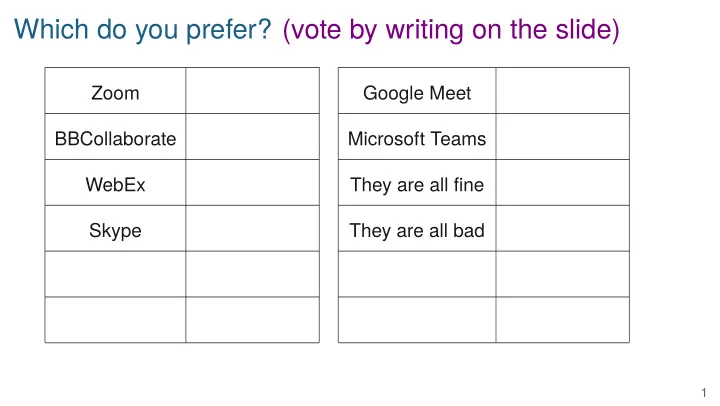
Which do you prefer? (vote by writing on the slide) Zoom Google Meet BBCollaborate Microsoft Teams WebEx They are all fjne Skype They are all bad 1 BMI 881 Biomedical Data Science Scholarly Literature 1 kbroman.org/BMI881 Karl Broman

slide-1
SLIDE 1

Which do you prefer? (vote by writing on the slide)

Zoom Google Meet BBCollaborate Microsoft Teams WebEx They are all fjne Skype They are all bad

1

slide-2
SLIDE 2

BMI 881

Biomedical Data Science Scholarly Literature 1 kbroman.org/BMI881

Karl Broman kbroman.org

slide-3
SLIDE 3

Goals

▶ Read and discuss a bunch of journal articles ▶ Critical evaluation of articles ▶ Practice talking about data science ▶ Get to know each other

3

slide-4
SLIDE 4

The technology

▶ Use your video camera if possible ▶ Keep yourself muted ▶ “Raise your hand” to talk ▶ Unmute when called on ▶ Use chat for brief comments, and sparingly ▶ We’ll use breakout groups regularly

4

slide-5
SLIDE 5

Responsibilities

▶ Read the papers in advance ▶ Participate in the discussions ▶ Let me know if you need to miss a class ▶ Tuesdays:

– 2-paragraph summary of papers to be discussed that day – Plus 2 or more questions for discussion

▶ A couple of other written assignments during the semester

5

slide-6
SLIDE 6

Tuesday summaries

▶ One paragraph summarizing the work ▶ One paragraph with your reaction ▶ Two or more questions for discussion ▶ Posted someplace that I can get them:

– Blog – Github repository – Box or Dropbox or Google Drive folder – Email them to me (least preferred)

▶ Post by 8:00am each Tuesday

6

slide-7
SLIDE 7

Offjce hours

▶ Tuesday 9:30-10:30am ▶ Friday 9:30-10:30am ▶ Via BBCollaborate, bit.ly/offhrs_f2020 ▶ or by appointment

7

slide-8
SLIDE 8

Norms for discussion

▶ Presume positive intentions ▶ Engage respectfully ▶ Listen attentively ▶ Aim for equal participation ▶ Respect boundaries ▶ Provide evidence

Online working agreements

▶ Use your video camera if possible ▶ Use names to address each other ▶ Use features (mute, raise hand, chat, etc) appropriately ▶ Be okay with silence ▶ Start and end on time

from The Discussion Project 8

slide-9
SLIDE 9

Tips on handling of technical problems?

9

slide-10
SLIDE 10

How do you read a journal article?

10

slide-11
SLIDE 11

How to acquire a journal article

▶ Search Google Scholar and click “All versions” ▶ Install the unpaywall browser extension ▶ Paste ezproxy.library.wisc.edu into the URL for the article ▶ Use the GlobalProtect VPN for UW-Madison ▶ Sci-Hub provides pirated versions of many journal articles (not acceptable) ▶ I’ll post PDFs on the Canvas site

11