
SLIDE 1
Welcome
Tweet using #NERCOMPPDO1 and #a11y
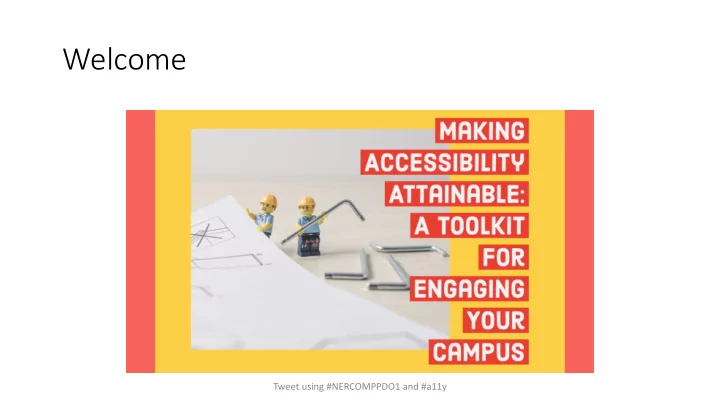
Welcome Tweet using #NERCOMPPDO1 and #a11y Agenda 9:00am - - PowerPoint PPT Presentation
Welcome Tweet using #NERCOMPPDO1 and #a11y Agenda 9:00am Introduction 9:15am Lego & Accessibility Activities 10:15am Break 10:30am Panel Discussion 12:00pm Lunch 1:00pm Demos & Small Group Discussion 2:30pm Wrap up 3:00pm
Tweet using #NERCOMPPDO1 and #a11y
9:00am Introduction 9:15am Lego & Accessibility Activities 10:15am Break 10:30am Panel Discussion 12:00pm Lunch 1:00pm Demos & Small Group Discussion 2:30pm Wrap up 3:00pm End
Tweet using #NERCOMPPDO1 and #a11y
Tweet using #NERCOMPPDO1 and #a11y
We created a shared resource for today’s workshop to share thoughts, ideas, and tools to take with you when the day is through. You should have access to this through the email you used to register with NERCOMP, or access/bookmark using this link:
http://ow.ly/TvD250xU1mo
Tweet using #NERCOMPPDO1 and #a11y
Photo by James Pond on Unsplash
Group Lego builds (at tables) No Mouse Challenge (Laptop) Mirror tracing activity (Laptop) Cognitive disability simulation (Laptop, requires Flash)
Tweet using #NERCOMPPDO1 and #a11y
Help others to build compassion for users of all abilities and experiences
Image from https://www.deque.com/empathy-lab-online/ Tweet using #NERCOMPPDO1 and #a11y
and place pieces back in bag
15 min to make)
Tweet using #NERCOMPPDO1 and #a11y
Photo by Jan Kaluza on Unsplash
Group A
Builder(s) must use mittens provided.
Group B
Group member(s) must dictate instructions to builder. Instruction giver cannot see what the builder is doing and vice versa.
Groups C & E
Follow instruction booklets as provided.
Group D
Please confirm with us that your object has been built to specification when finished ☺
Tweet using #NERCOMPPDO1 and #a11y
Tweet using #NERCOMPPDO1 and #a11y
Make sure you can access our PollEverywhere Q&A (submit questions for panelists here or vote up other questions!) https://pollev.com/lindsey
Tweet using #NERCOMPPDO1 and #a11y
Robyn Belair, Learning Designer EdX (previously Lesley University) Corrine Schoeb, Technology Accessibility Coordinator Swarthmore College Kathryn Weber-Hottleman, IT Accessibility Coordinator University of Connecticut Lindsey Van Gieson (moderator) Worcester Polytechnic Institute
Tweet using #NERCOMPPDO1 and #a11y
Tweet using #NERCOMPPDO1 and #a11y
1. Engagement 2. Policy, Process, UDL 3. Cross Departmental Collaborations & Training
Tweet using #NERCOMPPDO1 and #a11y
Tweet using #NERCOMPPDO1 and #a11y
Don’t forget to utilize the ‘Making Accessibility Attainable’ shared drive We’ll collect any ideas gathered on the post-its & Poll Everywhere and add to the shared drive Today’s presentation is there, as well as digital copies of any handouts
Please help us and NERCOMP continue to improve workshop offerings in the future by filling
https://forms.gle/qGjrguivtynDkpsy7
Tweet using #NERCOMPPDO1 and #a11y