
SLIDE 1
Questions during the presentation?
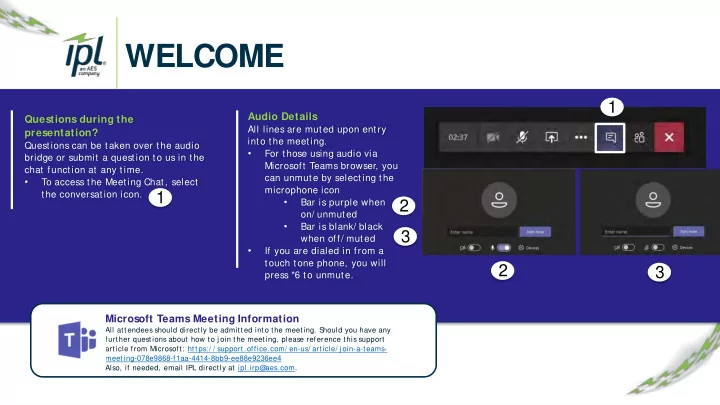
Questions can be taken over the audio bridge or submit a question to us in the chat function at any time.
- To access the Meeting Chat, select
the conversation icon.
Audio Details
All lines are muted upon entry into the meeting.
- For those using audio via
Microsoft Teams browser, you can unmute by selecting the microphone icon
- Bar is purple when
- n/ unmuted
- Bar is blank/ black
when off/ muted
- If you are dialed in from a
touch tone phone, you will press *6 to unmute.
Microsoft Teams Meeting Information
All attendees should directly be admitted into the meeting. S hould you have any further questions about how to j oin the meeting, please reference this support article from Microsoft: https:/ / support.office.com/ en-us/ article/ j oin-a-teams- meeting-078e9868-f1aa-4414-8bb9-ee88e9236ee4 Also, if needed, email IPL directly at ipl.irp@ aes.com.