WEEK 7: Image and Text IAT100 Digital Image Design - - PowerPoint PPT Presentation

week 7 image and text
SMART_READER_LITE
LIVE PREVIEW

WEEK 7: Image and Text IAT100 Digital Image Design - - PowerPoint PPT Presentation

WEEK 7: Image and Text IAT100 Digital Image Design Fall 2013 Chantal Gibson Todays Agenda Review MoCon Text / Image RelaConship


slide-1
SLIDE 1

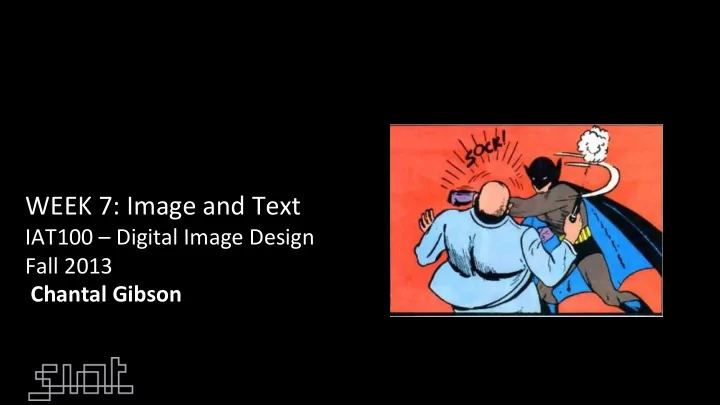
¡ WEEK ¡7: ¡Image ¡and ¡Text ¡

IAT100 ¡– ¡Digital ¡Image ¡Design ¡ Fall ¡2013 ¡ ¡Chantal ¡Gibson ¡

¡ ¡
slide-2
SLIDE 2

Today’s ¡Agenda ¡

  • Review ¡MoCon ¡
  • Text ¡/ ¡Image ¡RelaConship ¡
  • Project ¡2 ¡Analysis ¡Write ¡Up ¡

¡

slide-3
SLIDE 3

Reminders ¡

  • Project 2 due next week at the start of Lab.
  • Review project criteria in Canvas.
  • TA will select projects for critique in Lab (feel free to volunteer).
  • Graded on participation in the critique—not on work shown.
  • Written submission posted to Canvas discussion along with Link

to work.

slide-4
SLIDE 4

Assignment ¡2 ¡Review ¡

Project 2 is expected to build on Project 1 and apply all skills such as composition and colour as function of storytelling.

New skills:

  • Narrative framework
  • Use of images to stand in for ideas (icons)
  • Sequencing: order of events, transitions, panel shape and movement.
  • Image and text combination
  • Embed clicks and scrolling – all aspects of design considered.
slide-5
SLIDE 5
slide-6
SLIDE 6

¡IteraCve ¡Design ¡Process ¡

  • Scaffolding ¡learning ¡acCviCes ¡
  • Create ¡Story ¡from ¡lyrics ¡ ¡
  • DraP ¡narraCve ¡arc ¡
  • Consider ¡establishing ¡characters ¡
  • Conflict ¡& ¡Rising ¡AcCon ¡
  • Climax ¡& ¡ResoluCon ¡

¡

  • Sketch ¡story ¡board ¡
  • Consider ¡web ¡pages ¡with ¡clicks/scrolls ¡
  • Photograph ¡scenes, ¡images, ¡characters ¡
  • Apply ¡text ¡to ¡support ¡narraCve ¡
  • Feedback ¡in ¡lab ¡this ¡week ¡

¡

slide-7
SLIDE 7

The ¡Illusion ¡of ¡Time: ¡Movement ¡

In ¡comics ¡we ¡produce ¡moCon ¡ through ¡CLOSURE—our ¡own ¡ mental ¡process ¡

¡ ¡

Methods ¡for ¡mo3on: ¡ ¡

  • 1. path ¡of ¡moCon ¡is ¡imposed ¡over ¡the ¡

scene ¡

  • 2. mulCple ¡images ¡of ¡the ¡same ¡subject ¡
  • 3. photographic ¡streaking ¡effects ¡
  • 4. blurring ¡effects, ¡as ¡if ¡we ¡are ¡

watching ¡an ¡object ¡in ¡moCon ¡on ¡film ¡

  • 5. blurred ¡background ¡with ¡the ¡object ¡

in ¡focus ¡indicates ¡moCon ¡

¡ ¡

slide-8
SLIDE 8

How ¡fast ¡is ¡he ¡running? ¡ ¡ ¡How ¡do ¡we ¡know? ¡

slide-9
SLIDE 9

FA I L

slide-10
SLIDE 10

FA I L

slide-11
SLIDE 11

The ¡Illusion ¡of ¡Time: ¡Sound ¡& ¡Text ¡

Introduc3on ¡of ¡Sound: ¡

  • ¡Creates ¡the ¡illusion ¡that ¡Cme ¡passes ¡
  • ¡Meanwhile ¡a ¡silent ¡capConed ¡panel ¡may ¡hold ¡a ¡

single ¡moment ¡or ¡produce ¡a ¡sense ¡of ¡

  • Cmelessness. ¡ ¡
  • Two ¡subsets: ¡Words ¡Balloons ¡and ¡Sound ¡
  • Effects. ¡Eg: ¡“Smile”, ¡“click” ¡
slide-12
SLIDE 12
slide-13
SLIDE 13

FuncCons ¡of ¡Text ¡

  • NarraCve ¡
  • Gives ¡background ¡ ¡
  • r ¡addiConal ¡informaCon ¡
  • Dialogue ¡
  • Spoken ¡by ¡your ¡characters ¡
  • Thought ¡
  • Idea ¡internalized ¡ ¡by ¡your ¡

characters ¡

  • Expressive ¡
  • Sounds ¡– ¡invoking ¡an ¡ ¡

auditory ¡sense ¡

slide-14
SLIDE 14

Text ¡Container ¡

  • Iconic ¡Reference ¡
  • VocalizaCons/dialogue ¡have ¡a ¡solid ¡line ¡
  • Thoughts ¡have ¡a ¡cloud ¡or ¡bubbles ¡
  • NarraCve ¡uses ¡a ¡box ¡
  • Fit ¡the ¡text ¡in ¡the ¡container ¡
  • Use ¡the ¡container ¡as ¡a ¡design ¡element ¡
slide-15
SLIDE 15
slide-16
SLIDE 16
slide-17
SLIDE 17

http://dresdencodak.com/ 2012/09/26/dark-science-21/

Irregular text bubbles Notice how the shape and size of the speech bubbles communicate something about the tone and character of the speaker

slide-18
SLIDE 18
slide-19
SLIDE 19

TRANSMIT ¡A ¡CONNECTED ¡SERIES ¡OF ¡IDEAS ¡

slide-20
SLIDE 20

Image ¡/ ¡Text ¡CombinaCons ¡

  • Word ¡Specific ¡
  • Picture ¡Specific ¡
  • Duo ¡Specific ¡
  • AddiCve ¡
  • Parallel ¡
  • Montage ¡
  • Interdependent ¡
slide-21
SLIDE 21

WORD ¡SPECIFIC ¡

Text ¡defines ¡the ¡meaning ¡ ¡

¡ PICTURES ¡illustrate, ¡but ¡don’t ¡significantly ¡ add ¡to ¡a ¡largely ¡complete ¡text. ¡ ¡ ¡ ¡Advantages: ¡ ¡

Compresses ¡Cme ¡ ¡ (a ¡few ¡words ¡can ¡move ¡a ¡story ¡foreword/ backward.) ¡ ¡ Efficient ¡means ¡of ¡storytelling. ¡ ¡ Frees ¡up ¡pictures ¡ ¡ (not ¡needed ¡to ¡advance ¡story). ¡ ¡

slide-22
SLIDE 22

PICTURE ¡SPECIFIC ¡

¡Advantages: ¡

¡Frees ¡words ¡up ¡to ¡do ¡

something ¡other ¡than ¡advance ¡ the ¡plot. ¡ ¡ ¡ ¡Evokes ¡a ¡sense ¡of ¡direct ¡ experience ¡and/or ¡immediacy. ¡ ¡ ¡Linked ¡with ¡sound(s) ¡it ¡creates ¡ atmosphere ¡or ¡sense ¡of ¡place. ¡ ¡ ¡ ¡

Copper #1 - Rocket Pack Fantasy Kazu Kibuishi

Images define the meaning of the story and the content of the frames

slide-23
SLIDE 23

PICTURE ¡SPECIFIC ¡ ¡

Here ¡text ¡is ¡a ¡soundtrack. ¡ Image ¡advances ¡the ¡ narraCve; ¡text ¡creates ¡a ¡ tone ¡or ¡atmosphere. ¡

slide-24
SLIDE 24

¡ ¡ ¡DUO ¡SPECIFIC ¡

¡Both ¡word ¡and ¡picture ¡work ¡equally ¡ to ¡send ¡the ¡same ¡message. ¡ ¡ Advantages: ¡

¡maximum ¡clarity ¡

¡ ¡evoke ¡a ¡feeling ¡of ¡“anCque” ¡ storytelling ¡tradiCons ¡ ¡ **be ¡careful ¡not ¡to ¡be ¡redundant ¡ ¡ ¡

slide-25
SLIDE 25

DUO ¡SPECIFIC ¡

slide-26
SLIDE 26

ADDITIVE ¡

Jack Survives by Jerry Moriarty

Words ¡amplify ¡or ¡elaborate ¡an ¡image, ¡or ¡vice ¡ versa-­‑-­‑-­‑an ¡image ¡is ¡elaborated ¡by ¡words ¡

slide-27
SLIDE 27

PARALLEL ¡

art spiegelman “don't get around much anymore”

Here, ¡words ¡and ¡picture ¡ follow ¡different ¡courses ¡ without ¡intersecCng.

¡ ¡ ¡ Advantages: ¡ ¡Creates ¡a ¡dense ¡layer ¡work ¡ ¡

¡ ¡ ¡ ¡Allows ¡audience ¡to ¡interpret ¡or ¡ imagine ¡connecCons ¡between ¡ text ¡and ¡image. ¡ ¡ ¡

slide-28
SLIDE 28

MONTAGE ¡

¡Words ¡are ¡integral ¡parts ¡of ¡ the ¡picture ¡and ¡overall ¡ composiCon/design ¡ ¡ ¡ Advantages: ¡

¡Both ¡text ¡/ ¡image ¡cover ¡the ¡

same ¡informaCon ¡but ¡add ¡ insight ¡or ¡point ¡of ¡view ¡ (need ¡to ¡be ¡understood ¡as ¡a ¡ combinaCon) ¡

¡ ¡ ¡ ¡

slide-29
SLIDE 29

Text ¡is ¡a ¡Design ¡Element ¡

  • Placement ¡of ¡Text ¡
  • Balance, ¡AssociaCon ¡

¡

  • Style ¡of ¡Text ¡ ¡ ¡
  • Gives ¡Text ¡a ¡Voice ¡
  • Color, ¡Font, ¡Shape ¡
  • Container ¡
  • FuncCon(s) ¡of ¡Text ¡

¡

slide-30
SLIDE 30

INTERDEPENDENT ¡

¡Words ¡and ¡pictures ¡work ¡

together ¡to ¡convey ¡an ¡idea ¡that ¡ neither ¡could ¡convey ¡alone. ¡ ¡

¡

¡Advantages: ¡ ¡

¡Image ¡and ¡text ¡combinaCon ¡create ¡ a ¡new ¡meaning. ¡ ¡ ¡ ¡Can ¡show ¡characters ¡inner ¡feelings ¡ ¡ ¡ ¡ ¡Keeps ¡audience ¡engaged ¡as ¡it ¡ requires ¡them ¡to ¡“assemble” ¡

  • meaning. ¡

¡

¡ ¡ ¡ ¡

'We only have to wash and wax our missile on the first Sunday of every month.

Excerpt from Tales of Suburbia by Shaun Tan

slide-31
SLIDE 31

BALANCING ¡ACT ¡

slide-32
SLIDE 32

Which describes the speaking character? A) Massive, Yelling, Powerful B) Big, Whispering, Hurt C) Medium, Talking, Curious D) Small, Crying, Lonely E) Tiny, Yelling, Desperate

slide-33
SLIDE 33
slide-34
SLIDE 34

Contrast issue. Why dark blue? Left justified, not right. Why? Why center justified? Feels unstable. Feels more balanced and stable at the center.

Textual Logic Problems

Feels like text has a logical direction. Movement has an outward flow. Suggests flow out of the box, What remains inside? And out?

slide-35
SLIDE 35

Type: ¡Legibility ¡/ ¡Readability ¡

Fonts ¡ ¡ ¡Limit ¡the ¡Number ¡of ¡Fonts ¡to ¡1 ¡or ¡2 ¡ ¡

  • More ¡than ¡3 ¡fonts ¡cluoers ¡the ¡design ¡and ¡confuses ¡viewers ¡(4 ¡

fails) ¡

  • Font ¡to ¡Context ¡RelaConship ¡
  • KEEP ¡IT ¡SIMPLE! ¡ ¡(< ¡If ¡anyone ¡uses ¡the ¡Jokerman ¡font ¡they ¡immediately ¡fail.) ¡

Shape ¡& ¡ ¡ Orienta3on ¡

  • Leoer ¡/ ¡Word ¡/ ¡Line ¡Spacing ¡
  • Line ¡Length ¡& ¡PosiConing ¡– ¡Text ¡Architecture ¡
  • Is ¡it ¡just ¡text ¡or ¡does ¡it ¡take ¡up ¡physical ¡space? ¡
  • Anything ¡but ¡horizontal ¡is ¡difficult ¡to ¡read ¡– ¡so ¡what ¡are ¡you ¡trying ¡

to ¡express? ¡

Colour ¡

  • Paleoe ¡Consistency ¡
slide-36
SLIDE 36

The ¡Write ¡Up ¡

Analysis: ¡Breakdown ¡one ¡specific ¡ scene ¡that ¡demonstrates ¡your ¡skills ¡ and ¡understanding ¡of ¡composiCon ¡ and ¡sequencing ¡in ¡relaCon ¡to ¡the ¡ narraCve ¡

Context:

Explain adapted story.

slide-37
SLIDE 37

Project ¡2: ¡Due ¡before ¡next ¡week’s ¡lecture ¡

  • Concept ¡
  • Adapted ¡Textual ¡Story ¡ ¡
  • Visual ¡InterpretaCon ¡
  • Content ¡
  • Framing ¡
  • TransiCons ¡
  • Web ¡Interface ¡
  • Write-­‑up ¡
  • Graded ¡on ¡criCcal ¡analysis ¡
  • **Write-­‑ups ¡Required ¡from ¡Both ¡

Team ¡members ¡Individually ¡

  • Teams ¡
  • ExpectaCons: ¡aligned ¡with ¡

contract ¡

  • Submission ¡
  • Post ¡to ¡website ¡
  • Link ¡in ¡Canvas ¡
  • Write-­‑up ¡in ¡Message ¡
  • Do ¡not ¡aoach ¡a ¡doc ¡
  • PresentaCon: ¡Week ¡8 ¡labs ¡
slide-38
SLIDE 38

Photoshopping ¡Text ¡Bubbles ¡

  • Tutorial ¡

– hop://www.atpm.com/13.06/photoshop.shtml ¡

slide-39
SLIDE 39

Photoshop ¡Framing ¡with ¡Stroke ¡

  • Tutorial ¡

– hop://www.youtube.com/watch?v=08oD-­‑0vaZYk ¡

slide-40
SLIDE 40

Contact ¡

  • Chantal ¡Gibson ¡

– Chantal_gibson@sfu.ca

– ALWAYS ¡Include ¡IAT100 ¡and ¡your ¡lab ¡secCon ¡number ¡in ¡the ¡subject ¡ line ¡of ¡all ¡emails ¡to ¡me ¡or ¡your ¡TA. ¡ (Example ¡– ¡Subject: ¡IAT100 ¡ ¡E106 ¡) ¡

  • Office ¡Hours ¡

– When: ¡Tuesdays, ¡10am-­‑12pm ¡(or ¡by ¡appointment) ¡ – Where: ¡My ¡office, ¡Pod ¡2, ¡2808 ¡

slide-41
SLIDE 41

Widescreen ¡Test ¡Paoern ¡(16:9) ¡

Aspect Ratio Test

(Should appear circular)

16x9 4x3