Ve Veter terans Memoria ans Memorial l Mid Middle dle Sc - - PowerPoint PPT Presentation

ve veter terans memoria ans memorial l mid middle dle sc
SMART_READER_LITE
LIVE PREVIEW

Ve Veter terans Memoria ans Memorial l Mid Middle dle Sc - - PowerPoint PPT Presentation

Ve Veter terans Memoria ans Memorial l Mid Middle dle Sc School hool Please use the link or QR code to access the sign-in sheet. https://forms.office.com/Pages/ResponsePage.aspx?id=ch_yIvfg-


slide-1
SLIDE 1

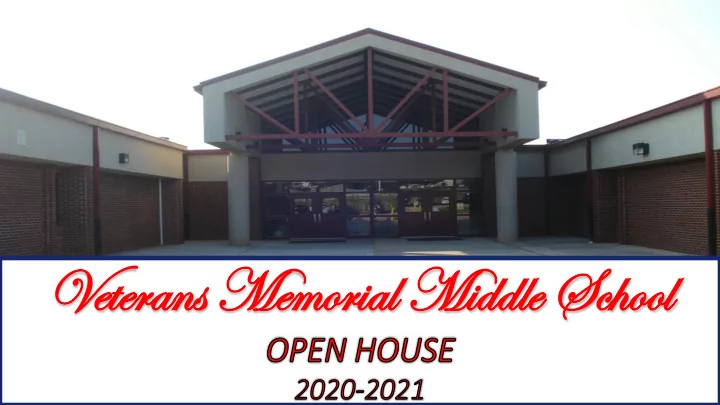
Ve Veter terans Memoria ans Memorial l Mid Middle dle Sc School hool
slide-2
SLIDE 2

Please use the link or QR code to access the sign-in sheet.

https://forms.office.com/Pages/ResponsePage.aspx?id=ch_yIvfg- 0SqZZslx4tNz63wp8pVADpHu100Y53OQehUQUlRVEVMOTlYSFVMMTFHMEtUOTF YWFlBSy4u

slide-3
SLIDE 3
  • Dr. Curry is in charge of the

daily operations of our school.

  • You will see her often in

the classrooms and hallways and she is more than willing to help with whatever you may need.

slide-4
SLIDE 4
  • Mr. Alston and Mrs. Rachels help
  • Dr. Curry run Veterans Memorial

Middle School.

  • They handle discipline,

administer school-wide testing, support our sport teams, and much more.

  • They lead with their hearts and

will do anything to help you succeed.

slide-5
SLIDE 5

The school counselors along with Ms. Elliott are available when you need to talk about anything. They will also help you plan for your future!

slide-6
SLIDE 6

SRO- Deputy Robinson

slide-7
SLIDE 7

The mission of the Instructional Coaches is promote student success through supporting teachers and providing opportunities for reflection of their instruction, professional growth, collaboration and implementation of effective practices.

slide-8
SLIDE 8
  • Mr. Wren

School Technology Assistant

  • Mr. Occilien-Similen

School Technology

  • Mrs. Wren

Media Specialist

slide-9
SLIDE 9

Case Manager for Tier 2 and Tier 3 students receiving academic and behavior interventions and supports.

  • Mrs. Byrd
slide-10
SLIDE 10
  • Make contact with all of your child's

teachers

  • If you have raised adolescents, be

willing to share advice and information with other parents

  • Review infinite campus on a regular

basis

(Ford-Coabley, Crenshaw, DelAunter & Isaacs, 2006; The elementary to middle school transition: Five helpful hints for parents, n.d.)
  • Maintain a good working relationship

with your child’s teachers

  • Visit the virtual learning classes
  • Know and understand school rules
  • Attend meetings (curriculum nights,

conferences, etc.)

  • Make sure your child attends virtual

learning classes everyday and on time

slide-11
SLIDE 11

Stakeholder Input We want to hear from you! Do you have any suggestions for how we can best reach out to, communicate with, and work with you as equal partners? Do you have any suggestions for our Parent and Family Engagement Policy, School-Parent Compact, and/or Parent and Family Engagement funds? If so, please provide us with your comments on the Stakeholders' Input form that is available in the chat.

https://newtoncounty- my.sharepoint.com/:p:/g/personal/jones_bianca_newton_k12_ga_us/Eea6bvyzHFpIlmq- ZpmSsGsB-7pg8_VMS9TZEg0QwIDsHA?e=8eAxkL

slide-12
SLIDE 12

WHAT HAPPENS IF PARENTS GET INVOLVED

Decades of research show that when parents are involved students have …

  • Higher grades, test scores, and graduation rates
  • Better school attendance
  • Increased motivation
  • Better self-esteem
  • Lower rates of suspension
  • Decreased use of drugs and alcohol
  • Fewer instances of violent behavior
  • Greater enrollment rates in post-secondary education
(Ford-Coabley, Crenshaw, DelAunter & Isaacs, 2006)
slide-13
SLIDE 13

Connections classes will introduce you to many new subjects, including Foreign Language, Business and Computer Science, Art, Family and Consumer Science, Physical Education, Technology & Engineering, Band, and Chorus. Veterans is on a block schedule, which means you only attend one connections per day, alternating every

  • ther day.
slide-14
SLIDE 14
  • Mr. T. Johnson, Mrs. Black, and Mr. Roberts are located
  • n the E-Wing.

The STEM program at Veterans is designed to introduce students to project based learning. The ultimate goal of

  • ur STEM program is to produce a student that is high

school and career ready.

slide-15
SLIDE 15
slide-16
SLIDE 16

My name is Chandra Black and I was born and reside in Covington, Ga. I attended the University of Georgia (UGA). I have a sister and three nephews. I got married in 2008 and have two children (Kylie and Keegan). I enjoy shopping and spending time with my family. I have been teaching for 16 years!

slide-17
SLIDE 17

At Veterans, there are many fun extracurricular opportunities and groups you can join, such as Robotics, FCCLA, Student Council, Generals 360, The News Show, FBLA, and much more….

slide-18
SLIDE 18

There are also sports teams like the basketball, football, wrestling, cheerleading, track, soccer and softball. All students have the opportunity to participate in all sports.

slide-19
SLIDE 19
slide-20
SLIDE 20

Veterans Memorial Middle School Virtual Classroom Expectations

Prepare For Success

  • Set up your device in a place that is quiet and as free of distractions as possible. For example, setting up your device in the living room with the
TV on will not help you learn!
  • Dress properly for participating in virtual classrooms. Students should not be in their pajamas/sleepwear during virtual class settings.
  • Print out your “class schedule” to help keep yourself on track.
  • Reach out to your teachers for help when you need it. Each of your teachers will
provide online “Office Hours” to provide extra help for students who need it. Pay attention to Canvas to find out when your teacher will be available so that you can take advantage of their help.

Canvas

  • Access Canvas at the beginning of each day.
  • Each of your teachers will use Canvas to provide you with weekly assignments.
You will need to access Canvas to access these assignments, view resources to help you complete the work, and to submit the work for feedback and grading.

Zoom

  • Access Zoom at the beginning of each virtual class. Each of your teachers will post a link to his/her virtual classroom.
  • Click the link to join each virtual classroom when it is time for the class to start.
Remember to always use your NCSS username and password to login.

Virtual Class Etiquette

  • Be professional and respectful at all times in the Zoom Virtual Classroom. Virtual school follows the same expectations as in person school.
Students are expected to be respectful and professional at all times.
  • During each virtual class, students should:
Raise their “hand” to ask questions, answer questions, and participate in discussions without interrupting the teacher or other students.
  • Use appropriate language when communicating orally or via the chat feature in the virtual classroom. Avoid abbreviations, such as LOL, when
sharing responses.
  • Refrain from engaging in distracting behavior, such as texting or posting to social media.
All aspects of the NCSS Code of Conduct applies to Virtual School, including but not limited to the use of inappropriate language or gestures, bullying, etc.

Review

  • Review written feedback from your teachers and check your grades regularly. Your teachers will continue to give you feedback and grades just as
if you were in school.
  • Review your feedback and check grades in Infinite Campus regularly to monitor your progress and achieve your best!
slide-21
SLIDE 21

REMIND 101 TEXT: 81010 CODE: @MATHRKS234

slide-22
SLIDE 22

HINTON.TERESA@NEWTON.K12.GA.US

slide-23
SLIDE 23

JACKSON.DENISE@NEWTON.K12.GA.US

slide-24
SLIDE 24

CHANTELLEE.DOYLEY@NEWTON.K12.GA.US

slide-25
SLIDE 25 PLANTER.ANGENETTE@NEWTON.K12.GA.US
slide-26
SLIDE 26

MUSSELMAN.RON@NEWTON.K12.GA.US

slide-27
SLIDE 27

BARLOW.SHEILA@NEWTON.K12.GA.US

slide-28
SLIDE 28 FOSTER.EBONITA@NEWTON.K12.GA.US
slide-29
SLIDE 29

SUPPLY LIST

  • Mrs. Abernathy Math- INTERACTIVE NOTEBOOK 11 x 8 ½

Spiral Notebook

  • Mrs. Jackson ELA- 1 Notebook Composition or Spiral

Professor Planter Science- 1 Spiral Notebook (Class), 1 Composition Notebook (Labs), (1) 3 Ring Binder & 5 section dividers

  • Ms. Barlow- 1 Notebook Composition or Spiral
  • Ms. Doyley Resource- 1 Notebook Composition or Spiral
  • Mrs. Hinton- INTERACTIVE NOTEBOOK 11 x 8 ½ Spiral

Notebook

slide-30
SLIDE 30

REMIND 101 TEXT: 81010 CODE: @A3368K

slide-31
SLIDE 31

REMIND 101 TEXT: 81010 CODE: @WARDELA20

slide-32
SLIDE 32

JOSEPH.CHERYL@NEWTON.K12.GA.US

slide-33
SLIDE 33

turley.aubrey@newton.k12.ga.us

slide-34
SLIDE 34

SUPPLY LIST

  • Mrs. Richardson (Math): 1 composition or spiral notebook
  • Ms. Ward (ELA): 1 composition or spiral notebook
  • Mrs. Turley (SS): 1 composition or spiral notebook & colored

pencils

slide-35
SLIDE 35

Download these Apps:

  • Infinite Campus
  • Remind

Complete these two online forms:

  • Breakfast/Lunch Form - https://newton.strataapps.com/
  • Sign In Form -
slide-36
SLIDE 36

STUDENT LOG IN IN - USERNAME: LASTNAME+FIRST INITIAL+MIDDLE NAME INITIAL+ TWO DIGIT BIRTH MONTH+ TWO DIGIT BIRTH DAY PASSWORD: STUDENT ID (LUNCH #) EXAMPLE FOR BOBBY C. SMITH: USERNAME: SMITHBC1115 PASSWORD: 123456 *THE INITIAL LOGIN WILL TAKE A FEW MINUTES. *IF YOU HAVE ANY TECHNOLOGY CONCERNS PLEASE CONTACT DEVICE SUPPORT

slide-37
SLIDE 37
slide-38
SLIDE 38

Meal Delivery Locations and Times:

  • https://versatransweb04.tylertech.com/NewtonCounty/onscreen/mystop/loginmobile.aspx

 Mystop Instructions:  https://www.newtoncountyschools.org/parents/my_stop_app.

  • Meal Cost

BREAKFAST LUNCH $1.25 $2.30 Reduced $0.30 $0.40

slide-39
SLIDE 39

Q & A