Variables and memory Variables and memory Every variable has: a - - PowerPoint PPT Presentation

variables and memory variables and memory
SMART_READER_LITE
LIVE PREVIEW

Variables and memory Variables and memory Every variable has: a - - PowerPoint PPT Presentation

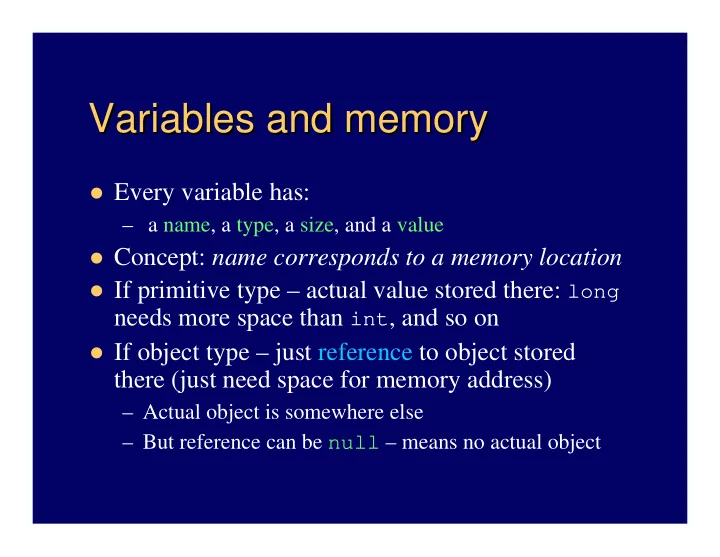
Variables and memory Variables and memory Every variable has: a name, a type, a size, and a value Concept: name corresponds to a memory location If primitive type actual value stored there: long needs more space than int , and


slide-1
SLIDE 1

Variables and memory Variables and memory

Every variable has:

– a name, a type, a size, and a value

Concept: name corresponds to a memory location If primitive type – actual value stored there: long

needs more space than int, and so on

If object type – just reference to object stored

there (just need space for memory address)

– Actual object is somewhere else – But reference can be null – means no actual object

slide-2
SLIDE 2

Variables and constants Variables and constants

Java is “strongly-typed”

– Must declare type for memory locations used – e.g., declare 2 doubles, and one String reference

double a, b; String s;

Declaring allocates space, but value is undefined

– Must assign value, or compiler won’t let you use it

final variables are “constants”

– May only assign value once; usually when declared

e.g., final double TAX_RATE = 0.0775;

slide-3
SLIDE 3

Identifiers Identifiers

Names of classes, variables, methods 3 simple rules:

– Must consist of a sequence of letters, digits, _, or $

No other characters allowed – including no spaces

– Must not begin with a digit – No Java reserved words allowed

Unwritten rule: Use meaningful names Conventions:

– NameOfClass – begin with uppercase – other or otherName, unless name of constant, like PI

slide-4
SLIDE 4

Standard Output, and Strings Standard Output, and Strings

System.out – an object of type PrintStream

– println(string) – prints string and newline – print(string) – prints string, no newline

String – delimited by quotes: “a string”

– Remember: special characters start with “\”

e.g., \n is a newline character So println(“Hi”) is same as print(“Hi\n”)

+ concatenates: e.g., “a” + 5 + ”b” becomes “a5b”

Note: first 5 is converted to a String.

slide-5
SLIDE 5

Formatted printing with Formatted printing with printf

printf

Java 5: printf(String format, Object... args)

– Method of PrintStream class – so System.out has System.out.printf(“x = %d”, x); // x is an integer

%d means print integer as decimal. Can be octal or hex too:

…printf(“octal: %o%nhex: %x%n”, x, x);

Note variable length argument list – also new Java 5 feature

%f or %e or %g for floating point, and %s for strings

– Also control field width, precision, and other formatting …printf(“%-9s%7.2f%n”, “Value”, v); – See Tables 3 and 4, p. 168

Complete details in java.util.Formatter

– Format dates, times, … Works for String objects too: String s = String.format(“pt: %d, %d", x, y);
slide-6
SLIDE 6

java.lang.Math java.lang.Math static methods

static methods

Math’s public methods are all static

– So invoke by class name and the dot “.” operator:

double r = Math.toRadians(57.); System.out.println(“Sine of 57 degrees is “ + Math.sin(r));

Some methods in chapter 4, Table 2 (p. 150):

– Math.max(x,y) and Math.min(x,y) – Math.random() (and more versatile java.util.Random class)

e.g., int dice = (int)(Math.random()*6) + 1;

Math is in the package called java.lang (the

  • ne you needn’t import)
slide-7
SLIDE 7

Some Some String

String methods

methods

Accessing sub-strings: (Note – positions start at 0, not 1)

– substring(int) – returns end of string – substring(int, int) – returns string from first

position to just before last position

– charAt(int) – returns single char

length() – the number of characters toUpperCase(), toLowerCase(), trim(), … valueOf(…) – converts any type to a String

– But converting from a String is more difficult

slide-8
SLIDE 8

Standard input, and more Strings Standard input, and more Strings

Normally have to read keyboard or other input as

a String (also requires error handling and a reader object)

And must “parse” string to interpret numbers or

  • ther types

e.g., String s1 = “426”, s2 = “93.7”; Then s1 can be parsed to find an int or a double,

and s2 can be parsed to find a double:

int n = Integer.parseInt(s1); double d = Double.parseDouble(s2);

slide-9
SLIDE 9

java.util.Scanner java.util.Scanner

Important Java 5 enhancement

– Greatly simplifies processing standard input – No need to handle IOExceptions – No need to deal with parsing input strings

First construct a Scanner object – pass it System.in

Scanner in = new Scanner(System.in);

Then get next string, int or double (others too)

int x = in.nextInt(); double y = in.nextDouble(); String s = in.next(); String wholeLine = in.nextLine();

slide-10
SLIDE 10

Other ways to get data from user Other ways to get data from user

JOptionPane – simplest type of GUI

– Quick way to get an input String from the user – Must parse string to convert to numbers/other – e.g., old text’s InputTest.java

Before Java 5 – harder to read standard input

– Basically, associate a Reader object with System.in – Must handle or throw IOExceptions – Data actually are integers representing char

Reader object converts whole line to a String – then parse

– e.g., old text’s ConsoleInputTest.java

slide-11
SLIDE 11

Some operators Some operators

= is the assignment operator Basic arithmetic operators: +, -, *, /, %

– % is modulus operator (remainder)

Compound arithmetic/assignment operators

e.g., a += 5; // same as: a = a + 5; – Also -=, *=, /=, and %=

Increment and decrement operators

– ++ is same as += 1 and -- is same as -= 1 – e.g. counter++; // increments counter by 1

slide-12
SLIDE 12

Pre vs. post Pre vs. post ++ ++ or

  • r --
  • Post-increment is not exactly the same as pre-

increment (same goes for decrement)

– i.e., x++ is not exactly the same as ++x, but the final value of x is the same in both cases

Post uses value then changes it; pre is reverse e.g., say x = 7, then

System.out.println(x++) // would print 7 System.out.println(++x) // would print 8 – In either case, x equals 8 after the print.