UrbanFox.TV UrbanFox.TV Shooting Better Interviews All of this - - PDF document

urbanfox tv
SMART_READER_LITE
LIVE PREVIEW

UrbanFox.TV UrbanFox.TV Shooting Better Interviews All of this - - PDF document

Chris&na Chris&na Fox Fox UrbanFox.TV UrbanFox.TV Shooting Better Interviews All of this presentation will go on our website Christina Fox www.urbanfox.tv/seminar Produc&on Produc&on Village Village Chris&na


slide-1
SLIDE 1

Chris&na Fox Produc&on Village

UrbanFox.TV

Shooting Better Interviews Christina Fox

Chris&na Fox Produc&on Village

UrbanFox.TV

All of this presentation will go

  • n our website

www.urbanfox.tv/seminar

Chris&na Fox Produc&on Village

Grammar

  • Grammar helps us make sense of what is

written

  • Video grammar helps viewers make sense
  • f what they are seeing
  • It stops us all getting confused

Chris&na Fox Produc&on Village

Crossing The Line

  • Sometimes called the 180o rule
  • Helps viewers understand the geography
  • But, really it is all about continuity…

Chris&na Fox Produc&on Village

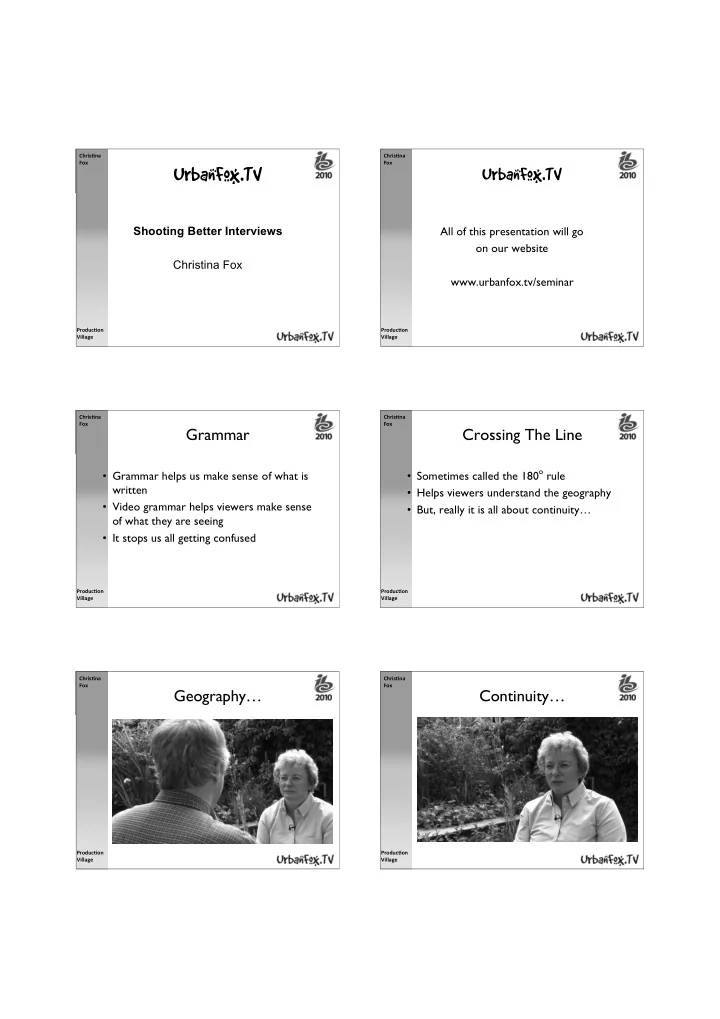
Geography…

Chris&na Fox Produc&on Village

Continuity…

slide-2
SLIDE 2

Chris&na Fox Produc&on Village

Geography…

Chris&na Fox Produc&on Village

Continuity…

Chris&na Fox Produc&on Village

So, how do we keep the continuity from shot to shot?

  • Don’t cross the line…

Chris&na Fox Produc&on Village

Define The Line

The line is the eye line between the two people

Chris&na Fox Produc&on Village

And the rule is

  • Stay one side of the line for all your shots
  • It doesn’t matter which side you choose

– but get the side with the best background

  • Just be consistent (continuity again)

So, what happens if you cross the line…

Chris&na Fox Produc&on Village

Video 1

  • Not crossing
  • Then crossing
slide-3
SLIDE 3

Chris&na Fox Produc&on Village

Checklist

So, what do we need to do before we start recording?

Chris&na Fox Produc&on Village

Distractions

  • Noisy location?

– Is it relevant to the story? – Will the viewer see the source of the noise? – Can you switch it off?

  • Mobile Phones - Air Conditioners - Fridges (car keys!)

– Can you use a different location? – Put a sign on the office door - ‘interview in progress’

Chris&na Fox Produc&on Village

Distractions

  • Video clip 2

Chris&na Fox Produc&on Village

Distractions

  • Find a fixed (non swivel) chair for your

interviewee

  • Check the background behind the chair

(is it boring, too busy, too bright?)

  • Watch out for bright windows

Chris&na Fox Produc&on Village

Tripod Position

  • Raise the camera lens - level with the eyes
  • f interviewee
  • Place camera as close to the eye-line as

possible

  • Check spirit level

Chris&na Fox Produc&on Village

Shot Size

  • Zoom out to an MCU of the interviewee
  • Good for big TVs and the internet
  • Leaves space for the name and job title
  • Doesn’t show the hands
  • Shows just enough background
slide-4
SLIDE 4

Chris&na Fox Produc&on Village

Picture Quality

  • Check interviewees eyes are in focus
  • Check exposure
  • White balance camera

Chris&na Fox Produc&on Village

Audio Quality

  • Mic interviewee and interviewer

– Quiet place - use personal microphones – 2 mics clean - on separate channels - useful in the edit – Hands free – Fullfil rule No 1 of audio – Can be wireless – Need to keep an eye on two levels

Chris&na Fox Produc&on Village

OMNI-DIRECTIONAL

Chris&na Fox Produc&on Village

Microphones

  • Noisy place? - use a directional microphone
  • Used correctly a directional mic will reduce

the background noise compared to voice

  • You’ll need a spare pair of hands or a mic

stand

Chris&na Fox Produc&on Village

DIRECTIONAL

Chris&na Fox Produc&on Village

The right mic - in the right place

slide-5
SLIDE 5

Chris&na Fox Produc&on Village

We’re Ready

Chris&na Fox Produc&on Village

Video clip 3+4

Chris&na Fox Produc&on Village

Shot List

  • Interviewee

– Always, shoot this first

  • Hands
  • Over the shoulder 2 shot
  • Reverse questions
  • Cutaways or Sequences