University of Puerto Rico at Humacao Communication Competencies - - PDF document

university of puerto rico at humacao communication
SMART_READER_LITE
LIVE PREVIEW

University of Puerto Rico at Humacao Communication Competencies - - PDF document

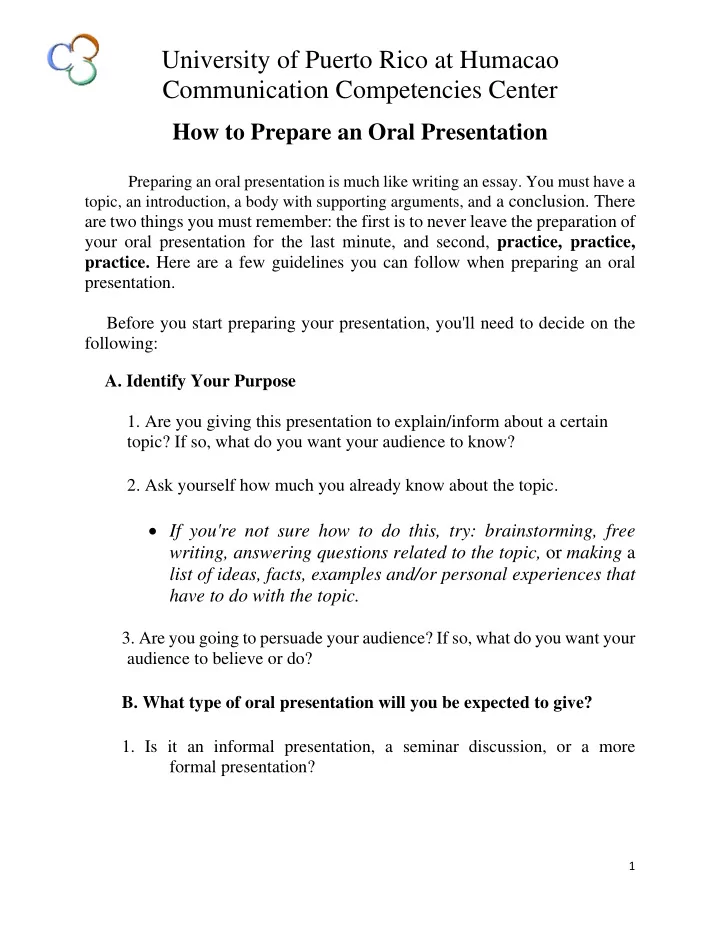
University of Puerto Rico at Humacao Communication Competencies Center How to Prepare an Oral Presentation Preparing an oral presentation is much like writing an essay. You must have a topic, an introduction, a body with supporting arguments, and


slide-1
SLIDE 1

1

University of Puerto Rico at Humacao Communication Competencies Center

How to Prepare an Oral Presentation

Preparing an oral presentation is much like writing an essay. You must have a topic, an introduction, a body with supporting arguments, and a conclusion. There

are two things you must remember: the first is to never leave the preparation of your oral presentation for the last minute, and second, practice, practice,

  • practice. Here are a few guidelines you can follow when preparing an oral

presentation. Before you start preparing your presentation, you'll need to decide on the following:

  • A. Identify Your Purpose
  • 1. Are you giving this presentation to explain/inform about a certain

topic? If so, what do you want your audience to know?

  • 2. Ask yourself how much you already know about the topic.
  • If you're not sure how to do this, try: brainstorming, free

writing, answering questions related to the topic, or making a list of ideas, facts, examples and/or personal experiences that have to do with the topic.

  • 3. Are you going to persuade your audience? If so, what do you want your

audience to believe or do?

  • B. What type of oral presentation will you be expected to give?
  • 1. Is it an informal presentation, a seminar discussion, or a more

formal presentation?

slide-2
SLIDE 2

2

  • Each type of presentation has a different style. For example,

an informal talk about the summary of a short story is going to be presented differently than a class demonstration.

  • C. Analyze Your Audience
  • 1. Who are you addressing?
  • Determine if your audience will be experts on the subject in
  • rder to know if you'll be presenting new concepts or just

building on their prior knowledge.

  • 2. What does your audience expect?
  • Is there a specific purpose for having you give the

presentation? Make sure you are aware about what the expectations are before you give the presentation. Ask your Professor for the guidelines and evaluation form. This will help you organize yourself.

  • 3. What does your audience already know about this topic?
  • Is your audience interested in this topic? If so, what do they

need or want to know? It's important to know this because an interested group will be willing to pay attention, whereas, with an uninterested group you have to work hard in making the presentation interesting.

After doing all the things stated above, you can now work on the actual content of the presentation. The following are some guidelines on how to develop your presentation:

  • A. Introduction -'
  • 1. Introduce your thesis and give a brief overview of your points or

supporting facts.

  • An effective way to get the crowd interested is by "hooking"

them with a question, shocking fact, joke, quote or anecdote.

slide-3
SLIDE 3

3

  • B. Body
  • 1. Support your thesis and give enough information for it.
  • Develop your points fully by using evidence, background data,

facts, examples, statistics, quotations from experts, definitions, etc.

  • 2. Arrange your points or supporting facts in chronological order

(most important to least important).

  • 3. Most importantly, remember to always use transitional words

and phrases between each point or supporting fact.

  • Transitional words and/or phrases signal the audience that

you are moving to a new point. This creates a smooth flow in your presentation.

'

Examples of this are:

  • "That brings me to the next point, which is..."
  • "To begin with, let's take a look at... "
  • "I'd like to leave you with this thought... "
  • C. Conclusion
  • 1. Review or summarize your main points.
  • Restate your main ideas in your closing so that your

audience will remember them.

  • 2. Don't give any more details.
  • The conclusion should give the presentation a sense of
  • closure. You can tell your listeners how they can use the

information provided and/or if needed,

  • ffer

recommendations.

If you made it this far, we've really progressed but now let's talk about what comes after your presentation: the questions. The question period is often the part that has the most influence on your audience. You've practiced the

slide-4
SLIDE 4

4

presentation but the question period is where the audience really tests your knowledge on the subject, and where your ability to interact with the public is

  • evaluated. Here are a few guidelines to help get you through this "rough"

period: 1) Always repeat each question.

  • This is so the audience knows what you've been asked. Before you

answer, reflect on the question. This shows respect towards the person who asked the question and gives you time to make sure you answer what was asked correctly.

2) Wait for the questioner to finish asking his/her question before you begin to answer.

  • Unless the person asking the question is incoherent or vague,

then you cut him/her short tactfully. Remember this is your presentation and you have a specific time in which to present it.

3) Most importantly, if you can't answer a question just say so.

  • Don't apologize, instead offer to look up information on it

and get back to them or suggest resources that would help the person asking the question to get information. After following these steps, making an oral presentation should be easy. Remember you can use visual aids to illustrate the major concepts in a brief and simple way, but don't over do it. Visual aids are helpful but should not be the core of your presentation. Some examples of visual aids are: graphs, charts, pictures, posters, transparencies, and electronic equipment such as Power Point, Corel presentations, etc.

Remember: the key to any good presentation is practice and more practice!

Prepared by: Emily A. Fajardo Rodríguez (2003) Revised by: Viviana T. González Mezo (2007)