Translation Quality Estimation Tutorial Hands-on QuEst++ Carolina - - PDF document

translation quality estimation tutorial hands on quest
SMART_READER_LITE
LIVE PREVIEW

Translation Quality Estimation Tutorial Hands-on QuEst++ Carolina - - PDF document

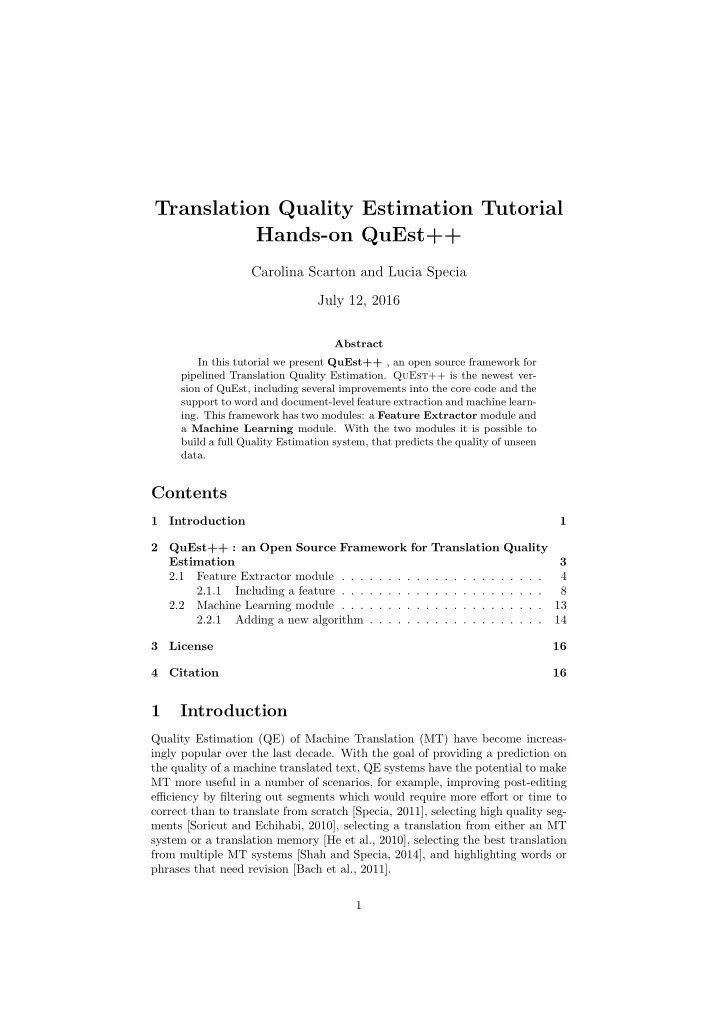
Translation Quality Estimation Tutorial Hands-on QuEst++ Carolina Scarton and Lucia Specia July 12, 2016 Abstract In this tutorial we present QuEst++ , an open source framework for pipelined Translation Quality Estimation. QuEst ++ is the newest


slide-1
SLIDE 1

Translation Quality Estimation Tutorial Hands-on QuEst++

Carolina Scarton and Lucia Specia July 12, 2016

Abstract In this tutorial we present QuEst++ , an open source framework for pipelined Translation Quality Estimation. QuEst++ is the newest ver- sion of QuEst, including several improvements into the core code and the support to word and document-level feature extraction and machine learn-

  • ing. This framework has two modules: a Feature Extractor module and

a Machine Learning module. With the two modules it is possible to build a full Quality Estimation system, that predicts the quality of unseen data.

Contents

1 Introduction 1 2 QuEst++ : an Open Source Framework for Translation Quality Estimation 3 2.1 Feature Extractor module . . . . . . . . . . . . . . . . . . . . . . 4 2.1.1 Including a feature . . . . . . . . . . . . . . . . . . . . . . 8 2.2 Machine Learning module . . . . . . . . . . . . . . . . . . . . . . 13 2.2.1 Adding a new algorithm . . . . . . . . . . . . . . . . . . . 14 3 License 16 4 Citation 16

1 Introduction

Quality Estimation (QE) of Machine Translation (MT) have become increas- ingly popular over the last decade. With the goal of providing a prediction on the quality of a machine translated text, QE systems have the potential to make MT more useful in a number of scenarios, for example, improving post-editing efficiency by filtering out segments which would require more effort or time to correct than to translate from scratch [Specia, 2011], selecting high quality seg- ments [Soricut and Echihabi, 2010], selecting a translation from either an MT system or a translation memory [He et al., 2010], selecting the best translation from multiple MT systems [Shah and Specia, 2014], and highlighting words or phrases that need revision [Bach et al., 2011]. 1

slide-2
SLIDE 2

Sentence-level QE is addressed as a supervised machine learning task using a variety of algorithms to induce models from examples of sentence translations annotated with quality labels (e.g. 1-5 likert scores). This level has been cov- ered in shared tasks organised by the Workshop on Statistical Machine Transla- tion (WMT) annually since 2012 [Callison-Burch et al., 2012, Bojar et al., 2013, Bojar et al., 2014, Bojar et al., 2015]. While standard algorithms can be used to build prediction models, key to this task is work of feature engineering. Two open source feature extraction toolkits are available for that: Asiya1 [Gon` alez et al., 2012] and QuEst2 [Specia et al., 2013]. The latter has been used as the official baseline for the WMT shared tasks and extended by a num- ber of participants, leading to improved results over the years. Word-level QE [Blatz et al., 2004, Ueffing and Ney, 2005, Luong et al., 2014] has recently received more attention. It is seemingly a more challenging task where a quality label is to be produced for each target word. An additional challenge is the acquisition of sizable training sets Significant efforts have been made (including three years of shared task at WMT), showing an increase on researches in word-level QE from last year. An application that can benefit from word-level QE is spotting errors (wrong words) in a post-editing/revision scenario. Document-level QE has received much less attention than the other two lev-

  • els. This task consists in predicting a single label for entire documents, be it

an absolute score [Scarton and Specia, 2014] or a relative ranking of transla- tions by one or more MT systems [Soricut and Echihabi, 2010] (being useful for gisting purposes, where post-editing is not an option). The first shared-task

  • n document-level QE was organised last year in WMT15. Although feature

engineering is the focus of this tutorial, it is worth mentioning that one impor- tant research question in document-level QE is to define ideal quality labels for documents [Scarton et al., 2015]. More recently, phrase-level QE has also been explored [Blain et al., 2016, Logacheva and Specia, 2015]. The idea is to move from word-level and instead

  • f predicting the quality of single words, the quality of segments of words are
  • predicted. This is a very promising level with applications on improving post-

editing, building automatic post-editing systems and including information on decoders. Phrase-level QE is being addressed for the first time in WMT16 shared task.3 QuEst++ 4 is a significantly refactored and expanded version of QuEst. Feature extraction modules for both word and document-level QE were added and sequence-labelling learning algorithms for word-level QE were made avail-

  • able. QuEst++ can be easily extended with new features at any textual level.

In this tutorial we present the two modules of QuEst++ : Feature Extractor (implemented in Java) and Machine Learning (implemented in Python) modules. In Section 2 both modules are presented. Section 2.1 con- tains details of the Feature Extractor module, including how to build and run the system, how to add a new feature and how to extract the results. Sec- tion 2.2 presents the Machine Learning module, showing how to use the python scripts and how to include a new scikit-learn [Pedregosa et al., 2011] algorithm

1http://nlp.lsi.upc.edu/asiya/ 2http://www.quest.dcs.shef.ac.uk/ 3http://www.statmt.org/wmt16/quality-estimation-task.html 4https://github.com/ghpaetzold/questplusplus

2

slide-3
SLIDE 3

in the code. Sections 3 and 4 contain the licence agreement and how to cite QuEst++ , respectively.

2 QuEst++ : an Open Source Framework for Translation Quality Estimation

In this section the basic functionalities of QuEst++ are shown. QuEst++ en- compass a number of improvements and new functionalities over its previous

  • version. The main changes are listed below:
  • Refactoring of the core code of Feature Extractor module -

changes included: – Cleaning unused code in the main class. – Creating ProcessorFactory classes in order to instantiate processors classes that are required by features (now, only processors that are required are instantiated). – Creating MissingResourcesGenerator classes in order to generate missing resources (such as Language Model (LM) whenever it is pos- sible).

  • Implementing word and document-level features.
  • Including a Conditional Random Fields (CRF) algorithm (by using CRF-

suite) for word-level prediction.

  • Changing the configuration file format.

Previous developers of QuEst can note the improvements in QuEst++ , making the code cleaner and easier to understand. Users are benefited with a more understandable configuration file format, better documentation and elim- ination of unused dependencies. In this section, we present how to use QuEst++ , how to build it and how to add a new feature. Download For developers, QuEst++ can be downloaded from GitHub5 using the following command: git clone https://github.com/ghpaetzold/questplusplus.git For users, a stable version of QuEst++ is available at: http://www.quest.dcs.shef.ac.uk

5http://github.com

3

slide-4
SLIDE 4

System requirements

  • Java 86

– NetBeans 8.17 OR – Apache Ant (>= 1.9.3)8

  • Python 2.7.69 (or above -only 2.7 stable distributions)

– SciPy and NumPy (SciPy >=0.9 and NumPy >=1.6.1)10 – scikit-learn (version 0.15.2)11 – PyYAML12 – CRFsuite13 (for word-level model only) Please note: For Linux, the Feature Extractor Module should work with both OpenJDK and Oracle versions (java-8-oracle14 recommended) On Ubuntu, it’s easier to install Oracle distribution: sudo apt-get install oracle-java8-installer (Check http://ubuntuhandbook.org/index.php/2014/02/ install-oracle-java-6-7-or-8-ubuntu-14-04/ if you don’t find that version) NetBeans has issues to build on Linux. Get Ant instead to build through command line: sudo apt-get install ant

2.1 Feature Extractor module

The feature extractor module is implemented in Java, as in the first version

  • f the framework. This module encompass over 150 implemented features for

sentence-level, 40 features for word-level and 70 features for document-level. This tutorial will cover baseline features only, although some information about advanced features is provided. Dependencies - tools The dependencies for sentence and document-level baseline are:

  • Perl 515 (or above)

6http://www.oracle.com/technetwork/java/javase/downloads/

jdk8-downloads-2133151.html

7https://netbeans.org/downloads/ 8http://ant.apache.org/bindownload.cgi) 9https://www.python.org/downloads/ 10http://www.scipy.org/install.html 11https://pypi.python.org/pypi/scikit-learn/0.15.2 12http://pyyaml.org/ 13http://www.chokkan.org/software/crfsuite/ 14http://www.oracle.com/technetwork/java/javase/downloads/

jdk8-downloads-2133151.html

15https://www.perl.org/get.html

4

slide-5
SLIDE 5
  • SRILM16
  • Tokenizer (available at lang_resources folder - from Moses toolkit17)
  • Truecaser (available at lang_resources folder - from Moses toolkit)

Word-level features require the following libraries: Some of the libraries required to compile and run the code are included in the lib directory in the root directory of the distribution. The Java libraries should be included there when possible. However, there are two libraries that were not included into the lib directory due their size (used for word-level features only):

  • Stanford Core NLP 3.5.1 models18 (stanford-corenlp-3.5.1-models.jar
  • nly)
  • Stanford Core NLP Spanish models19

Advanced features (sentence and document-level) require the following tools:

  • TreeTagger20
  • Berkeley Parser21

Dependencies - resources The resources required for sentence and document-level baseline features are:

  • corpus for source language
  • corpus for target language
  • LM for source language
  • LM for target language
  • ngram counts file for source language
  • ngram counts file for target language
  • Truecase model for source language
  • Truecase model for target language
  • Giza lex file

For word-level the resources required are:

  • corpus for source language
  • corpus for target language

16http://www.speech.sri.com/projects/srilm/manpages/ 17http://www.statmt.org/moses/ 18http://nlp.stanford.edu/software/stanford-corenlp-full-2015-01-29.zip 19http://nlp.stanford.edu/software/stanford-spanish-corenlp-2015-01-08-models.

jar

20http://www.cis.uni-muenchen.de/\%7Eschmid/tools/TreeTagger/ 21https://github.com/slavpetrov/berkeleyparser

5

slide-6
SLIDE 6
  • LM for source language
  • LM for target language
  • ngram counts file for source language
  • ngram counts file for target language
  • POS ngram counts file for source language
  • POS ngram counts file for target language
  • corpus com POS information for source language
  • corpus com POS information for target language
  • reference translations in the target language
  • stop words list of the source language
  • translation probabilities of the source language
  • Universal WordNet plugin22 (unzip this file inside the lang_resources

folder) Examples of these resources are provided in the lang_resources folder. Resources for several languages can be downloaded from http://www.statmt.

  • rg/wmt15/quality-estimation-task.html. Advanced features may require

specific data (please read the documentation of the specific features). Input files For word and sentence levels, the input files contain one sentence per line. For document level, the input files contain paths to documents (one document per line). Both source and target files should have the same number of lines. An alignment file should also be provided for word-level feature extraction. This file is generated by Fast Align23 tool. Alternatively, we can provide the path for the Fast Align tool on the configuration file and QuEst++ will generate the missing resource. Output file The output file contain the features extracted separated by tab. Word-level fea- tures output are features templates for CRF algorithm. Sentence and document- level features are real values separated by tab.

22http://resources.mpi-inf.mpg.de/yago-naga/uwn/uwn.zip 23https://github.com/clab/fast_align

6

slide-7
SLIDE 7

Configuration file Configuration file is a structured file (extension .properties) that contains infor- mation about the language pairs, featureset and paths to resources and tools. An example of information about language pairs, featureset and source resource is showed below: sourceLang.default = spanish targetLang.default = english

  • utput

= output/test input = input/test resourcesPath = ./lang_resources featureConfig = config/features/features_blackbox_17.xml ! Resources for source: source.corpus = ./lang_resources/english/europarl-nc.en source.lm = ./lang_resources/english/english_lm.lm source.truecase.model = ./lang_resources/english/truecase-model.en source.postagger = /export/tools/tree-tagger/cmd/tree-tagger-english source.ngram = ./lang_resources/english/ngram-counts.europarl-nc.en.proc source.tokenizer.lang = en For running sentence and document-level baseline features, you need to change the path to SRILM folder in your system: tools.ngram.path = /export/tools/srilm/bin/i686-m64/ For word-level features, paths to SRILM, Fast Align and Universal WordNet plugin should be changed accordingly: tools.fast_align.path = /export/tools/fast-align tools.ngram.path = /export/tools/srilm/bin/i686-m64/ tools.universalwordnet.path = ./lang_resources/uwn/ Feature configuration file This is an XML file containing the features that should be extracted. The path to this file is provided in the configuration file in the featureConfig parameter. An example of this file is presented below: <?xml version="1.0" encoding="UTF-8" standalone="no"?> <features> <feature class="shef.mt.features.impl.bb.Feature1001" description="number of tokens in the source sentence" index="1001"/> <feature class="shef.mt.features.impl.bb.Feature1002" description="number of tokens in the target sentence" index="1002"/> <feature class="shef.mt.features.impl.bb.Feature1006" description="average source token length" index="1006"/> </features> If this file is used, three features will be extracted by the Feature Extractor module. 7

slide-8
SLIDE 8

Build We recommend the use of NetBeans (version 8.1)24. Alternatively, you can use Apache Ant (>= 1.9.3): ant "-Dplatforms.JDK_1.8.home=/usr/lib/jvm/java-8-<<version>>" The ant command will create all classes needed to use QuEst++ and a QuEst++.jar file. Basic Usage The following commands run QuEst++ for word, sentence and document-level feature extraction, respectively (including data examples). Word-level: java -cp QuEst++.jar:lib/* shef.mt.WordLevelFeatureExtractor

  • lang english spanish
  • input input/source.word-level.en input/target.word-level.es
  • alignments lang_resources/alignments/alignments.word-level.out
  • config config/config.word-level.properties

Sentence-level: java -cp QuEst++.jar shef.mt.SentenceLevelFeatureExtractor

  • tok -case true
  • lang english spanish
  • input input/source.sent-level.en input/target.sent-level.es
  • config config/config.sentence-level.properties

Document-level: java -cp QuEst++.jar shef.mt.DocLevelFeatureExtractor

  • tok -case true
  • lang english spanish
  • input input/source.sent-level.en input/target.sent-level.es
  • config config/config.sentence-level.properties

Omitting -tok option, the system will not tokenise the input. The option

  • case can be true, lower or none.

2.1.1 Including a feature The following example provides basic steps to include a new feature at QuEst++ . The example includes a feature at the sentence-level feature ex-

  • tractor. Similarly, features for word and document levels can be added.

Let’s include a feature that counts the number of complex words in a source sentence and average it by the number of total words in the sentece. The source language will be English and the target Spanish.

24https://netbeans.org/downloads/

8

slide-9
SLIDE 9

Resources The first thing required is a resource, a list of simple words in

  • English. Our task will be to count how many words are out of this list. A list
  • f simple words in English can be downloaded from:

https://www.dropbox.com/s/vc2vbzs1w2yptni/list_simple_words?dl=0 Download the list and place it at lang_resources/english folder. Processors Since our feature requires a resource, the second step is to create a processor that will read and store the data from the resource. Processor classes are placed in the package shef.mt.tools (folder src/shef/mt/tools). These classes are useful because they guarantee the modularity of the code. Features do not contain read and store operations and more than one feature can require the same processor (without the need of implementing the same code twice). Moreover, the processors are instantiated only once for all features that use them. Processors extends the ResourceProcessor class and imple- ments the method processNextSentence (or processNextDocument). This method is responsible to send information from the processor to the sentence being evaluated. In order to read our list of simple words, let’s create a class called ComplexWordsProcessor.java in the package shef.mt.tools (folder src/shef/mt/tools). This class should contain the code: package shef.mt.tools; import java.io.BufferedReader; import java.io.FileNotFoundException; import java.io.FileReader; import java.io.IOException; import java.util.ArrayList; import java.util.logging.Level; import java.util.logging.Logger; import shef.mt.features.util.Doc; import shef.mt.features.util.Sentence; public class ComplexWordsProcessor extends ResourceProcessor { private ArrayList<String> simpleWords; public ComplexWordsProcessor(String path) { //Create hash of words: this.simpleWords = new ArrayList<>(); //Read and store words from file: try { BufferedReader reader = new BufferedReader(new FileReader(path)); while(reader.ready()){ String word = reader.readLine().trim(); this.simpleWords.add(word); } } catch (FileNotFoundException ex) { 9

slide-10
SLIDE 10

Logger.getLogger(StopWordsProcessor.class.getName()) .log(Level.SEVERE, null, ex); } catch (IOException ex) { Logger.getLogger(StopWordsProcessor.class.getName()) .log(Level.SEVERE, null, ex); } } @Override public void processNextSentence(Sentence s) { s.setValue("simplewords", this.simpleWords); } @Override public void processNextDocument(Doc source) { throw new UnsupportedOperationException("Not supported yet."); } } This code assumes it will receive a valid path for a file with a word per line. This class will be instantiated by the class SentenceLevelProcessoFactory.java. Feature Once we have create all processors required for the feature, the next step is to implement the feature itself. Features classes are placed in the shef.mt.features.impl package (src/shef/mt/features/impl folder) and they are named following a numerical order to group features (e.g. Feature1001 and Feature1002 are from the same group). These classes implements each feature, by using the resources provided by the processors. It extends the Feature class and implement the method run that extracts the feature and set the feature value for the sentece.25 Let’s create a class called Feature7001.java in the shef.mt.features.impl.bb package (src/shef/mt/features/impl/bb folder). This class should contain a code similar to: package shef.mt.features.impl.bb; import java.util.ArrayList; import shef.mt.features.impl.Feature; import shef.mt.features.util.Sentence; public class Feature7001 extends Feature { public Feature7001(){ this.setIndex(7001); this.setDescription("Complex word count of source sentence"); this.addResource("source.simplewords"); } @Override

25For word and document levels, the classes are WordLevelFeature and DocLevelFeature,

respectively.

10

slide-11
SLIDE 11

public void run(Sentence source, Sentence target) { ArrayList<String> simpleWords = (ArrayList<String>) source.getValue("simplewords"); String[] tokens = source.getTokens(); int complexWords = 0; for (String token:tokens){ if (!simpleWords.contains(token)){ complexWords+=1; } } //defining value for the feature this.setValue(((float) complexWords)/tokens.length); } } This class is assuming that the resource source.simplewords was provide in the configuration file. Feature configuration file A feature configuration file is a XML con- taining the featureset that will be extracted. These files are saved at the config/features folder. In order to run our new feature, let’s create a fea- ture configuration file called features_complex_words.xml. This file should contain: <feature class="shef.mt.features.impl.bb.Feature7001" description="number of complex words in the source sentence" index="7001"/> Configuration file The configuration file contains paths to the resources and tools that are used by QuEst++ . These files are in the config folder and have the extension .properties In order to provide the path of the list of complex words, we can include a line in the configuration file. This line should contain the name of the resource (that we gave in the feature file - source.simplewords). Also, the featureConfig parameter should be changed to point to the new feature configuration file. featureConfig = config/features/features_complex_words.xml source.simplewords = ./lang_resources/english/list_simple_words SentenceLevelProcessoFactory This class is responsible for linking instan- tiated all required processors. It will search in the feature set provide for the dependencies (resource or tools) required and it will instantiated the proces- sors accordingly. This class is the link between the features requirements, the resource and tools paths in the configuration file and the processors. In its con- structor there are if blocks checking for feature requirements. If a constructor is required it is instantiated in a get method and added to the list of processors that will run for each sentence. The structure of this class is as follow: //constructor public SentenceLevelProcessorFactory(FeatureExtractor fe) { //Setup initial instance of ResourceProcessor matrix: 11

slide-12
SLIDE 12

this.resourceProcessors = null; //Setup feature extractor: this.fe = fe; //Get required resources: HashSet<String> requirements = fe.getFeatureManager().getRequiredResources(); //Allocate source and target processor vectors: ArrayList<ResourceProcessor> sourceProcessors = new ArrayList<ResourceProcessor>(); ArrayList<ResourceProcessor> targetProcessors = new ArrayList<ResourceProcessor>(); [IF BLOCKS checking for feature requirements] //Transform array lists in vectors: ResourceProcessor[] sourceProcessorVector = new ResourceProcessor[sourceProcessors.size()]; ResourceProcessor[] targetProcessorVector = new ResourceProcessor[targetProcessors.size()]; sourceProcessorVector = (ResourceProcessor[]) sourceProcessors.toArray(sourceProcessorVector); targetProcessorVector = (ResourceProcessor[]) targetProcessors.toArray(targetProcessorVector); //Return vectors: this.resourceProcessors = new ResourceProcessor[][]{sourceProcessorVector, targetProcessorVector}; } [GET Processor methods] In order to implement our new feature, the following if block should be added to the code. if (requirements.contains("source.simplewords")){ ComplexWordsProcessor complexWordsProcessor = this.getComplexWordsProcessor(); sourceProcessors.add(complexWordsProcessor); } The method getComplexWordsProcessor() should also be implemented: private ComplexWordsProcessor getComplexWordsProcessor() { //Register resource: ResourceManager.registerResource("source.simplewords"); //Get paths to stop word lists: String path = this.fe.getResourceManager().getProperty("source.simplewords"); 12

slide-13
SLIDE 13

//Generate processors: ComplexWordsProcessor processor = new ComplexWordsProcessor(path); //Return processors: return processor; } Build and Run Either build the system again using NetBeans or using Apache Ant. Just run using the sentence-level basic usage line.

2.2 Machine Learning module

The machine learning module is implemented in Python and is located in the folder learning of QuEst++ distribution. This module has support to several algorithms from the scikit-learn toolkit and an implementation of CRF from

  • CRFsuite. Support to Gaussian Process (using GPy toolkit) needs update. This

tutorial presents how to run and how to add a new algorithm from scikit-learn to the module. Dependencies and Instalation The program itself does not require any installation step, it is just a matter of running it provided that all the system requirements for Python are installed. Running Note: Following commands are based on the assumption that all files are under learning directory. The program takes only one input parameter, the configu- ration file. For example: python src/learn_model.py config/svr.cfg Please note that the file svr.cfg can be replaced by any other configuration file for different algorithms. For building CRF models for word-level QE, use: python src/learn_model_CRF.py config/crf.cfg Configuration file The configuration uses the YAML format. Its layout is quite straightforward. It is formed by key and value pairs that map directly to dictionaries (in Python)

  • r hash tables with string keys. One example is as follows:

learning: method: LassoLars parameters: alpha: 1.0 max_iter: 500 normalize: True 13

slide-14
SLIDE 14

fit_intercept: True fit_path: True verbose: False Each keyword followed by a : represents an entry in a hash. In this example, the dictionary contains an entry learning that points to another dictionary with two entries method and parameters. The values of each entry can be lists, dictionaries or primitive values like floats, integers, booleans or strings. Please note that each level in the example above is indented with 4 spaces. For more information about the YAML format please refer to http://www. yaml.org/ . The configuration file is composed of three main parts: input and generic

  • ptions, feature selection, and learning.

Input comprises the following four parameters: x_train: data/features/wmt2012_qe_baseline/training.qe.baseline.tsv y_train: data/features/wmt2012_qe_baseline/training.effort x_test: data/features/wmt2012_qe_baseline/test.qe.baseline.tsv y_test: data/features/wmt2012_qe_baseline/test.effort The first two are the paths to the files containing the features for the training set and the responses for the training set, respectively. The last two options refer to the test dataset features and response values, respectively. The format of the feature files is any format that uses a character to separate the columns. The default is the tabulator char (tab) as this is the default format generated by the features extractor module. Two other options are available: scale: true separator: ’\t’ scale applies scikit-learn’s scale() function to remove the mean and divide by the unit standard deviation for each feature. This function is applied to the concatenation of the training and test sets. More information about the scale function implemented by scikit-learn can be found at http://scikit-learn.

  • rg/dev/modules/generated/sklearn.preprocessing.scale.html.

separator sets the character used to delimit the columns in the input files. For CRF algorithm a parameter related to the folder or the CRFsuite also need to be set: crfsuite: <<path-to-crfsuite>> Configuration files for some of the implemented algorithms are available in the config directory. 2.2.1 Adding a new algorithm Let’s add a new algorithm from scikit-learn toolkit. In order to do this, we need to change the file learn_model.py (in the folder src). This file instantiates and run all scikit-learn algorithms already implemented in the module. Not

  • nly regression and classification is supported, but also different algorithms for

feature selection and several evaluation scores are already implemented. 14

slide-15
SLIDE 15

The method that we need to change is called set_learning_method. In this method the scikit-learn algorithm is defined and all the parameters are passed. Part of this method is presented below: def set_learning_method(config, X_train, y_train): estimator = None learning_cfg = config.get("learning", None) if learning_cfg: p = learning_cfg.get("parameters", None)

  • = learning_cfg.get("optimize", None)

scorers = \ set_scorer_functions(learning_cfg.get("scorer", [’mae’, ’rmse’])) method_name = learning_cfg.get("method", None) if method_name == "SVR": if o: tune_params = set_optimization_params(o) estimator = optimize_model(SVR(), X_train, y_train, tune_params, scorers,

  • .get("cv", 5),
  • .get("verbose", True),
  • .get("n_jobs", 1))

elif p: estimator = SVR(C=p.get("C", 10), epsilon=p.get(’epsilon’, 0.01), kernel=p.get(’kernel’, ’rbf’), degree=p.get(’degree’, 3), gamma=p.get(’gamma’, 0.0034), tol=p.get(’tol’, 1e-3), verbose=False) else: estimator = SVR() It is possible to observe in the code that according to the o (optimise) and p (fixed parameters) options, the algorithm SVR is called differently. This parameters come from the configuration file. To include the Linear Ridge algorithm from scikit-learn we need to add the following code: if method_name == "Ridge": if o: tune_params = set_optimization_params(o) estimator = optimize_model(linear_model.Ridge(), X_train, y_train, tune_params, scorers,

  • .get("cv", 5),
  • .get("verbose", True),
  • .get("n_jobs", 1))

15

slide-16
SLIDE 16

elif p: estimator = linear_model.Ridge(alpha =0.5) else: estimator = linear_model.Ridge() Also the following line should be add to the top of the learn_model.py file: from sklearn import linear_model The next step is to create a configuration file for the new algorithm. Let’s create a file called ridge.cfg inside the config folder. This file should follow the YAML format, containing: x_train: data/features/wmt2012_qe_baseline/training.qe.baseline.tsv y_train: data/features/wmt2012_qe_baseline/training.effort x_test: data/features/wmt2012_qe_baseline/test.qe.baseline.tsv y_test: data/features/wmt2012_qe_baseline/test.effort scale: true separator: "\t" learning: method: Ridge

  • ptimize:

alpha: [0.1, 0.2, 0.3, 0.4, 0.5] scorer: [mae, rmse] parameters: alpha: 0.5 Note that the parameter that should be optimised is alpha. Run the system with the command line: python src/learn_model.py config/ridge.cfg

3 License

The license for the Java code and any python and shell scripts developed here is the very permissive BSD License26. For pre-existing code and resources, e.g., scikit-learn, SRILM and Stanford parser, please check their websites.

4 Citation

Lucia Specia, Gustavo Henrique Paetzold and Carolina Scarton (2015): Multi- level Translation Quality Prediction with QuEst++. In Proceedings of ACL- IJCNLP 2015 System Demonstrations, Denver, CO, pp. 118-125.27

26http://en.wikipedia.org/wiki/BSD_licenses 27http://aclweb.org/anthology/N/N15/N15-2016.pdf

16

slide-17
SLIDE 17

Acknowledgements

This particular release of QuEst++ was made possible through the EXPERT28 (EU Marie Curie ITN No. 317471) project and funding from EAMT29. We also thank to QuEst30 (Pascal NoE), QTLaunchPad31, QT2132 projects that funded previous versions of QuEst.

References

[Bach et al., 2011] Bach, N., Huang, F., and Al-Onaizan, Y. (2011). Goodness: a method for measuring MT confidence. In ACL11. [Blain et al., 2016] Blain, F., Logacheva, V., and Specia, L. (2016). Phrase level segmentation and labelling of machine translation errors. In LREC 2016. [Blatz et al., 2004] Blatz, J., Fitzgerald, E., Foster, G., Gandrabur, S., Goutte, C., Kulesza, A., Sanchis, A., and Ueffing, N. (2004). Confidence Estimation for Machine Translation. In COLING04. [Bojar et al., 2013] Bojar, O., Buck, C., Callison-Burch, C., Federmann, C., Haddow, B., Koehn, P., Monz, C., Post, M., Soricut, R., and Specia, L. (2013). Findings of the 2013 Workshop on SMT. In WMT13. [Bojar et al., 2014] Bojar, O., Buck, C., Federmann, C., Haddow, B., Koehn, P., Leveling, J., Monz, C., Pecina, P., Post, M., Saint-Amand, H., Soricut, R., Specia, L., and Tamchyna, A. (2014). Findings of the 2014 Workshop on

  • SMT. In WMT14.

[Bojar et al., 2015] Bojar, O., Chatterjee, R., Federmann, C., Haddow, B., Huck, M., Hockamp, C., Koehn, P., Logacheva, V., Monz, C., Negri, M., Post, M., Scarton, C., Specia, L., and Turchi, M. (2015). Findings of the 2015 Workshop on SMT. In WMT15. [Callison-Burch et al., 2012] Callison-Burch, C., Koehn, P., Monz, C., Post, M., Soricut, R., and Specia, L. (2012). Findings of the 2012 Workshop on SMT. In WMT12. [Gon` alez et al., 2012] Gon` alez, M., Gim´ enez, J., and M` arquez, L. (2012). A Graphical Interface for MT Evaluation and Error Analysis. In ACL12. [He et al., 2010] He, Y., Ma, Y., van Genabith, J., and Way, A. (2010). Bridging SMT and TM with translation recommendation. In ACL10. [Logacheva and Specia, 2015] Logacheva, V. and Specia, L. (2015). Phrase-level Quality Estimation for Machine Translation. In IWSLT 2015. [Luong et al., 2014] Luong, N. Q., Besacier, L., and Lecouteux, B. (2014). LIG System for Word Level QE task. In WMT14.

28http://expert-itn.eu/ 29http://www.eamt.org/ 30http://staffwww.dcs.shef.ac.uk/people/L.Specia/projects/quest.html 31http://www.qt21.eu/launchpad/ 32http://www.qt21.eu//

17

slide-18
SLIDE 18

[Pedregosa et al., 2011] Pedregosa, F., Varoquaux, G., Gramfort, A., Michel, V., Thirion, B., Grisel, O., Blondel, M., Prettenhofer, P., Weiss, R., Dubourg, V., Vanderplas, J., Passos, A., Cournapeau, D., Brucher, M., Perrot, M., and Duchesnay, E. (2011). Scikit-learn: Machine learning in Python. Journal of Machine Learning Research, 12:2825–2830. [Scarton and Specia, 2014] Scarton, C. and Specia, L. (2014). Document-level translation quality estimation: exploring discourse and pseudo-references. In EAMT14. [Scarton et al., 2015] Scarton, C., Zampieri, M., Vela, M., van Genabith, J., and Specia, L. (2015). Searching for Context: a Study on Document-Level Labels for Translation Quality Estimation. In EAMT15. [Shah and Specia, 2014] Shah, K. and Specia, L. (2014). Quality estimation for translation selection. In EAMT14. [Soricut and Echihabi, 2010] Soricut, R. and Echihabi, A. (2010). Trustrank: Inducing trust in automatic translations via ranking. In ACL10. [Specia, 2011] Specia, L. (2011). Exploiting objective annotations for measuring translation post-editing effort. In EAMT11. [Specia et al., 2013] Specia, L., Shah, K., de Souza, J. G. C., and Cohn, T. (2013). Quest - a translation quality estimation framework. In ACL13. [Ueffing and Ney, 2005] Ueffing, N. and Ney, H. (2005). Word-level confidence estimation for machine translation using phrase-based translation models. In HLT/EMNLP. 18