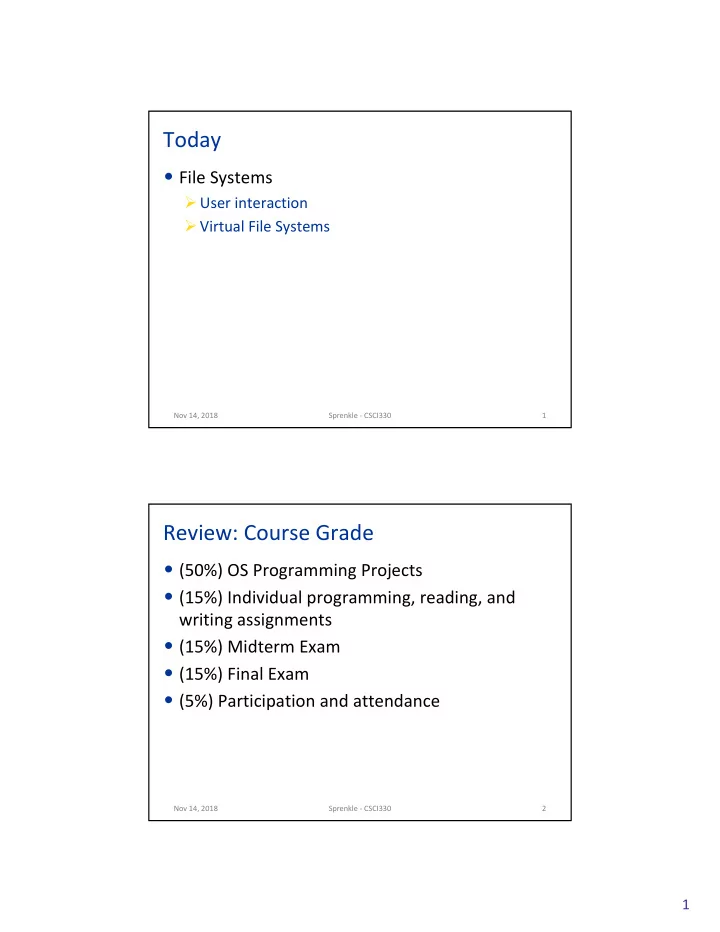
Today File Systems User interaction Virtual File Systems Nov 14, - - PDF document

today
SMART_READER_LITE
LIVE PREVIEW

Today File Systems User interaction Virtual File Systems Nov 14, - - PDF document

Today File Systems User interaction Virtual File Systems Nov 14, 2018 Sprenkle - CSCI330 1 Review: Course Grade (50%) OS Programming Projects (15%) Individual programming, reading, and writing assignments (15%) Midterm


slide-1
SLIDE 1

1

Today

  • File Systems

Ø User interaction Ø Virtual File Systems

Nov 14, 2018 Sprenkle - CSCI330 1

Review: Course Grade

  • (50%) OS Programming Projects
  • (15%) Individual programming, reading, and

writing assignments

  • (15%) Midterm Exam
  • (15%) Final Exam
  • (5%) Participation and attendance

Nov 14, 2018 Sprenkle - CSCI330 2

slide-2
SLIDE 2

2

Review

  • A disk is a bunch of blocks in which to store data

Ø How does a file system (FS) give order and structure to those blocks?

  • What is data? What is metadata?
  • What metadata do we need to know about the

file system?

Ø Where is that data stored?

  • What information does a FS store about a file?

Ø How does it store that information?

Nov 14, 2018 Sprenkle - CSCI330 3

Review: Disk

  • File System Metadata

Ø Format, size of blocks Ø Stored in superblock Ø Replicated

  • File Metadata

Ø Inode table

  • Data Blocks

FS Metadata File Metadata Data Blocks

Nov 14, 2018 Sprenkle - CSCI330 4

Disk

slide-3
SLIDE 3

3

Review: Data vs. Metadata

  • Data: the files, directories, and other stuff for the

user

Ø data for the user or programs

  • Metadata: information stored about the data

Ø For the OS to make the file system work Ø Examples for entire FS: What type of FS is it? How large is it? Ø Example for one file: Where are the file’s blocks located on disk?

  • Both data and metadata stored together on disk!

Nov 14, 2018 Sprenkle - CSCI330 5

Review: inodes

  • In the inode structure for a file, there is a

collection of “block pointers”.

FS Metadata File Metadata Data Blocks inode Type: reg file Size: X bytes Last modified: data/time … Block pointers: 14 6 8 11

Block map

Nov 14, 2018 Sprenkle - CSCI330 6

slide-4
SLIDE 4

4

More Review

  • How do inodes handle the wide variety of file

sizes?

Ø What are the benefits of this design?

  • What file types does the file system distinguish?
  • How are files within the file system structured?

Ø How are they structured in our OS project? On most modern OSs?

  • Given the full path/filename, how do we find

that file (and its information)?

Nov 14, 2018 Sprenkle - CSCI330 7

Review: Block Pointers: Multi-Level Table

Direct: 10 x 1KB = 10KB Single Indirect: 256 x 1KB = 256KB Double Indirect: 256 x 256 x 1KB = 64MB Triple Indirect: 256 x 256 x 256 x 1KB = 16GB

… Block Map Data Blocks Single Indirect Block

Ptrs to Data blocks

Double Indirect Block Triple Indirect Block

Ptrs to Single Indirect Blocks Ptrs to Double Indirect Blocks

… … Direct pointers

Nov 14, 2018 Sprenkle - CSCI330 8

slide-5
SLIDE 5

5

Indexed Allocation in UNIX

Multilevel, indirection, index blocks

2nd Level Indirection Block n Data Blocks n3 Data Blocks 3rd Level Indirection Block

IB IB IB

1st Level Indirection Block IB IB IB IB IB IB IB IB n2 Data Blocks

IB Inode

10 Data Blocks

Nov 14, 2018 Sprenkle - CSCI330 9

Review: Directory Lookup Example

  • To OS, file type: regular or directory?
  • Given pathname: /home/faculty/sprenkle/TODO
  • 1. Inode 0 block map points to data block(s) of root directory
  • 2. Look up “home” in root directory to get inode 22
  • 3. Inode 22 block map points to data block(s) of home directory
  • 4. Look up “faculty” in home directory to get inode 15

inode 0 inode 22 inode 15 inode 46

bin 37 boot 12 local 25 home 22 usr 67

faculty 15 students 44 www 21 matthews 88 slevy 92 sprenkle 46 File metadata

Nov 14, 2018 Sprenkle - CSCI330 10

root

inode 51 TODO file data cs111 43 cs330 57 TODO 51 Data

slide-6
SLIDE 6

6

Optimizing Finding Files

  • Starting at the root every time is expensive
  • Maintain the notion of the current working

directory (CWD)

  • Users can now specify relative file names
  • OS can cache the data blocks of CWD

Nov 14, 2018 Sprenkle - CSCI330 11

Review: The Big Picture

File System Metadata File Metadata … inodes 1 2 3 4 Block Map

2 7 32 4 16 . .. cat dog fish

contents

  • f “dog”

Data Blocks Directory Regular file

Nov 14, 2018 Sprenkle - CSCI330 12

slide-7
SLIDE 7

7

Suppose we want to store a 100 KB file. How many bytes of metadata will we need for our block map?

Nov 14, 2018 Sprenkle - CSCI330 13

… Block Map Data Blocks Single Indirect Block

Ptrs to Data blocks

Double Indirect Block Triple Indirect Block

Ptrs to Single Indirect Blocks Ptrs to Double Indirect Blocks

… … Direct pointers

Block size: 1 KB (210) Pointer size: 4 bytes 28 = 256 pointers per block

File Systems So Far

File System Metadata File Metadata … inodes 1 2 3 4 Block Map

2 7 32 4 16 . .. cat dog fish

contents

  • f “dog”

Data Blocks Directory Regular file

Nov 14, 2018 Sprenkle - CSCI330 14

So far, how FS is structured on disk. Next: How users/programs interact with them!

slide-8
SLIDE 8

8

Userspace Perspective

  • Userspace processes make system calls to

interact with files:

OS Kernel Hardware Kernel Userspace

Text Data Stack OS Heap

  • pen(“file_x”, …)

User process P1

Nov 14, 2018 Sprenkle - CSCI330 15

Userspace Perspective

  • Userspace processes make system calls to

interact with files:

OS Kernel Hardware Kernel Userspace

Text Data Stack OS Heap

User process P1

  • pen(“file_x”, …)

File System

Nov 14, 2018 Sprenkle - CSCI330 16

slide-9
SLIDE 9

9

Userspace Perspective

  • Userspace processes make system calls to

interact with files:

OS Kernel Hardware Kernel Userspace

Text Data Stack OS Heap

User process P1

  • pen(“file_x”, …)

File System P1’s Descriptor Table

… … 3 file_x … … Nov 14, 2018 Sprenkle - CSCI330 17

Userspace Perspective

  • Userspace processes make system calls to

interact with files:

OS Kernel Hardware Kernel Userspace

Text Data Stack OS Heap

User process P1 File System P1’s Descriptor Table File descriptor (3)

Nov 14, 2018 Sprenkle - CSCI330 18 … … 3 file_x … …

slide-10
SLIDE 10

10

Userspace Perspective

  • Userspace processes make system calls to

interact with files:

OS Kernel Hardware Kernel Userspace

Text Data Stack OS Heap

User process P1 File System P1’s Descriptor Table read(3, …) write(3, …) close(3) This picture:

  • ne process
  • ne file system

Nov 14, 2018 Sprenkle - CSCI330 19 … … 3 file_x … …

All subsequent call will use the fd

Challenges

  • What if we have multiple disks?

Ø Example: external hard drive for backups/long-term storage

  • What if those disks use different file systems?

Ø On the lab machines:

  • /home à mounted from hydros
  • /csdept à mounted from hydros

Ø Files for courses, groups (shared)

  • Other directories are local to the lab machine

Nov 14, 2018 Sprenkle - CSCI330 20

slide-11
SLIDE 11

11

df –Th on knuth

Nov 14, 2018 Sprenkle - CSCI330 21

Filesystem Type Size Used Avail Use% Mounted on devtmpfs devtmpfs 7.7G 0 7.7G 0% /dev tmpfs tmpfs 7.8G 0 7.8G 0% /dev/shm tmpfs tmpfs 7.8G 1.5M 7.8G 1% /run tmpfs tmpfs 7.8G 0 7.8G 0% /sys/fs/cgroup /dev/sda4 ext4 108G 20G 83G 20% / tmpfs tmpfs 7.8G 24K 7.8G 1% /tmp /dev/sda2 ext4 976M 182M 728M 20% /boot /dev/sda1 vfat 200M 18M 183M 9% /boot/efi tmpfs tmpfs 1.6G 16K 1.6G 1% /run/user/42 hydros:/home nfs4 493G 318G 150G 68% /home tmpfs tmpfs 1.6G 0 1.6G 0% /run/user/1501

df –Th on knuth

Nov 14, 2018 Sprenkle - CSCI330 22

Filesystem Type Size Used Avail Use% Mounted on devtmpfs devtmpfs 7.7G 0 7.7G 0% /dev tmpfs tmpfs 7.8G 0 7.8G 0% /dev/shm tmpfs tmpfs 7.8G 1.5M 7.8G 1% /run tmpfs tmpfs 7.8G 0 7.8G 0% /sys/fs/cgroup /dev/sda4 ext4 108G 20G 83G 20% / tmpfs tmpfs 7.8G 24K 7.8G 1% /tmp /dev/sda2 ext4 976M 182M 728M 20% /boot /dev/sda1 vfat 200M 18M 183M 9% /boot/efi tmpfs tmpfs 1.6G 16K 1.6G 1% /run/user/42 hydros:/home nfs4 493G 318G 150G 68% /home tmpfs tmpfs 1.6G 0 1.6G 0% /run/user/1501

slide-12
SLIDE 12

12

FS Abstraction: Hierarchical Name Space

  • Tree

Nov 14, 2018 Sprenkle - CSCI330 23

“Root” / home usr csdept students faculty www matthews sprenkle Paths: /home/faculty/sprenkle /home/www

Mounted from hydros Mounted from hydros

Challenges

  • What if we have multiple disks?

Ø Example: external hard drive for backups/long-term storage

  • What if those disks use different file systems?

Ø On the lab machines:

  • /home à mounted from hydros
  • /csdept à mounted from hydros
  • Other directories are local to the lab machine
  • The path in the file tree does NOT say anything

about which FS files live on.

Nov 14, 2018 Sprenkle - CSCI330 24

slide-13
SLIDE 13

13

Discussion

  • How would you design the OS such that multiple

file systems, possibly on different physical disks, can all share one name space?

Nov 14, 2018 Sprenkle - CSCI330 25

This sounds like a job for … Abstraction!

Virtual File System (VFS) Layer

  • Userspace processes make system calls to

interact with files:

Hardware Kernel Userspace

Text Data Stack OS Heap

User process P1 File System 1 P1’s Descriptor Table FS Requests

Nov 14, 2018 Sprenkle - CSCI330 26 … … 3 file_x … …

File System 2 File System 3 Virtual File System Abstraction Layer

slide-14
SLIDE 14

14

VFS Layer

  • Unifies the file name space and paths

Ø Paths all start from common root (/) and are passed to VFS layer Ø VFS layer records which paths correspond to which FS

  • VFS translates application requests to

appropriate low-level FS calls

Nov 14, 2018 Sprenkle - CSCI330 27

Kernel File System 1 File System 2 File System 3 Virtual File System Abstraction Layer

Analyzing VFS Layer

  • Consider how we evaluate OS
  • What are the benefits and drawbacks of having a

VFS layer?

Nov 14, 2018 Sprenkle - CSCI330 28

Kernel File System 1 File System 2 File System 3 Virtual File System Abstraction Layer

slide-15
SLIDE 15

15

Analyzing VFS Layer

  • Benefits

Ø user doesn’t need to know the details about file systems Ø easy expansion, removal of disks/file systems

  • Drawback: layer adds overhead – could slow

down performance

Nov 14, 2018 Sprenkle - CSCI330 29

Analyzing VFS Layer

  • How can we mitigate that performance hit?

Ø Caching! Ø Inode Cache

  • Store recently accessed inodes (file/directory info)

Ø Directory Cache

  • Full directory path à inode id

Nov 14, 2018 Sprenkle - CSCI330 30

slide-16
SLIDE 16

16

Virtual File System (VFS) Layer

  • Userspace processes make system calls to

interact with files:

Hardware Kernel Userspace

Text Data Stack OS Heap

User process P1 File System 1 P1’s Descriptor Table FS Requests

Nov 14, 2018 Sprenkle - CSCI330 31 … … 3 file_x … …

File System 2 File System 3 Virtual File System Abstraction Layer This picture:

  • ne process

multiple file systems

Looking Ahead

  • Project 4 due in two Mondays

Nov 14, 2018 Sprenkle - CSCI330 32