SLIDE 1 Theano primer
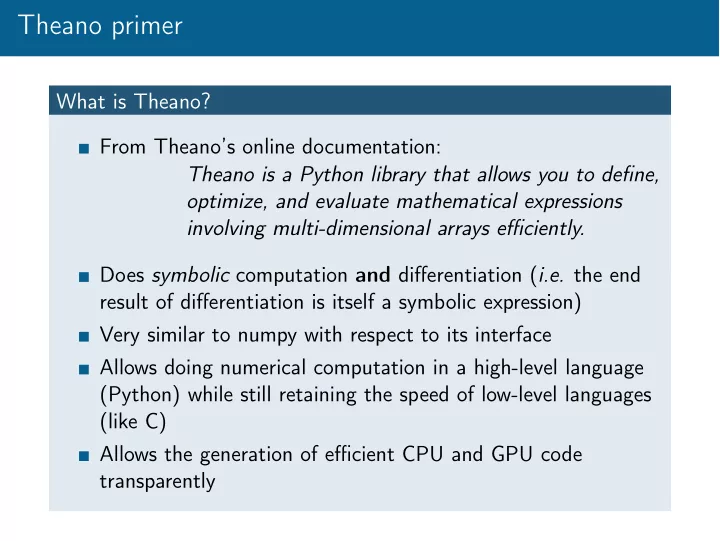
What is Theano? From Theano’s online documentation: Theano is a Python library that allows you to define,
- ptimize, and evaluate mathematical expressions
involving multi-dimensional arrays efficiently. Does symbolic computation and differentiation (i.e. the end result of differentiation is itself a symbolic expression) Very similar to numpy with respect to its interface Allows doing numerical computation in a high-level language (Python) while still retaining the speed of low-level languages (like C) Allows the generation of efficient CPU and GPU code transparently
SLIDE 2
Theano primer
Typical Theano workflow
1 Instantiate symbolic variables 2 Build a computation graph out of those variables 3 Compile a function with the symbolic variables as input and
the output of the computation graph as output
4 Call the compiled function with numerical inputs
SLIDE 3
Theano primer
Theano vs. numpy Theano interface is very similar to numpy interface numpy arrays are automatically converted to constant symbolic variables when used inside a computation graph You can manipulate Theano symbolic variables in the same way you’d manipulate numpy arrays Going further: Theano’s basic interface http://deeplearning.net/software/theano/ library/tensor/basic.html
SLIDE 4
Theano primer
Types of symbolic variables TensorVariable Its value is unspecified at graph creation and can change from one call of the compiled function to another (e.g. x and y in y = 3x − 2). Not persistent across function calls TensorConstant Its value is specified at graph creation and does not change from one call of the compiled funtion to another (e.g. 3 and −2 in y = 3x − 2) TensorSharedVariable Its value is specified at graph creation but is bound to change from one call of the compiled function to another (e.g. a and b in y = ax + b in a regression setting where some x and y pairs have been observed). Persistent across fuction calls
SLIDE 5
Theano primer
Examples Listing 1: Simple algebra
import theano import theano.tensor as T # 1. Instantiate symbolic variables x = T.vector(name=’x’) y = T.vector(name=’y’) # 2. Build a computation graph z = x + y # 3. Compile a callable function f = theano.function(inputs=[x, y], outputs=z) # 4. Call the function using numerical inputs print f([1, 2], [3, 4])
SLIDE 6
Theano primer
Examples Listing 2: Gradient computation
import theano import theano.tensor as T # 1. Instantiate symbolic variables x = T.vector(name=’x’) # 2. Build a computation graph z = (x ** 2).sum() d_z_d_x = T.grad(z, x) # 3. Compile a callable function f = theano.function(inputs=[x], outputs=d_z_d_x) # 4. Call the function using numerical inputs print f([1, 2])
SLIDE 7
Theano primer
Examples Listing 3: Linear regression
import theano import theano.tensor as T x = T.scalar(name=’x’); t = T.scalar(name=’t’) a = theano.shared(-1.0, name=’a’) b = theano.shared(0.0, name=’b’) y = a * x + b mse = (y - t) ** 2 grad_a, grad_b = T.grad(mse, [a, b]) f = theano.function(inputs=[x, t], outputs=mse, updates={a: a - 0.01 * grad_a, b: b - 0.01 * grad_b}) print [f(1, 5)) for i in xrange(10)]
SLIDE 8
Theano primer
Going further: online Theano tutorial http://deeplearning.net/software/theano/ tutorial/index.html#tutorial