The NICMOS Grism Mode Wolfram Freudling Space Telescope - European - - PDF document

the nicmos grism mode
SMART_READER_LITE
LIVE PREVIEW

The NICMOS Grism Mode Wolfram Freudling Space Telescope - European - - PDF document

1997 HST Calibration Workshop Space Telescope Science Institute, 1997 S. Casertano, et al., eds. The NICMOS Grism Mode Wolfram Freudling Space Telescope - European Coordinating Facility (ST-ECF), Garching, Germany Abstract. In addition to


slide-1
SLIDE 1

1997 HST Calibration Workshop Space Telescope Science Institute, 1997

  • S. Casertano, et al., eds.

The NICMOS Grism Mode

Wolfram Freudling Space Telescope - European Coordinating Facility (ST-ECF), Garching, Germany Abstract. In addition to broad band, medium band and wide band filter sets, the NICMOS Camera 3 (NIC3) filter wheel contains three grisms. These grisms provide low- resolution slitless spectroscopic capabilities. SMOV data verified basic properties of the grisms. Two weeks of grism data with the best possible focusing for NIC3 have been collected in late July and early August 1997. Spectra have been extracted from all visible sources in that data set using software developed at the Space Telescope

  • European Coordinating Facility. No emission lines or absorption lines are found in

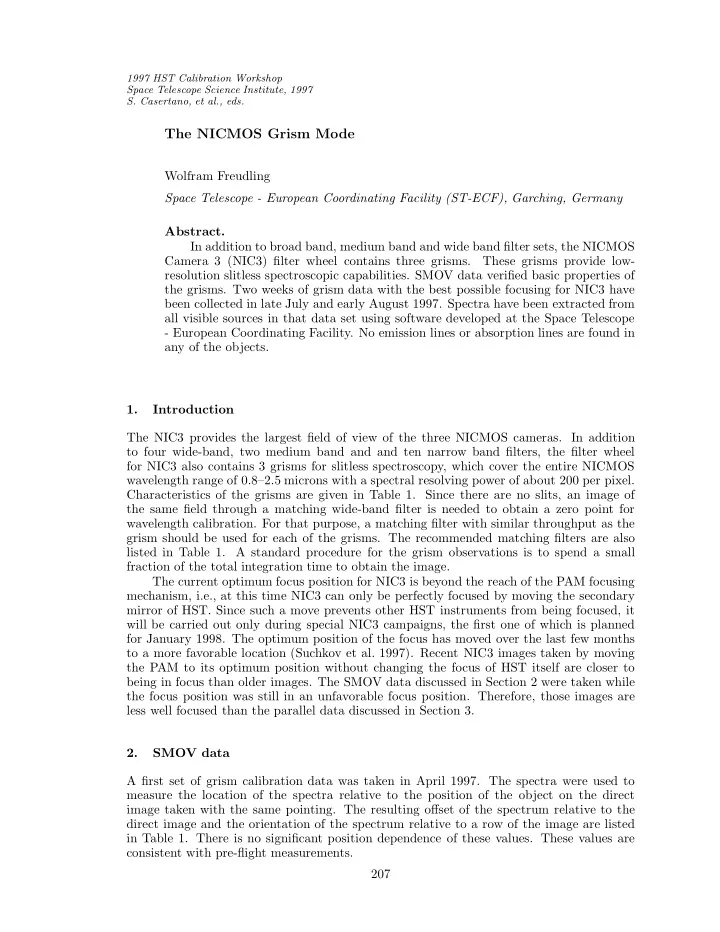
any of the objects. 1. Introduction The NIC3 provides the largest field of view of the three NICMOS cameras. In addition to four wide-band, two medium band and and ten narrow band filters, the filter wheel for NIC3 also contains 3 grisms for slitless spectroscopy, which cover the entire NICMOS wavelength range of 0.8–2.5 microns with a spectral resolving power of about 200 per pixel. Characteristics of the grisms are given in Table 1. Since there are no slits, an image of the same field through a matching wide-band filter is needed to obtain a zero point for wavelength calibration. For that purpose, a matching filter with similar throughput as the grism should be used for each of the grisms. The recommended matching filters are also listed in Table 1. A standard procedure for the grism observations is to spend a small fraction of the total integration time to obtain the image. The current optimum focus position for NIC3 is beyond the reach of the PAM focusing mechanism, i.e., at this time NIC3 can only be perfectly focused by moving the secondary mirror of HST. Since such a move prevents other HST instruments from being focused, it will be carried out only during special NIC3 campaigns, the first one of which is planned for January 1998. The optimum position of the focus has moved over the last few months to a more favorable location (Suchkov et al. 1997). Recent NIC3 images taken by moving the PAM to its optimum position without changing the focus of HST itself are closer to being in focus than older images. The SMOV data discussed in Section 2 were taken while the focus position was still in an unfavorable focus position. Therefore, those images are less well focused than the parallel data discussed in Section 3. 2. SMOV data A first set of grism calibration data was taken in April 1997. The spectra were used to measure the location of the spectra relative to the position of the object on the direct image taken with the same pointing. The resulting offset of the spectrum relative to the direct image and the orientation of the spectrum relative to a row of the image are listed in Table 1. There is no significant position dependence of these values. These values are consistent with pre-flight measurements. 207

slide-2
SLIDE 2

208 Freudling Owing to the location of the focus at that time, the effective wavelength resolution of the spectra was very low. No lines have been detected in any of the spectra, and therefore the best available wavelength calibration at that time were still the pre-flight measurements. The in-orbit wavelength calibration will be carried out on two bright emission line sources in October 1997. In order to calibrate extracted spectra, the wavelength dependent response of each pixel has to be known (see Section 4). For that purpose, flatfields of the narrow band filters will be used. Since the flatfields depend on the position of the field offset mirror (FOM), its optimum setting has to be found first. Flatfields for most filters will be found before or during the NIC3 campaign in early 1998 (see Colina & Storrs 1997). Table 1. Grisms Characteristics

Grism Central Wedge Bandpass Matching Lines per Offset Orientation Wavelength Angle filter mm spectrum

  • f spectrum

(µ) (degrees) (µ) (pixels) (degrees) G096 0.96 5.21 0.8 - 1.2 F110W 45.0

  • 4.4
  • 3.0

G141 1.40 5.58 1.1 - 1.9 F150W 30.8

  • 6.7
  • 1.3

G206 2.06 5.69 1.4 - 2.5 F175W / F240W 21.1

  • 2.2
  • 1.7

3. Parallel Program Public pure-parallel observations with NICMOS started on June 2, 1997. These observations become public as they are included in the archive. Currently, parallels are implemented with simple single orbit exposure sets. For longer pointings, identical pre-defined sequences are simply replicated. As the scheduling software is developed further, more sophisticated scheduling algorithms will be used to implement strategies adapted to specific scientific goals. To date, most parallel data have been taken with a focus position appropriate for NIC1 and NIC2. However, for a two week period between July 21, 1997 to August 4, 1997, the PAM was moved to its best possible position to focus NIC3. In that period, a total of 19 fields were imaged with grism G141, for 13 of them at least 2 exposures were

  • taken. For each of the fields, matching images with the F160W filter were taken. The fields

contain at total of 98 objects with a high enough signal-to-noise ratio to extract spectra. A typical grism image is shown in Figure 1. The raw images were reduced using calnica, selecting appropriate dark and flat fields from the calibration database. The individual images of the parallel program are not taken as an association, i.e. there are no association tables which identify overlapping images which should be co-added. Such association tables are needed to co-add images with calnicb. Therefore, an IRAF cl script was written which produced appropriate association tables and images of the same fields were co-added using calnicb. Spectra for all objects were extracted using NICMOSlook and calnicc (see Section 5). Figure 1 also shows two typical spectra. None of the extracted spectra contained

  • bvious emission or absorption lines.

4. Analysis of Grism Data A set of grism observations consists typically of one or several images taken with one of the three grisms, and a shorter exposure taken with the matching filter for that grism. The direct image can be calibrated using standard procedures, e.g. the pipeline programs calnica and calnicb (see Bushouse 1997). For grism images, the same processing steps except the flatfielding should be applied. This is the default for the processing of grism images

slide-3
SLIDE 3

NICMOS Grism Mode 209 Figure 1. Example of an grism image taken in the parallel program. The two

  • bjects are galaxies which can be recognized on the matching direct image. The

image was fully processed but is not flatfielded, which is the default for grism

  • images. This can be recognized as structure in the background. At the bottom,

the two spectra extracted with NICMOSlook are seen.

1 8 s 1 9 s 1 2 1 5 2 h m s 5 0 " + 3 6 1 6 ’ 0 0 "

  • 1 0 "

2 0 "

slide-4
SLIDE 4

210 Freudling Figure 2. The NICMOSlook spectrum extraction tool main widget. with calnica. Since the flatfields strongly depend on the wavelength, and the relevant wavelength for a given pixel depends on the spectrum to which this pixels belongs, no single flatfield can be applied to grism images. Rather, appropriate correction for wavelength dependent pixel response should be applied after the spectrum has been extracted. After the calibration of the direct and grism images, the direct images can be used to measure the position of objects, and these coordinates can in turn be used to extract spectra from the matching grism images. Convenient software tools to accomplish this within a single program have been developed at the ST-ECF. Using those, observers are able to extract spectra of individual objects from the images. The tools include limited capabilities to correct spectra of contamination by spectra from neighboring images. These tools are described in detail in Section 5. For large extended objects and in crowded fields, slitless spectroscopy does not lead to satisfactory spectra. In such circumstances, it is recommended to obtain grism images at more than one spacecraft roll angle (preferably 3 or more). Such data sets can be deconvolved to recover a full wavelength-position cube. One approach to achieve this is briefly described in Section 6. 5. Software Tools to Extract Spectra: calnicc and NICMOSlook Software to extract spectra from calibrated grism images has been developed at the Space Telescope - European Coordinating Facility (ST-ECF). The programs are written in IDL, and a valid IDL license is necessary to run these programs. The software is available at http://ecf.hq.eso.org/nicmos/nicmos.html. There are two versions of the grism extraction software, the interactive version NICMOSlook and the pipeline program calnicc. Detailed documentation of the programs and employed algorithms are available at the above WWW page contact.

slide-5
SLIDE 5

NICMOS Grism Mode 211 Figure 3. Processing steps in NICMOSlook and calnic.

correct spectra for QE variations with wavelength and position read NICMOS FITS images (grism and direct image) subtract background from direct and grism image identify objects on direct image classify objects as stars or extended objects compute weight from shape of object select precomputed weight (TinyTim) correct overlapping spectra for contamination search for lines in 1d spectra write output FITS files and Postscript files update catalogue and log entries star extended object predict positions of spectra on grism image subtract local background from locations of spectra extract spectra with weights

slide-6
SLIDE 6

212 Freudling The programs run both under IDL 4.x and IDL 5.0, and have been tested under SunOS 4.1, Solaris and Linux. Calnicc uses a C-program (SExtractor, Bertin & Arnouts, 1996) to detect objects, therefore a C-compiler is required to install the program. NICMOSlook provides a fully interactive environment for locating objects on a direct image and extracting spectra from a matching grism images. All interaction is driven by IDL widgets. The main widget is shown in Figure 2. NICMOSlook also has some limited capabilities to manipulate and analyze extracted spectra in an interactive widget. On the

  • ther hand, the purpose of calnicc is to extract and calibrate spectra of all detected objects

in pairs of direct and grism images with minimal human intervention. Both programs use the same code to extract spectra, but the source detection and parameters can be interactively adjusted in NICMOSlook. The programs share a calibration database, which contains parameters for the extrac- tion of the spectra. This database can conveniently be updated with the interactive tools in NICMOSlook, and later be used to process grism images in a batch mode using calnicc. The steps performed by both programs are listed in Figure 3. An overview over the employed algorithms is given in the remainder of this section. For more details, refer to the manuals (Freudling et al., 1997a and 1997b). 5.1. Input Images NICMOSlook and calnicc take full advantage of the NICMOS image FITS format, which includes error estimates and flags. They also need some specific information from the image headers. Therefore, they will perform best when used on calnica / calnicb reduced

  • images. However, the programs can be fully customized, and will assume reasonable defaults

for information not available. 5.2. Object Detection & Classification on Direct Images One of the major differences between calnicc and NICMOSlook is the object detection. Within NICMOSlook, the user has the choice of selecting objects with the cursor, or using FOCAS with adjustable threshold and sharpness criteria. In addition, the size of objects can be marked interactively or found automatically. The user also decides, which objects are to be considered as point sources, which is relevant for the weights used to extract the spectra (see Section 5.5) On the other hand, calnicc uses the SExtractor program, which is a major object finding package which also classifies objects as extended or point sources. This program is thoroughly documented in the SExtractor 1.0 User’s Guide (Bertin & Arnoult, 1996). An IDL interface has been written so that this program can be used by calnicc. 5.3. Background Subtraction The quantum efficiency varies strongly with position on the NICMOS detectors. This leads to significant structure in an image of the blank sky (see Figure 1). Therefore, before spectra can be extracted from grism images, it is necessary to subtract the local background. This is done by estimating the local background from a region around each spectrum, excluding regions which are occupied by other spectra. This background estimate is then used to scale a background image to the same background as the grism observation. 5.4. Extraction of Spectra Wavelength calibration and distortions Spectra are extracted from the background sub- tracted grism image by summing the flux Fl =

  • wi,l · gi,l

(1) where the sum is over all pixels with flux gi,l and weight wi,l for a given wavelength l.

slide-7
SLIDE 7

NICMOS Grism Mode 213 Figure 4. Schematic of the determination of the weights for extended objects.

weight position path through

  • bject

weight= flux path

direct image

For the errors, the error estimate for each pixel is taken from the array ’err’ of the input grism image. The error estimate for each wavelength is then the quadratic sum over the same region, ǫl =

  • (wi,l · ǫi,l)2.

(2) The pixels included in the sums are determined by the position of the object on the direct image, and the location of the spectra relative to the direct image. This relative location is parameterized as third order polynomial and a rotation of the spectrum relative to the rows of the images. In NICMOSlook these parameters can be found interactively, whereas calnicc uses predefined locations. Similarly, the dispersion relation of the grisms are parameterized as third order poly-

  • nomials. Currently, only pre-flight determinations of the parameters are available.

5.5. Weights The weights used to compute the spectra and errors depend on the size of the objects. There are two scenarios and they are handled differently. One is for point source objects and the

  • ther for extended objects. For the former, the dependence of the PSF on the wavelength

is taken into account. For the later, it is assume that the size of the objects do not change as a function of wavelengths. When those assumptions are valid, the used weights result in an optimal extraction of the spectra. Weights for Point Sources The programs use pre-computed weights for the extraction of spectra of point sources. These weights were computed from monochromatic PSFs simu- lated with the PSF generation software TinyTim for each wavelength (Krist & Hook, this workshop, see also http://ecf.hq.eso.org/~rhook/nicmos-tinytim.html). Weights for Extended Objects Extended objects are treated differently from point sources since the proper weighting of the spectra is not known a priori. The proper weights are determined with the help of the direct image. The weights of extended objects are computed by summing the pixel values in a given row of the direct image that fall within the ellipse defined by the size and orientation of the object (see Figure 4). Since the orientation of the object is not necessarily along the columns of the image, lines of constant wavelength are not necessarily perpendicular to the dispersion direction. This is later taken into account for the extraction of spectra of extended objects.

slide-8
SLIDE 8

214 Freudling Figure 5. Examples of situations which can be solved by the deblending algo- rithm at the wavelength of the dashed line (left) and those which cannot be solved by it (right)

spectrum 1 spectrum 2 spectrum 3 spectrum 1 spectrum 2

a) b)

spectrum 1 spectrum 1 spectrum 2

a) b)

spectrum 3 spectrum 2

5.6. Flatfielding of Spectra When spectra are extracted, the fluxes have to be corrected for the variations of the quan- tum efficiency of the detector. These variations depend both on the wavelength and on the position of the object on the detector. The correction factors are derived through interpo- lation from monochromatic flatfields. Currently, only pre-flight flatfield are used to derive the monochromatic flatfields, but in-orbit flatfields will be incorporated as they become available. 5.7. Deblending Overlapping Objects On grism images where many objects are detected, it is likely that the spectrum of some

  • bjects overlap with those of other objects.

In these cases, attempts can be made to “deblend” the spectra, i.e. subtract the estimated contribution from neighboring spectra. This is accomplished in using the assumption that the shape of each object is identical at all wavelengths and can be determined from the direct image. In that case, the contribution

  • f adjacent objects to each others spectrum could be computed if the “true” spectrum were
  • known. The situation can easily be solved by solving a set of equations through matrix

inversion. Deblending spectra in such a manner is not always possible. A possible scenario is that two or more spectra are almost aligned and separating them is quite impossible. There could be other cases (such as for two or more extended objects which are almost aligned) in which weights along the y-axis happen to add up in such a way that the algorithm to separate the spectra fails. Note that in this situation, there is no information in the image which could be used to decide to which spectrum a particular feature belongs. Two such situation are illustrated in Figure 5. 5.8. Characterization of Extracted Spectra The purpose of the grism tools is to provide the user with a robust extraction of spectra from the grism images. The extracted spectra can be analyzed with other available tools. However, both NICMOSlook and calnicc have some limited capabilities to analyze the spectra. In NICMOSlook, the extracted spectra pop up in a special spectrum analyzer tool (see Figure 6). This tool allows to interactively select lines, fit polynomials to the continuum

slide-9
SLIDE 9

NICMOS Grism Mode 215 Figure 6. The NICMOSlook spectrum analysis pop-up. and Gaussians to selected lines, divide the spectrum by user defined functions, and query for wavelength and flux at cursor positions. Spectra can be saved as PostScript plots or FITS files. calnicc tries to automatically detect lines, fit polynomials to the continuum (see Figure 1) and Gaussians to detected lines. By default, PostScript plots are created for each

  • spectrum. All spectra from a given grism image are saved in a single FITS file. In addition,

a catalog of spectra with relevant information is created. 6. Grism 3d Deconvolution For a single objective grism image of an extended source, the spectral information for a given spatial position is not unique since there is a degeneracy between the flux at a given wavelength from one position and the flux at a different wavelength at another position. This leads to extracted spectra of very low spectral resolution and/or contamination. In some cases, this might make slitless spectroscopy useless for obtaining spectra with a single

  • exposure. However, this degeneracy can be removed if several grism images of the same

field are obtained which differ in the direction of the dispersion, e.g. with different roll angle

  • f the telescope.

Other constraints can be obtained with direct images of the same field without the

  • grism. If it is possible to reconstruct the position-wavelength data cube from such a data

set, using a general Lucy-Richardson algorithm (Richardson 1972, Lucy 1974). Such a program has been implemented in IDL and is available from the author. An illustration of the deconvolution on a simulated images of a star superimposed on a bright background galaxy is shown in Figure 7. Observations of the object at 10 different roll angles were simulated and the fed to the deconvolution program. The “true” spectrum of the star is shown in Panel a, Panel b shows the same spectrum reduced to the resolution of the grism.

slide-10
SLIDE 10

216 Freudling Figure 7. Simulation of a 3d deconvolution a) b) c) d) e) f) The deconvolution reconstructs the full wavelength-position cube. Panels c and d show the spectrum of one pixel centered on the star, once at full resolution and once convolved with the resolution of the grism. These spectra should be compared to a direct extractions of the spectrum from a single grism image with one specific roll angle (Panels e and f, the later with two different attempts to subtract the local background). It can be seen that the spectrum is more faithfully extracted using the deconvolution algorithm. Note for example the line at a pixel position of about 55, which is not recovered as a local maximum in the single image extraction attempts. Acknowledgments. The NICMOSlook widget is based on a similar widget STISlook, which was kindly made available before its release by Terry Beck. The following people contributed in various stages to the development of programs discussed in this paper: Rudolf Albrecht, Hans-Martin Adorf, Markus Dolensky, Norbert Pirzkal, Robert Thomas and Lin

  • Yan. Jeremy Walsh kindly proof read an early version of this manuscript.

References Colina, L., & Storrs, A., 1997, this volume. Bertin, E., & Arnoult, S., 1996, A&AS, 308, 601. Bushouse, H., 1997, this volume. Freudling, W., Pirzkal, N., Thomas, R., Yan, L., 1997a, NICMOSlook manual, Version 1.5 (Garching: ST-ECF). Freudling, W., Pirzkal, N., Thomas, R., 1997b, calnicc Manual, Version 1.5 (Garching: ST-ECF). Krist, J.E., & Hook, R.N., 1997, this volume. Lucy, L.B., 1974, AJ, 79, 745. Richardson, W.H. 1972, J. Opt. Soc. Am., 62, 55. Suchkov, A.A., Bergeron, L., Galas, G.G., 1997, this volume.