The Librarys Guide to Understanding the Budgeting Process & - - PDF document

the library s guide to understanding the budgeting
SMART_READER_LITE
LIVE PREVIEW

The Librarys Guide to Understanding the Budgeting Process & - - PDF document

Department of Local Government Finance Budget Team Presentation for June 19 2018 Slide 1 The Librarys Guide to Understanding the Budgeting Process & Avoiding Surprises Presented by: Ryan Burke Budget Field Representative Phone: (317)


slide-1
SLIDE 1

Department of Local Government Finance Budget Team Presentation for June 19 2018

Created 6/15/2018 1 Indiana State Library/LDO Slide 1

The Library’s Guide to Understanding the Budgeting Process & Avoiding Surprises

Presented by: Ryan Burke Budget Field Representative Phone: (317) 233-3777

1

_____________________________________________________________________________________ _____________________________________________________________________________________ Slide 2

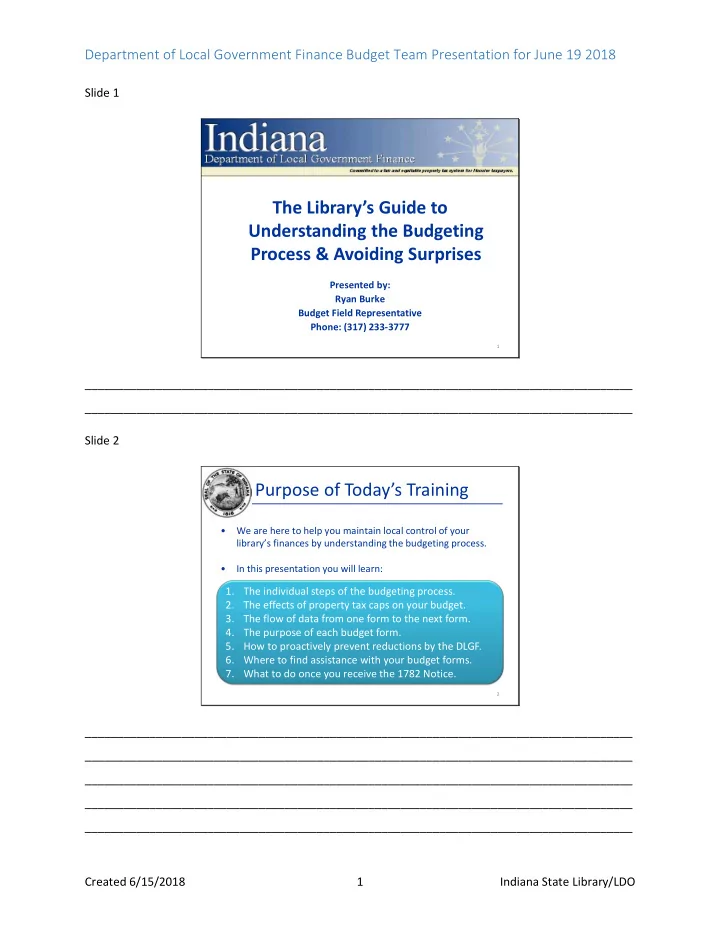
Purpose of Today’s Training

  • We are here to help you maintain local control of your

library’s finances by understanding the budgeting process.

  • In this presentation you will learn:

2

1. The individual steps of the budgeting process. 2. The effects of property tax caps on your budget. 3. The flow of data from one form to the next form. 4. The purpose of each budget form. 5. How to proactively prevent reductions by the DLGF. 6. Where to find assistance with your budget forms. 7. What to do once you receive the 1782 Notice.

_____________________________________________________________________________________ _____________________________________________________________________________________ _____________________________________________________________________________________ _____________________________________________________________________________________ _____________________________________________________________________________________
slide-2
SLIDE 2

Department of Local Government Finance Budget Team Presentation for June 19 2018

Created 6/15/2018 2 Indiana State Library/LDO Slide 3

Budget Process and Preparation

3

_____________________________________________________________________________________ _____________________________________________________________________________________ Slide 4

Maintaining Local Control

While working on preparing your budget, there are 4 main points to keep in mind that will help ensure local control of the adopted budget. 1. Maximum Levy Estimates: Libraries have the option of using the DLGF’s max levy estimates to aid in adopting property tax levies that do not exceed what the library is allowed. 2. Fundable Budgets: By advertising and adopting budgets that are funded, you are able to have a clear picture of next year’s budget as early as July or August. 3. Earlier Meeting Dates: Libraries that choose to hold their public and adoption meetings earlier in the year, allow for time to restart the process prior to the November 1 deadline in the event of an error.

4

_____________________________________________________________________________________ _____________________________________________________________________________________

slide-3
SLIDE 3

Department of Local Government Finance Budget Team Presentation for June 19 2018

Created 6/15/2018 3 Indiana State Library/LDO Slide 5

Maintaining Local Control

  • 4. Non-Binding Review: A large majority of libraries are able to

adopt their own budgets and levies if they restrict the growth of their certified budget by no more than the AVGQ that will be released by July 2nd.

  • In order to calculate your maximum non-binding review

budget please do the following:

  • Locate the total budget from your 2018 Certified Budget

Order and increase it by the AVGQ.

  • Round down to the nearest dollar.
  • Advertise and adopt a “net” budget that does not exceed

this amount to help ensure a non-binding adoption.

  • The DLGF plans on releasing a new report that provides the

maximum non-binding review budget to assist libraries in confirming their calculations.

5

_____________________________________________________________________________________ _____________________________________________________________________________________ Slide 6

Maintaining Local Control

  • Practicing these 4 main points can be very beneficial in

maintaining local control. The DLGF generally won’t:

  • Reduce a budget when the proper procedures are

followed and its funded by available revenues.

  • Reduce a levy when adopted within the maximum levy.
  • Penalize a library for a mistake if it restarts and still

completes the budgeting process by November 1.

  • This preserves the amounts prepared by you and adopted by

your library board.

  • You and your board know your library best and the

Department wants all units to maintain control over their

  • wn finances.

6

_____________________________________________________________________________________ _____________________________________________________________________________________

slide-4
SLIDE 4

Department of Local Government Finance Budget Team Presentation for June 19 2018

Created 6/15/2018 4 Indiana State Library/LDO Slide 7

Understanding Property Tax Caps

7

_____________________________________________________________________________________ _____________________________________________________________________________________ Slide 8

What are Property Tax Caps?

  • Also called “Circuit Breakers.”
  • Property taxes are capped at 1% (homestead), 2%

(farmland/non-homestead residential), and 3% (commercial/personal property) of their assessed value.

  • If a taxpayer is about to be billed higher than their capped

liability, the bill is reduced to the cap.

  • As a result, the county will collect less property taxes. The

loss of collections is then passed onto the libraries and other units.

  • When planning next year’s budget, statute requires all units

to consider the “net” property tax revenue to be collected during the ensuing year that accounts for property tax cap losses.

8

_____________________________________________________________________________________ _____________________________________________________________________________________

slide-5
SLIDE 5

Department of Local Government Finance Budget Team Presentation for June 19 2018

Created 6/15/2018 5 Indiana State Library/LDO Slide 9

Accounting for Property Tax Caps

  • In this simplified scenario, it is assumed the library’s adopted budget will

be funded only with property tax revenue.

9

1) Tax Caps Excluded 2) Tax Caps Included Certified Levy $1,000,000 $1,000,000

  • Est. Property Tax Cap Losses

$0 $300,000

  • Est. Property Tax Revenue

$1,000,000 $700,000 Adopted Budget $1,000,000 $700,000 Certified Budget $1,000,000 $700,000 Shortage

  • $300,000

$0

Example 1: A $1,000,000 budget is certified, but the library will

  • nly have $700,000 to spend.

Example 2: The library notices it will only have $700,000 to spend and adjusts its budget accordingly.

_____________________________________________________________________________________ _____________________________________________________________________________________ Slide 10

Property Tax Caps – Gross vs Net Budgets

  • You will manually enter the property tax cap

in a designated portion of Form 1 and Gateway will help make sure the correct amounts are pulled into the rest of the forms.

10

Gross Budgets “Internal” Budget Forms Net Budgets “External” Budget Forms Budget Displayed: Desired budget increased by property tax caps Budget Displayed: Only what you’re seeking permission to

  • spend. Does not include tax caps.

Applies to: Form 1: Budget Estimate Form 4A: Form 1 Summary Form 4B: Financial Statement Applies to: Form 3: Notice to Taxpayers Form 4: Adoption

_____________________________________________________________________________________ _____________________________________________________________________________________

slide-6
SLIDE 6

Department of Local Government Finance Budget Team Presentation for June 19 2018

Created 6/15/2018 6 Indiana State Library/LDO Slide 11

Understanding the Budget Forms

11

_____________________________________________________________________________________ _____________________________________________________________________________________ Slide 12

The Flow of Budget Forms

  • This section will help you understand the purpose of

each form, the flow of data between them, and the proper order of completion.

  • The budget forms are designed to ease data

entry and allow for data to be easily pulled to the

  • ther form.
  • This is a very useful feature, but in order to use it to

your full advantage, you will need to understand how information flows from one form to another.

12

_____________________________________________________________________________________ _____________________________________________________________________________________

slide-7
SLIDE 7

Department of Local Government Finance Budget Team Presentation for June 19 2018

Created 6/15/2018 7 Indiana State Library/LDO Slide 13

Budget Form Menu – Not Submitted

Be careful! The data in the forms don’t flow from in a top to bottom order.

_____________________________________________________________________________________ _____________________________________________________________________________________ Slide 14

Current Year Financial Worksheet Debt Worksheet Form 1: Budget Estimate Form 4A: Budget Report Form 2 (Misc. Revenue) Form 4B: Budget Estimate, Financial Statement and Proposed Tax Rates Form 4: Ordinance/ Resolution Form 3: Notice to Taxpayers

Budget Forms – Flow Chart

Inputs Outputs Calculations

_____________________________________________________________________________________ _____________________________________________________________________________________

slide-8
SLIDE 8

Department of Local Government Finance Budget Team Presentation for June 19 2018

Created 6/15/2018 8 Indiana State Library/LDO Slide 15

  • Data is entered into: Current Year Financial Worksheet,

Debt Worksheet, Form 2 (revenues), Form 1 (budget)

  • Form 1 budget data flows into Form 4A.
  • All forms above pull into the Form 4B, where the levies

and rates are calculated.

  • Budgets and levies are pulled into the Form 3: Notice to

Taxpayers and advertised online by submitting.

  • Budgets, levies and rates are pulled into the Form 4:

Adoption Ordinance/Resolution that’s completed, printed, and adopted.

The Flow of Budget Forms

Inputs Calculations Outputs

_____________________________________________________________________________________ _____________________________________________________________________________________ Slide 16

Current Year Financial Worksheet Debt Worksheet Form 1: Budget Estimate Form 4A: Budget Report Form 2 (Misc. Revenue)

Budget Forms – Inputs

16

_____________________________________________________________________________________ _____________________________________________________________________________________

slide-9
SLIDE 9

Department of Local Government Finance Budget Team Presentation for June 19 2018

Created 6/15/2018 9 Indiana State Library/LDO Slide 17

Current Year Financial Worksheet

  • Historically known as the “Line 2 Worksheet”
  • This is a snapshot of budget and financial standings

as of June 30.

  • This form needs to be completed for each fund.
  • It calculates 6 “lines” of the Form 4B.
  • The following lines apply to most funds:
  • Line 2 - Budget left to spend in the last 6 months.
  • Line 6 - June 30 cash balance.
  • Line 7 - Property taxes to be received in the last

6 months.

17

_____________________________________________________________________________________ _____________________________________________________________________________________ Slide 18

Current Year Financial Worksheet

Calculates lines of the Form 4B Line 2 Line 3 Line 4a Line 4b Line 6 Line 7

_____________________________________________________________________________________ _____________________________________________________________________________________

slide-10
SLIDE 10

Department of Local Government Finance Budget Team Presentation for June 19 2018

Created 6/15/2018 10 Indiana State Library/LDO Slide 19

Debt Worksheet

  • New debts must be closed by December 31 of the

current year to receive a property tax levy for the ensuing year.

  • Debt Worksheet captures the payments needing to

be made in a 2.5 year period across 4 sections.

  • Line 2: Last 6 months of 2018
  • Line 1: All 12 months of 2019
  • Line 11A: First 6 months of 2020
  • Line 11B: Second 6 months of 2020
  • If you do not have any debt, you may skip the Debt

Worksheet.

19

_____________________________________________________________________________________ _____________________________________________________________________________________ Slide 20

Debt Worksheet

This form allows you to tell us when you make your debt payments for four different time periods.

20

_____________________________________________________________________________________ _____________________________________________________________________________________ _____________________________________________________________________________________ _____________________________________________________________________________________ __________

slide-11
SLIDE 11

Department of Local Government Finance Budget Team Presentation for June 19 2018

Created 6/15/2018 11 Indiana State Library/LDO Slide 21

Budget Form 1 – Next Year's Budget

  • Budget Form 1 – Line Item Budget Estimate
  • Form 1 breaks down budgeted "line items"

by fund and expense category.

  • Each fund has its own Form 1.
  • Amounts are separated into Advertised

and Adopted columns.

  • Form 1 data will be pulled into Form 4A.

21

_____________________________________________________________________________________ _____________________________________________________________________________________ Slide 22

Budget Form 1 – Next Year's Budget

Broken down by fund and department (typically not applicable) Further broken down by expenditure category Line items

22

_____________________________________________________________________________________ _____________________________________________________________________________________

slide-12
SLIDE 12

Department of Local Government Finance Budget Team Presentation for June 19 2018

Created 6/15/2018 12 Indiana State Library/LDO Slide 23

The DLGF will release their property tax cap estimates by July

  • 31st. You may also use your own, but be careful!
  • 1. Enter in the “Property Tax Cap” estimate in its expenditure

category tab of Form 1 for your General fund.

  • 2. Carry forward “gross” budgets into Form 4A and 4B.
  • 3. The bottom of Form 4B will display the total Property Tax

Cap amount carried from Form 4A.

  • 4. Only the “net” budget is pulled into Form 3: Notice to

Taxpayers or Form 4: Adoption Resolution.

Accounting for Property Tax Caps

23

_____________________________________________________________________________________ _____________________________________________________________________________________ Slide 24

Budget Form 4A

  • Budget Form 4A – Summary of Form 1.
  • Lists a fund's budget summarized by

expenditure category.

  • If fund is departmentalized, it breaks down

amounts by department as well.

  • Two columns:
  • Original advertised budget
  • Adopted budget
  • Click the “Insert” button to pull data from

Form 1.

24

_____________________________________________________________________________________ _____________________________________________________________________________________ _____________________________________________________________________________________

slide-13
SLIDE 13

Department of Local Government Finance Budget Team Presentation for June 19 2018

Created 6/15/2018 13 Indiana State Library/LDO Slide 25

Budget Form 4A – Summary of Form 1

Summary of Form 1 line items by category Click to insert all Form 1 Data

25

_____________________________________________________________________________________ _____________________________________________________________________________________ Slide 26

Budget Form 2 – Revenue Estimates

  • Budget Form 2 – Estimate of Miscellaneous

Revenue

  • Accounts for revenue other than property taxes,

for each fund.

  • The first column is for revenue to be received

during the last 6 months of 2018 and the total should be pulled into Line 8A of Form 4B.

  • The second column is for revenue to be received

during the 12 months of 2019 and the total should be pulled into Line 8B of Form 4B.

26

_____________________________________________________________________________________ _____________________________________________________________________________________ _____________________________________________________________________________________

slide-14
SLIDE 14

Department of Local Government Finance Budget Team Presentation for June 19 2018

Created 6/15/2018 14 Indiana State Library/LDO Slide 27

Budget Form 2 – Revenue Estimates

Two separate time periods Broken down by fund Organized by category

27

_____________________________________________________________________________________ _____________________________________________________________________________________ _____________________________________________________________________________________ Slide 28

Form 4B: Budget Estimate, Financial Statement and Proposed Tax Rates

Budget Forms – Calculation

28

_____________________________________________________________________________________ _____________________________________________________________________________________

slide-15
SLIDE 15

Department of Local Government Finance Budget Team Presentation for June 19 2018

Created 6/15/2018 15 Indiana State Library/LDO Slide 29

Form 4B – Financial Statement

  • Also known as the “Fund Report” or the “16 Line

Statement”.

  • Shows financial snapshot for an 18-month period.
  • Form 4B is divided into two columns:

29

Advertised

  • Reflects budget,

rate, and levy as prepared by the fiscal officer. Adopted

  • Reflects budget,

rate, and levy as approved by the fiscal body.

_____________________________________________________________________________________ _____________________________________________________________________________________ Slide 30

  • The Form 4B is the heart of the budgeting process.
  • Understanding the data on Form 4B allows you to

better comprehend the financial status of any fund.

Form 4B – Financial Statement

30

Data is entered

  • nto the

“input” forms and is then pulled forward into lines 1-10

  • f Form 4B.

Data flows from Form 4B to the Form 3 and Form 4 to facilitate advertising and adoption. The property tax levies and rates are calculated

  • n Form 4B.

_____________________________________________________________________________________ _____________________________________________________________________________________

slide-16
SLIDE 16

Department of Local Government Finance Budget Team Presentation for June 19 2018

Created 6/15/2018 16 Indiana State Library/LDO Slide 31

Understanding the Form 4B

31

Lines Name Summary 1-5 Expenses Section Total expenses for the last half of 2018 and all of 2019 6-9 Revenue Section Total revenues for the same 18 month period

  • Except for the 2019 certified levy

10 Net Amount Required The minimum amount of property taxes needed to fully fund the 2019 budget

  • A negative amount shows it’s funded without a levy

11 Operating Balance Surplus funds remaining at the end of 2019

  • Amount to be carried over to January 2020 to help

fund operations until June property taxes are received

  • A negative amount shows the budget isn’t funded

16 Property Tax Levy The calculated levy to be pulled into Form 3 and 4 17 Property Tax Rate The calculated rate to be pulled into Form 4 Tax Cap Property Tax Cap Estimate The property tax cap estimate carried over from Form 4A

  • The “gross” budget shown on Line 1 will be reduced by

this amount when pulled into Form 3 or 4.

_____________________________________________________________________________________ _____________________________________________________________________________________ Slide 32

Budget Form 4B

Expenses Revenues

32

Net Assessed Value

_____________________________________________________________________________________ _____________________________________________________________________________________ _____________________________________________________________________________________ __________

slide-17
SLIDE 17

Department of Local Government Finance Budget Team Presentation for June 19 2018

Created 6/15/2018 17 Indiana State Library/LDO Slide 33

Budget Form 4B

Calculates Tax levy and rate Property Tax Cap from Form 4A

33

_____________________________________________________________________________________ _____________________________________________________________________________________ Slide 34

Form 4: Ordinance/ Resolution Form 3: Notice to Taxpayers

Budget Forms – Outputs

34

_____________________________________________________________________________________ _____________________________________________________________________________________ _____________________________________________________________________________________

slide-18
SLIDE 18

Department of Local Government Finance Budget Team Presentation for June 19 2018

Created 6/15/2018 18 Indiana State Library/LDO Slide 35

Form 3: Notice to Taxpayers

  • Budget Form 3 – Notice to Taxpayers
  • This form is the official online advertisement that

presents to taxpayers information regarding the public hearing, adoption meeting, along with the proposed budgets and property tax levies by fund.

  • It is important to remember:
  • You formally advertise your budget online by

submitting Form 3 in Gateway at least 10 days before the public hearing.

  • There must be at least 10 days between public

hearing and adoption.

  • The latest day to adopt is November 1.

35

_____________________________________________________________________________________ _____________________________________________________________________________________ Slide 36

Form 3 – Notice to Taxpayers

  • Information required to be advertised.
  • Date, time, and address of the public hearing and

adoption meeting location(s).

  • Estimated maximum levy and property tax cap impact.

This will be populated by the DLGF once the estimates are available.

  • Fund name, budget estimate, fund levy, excessive levy

appeal, and current fund levy.

  • If the territory of the library has changed due to an

annexation or extension of services you will need to indicate this on the form when entering your hearing information.

36

_____________________________________________________________________________________ _____________________________________________________________________________________

slide-19
SLIDE 19

Department of Local Government Finance Budget Team Presentation for June 19 2018

Created 6/15/2018 19 Indiana State Library/LDO Slide 37

Form 3 – Notice to Taxpayers

37

Notifies the public of the public and adoption meetings.

_____________________________________________________________________________________ _____________________________________________________________________________________ Slide 38

Notifies taxpayers of proposed Budget and Property Tax Levy, by fund. The budget that pulls in from Form 4B will have the property tax cap amount automatically deducted.

Form 3 – Notice to Taxpayers

38

_____________________________________________________________________________________ _____________________________________________________________________________________ _____________________________________________________________________________________

slide-20
SLIDE 20

Department of Local Government Finance Budget Team Presentation for June 19 2018

Created 6/15/2018 20 Indiana State Library/LDO Slide 39

Form 3 – Notice to Taxpayers

  • 10 or more taxpayers can file an objecting

petition within 7 days of the public hearing IC 6- 1.1-17-5(c).

  • If there are any objections, the fiscal body of the

political subdivision must adopt with its budget a finding concerning the objections in the petition and any testimony presented at the adoption

  • hearing. The findings would be uploaded

through Gateway along with the signed Form 4.

39

_____________________________________________________________________________________ _____________________________________________________________________________________ _____________________________________________________________________________________ Slide 40

Form 3 – Notice to Taxpayers

Submit to fulfill

  • nline advertising

Form 3 must be submitted at least 10 days before the public hearing.

40

_____________________________________________________________________________________ _____________________________________________________________________________________ _____________________________________________________________________________________ _____________________________________________________________________________________

slide-21
SLIDE 21

Department of Local Government Finance Budget Team Presentation for June 19 2018

Created 6/15/2018 21 Indiana State Library/LDO Slide 41

Form 3 – Notice to Taxpayers

  • Upon submission of the Notice to Taxpayers,

the Notice is immediately made available on http://BudgetNotices.in.gov.

  • Taxpayers can search for budget notices by

address or by county.

  • Taxpayers can subscribe to receive automatic

notifications as notices are submitted for desired units.

41

_____________________________________________________________________________________ _____________________________________________________________________________________ Slide 42

Error Prevention Report

42

_____________________________________________________________________________________ _____________________________________________________________________________________

slide-22
SLIDE 22

Department of Local Government Finance Budget Team Presentation for June 19 2018

Created 6/15/2018 22 Indiana State Library/LDO Slide 43

Error Prevention Report

  • It is accessible from the top of the Budget Form Menu.
  • The Error Prevention Report compares the data entered to

help to ensure consistency across all forms.

  • This is particularly helpful with making sure property tax caps

are entered correctly in Forms 1, 4A, 4B, and 3.

  • It’s important to keep in mind that a typo entered

consistently across all the forms will likely not be caught so it is still important to verify the data entered.

43

_____________________________________________________________________________________ _____________________________________________________________________________________ Slide 44

Error Prevention Report

  • Each error will be listed along with a detailed

explanation.

  • A side by side comparison of the amounts is available by

clicking the button to the right of the error.

44

Click to view the affected fund(s)

_____________________________________________________________________________________ _____________________________________________________________________________________

slide-23
SLIDE 23

Department of Local Government Finance Budget Team Presentation for June 19 2018

Created 6/15/2018 23 Indiana State Library/LDO Slide 45

Error Prevention Report

  • Please be sure to check for errors before:
  • Advertising. (Submitting Form 3)
  • Adoption. (Printing Form 4)
  • Submitting the budget forms.

45

_____________________________________________________________________________________ _____________________________________________________________________________________ Slide 46

Adoption and Submission

46

_____________________________________________________________________________________ _____________________________________________________________________________________

slide-24
SLIDE 24

Department of Local Government Finance Budget Team Presentation for June 19 2018

Created 6/15/2018 24 Indiana State Library/LDO Slide 47

Completing the Adopted Columns

  • After the public hearing has been held, you

will likely have a better idea of the amounts to be adopted. The next step is to populate the adopted columns of Form 1, 4A, and 4B.

  • Buttons on the top right of Form 1 and 4B will

copy all advertised amounts to the adopted column.

  • If some amounts are changing, all amounts

can be copied over to the adopted column and then revised as needed.

47

_____________________________________________________________________________________ _____________________________________________________________________________________ Slide 48

Completing the Adopted Columns

  • Once Form 1 is completed, be sure to re-pull

the data into Form 4A.

  • The adopted column of 4B will auto-populate

the Budgets, Levies, and Tax Rates to be adopted on the Form 4.

  • If an amount needs to be changed on

Form 4, it will need to be edited in Form 4B’s adopted column.

  • Once the adopted columns are completed,

you’re ready to move on to Form 4.

48

_____________________________________________________________________________________ _____________________________________________________________________________________

slide-25
SLIDE 25

Department of Local Government Finance Budget Team Presentation for June 19 2018

Created 6/15/2018 25 Indiana State Library/LDO Slide 49

Budget Form 4 – Adoption

  • The Form 4: Adoption Ordinance/Resolution

is used by the adopting body to formally adopt the ensuing year’s figures.

  • Fiscal body adopts the Form 4, approving

budgets, tax levies, and tax rates.

  • Budgets, tax levies, and tax rates for all

funds must be listed.

  • The “net” budgets (without the added

property tax cap amounts) are what will be adopted.

49

_____________________________________________________________________________________ _____________________________________________________________________________________ Slide 50

Budget Form 4 – Adoption

50

Constance Feagans Sharon Goins Brenda Zody

Debra Hendrickson

Judith Rumbaugh

_____________________________________________________________________________________ _____________________________________________________________________________________

slide-26
SLIDE 26

Department of Local Government Finance Budget Team Presentation for June 19 2018

Created 6/15/2018 26 Indiana State Library/LDO Slide 51

Budget Form 4 – Adoption

  • Adoption date should be the same as shown
  • n Form 3 (unless the meeting is continued).
  • The voting members must mark their vote

and sign the Form 4.

  • Attestation line would only apply if a county,

city, or town is performing a binding adoption for your library.

  • The DLGF expects the signed Form 4 to be

scanned and uploaded into Gateway within 48 hours after adoption.

51

_____________________________________________________________________________________ _____________________________________________________________________________________ Slide 52

Upload Signed Form 4

  • Within 48 hours of adoption, the Signed Form

4 needs to be scanned and uploaded into Gateway.

  • The same 48 hour timeline applies to

submitting the remaining budget forms in Gateway.

52

Enter Description Select browse to locate your document

_____________________________________________________________________________________ _____________________________________________________________________________________

slide-27
SLIDE 27

Department of Local Government Finance Budget Team Presentation for June 19 2018

Created 6/15/2018 27 Indiana State Library/LDO Slide 53

1782 Notice Recipients

  • After the Department reviews your budget, a 1782 Notice is

emailed to everyone on this form.

  • The 1782 Notice contains the budgets, levies, and rates that

would be certified if no changes are requested.

  • You will have 10 days to respond with any requested

changes.

  • Last year’s entered recipients will be carried over. Please

carefully review and update as needed. The Department recommends adding multiple recipients to this form.

53

_____________________________________________________________________________________ _____________________________________________________________________________________ Slide 54

Submitting Budget Forms

  • Once the forms are completed sign the form with

your name, title, and 4 digit PIN.

  • If you don’t recall your PIN, please contact our

Gateway Support Team at Gateway@dlgf.in.gov.

  • Once signed, mark the form as “Ready to Submit”.

54

1) Sign and Date 2) Ready to Submit

_____________________________________________________________________________________ _____________________________________________________________________________________

slide-28
SLIDE 28

Department of Local Government Finance Budget Team Presentation for June 19 2018

Created 6/15/2018 28 Indiana State Library/LDO Slide 55

Submitting Budget Forms

  • On the Budget Form Menu, select the form and then click

the green submit button to submit.

  • The DLGF expects all forms to be submitted within 48 hours
  • f adoption. The only exception would be the Debt

Worksheet which is not submitted if the library doesn’t have a debt service fund.

55

Click to Submit

_____________________________________________________________________________________ _____________________________________________________________________________________ Slide 56

Budget Forms – Submitted

56

_____________________________________________________________________________________ _____________________________________________________________________________________

slide-29
SLIDE 29

Department of Local Government Finance Budget Team Presentation for June 19 2018

Created 6/15/2018 29 Indiana State Library/LDO Slide 57

Binding-Review Libraries

A binding-review library’s approval is completed by a separate adopting body. The overall budgeting process is the same, except the tasks are split between the library and adopting unit.

57

Binding-Review Library

  • Prepare Budget Forms
  • Access switched to read-
  • nly on September 4th,

but typically occurs on the 1st

Adopting Unit

  • Submit Form 3: Notice

to Taxpayers

  • Adopts Form 4

Ordinance

  • Submits budget forms

_____________________________________________________________________________________ _____________________________________________________________________________________ Slide 58

Preparing for Budget Workshops

58

_____________________________________________________________________________________ _____________________________________________________________________________________ _____________________________________________________________________________________

slide-30
SLIDE 30

Department of Local Government Finance Budget Team Presentation for June 19 2018

Created 6/15/2018 30 Indiana State Library/LDO Slide 59

What are Budget Workshops?

  • A local one-on-one meeting with your DLGF Budget Field

Representative.

  • The library brings all relevant prepared financial

information and priorities related to the budget and the Department can:

  • Work through completion of several budget forms

and discuss options to achieve a fundable budget.

  • Help ensure timely public and adoption meetings.
  • Answer budget questions.
  • You will have the opportunity to have the following,

more difficult forms, uploaded into Gateway:

  • CYFW, Form 2, 3, and 4B’s advertised column.

59

_____________________________________________________________________________________ _____________________________________________________________________________________ Slide 60

Budget Workshops Benefits

  • Libraries attending workshops may receive an

upload of many of completed budget forms into

  • Gateway. If you receive an upload into Gateway you

will also receive:

  • 1. A checklist that will walk you through the

remainder of the budgeting process.

  • 2. Guidance on adopting fundable budgets that are

within the max levy. This can allow you to walk away from your Budget Workshop with a very good understanding of what will likely be your certified budgets and levies.

60

_____________________________________________________________________________________ _____________________________________________________________________________________

slide-31
SLIDE 31

Department of Local Government Finance Budget Team Presentation for June 19 2018

Created 6/15/2018 31 Indiana State Library/LDO Slide 61

Preparing for Budget Workshops

  • Accessing prior years’ information: The Department recommends

taking a look at historical data to help officials evaluate what changes are needed to meet it’s goals.

  • Taking a look at the 2018 Budget is a possible starting point for

2019’s Form 1.

  • Comparing 2017’s expenses against revenues can provide a

better picture of if the spending is sustainable.

  • Comparing the 2017 budget against the actual expenses can

help in the evaluation of accurate budgeting.

  • Comparing the 2017 estimated revenues to actuals can help

ensure that conservative estimates are being used.

  • Accessing reports issued by the DLGF: The DLGF issues many

reports whose sole purpose is to aid you in the preparation of your budgets.

61

_____________________________________________________________________________________ _____________________________________________________________________________________ Slide 62 Accessing Historical Budgets on our Public Site

  • Prior year information can also be found on Gateway’s Public

Site: Gateway.in.gov

  • Select Report Builder and Budgets to view many budget

forms previously submitted.

  • You can also select SBoA’s Annual Financial Report and

compare your 2017 expenses to the 2017 revenues.

62

_____________________________________________________________________________________ _____________________________________________________________________________________

slide-32
SLIDE 32

Department of Local Government Finance Budget Team Presentation for June 19 2018

Created 6/15/2018 32 Indiana State Library/LDO Slide 63

Accessing Historical Budgets in Gateway

  • In many of the Gateway applications, you can

view a previous year’s forms by changing the year from the drop down menu.

63

_____________________________________________________________________________________ _____________________________________________________________________________________ Slide 64

DLGF Issued Reports

  • The County Specific Information page on the

Department’s website is where you can find the following information:

  • Budget Orders
  • Maximum levy estimates
  • Property Tax Cap estimates
  • Local Income Tax estimates
  • Miscellaneous revenue estimates
  • This page can be accessed by going to

www.in.gov/dlgf, selecting “County Specific Information” and choosing your county.

64

_____________________________________________________________________________________ _____________________________________________________________________________________

slide-33
SLIDE 33

Department of Local Government Finance Budget Team Presentation for June 19 2018

Created 6/15/2018 33 Indiana State Library/LDO Slide 65

Memos & Presentations

  • This section of the website is where the

following memos and more are posted:

  • Additional Appropriation and Transfers
  • Excess Levy Appeals
  • Various DLGF presentations
  • This page can be accessed by going to

www.in.gov/dlgf and selecting “Memos and Presentations”.

65

_____________________________________________________________________________________ _____________________________________________________________________________________ Slide 66

What to Bring to Budget Workshops

66

_____________________________________________________________________________________ _____________________________________________________________________________________

slide-34
SLIDE 34

Department of Local Government Finance Budget Team Presentation for June 19 2018

Created 6/15/2018 34 Indiana State Library/LDO Slide 67

What to Bring to Budget Workshops

Applies to everyone? Documentation to Bring

Yes Financial report or ledger totals for first six months expenditures broken down by fund. Yes June 30th Cash balance (including investments) for each fund Yes Confirmed public hearing and adoption dates along with times and locations of each meeting (Quorum needed). No List of encumbrances. No Any Reduction Ordinances/Additional Appropriations done the first 6 months or planned for the second 6 months. No Amortization schedules (Libraries with debt).

67

_____________________________________________________________________________________ _____________________________________________________________________________________ Slide 68

What to Bring to Budget Workshops

Applies to everyone? Budget Forms to Bring

Yes Completed Form 1: Line Item Budget Estimate

  • Includes all budgeted line items for 2019
  • Broken down by fund, department (if any),

expenditure category and line item

  • Line items have rolled over from last year (all except

Capital Outlays), just enter amounts in advertised column and save before moving to a new category or fund. Yes Completed Form 2: Revenue estimates for each fund

  • We can assist with estimates for Excise, CVET, FIT and

LIT Certified Shares.

  • Please provide estimates for all remaining local

revenues such as copy fees, fines, etc.

_____________________________________________________________________________________ _____________________________________________________________________________________

slide-35
SLIDE 35

Department of Local Government Finance Budget Team Presentation for June 19 2018

Created 6/15/2018 35 Indiana State Library/LDO Slide 69

1782 Notice and Budget Certification

69

_____________________________________________________________________________________ _____________________________________________________________________________________ Slide 70

1782 Notice

  • Adopting fundable budgets within the maximum

levy will help prevent reductions by the DLGF.

  • Once the 1782 Notice is received, remember to:
  • Review early to allow time for a response.
  • Look closely at the 1782 Notice Notes page that

summarizes the changes.

  • Compare the adopted budgets and levies on

Form 4 to Line 1C and 16 of the Fund Report.

  • Return the cover page along with an explanation
  • f any requested change.
  • If you have questions, contact your Field Rep.

70

_____________________________________________________________________________________ _____________________________________________________________________________________ _____________________________________________________________________________________

slide-36
SLIDE 36

Department of Local Government Finance Budget Team Presentation for June 19 2018

Created 6/15/2018 36 Indiana State Library/LDO Slide 71

DLGF Budget Certification

  • Once the 1782 Notice’s 10 day window expires, the DLGF makes

the requested changes (when possible), performs a final review and begins preparing the Budget Order.

  • New December 31 Budget Order due date (IC 6-1.1-17-16)
  • Budget Orders to be certified 6 weeks sooner.
  • Each library will begin the year with knowing their

certified budget and property tax levy.

  • If new debt is being issued in December, the due date is

extended to January 15.

  • The following can greatly help us in achieving the new

deadline:

  • Attend Budget Workshops.
  • Adopt and submit budgets earlier.
  • Adopt fundable budgets within the maximum levy.

71

_____________________________________________________________________________________ _____________________________________________________________________________________ Slide 72

Questions?

72

_____________________________________________________________________________________ _____________________________________________________________________________________

slide-37
SLIDE 37

Department of Local Government Finance Budget Team Presentation for June 19 2018

Created 6/15/2018 37 Indiana State Library/LDO

Resources

  • User Guides
  • Information Icons
  • Training Videos
  • www.youtube.com/user/DLGFgateway
  • DLGF Memos (Budget Calendar and more!)
  • www.in.gov/dlgf/2444
  • Email
  • Call

73

Slide 74

Contact the Department

  • Gateway Support: gateway@dlgf.in.gov
  • Telephone: (317) 232-3777
  • Toll Free: (888) 739-9826
  • Additional Appropriation email:
  • AdditionalAppropriationRequests@dlgf.in.gov
  • Website: www.in.gov/dlgf
  • “Contact Us”: www.in.gov/dlgf/2338.htm
  • Budget Field Representative Map:

http://www.in.gov/dlgf/files/Field_Rep_Map_- _Budget.pdf

74

slide-38
SLIDE 38

Department of Local Government Finance Budget Team Presentation for June 19 2018

Created 6/15/2018 38 Indiana State Library/LDO Slide 75

Budget Field Staff

Miranda Bucy Ryan Burke Kim Chattin George Helton Wayne Hudson Vicky Neeley Robert Norris Kurt Ott Dawn Ray Judy Robertson Michelle Rogers Heather Witsman (317) 650-6848 (317) 719-3546 (317) 650-6157 (317) 650-5254 (317) 650-4444 (317) 607-7524 (317) 650-3932 (317) 650-2497 (317) 677-2667 (317) 650-2508 (317) 447-2941 (317) 694-3017 mbucy@dlgf.in.gov rburke@dlgf.in.gov kchattin@dlgf.in.gov ghelton@dlgf.in.gov whudson@dlgf.in.gov vneeley@dlgf.in.gov robnorris@dlgf.IN.gov kott@dlgf.in.gov dray@dlgf.in.gov jrobertson@dlgf.in.gov mrogers@dlgf.in.gov hwitsman@dlgf.in.gov

75

County assignments can be found at: www.in.gov/dlgf/files/Field_Rep_Map_-_Budget.pdf