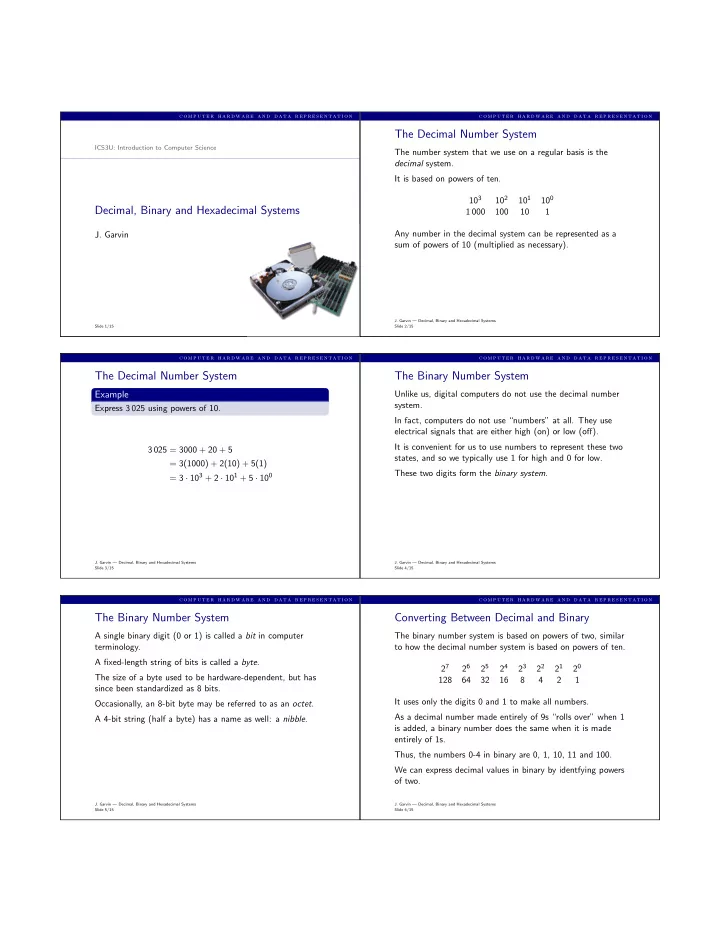
The Decimal Number System ICS3U: Introduction to Computer Science - - PDF document

the decimal number system
SMART_READER_LITE
LIVE PREVIEW

The Decimal Number System ICS3U: Introduction to Computer Science - - PDF document

c o m p u t e r h a r d w a r e a n d d a t a r e p r e s e n t a t i o n c o m p u t e r h a r d w a r e a n d d a t a r e p r e s e n t a t i o n The Decimal Number System ICS3U: Introduction to Computer Science The number system that we use


slide-1
SLIDE 1

c o m p u t e r h a r d w a r e a n d d a t a r e p r e s e n t a t i o n

ICS3U: Introduction to Computer Science

Decimal, Binary and Hexadecimal Systems

  • J. Garvin

Slide 1/15

c o m p u t e r h a r d w a r e a n d d a t a r e p r e s e n t a t i o n

The Decimal Number System

The number system that we use on a regular basis is the decimal system. It is based on powers of ten. 103 102 101 100 1 000 100 10 1 Any number in the decimal system can be represented as a sum of powers of 10 (multiplied as necessary).

  • J. Garvin — Decimal, Binary and Hexadecimal Systems

Slide 2/15

c o m p u t e r h a r d w a r e a n d d a t a r e p r e s e n t a t i o n

The Decimal Number System

Example

Express 3 025 using powers of 10. 3 025 = 3000 + 20 + 5 = 3(1000) + 2(10) + 5(1) = 3 · 103 + 2 · 101 + 5 · 100

  • J. Garvin — Decimal, Binary and Hexadecimal Systems

Slide 3/15

c o m p u t e r h a r d w a r e a n d d a t a r e p r e s e n t a t i o n

The Binary Number System

Unlike us, digital computers do not use the decimal number system. In fact, computers do not use “numbers” at all. They use electrical signals that are either high (on) or low (off). It is convenient for us to use numbers to represent these two states, and so we typically use 1 for high and 0 for low. These two digits form the binary system.

  • J. Garvin — Decimal, Binary and Hexadecimal Systems

Slide 4/15

c o m p u t e r h a r d w a r e a n d d a t a r e p r e s e n t a t i o n

The Binary Number System

A single binary digit (0 or 1) is called a bit in computer terminology. A fixed-length string of bits is called a byte. The size of a byte used to be hardware-dependent, but has since been standardized as 8 bits. Occasionally, an 8-bit byte may be referred to as an octet. A 4-bit string (half a byte) has a name as well: a nibble.

  • J. Garvin — Decimal, Binary and Hexadecimal Systems

Slide 5/15

c o m p u t e r h a r d w a r e a n d d a t a r e p r e s e n t a t i o n

Converting Between Decimal and Binary

The binary number system is based on powers of two, similar to how the decimal number system is based on powers of ten. 27 26 25 24 23 22 21 20 128 64 32 16 8 4 2 1 It uses only the digits 0 and 1 to make all numbers. As a decimal number made entirely of 9s “rolls over” when 1 is added, a binary number does the same when it is made entirely of 1s. Thus, the numbers 0-4 in binary are 0, 1, 10, 11 and 100. We can express decimal values in binary by identfying powers

  • f two.
  • J. Garvin — Decimal, Binary and Hexadecimal Systems

Slide 6/15

slide-2
SLIDE 2

c o m p u t e r h a r d w a r e a n d d a t a r e p r e s e n t a t i o n

Converting Between Decimal and Binary

For example, let the binary representation of a number be a string of bits, such as 101. The rightmost bit represents 20, the bit to the left of it represents 21, and the leftmost bit represents 22. All bits that are 1 are included, whereas those that are 0 are not. The decimal equivalent of 1012 (the subscript 2 indicates that 101 is a binary number) is 22 + 20 = 4 + 1 = 510. To convert in the other direction, take a number like 610 and identify all powers of two that are included in it. 6 = 4 + 2 = 22 + 21. Therefore, 610 = 1102. We can use one byte (with leading zeroes if necessary) to represent a value between 0 and 255.

  • J. Garvin — Decimal, Binary and Hexadecimal Systems

Slide 7/15

c o m p u t e r h a r d w a r e a n d d a t a r e p r e s e n t a t i o n

Converting Between Decimal and Binary

Example

Express 1910 in binary. 19 = 16 + 2 + 1 = 24 + 21 + 20. Therefore, 1910 = 000100112.

Example

Express 2910 in binary. 29 = 16 + 8 + 4 + 1 = 24 + 23 + 22 + 20. Therefore, 2910 = 000111012.

  • J. Garvin — Decimal, Binary and Hexadecimal Systems

Slide 8/15

c o m p u t e r h a r d w a r e a n d d a t a r e p r e s e n t a t i o n

Converting Between Decimal and Binary

Example

Express 001010012 in decimal. The included powers of two are 20, 23 and 25. Therefore, 001010012 = 20 + 23 + 25 = 4110.

Example

Express 100001012 in decimal. The included powers of two are 20, 22 and 27. Therefore, 001010012 = 20 + 22 + 27 = 13310.

  • J. Garvin — Decimal, Binary and Hexadecimal Systems

Slide 9/15

c o m p u t e r h a r d w a r e a n d d a t a r e p r e s e n t a t i o n

The Hexadecimal Number System

Another number system is hexadecimal, which uses 16 digits. Since we do not have single-digit values beyond 9, we use the “numbers” A-F instead. Dec Hex Dec Hex 8 8 1 1 9 9 2 2 10 A 3 3 11 B 4 4 12 C 5 5 13 D 6 6 14 E 7 7 15 F Thus, we count 1, 2, . . ., 8, 9, A, B, C, D, E, F, 10, 11, . . .

  • J. Garvin — Decimal, Binary and Hexadecimal Systems

Slide 10/15

c o m p u t e r h a r d w a r e a n d d a t a r e p r e s e n t a t i o n

Converting Between Hexadecimal and Binary

The hexadecimal number system is based on powers of sixteen. 163 162 161 160 4 096 256 16 1 There is an easy method to convert from hexadecimal to binary.

  • J. Garvin — Decimal, Binary and Hexadecimal Systems

Slide 11/15

c o m p u t e r h a r d w a r e a n d d a t a r e p r e s e n t a t i o n

Converting Between Hexadecimal and Binary

Since 24 = 16, four bits (1 nibble) can be used to represent

  • ne hexadecimal digit.

To express a hexadecimal number in binary, split the hexadecimal value into individual digits, then write each digit as a binary nibble.

Example

Express 2A16 in binary. The first digit, 2, has a binary value of 0010. The second digit, A, has a binary value of 1010 (decimal 10). Therefore, 2A16 = 001010102.

  • J. Garvin — Decimal, Binary and Hexadecimal Systems

Slide 12/15

slide-3
SLIDE 3

c o m p u t e r h a r d w a r e a n d d a t a r e p r e s e n t a t i o n

Converting Between Hexadecimal and Binary

To convert from binary to hexadecimal, split the binary number into nibbles. Each nibble is a binary representation of a hexadecimal digit.

Example

Express 010011012 in hexadecimal. The first nibble is 0100, which has a hexadecimal value of 4. The second nibble is 1101 (decimal 13), which has a hexadecimal value of D. Therefore, 010011012 = 4D16. An alternative way to indicate a hexadecimal value is to use a prefix of 0x. Thus, 0x4D is the same as 4D16.

  • J. Garvin — Decimal, Binary and Hexadecimal Systems

Slide 13/15

c o m p u t e r h a r d w a r e a n d d a t a r e p r e s e n t a t i o n

Converting Between Hexadecimal and Decimal

We can use binary as an intermediate step for converting from hexadecimal to decimal, or vice versa.

Example

Express 1716 in decimal. 1716 = 000101112. Converting from binary to decimal, 000101112 = 24 + 22 + 21 + 20 = 2310.

Example

Express 2610 in hexadecimal. 2610 = 24 + 23 + 21 = 000110102. The first nibble, 0001, is 1 in hexadecimal. The second nibble, 1010 (decimal 10), is A in hexadecimal. Therefore, 2610 = 1A16.

  • J. Garvin — Decimal, Binary and Hexadecimal Systems

Slide 14/15

c o m p u t e r h a r d w a r e a n d d a t a r e p r e s e n t a t i o n

Converting Between Hexadecimal and Decimal

Example

Convert 5710 to hexadecimal. 5710 = 25 + 24 + 23 + 20 = 001110012 = 3916.

Example

Convert E516 to decimal. E516 = 111001012 = 27 + 26 + 25 + 22 + 20 = 22910.

  • J. Garvin — Decimal, Binary and Hexadecimal Systems

Slide 15/15