Table of contents 1. Introduction: You are already an - - PDF document

table of contents
SMART_READER_LITE
LIVE PREVIEW

Table of contents 1. Introduction: You are already an - - PDF document

Table of contents 1. Introduction: You are already an experimentalist 2. Conditions 3. Items Section 1: 4. Ordering items for presentation Design 5. Judgment Tasks 6. Recruiting participants 7. Pre-processing data (if necessary) 8.


slide-1
SLIDE 1

Table of contents

106
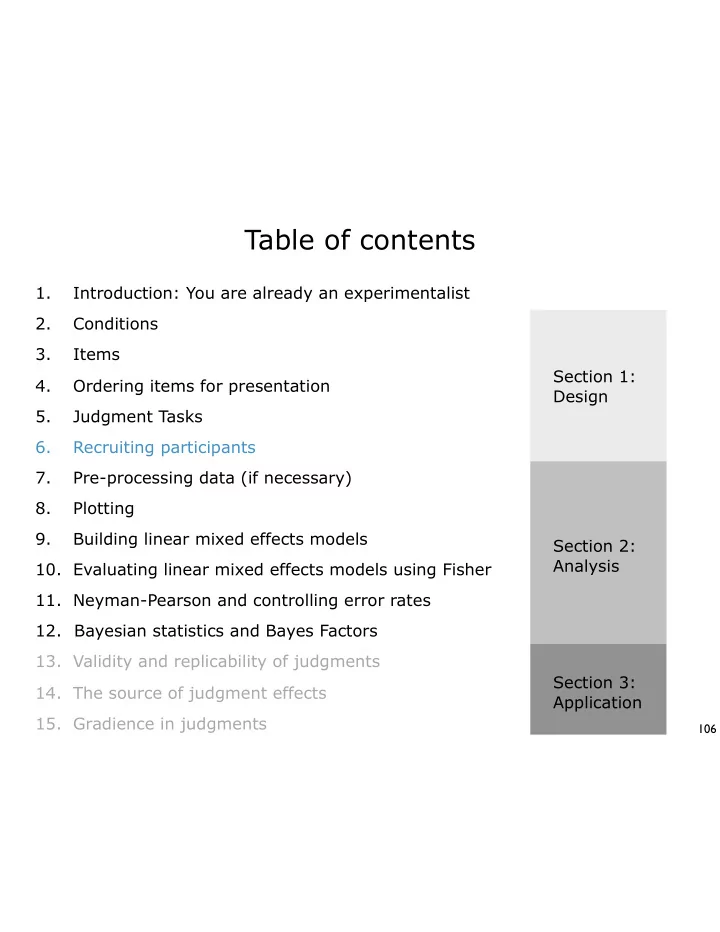
Conditions Items Ordering items for presentation Judgment Tasks Recruiting participants Pre-processing data (if necessary) Introduction: You are already an experimentalist 1. 2. 3. 4. 5. 6. 7. Plotting 8. Building linear mixed effects models 9. Evaluating linear mixed effects models using Fisher 10. Bayesian statistics and Bayes Factors 12. Validity and replicability of judgments 13. The source of judgment effects 14. Gradience in judgments 15. Section 1: Design Section 2: Analysis Section 3: Application Neyman-Pearson and controlling error rates 11.

slide-2
SLIDE 2

First: Find the confounds

107

For exercise 3, you scrutinized the design from Dillon & Hornstein (2013). They crossed EXTRACTION (+/- WH) with COMPLEMENT TYPE (naked infinitival clause NIC versus noun complement construction NCC), to create a 2x2 design:

  • WH, NIC: Mary heard the sneaky burglar clumsily attempt to open the door
  • WH, NCC: Mary heard the sneaky burglar’s clumsy attempt to open the door

+WH, NIC: What did Mary hear the sneaky burglar clumsily attempt to open? +WH, NCC: What did Mary hear the sneaky burglar’s clumsy attempt to open?

What potential confounds did you see in this design? Are they controlled for by the 2x2 design, or is additional norming necessary?

slide-3
SLIDE 3

Today: Additional software and tools for the experimental syntactician

108

Additional software: The Ibex Farm Platform(s) for deploying web-based experiments: Amazon’s Mechanical Turk (and similar) (SEE ALSO: The Prolific Academic (specifically for academic studies): www.prolific.ac Crowdflower (for training machine learning classifiers, usually very small studies): www.crowdflower.com Le RISC (Relais d’information sur les sciences de la cognition; free service to find French-speaking participants from metropolitan France run by CNRS): http://expesciences.risc.cnrs.fr

slide-4
SLIDE 4

The Ibex Farm / Linger

109

Last class, we discussed principles of Latin Square distribution, pseudo- randomization, and counterbalancing. These are necessary if you create surveys by hand (as we will). However, there are many pieces of experimental software that are designed to streamline or facilitate this process that you may find useful: The Ibex Farm: http://spellout.net/ibexfarm . Javascript-based software for deploying web-based experiments. Can create and deploy a variety of judgment-based methodologies, in addition to other psycholinguistic paradigms (e.g. self-paced reading). Pros: highly flexible platform, can be customized, can deploy experiments over the web; Cons: requires familiarity with Javascript. Linger: http://tedlab.mit.edu/~dr/Linger/. TCL/TK-based software. Similar flexibility/range of experimental methodologies to Ibex Farm. Pros: Easy to learn and deploy. Cons: cannot be used to do web-based surveys / experiments.

slide-5
SLIDE 5

The Ibex Farm

110

Easy to deploy judgment experiments; runs in a web- browser!

slide-6
SLIDE 6

The Ibex Farm

111

STEP 1: Create an account. Click here, follow instructions!

slide-7
SLIDE 7

The Ibex Farm

112

List of experiments created under your account. Unlimited storage (or at least I haven’t found the upper limit), and experiments stay indefinitely (but you should still back-up!)

slide-8
SLIDE 8

113

Link to your experiment Directory for HTML files you would like to present (not used in class example) Directory for CSS files that control presentation parameters (font, etc). Modify at your peril! Directory for main experiment file. This is the only thing you need to edit for a basic experiment! Directory with Javascript files that implement Ibex functions. Modify at your peril! Directory that stores results. Directory that stores current Latin Square counter.

slide-9
SLIDE 9

114

In this tutorial, we will only set up the data_includes file; this implements the main ‘body’ of the experiment, and is all you need for a basic Ibex set-up (though you can do much more!!). The logic is the following: 1) Set up “trial” definitions: descriptions

  • f each possible “trial” in the
  • experiment. Do this for all sentences

we will present. 2) Tell Ibex what you want a default “trial” to look like (how many response

  • ptions, etc)

3) Write instructions/practice. 4) Tell Ibex presentation order.

slide-10
SLIDE 10

Trial definition

115

We have coded up our experimental items in an Excel spreadsheet and given them appropriate codes, e.g.:

wh.non.sh.01 Who thinks that Paul stole the necklace?

To create an experimental trial from this sentence in Ibex, we have to embed it in the appropriate syntax:

[["wh.non.sh",1], "AcceptabilityJudgment", {s: "Who thinks that Paul stole the necklace?"}]

slide-11
SLIDE 11

Trial definition

116

We have coded up our experimental items in an Excel spreadsheet and given them appropriate codes, e.g.:

wh.non.sh.01 Who thinks that Paul stole the necklace?

To create an experimental trial from this sentence in Ibex, we have to embed it in the appropriate syntax. Start with an open square bracket, and then we give Ibex three critical pieces of info:

[["wh.non.sh",1], "AcceptabilityJudgment", {s: "Who thinks that Paul stole the necklace?"}]

#1: Item label and item set #. For experimental items, we put the item label (condition label) in quotes, and in the first position in a mini-list here. After this, put the item set # (called group # in Ibex); no quotes here. This information allows Ibex to do automatic Latin Squaring.

[“CONDITION LABEL”,ITEM SET #]

slide-12
SLIDE 12

Trial definition

117

We have coded up our experimental items in an Excel spreadsheet and given them appropriate codes, e.g.:

wh.non.sh.01 Who thinks that Paul stole the necklace?

To create an experimental trial from this sentence in Ibex, we have to embed it in the appropriate syntax. Start with an open square bracket, and then we give Ibex three critical pieces of info:

[["wh.non.sh",1], "AcceptabilityJudgment", {s: "Who thinks that Paul stole the necklace?"}]

#2: Type of trial (a ‘controller’ in Ibex Lingo); quotes needed. Many options possible; we will only use ‘AcceptabilityJudgment’ here to do acceptability judgment trials.

“Controller name”

slide-13
SLIDE 13

Trial definition

118

We have coded up our experimental items in an Excel spreadsheet and given them appropriate codes, e.g.:

wh.non.sh.01 Who thinks that Paul stole the necklace?

To create an experimental trial from this sentence in Ibex, we have to embed it in the appropriate syntax. Start with an open square bracket, and then we give Ibex three critical pieces of info:

[["wh.non.sh",1], "AcceptabilityJudgment", {s: "Who thinks that Paul stole the necklace?"}]

#3: Arguments that define critical features of this acceptability judgment

  • trial. s = ‘sentence’ argument. After s:,

put the sentence for this trial in quotes.

{ … arguments … } { s: “SENTENCE IN QUOTES”}

slide-14
SLIDE 14

Trial definition

119

We have coded up our experimental items in an Excel spreadsheet and given them appropriate codes, e.g.:

wh.non.sh.01 Who thinks that Paul stole the necklace?

To create an experimental trial from this sentence in Ibex, we have to embed it in the appropriate syntax. Start with an open square bracket, and then we give Ibex three critical pieces of info:

[["wh.non.sh",1], "AcceptabilityJudgment", {s: "Who thinks that Paul stole the necklace?"}]

You may change any part; but for a basic acceptability judgment experiment we change *only* ’s’, and condition labels!

slide-15
SLIDE 15

Trial definition

120

We have coded up our experimental items in an Excel spreadsheet and given them appropriate codes, e.g.:

wh.non.sh.01 Who thinks that Paul stole the necklace?

To create an experimental trial from this sentence in Ibex, we have to embed it in the appropriate syntax. Start with an open square bracket, and then we give Ibex three critical pieces of info:

[["wh.non.sh",1], "AcceptabilityJudgment", {s: "Who thinks that Paul stole the necklace?"}]

Other controllers include: “Question” (for posing a question and listing answers to choose from), “DashedAcceptabilityJudgment” (for speeded acceptability judgments), “DashedSentence” (for self-paced reading experiments) … see documentation for others!

slide-16
SLIDE 16

Trial definition

121

If you have fillers that will not be Latin Squared, then you do not need to define an item set. Trial definitions are therefore simpler:

["F-1F.01", "AcceptabilityJudgment", {s: "Mike prefers tennis because Jon baseball."}]

Just a simple label in quotes, now!

slide-17
SLIDE 17

The ‘items’ variable

122

Once you’ve defined all your trial variables, you have to collect them up into a single master list called the ‘items’ variable in Ibex Lingo. To define an items variable, start by typing…

var items = [

slide-18
SLIDE 18

The ‘items’ variable

123

Once you’ve defined all your trial variables, you have to collect them up into a single master list called the ‘items’ variable in Ibex Lingo. To define an items variable, start by typing… and adding in each trial variable, followed by a comma …

var items = [ [["wh.non.sh",1], "AcceptabilityJudgment", {s: "Who thinks that Paul stole the necklace?"}], [["wh.non.lg",1], "AcceptabilityJudgment", {s: "What does the detective think that Paul stole?"}], [["wh.isl.sh",1], "AcceptabilityJudgment", {s: "Who wonders whether Paul stole the necklace?"}], [["wh.isl.lg",1], "AcceptabilityJudgment", {s: "What does the detective wonder whether Paul stole?”}],

slide-19
SLIDE 19

The ‘items’ variable

124

Once you’ve defined all your trial variables, you have to collect them up into a single master list called the ‘items’ variable in Ibex Lingo. To define an items variable, start by typing… and adding in each trial variable, followed by a comma … until you get to the last trial in the list, which you add but do not follow with a comma…

var items = [ [["wh.non.sh",1], "AcceptabilityJudgment", {s: "Who thinks that Paul stole the necklace?"}], [["wh.non.lg",1], "AcceptabilityJudgment", {s: "What does the detective think that Paul stole?"}], [["wh.isl.sh",1], "AcceptabilityJudgment", {s: "Who wonders whether Paul stole the necklace?"}], [["wh.isl.lg",1], "AcceptabilityJudgment", {s: "What does the detective wonder whether Paul stole?”}], ["F-1F.01", "AcceptabilityJudgment", {s: "Mike prefers tennis because Jon baseball."}]

slide-20
SLIDE 20

The ‘items’ variable

125

Once you’ve defined all your trial variables, you have to collect them up into a single master list called the ‘items’ variable in Ibex Lingo. To define an items variable, start by typing… and adding in each trial variable, followed by a comma … until you get to the last trial in the list, which you add but do not follow with a comma… and close it out with an ending bracket and semi-colon.

var items = [ [["wh.non.sh",1], "AcceptabilityJudgment", {s: "Who thinks that Paul stole the necklace?"}], [["wh.non.lg",1], "AcceptabilityJudgment", {s: "What does the detective think that Paul stole?"}], [["wh.isl.sh",1], "AcceptabilityJudgment", {s: "Who wonders whether Paul stole the necklace?"}], [["wh.isl.lg",1], "AcceptabilityJudgment", {s: "What does the detective wonder whether Paul stole?”}], ["F-1F.01", "AcceptabilityJudgment", {s: "Mike prefers tennis because Jon baseball."}] ];

slide-21
SLIDE 21

The ‘items’ variable

126

Once you’ve defined all your trial variables, you have to collect them up into a single master list called the ‘items’ variable in Ibex Lingo. To define an items variable, start by typing… and adding in each trial variable, followed by a comma … until you get to the last trial in the list, which you add but do not follow with a comma… and close it out with an ending bracket and semi-colon.

var items = [ [["wh.non.sh",1], "AcceptabilityJudgment", {s: "Who thinks that Paul stole the necklace?"}], [["wh.non.lg",1], "AcceptabilityJudgment", {s: "What does the detective think that Paul stole?"}], [["wh.isl.sh",1], "AcceptabilityJudgment", {s: "Who wonders whether Paul stole the necklace?"}], [["wh.isl.lg",1], "AcceptabilityJudgment", {s: "What does the detective wonder whether Paul stole?”}], ["F-1F.01", "AcceptabilityJudgment", {s: "Mike prefers tennis because Jon baseball."}] ];

TROUBLESHOOTING TIP: By far the most common error you will see when trying to set up a new Ibex experiment is ‘items variable not defined’. This means there is a syntax error somewhere in your file. First step in troubleshooting is to very carefully check that you have stuck to all syntax conventions above! If you are still having a hard time, options include:

  • Open ‘Javascript Console’ in Chrome (View > Developer > Javascript Console);

this can help you identify which line in your file throws the error.

  • Use a text editor with text highlighting; this makes it easier to spot

unbalanced quotes / brackets.

slide-22
SLIDE 22

The ‘items’ variable

127

Once you’ve defined all experimental trials and fillers, we put anything else we want to present inside the items variable.

var items = [ ["sep", "Separator", { }], ["setcounter", "__SetCounter__", { }], ["introduction", Message, {consentRequired: false, html: ["div", ["p", “Welcome! Here are some instructions to the experiment.”], ["p", “Hope you have a great time! It’ll be a blast.”] ]}], [["wh.non.sh",1], "AcceptabilityJudgment", {s: "Who thinks that Paul stole the necklace?"}], [["wh.non.lg",1], "AcceptabilityJudgment", {s: "What does the detective think that Paul stole?"}], [["wh.isl.sh",1], "AcceptabilityJudgment", {s: "Who wonders whether Paul stole the necklace?"}], [["wh.isl.lg",1], "AcceptabilityJudgment", {s: "What does the detective wonder whether Paul stole?”}], ["F-1F.01", "AcceptabilityJudgment", {s: "Mike prefers tennis because Jon baseball."}] ];

A ‘separator’ controller… just a screen people see between trials.

slide-23
SLIDE 23

The ‘items’ variable

128

Once you’ve defined all experimental trials and fillers, we put anything else we want to present inside the items variable.

var items = [ ["sep", "Separator", { }], ["setcounter", "__SetCounter__", { }], ["introduction", Message, {consentRequired: false, html: ["div", ["p", “Welcome! Here are some instructions to the experiment.”], ["p", “Hope you have a great time! It’ll be a blast.”] ]}], [["wh.non.sh",1], "AcceptabilityJudgment", {s: "Who thinks that Paul stole the necklace?"}], [["wh.non.lg",1], "AcceptabilityJudgment", {s: "What does the detective think that Paul stole?"}], [["wh.isl.sh",1], "AcceptabilityJudgment", {s: "Who wonders whether Paul stole the necklace?"}], [["wh.isl.lg",1], "AcceptabilityJudgment", {s: "What does the detective wonder whether Paul stole?”}], ["F-1F.01", "AcceptabilityJudgment", {s: "Mike prefers tennis because Jon baseball."}] ];

A ‘setcounter’ controller… this is used to change the counter on the server, which determines which Latin Square list participants see.

slide-24
SLIDE 24

The ‘items’ variable

129

Once you’ve defined all experimental trials and fillers, we put anything else we want to present inside the items variable.

var items = [ ["sep", "Separator", { }], ["setcounter", "__SetCounter__", { }], ["introduction", Message, {consentRequired: false, html: ["div", ["p", “Welcome! Here are some instructions to the experiment.”], ["p", “Hope you have a great time! It’ll be a blast.”] ]}], [["wh.non.sh",1], "AcceptabilityJudgment", {s: "Who thinks that Paul stole the necklace?"}], [["wh.non.lg",1], "AcceptabilityJudgment", {s: "What does the detective think that Paul stole?"}], [["wh.isl.sh",1], "AcceptabilityJudgment", {s: "Who wonders whether Paul stole the necklace?"}], [["wh.isl.lg",1], "AcceptabilityJudgment", {s: "What does the detective wonder whether Paul stole?”}], ["F-1F.01", "AcceptabilityJudgment", {s: "Mike prefers tennis because Jon baseball."}] ];

A ‘Message’ controller… this is just an untimed, unstructured message we can give participants. Here, I use it to present some instructions.

slide-25
SLIDE 25

The Ibex Farm

130

Each controller has different properties or arguments; you can either set a given trial’s properties item by item (like the ’s’ argument), or you can set defaults at the top of the file. These defaults will be shared by all instances of a given controller in your experiment. Like so:

var defaults = [ "AcceptabilityJudgment", { as: ["1", "2", "3", "4", "5", "6", "7"], presentAsScale: true, instructions: "Use number keys or click boxes to answer.", leftComment: “(Bad)”, rightComment: "(Good)" ]; var items = [ …

You can edit any of these options; check documentation for further

  • ptions you can specify!
slide-26
SLIDE 26

The Ibex Farm

131

var defaults = [ "AcceptabilityJudgment", { as: ["1", "2", "3", "4", "5", "6", "7"], presentAsScale: true, instructions: "Use number keys or click boxes to answer.", leftComment: “(Bad)”, rightComment: "(Good)" ];

slide-27
SLIDE 27

The shuffleSequence

132

The last thing you have to set is the shuffleSequence. Think of this as an instruction to IbexFarm to tell it how to present the trials you defined in the ‘items’ variable:

var shuffleSequence = seq("setcounter", "introduction", sepWith("sep", rshuffle(startsWith("wh"), startsWith("F"))))

First, we create a sequence using ‘seq’ …

slide-28
SLIDE 28

The shuffleSequence

133

The last thing you have to set is the shuffleSequence. Think of this as an instruction to IbexFarm to tell it how to present the trials you defined in the ‘items’ variable:

var shuffleSequence = seq("setcounter", "introduction", sepWith("sep", rshuffle(startsWith("wh"), startsWith("F"))))

… then we present the item labeled ‘setcounter’; this sets appropriate list …

slide-29
SLIDE 29

The shuffleSequence

134

The last thing you have to set is the shuffleSequence. Think of this as an instruction to IbexFarm to tell it how to present the trials you defined in the ‘items’ variable:

var shuffleSequence = seq("setcounter", "introduction", sepWith("sep", rshuffle(startsWith("wh"), startsWith("F"))))

… then we present ‘introduction’ …

slide-30
SLIDE 30

The shuffleSequence

135

The last thing you have to set is the shuffleSequence. Think of this as an instruction to IbexFarm to tell it how to present the trials you defined in the ‘items’ variable:

var shuffleSequence = seq("setcounter", "introduction", sepWith("sep", rshuffle(startsWith("wh"), startsWith("F"))))

… then we present the main body of the experiment. sepWith(X,Y): “Separate all items in ‘Y’ with ‘X’”; here, it puts a separator between all trials. rshuffle(X): “Pseudorandomly shuffle X” startsWith(X): “All trial definitions that begin with ‘X’. rshuffle’s default behavior is to pseudorandomize, putting as much space as possible between classes of items defined by ‘startsWith’. In this case, it will alternate fillers and target trials.

slide-31
SLIDE 31

The Ibex Farm

136

To recap, making an experiment in Ibex involves the following three pieces: 1) Define experimental trials, combine with fillers, practice into items variable. 2) Define controller defaults. 3) Define shuffleSequence That should give Ibex all the information necessary to run your experiment! Save this all in a single file with .js extension, and upload it to the data_includes folder in your Ibex console. Then click the experiment… and take it! (We’ll talk about collecting and analyzing the results from Ibex shortly…)

slide-32
SLIDE 32

The Ibex Farm and Latin Squares

137

If you code your experiment in IbexFarm, you do not need to divide your experimental items into Latin Squared lists by hand. Instead, IbexFarm will automatically parse item sets into n lists, where n is the number of conditions you have. It does this by storing a ‘counter’ on the server that tracks what list to present. When the counter is 0 , the first list will be selected. Following our Latin Square regime, the first list consists of:

[["wh.non.sh",1], "AcceptabilityJudgment", {s: "Who thinks that Paul stole the necklace?"}], [["wh.non.lg",1], "AcceptabilityJudgment", {s: "What does the detective think that Paul stole?"}], [["wh.isl.sh",1], "AcceptabilityJudgment", {s: "Who wonders whether Paul stole the necklace?"}], [["wh.isl.lg",1], "AcceptabilityJudgment", {s: "What does the detective wonder whether Paul stole?”}], [["wh.non.sh",2], "AcceptabilityJudgment", {s: "Who thinks that Matt chased the bus?"}], [["wh.non.lg",2], "AcceptabilityJudgment", {s: "What does the police officer think that Matt chased?"}], [["wh.isl.sh",2], "AcceptabilityJudgment", {s: "Who wonders whether Matt chased the bus?"}], [["wh.isl.lg",2], "AcceptabilityJudgment", {s: "What does the police officer wonder whether Matt chased?"}],

When the counter is 0, Ibex will only present the bolded items in the experiment.

slide-33
SLIDE 33

The Ibex Farm and Latin Squares

138

If you code your experiment in IbexFarm, you do not need to divide your experimental items into Latin Squared lists by hand. Instead, IbexFarm will automatically parse item sets into n lists, where n is the number of conditions you have. It does this by storing a ‘counter’ on the server that tracks what list to present. When the counter is 1 , the second list will be selected. Following our Latin Square regime, the first list consists of:

[["wh.non.sh",1], "AcceptabilityJudgment", {s: "Who thinks that Paul stole the necklace?"}], [["wh.non.lg",1], "AcceptabilityJudgment", {s: "What does the detective think that Paul stole?"}], [["wh.isl.sh",1], "AcceptabilityJudgment", {s: "Who wonders whether Paul stole the necklace?"}], [["wh.isl.lg",1], "AcceptabilityJudgment", {s: "What does the detective wonder whether Paul stole?”}], [["wh.non.sh",2], "AcceptabilityJudgment", {s: "Who thinks that Matt chased the bus?"}], [["wh.non.lg",2], "AcceptabilityJudgment", {s: "What does the police officer think that Matt chased?"}], [["wh.isl.sh",2], "AcceptabilityJudgment", {s: "Who wonders whether Matt chased the bus?"}], [["wh.isl.lg",2], "AcceptabilityJudgment", {s: "What does the police officer wonder whether Matt chased?"}],

When the counter is 1, Ibex will only present the bolded items in the experiment.

slide-34
SLIDE 34

The Ibex Farm and Latin Squares

139

var shuffleSequence = seq("setcounter", "introduction", "prepractice", "practice", "getready", sepWith("sep", rshuffle(startsWith("wh"), startsWith("F"))))

‘Setcounter’ will increment counter by 1 every time it is encountered (i.e. it will move to next list). So every person who starts the experiment will see a new list!

slide-35
SLIDE 35

The Ibex Farm and Latin Squares

140

var counterOverride = 2 var shuffleSequence = seq( "introduction", "prepractice", "practice", "getready", sepWith("sep", rshuffle(startsWith("wh"), startsWith("F"))))

An alternative to using set counter is to set the counterOverride variable manually. When this is set, all participants will see the same list (remember, 2 means list 3!)

slide-36
SLIDE 36

Today: Additional software and tools for the experimental syntactician

141

Additional software: The Ibex Farm Platform(s) for deploying web-based experiments and recruiting participants: Amazon’s Mechanical Turk (and similar)

slide-37
SLIDE 37

Today: Additional software and tools for the experimental syntactician

142

Additional software: The Ibex Farm Platform(s) for deploying web-based experiments and recruiting participants: Amazon’s Mechanical Turk (and similar) Other options: Prolific Academic (like MTurk, specifically for academic studies): www.prolific.ac Crowd flower (like MTurk, mainly aimed at very very small ‘studies’): www.crowdflower.com Le RISC (relais d’information sur les sciences de la cognition: free platform for finding participants in France): http://expesciences.risc.cnrs.fr … and many more popping up each day!

slide-38
SLIDE 38

Institutional Review Board (IRB) Approval

143

WARNING! In the US, before you recruit human participants, you will need approval from your university’s Institutional Review Board (the IRB). This is generally a painless process, but it can take a month or more, so you should start planning early. The process varies from institution to institution, so I can’t give you detailed

  • instructions. Your best resource here are local experimentalists at your home

university who are versed with local ethics norms / requirements. Ask them, they’ll be glad to help!

slide-39
SLIDE 39

Amazon Mechanical Turk

144

If you are going to be working on US English, Amazon Mechanical Turk can be a great resource for recruiting participants. Pros: Fast! You can collect a hundred participants in an hour. More diverse than a university participant pool. Cons: Not free. You must pay participants (and Amazon). Less control over the properties of the participants.

slide-40
SLIDE 40

AMT Sandbox

145

The first step is to create a requester account. (AMT divides users into requesters, who post tasks, and workers, who complete them). If you want to practice using AMT without having to put up a real survey, you can use the requester’s sandbox. This is a simulated AMT environment where you can test your experiments without any risk (and without paying anything).

slide-41
SLIDE 41

Two stages: create and manage

146

I am going to use my real account to show you what creating an experiment looks like. There are basically two stages: the create stage, where you create your experiment, and the manage stage, where you deploy your experiment and watch the results come in.

slide-42
SLIDE 42

Creating an experiment

147

When you click on Create, you will see a list of all of the experiments that you’ve run in the past. This lets you easily re-use them (or edit them) if you need to. Your list will be empty (or have demos in it). But you can easily create a new

  • ne using one of the AMT HTML templates I have made available.
slide-43
SLIDE 43

Create: Enter Properties

148

There are three parts to creating an experiment: entering its properties, designing the layout, and then looking for errors. We start with entering the properties. The first box is where you enter information that the workers will see. I like to tell them how long I think it will take, how much I am going to pay, and any requirements that I have (that aren’t enforced by AMT - more on this soon.)

slide-44
SLIDE 44

Create: Enter Properties

149

The second box in “enter properties” is where you set the specific properties of this HIT (Human Intelligence Task — this is what AMT calls a task). The first box is how much you will the participant. The second is the number of participants you want to recruit per

  • HIT. Each ordered list

you have is a HIT, so you have to do some math here. If you have 8 ordered lists, and want 24 participants in your sample, then you need 3 participants per list. Since each list is a HIT, you need 3 assignments per HIT. More generally: Number of assignments per HIT = total sample size / number of ordered lists

slide-45
SLIDE 45

Quick aside - How many participants?

150

The number of participants that you need is a complex function of, at least, (i) the size of the effect you want to detect, (ii) sensitivity/noise of the task, and (iii) the statistical power you want to achieve (the probability of detecting the effect if it is present).

Forced−Choice Likert Scale Magnitude Est. Yes−No

  • 20

40 60 80 100 20 40 60 80 100 20 40 60 80 100 20 40 60 80 100 small medium large extra large 25 50 75 100 25 50 75 100 25 50 75 100 25 50 75 100

sample size mean power (%)

We can use the graph I showed you before to estimate this relationship. This graph is based on 50 phenomena from LI, and 1 observation per participant per condition. There is also a general rule of thumb in statistics that says that you need at least 25 participants (or 24 if your lists are based on multiples of 4). So I suggest using the graph above to calculate a number, and treating 24 as the absolute minimum.

slide-46
SLIDE 46

Create: Enter Properties

151

The final box is where you can enter restrictions on your HIT. Technically, AMT allows you to set very strict requirements — you simply have to create a qualifying task, and then only allow participants who pass your qualifying task to participate in your experiment. The problem is that there is a trade-off between restricting access and recruiting (diverse) participants. So I try to use a minimum of qualifications. I set IP location to US to try to limit the number of non- native speakers (more on this later). I set HIT approval rates and number of HITs approved to numbers that will weed out very bad participants and very new participants.

slide-47
SLIDE 47

Design Layout

152

The next step is to design the layout of the HIT itself. The basic AMT interface uses HTML. Amazon has tried to make this easy by using a WYSIWYG editor for the HTML. But I find that the only way to really use this for an experiment is to have some familiarity with HTML.

slide-48
SLIDE 48

Design Layout: Parts of the experiments

153

Color coding: Amazon isn’t made for experiments. It treats each HIT (each

  • rdered list) separately, so workers can take more than one if they want. But

we want workers to take only one ordered list per experiment. So I use color coding to link separate HITs (ordered lists) that are related. I tell participants that they can only take a survey of this color once per day. This also lets me post more than one experiment per day if I want.

slide-49
SLIDE 49

Design Layout: Parts of the experiments

154

IRB Approval: In the second paragraph, I provide a link to my IRB approval document (called a study information sheet). This is a requirement of my IRB. Yours may be different (but most likely it will be the same). Basic Info: In the third paragraph, I collect information that may be useful during data analysis (approved by the IRB). Crucially, I ask two questions that help me to screen out non-native speakers. Note that I don’t reject them for answering no, they are still paid, that way there is no incentive to lie.

slide-50
SLIDE 50

Design Layout: Parts of the experiments

155

Instructions: The next section is the instructions, along with the three instruction/anchor items, which are pre-filled with ratings.

slide-51
SLIDE 51

Design Layout: Parts of the experiments

156

The main experiment: The next section is the experiment itself. Notice that there are symbols on the left: ${1}. These are variables used by AMT. They will look for sentences in an input file that match these variables (more soon).

slide-52
SLIDE 52

Design Layout: HTML source

157

While it is technically possible to create this experiment using the WYSIWYG editor that amazon provides, it is easier to use the HTML source directly. In fact, you can copy in the HTML templates I’ve provided directly into the source window:

slide-53
SLIDE 53

Preview and Finish

158

The final preview step shows you what the experiment will look like to workers. It doesn’t (yet) contain the sentences for your experiment, so those are missing, but this is very close to the final format of the experiment.

slide-54
SLIDE 54

Publish Batch

159

The next step is to “publish” your “batch”

  • f HITs. You do that

by going back to the main “create” page, and clicking the

  • range button.

When you do that, it is going to ask you to choose a file to upload your HITs. We haven’t talked about this input file yet…

slide-55
SLIDE 55

The input file

160

The input file must be a CSV file. It must contain a column for every variable in your HIT. There should be one variable in your HIT that tells you which ordered list it is. I call this variable surveycode. Then, there should be one variable for every item in your list. In this experiment there are 31 items, so there are 32 total variables, and therefore 32 columns in the input file. Each column is named after the variable. Then, you simply need to paste- transpose each ordered list into a row: You don’t need to construct this file from scratch. AMT will generate a template for your input file that you can download.

slide-56
SLIDE 56

Publish Batch

161

When you upload your input file, AMT will check it to make sure that there are no errors in the coding (that all of the variables match, and that it can read the file.)

slide-57
SLIDE 57

Publish Batch

162

AMT will then show you a new preview of your HITs, this time with the real sentences included.

slide-58
SLIDE 58

Publish Batch

163

Finally, it will show you a summary page that includes all

  • f the

information about the HIT, including how much money it will cost you. You need a credit card to fund your account to actually run the experiment.

slide-59
SLIDE 59

Manage: While the experiment is running

164

While the experiment is running, you can watch its progress under the Manage

  • tab. You will see a progress bar like this:

You must associate your AMT account with an email address. While the experiment is running, you should be actively monitoring that email address. Workers who run into problems (e.g., accidentally submitting the survey before it is complete) will email you. If you don’t respond, they will leave you negative feedback on sites like Turkopticon (a website where workers leave reviews for requesters). Pro Tip:

slide-60
SLIDE 60

Another tip: incomplete surveys

165

Workers are very protective of their approval rates - the proportion of HITs that are approved. They need to maintain high approval rates to qualify for the best paying HITs. The problem is that the only way to not pay a worker is to reject their HIT. So, if they accidentally submit an unfinished survey, you either have to pay them for the unfinished work, or reject them. Nobody is happy about either option. That is why they email you when this happens. They want to find a solution. If you are feeling nice, you can do the following. Look at the incoming results by clicking the results button at the top right of the progress bar. Find the worker’s incomplete HIT (usually it is the only one with empty responses, but you can also use their worker ID number). Then send them the ordered list in an excel spreadsheet, and tell them that if they finish it in the excel spreadsheet, and send it back to you, then you will approve their HIT. It takes work on your end, but it gets you the data, and saves them a rejection.

slide-61
SLIDE 61

The results view

166

If you want to see the results as they are coming in, you can, by clicking the results button: This generates a (super wide) table of the results. If you want, you can approve results from this view, you can reject results from this view, you an sort by various properties (workerID, completion time, etc), etc. Remember to approve the results for all workers after the experiment is finished. There is also a button to generate a CSV of the results. Ultimately, when the experiment is finished, this is what you are going to want to do.

slide-62
SLIDE 62

Hands on practice

167

Exercises 4+5: For this class, we recommend you do either Exercise 4 or Exercise 5. (Both if you’re feeling jaunty!) Exercise 4 gets you set up to do Ibex Farm experiments. Exercise 5 gets you set up to do AMT surveys and Latin Squaring by hand

slide-63
SLIDE 63

Exercise 4: Ibex Option

168

Set up an experiment up on Ibex Farm: Step 1: Create a new account on Ibex Farm (http://spellout.net/ibexfarm). Log into your account and create a new account. Upload lsa_2017.js, run the experiment and confirm that it works. Step 2: The lsa_2017.js does not have all of the experimental items, practice items, and fillers from Exercise 5. Retrieve exercise.5.ls.xlsx from the website. Complete the lsa_2017.js with everything from our experiment, including i) item sets 5-8 and ii) the relatively acceptable fillers that are missing (those with modal ratings 4-7). Step 3: Add the practice items from exercise.5.ls.xlsx, and edit the shuffleSequence so that they are always presented at the beginning of the experiment. Step 4: Edit the default presentation parameters for an AcceptabilityJudgment trial in lsa_2017.js . Change the number of scale options from 7 to 5. Add an argument to the AcceptabilityJudgment defaults so that participants will be unable to respond if they take longer than a minute to decide (HINT: consult the help documents for IbexFarm to learn how to do this, esp pp. 18-19). Step 5: Run yourself through the experiment. Take notes on your experience as a participant, and download the results file to your computer.

slide-64
SLIDE 64

Exercise 5: AMT option

169

Once you complete this worksheet, you have everything you need to put the experiment up online. Put our experiment up on the mechanical turk sandbox. https://requestersandbox.mturk.com/ Submit the following to me: (i) a mechanical turk input file (csv) for our materials, (ii) a screenshot of the batch summary page that they give you right before you publish, and (iii) a screenshot of the list of available experiments that shows your experiment available. The file exercise.5.xlsx contains four worksheets that walk through the steps of

  • rdering lists.

The first sheet is for pseudorandomizing the original lists. The second sheet is for creating four orders per list based on the split/reverse procedure. The third sheet is for adding practice items. The fourth sheet is for creating item keys for later use.