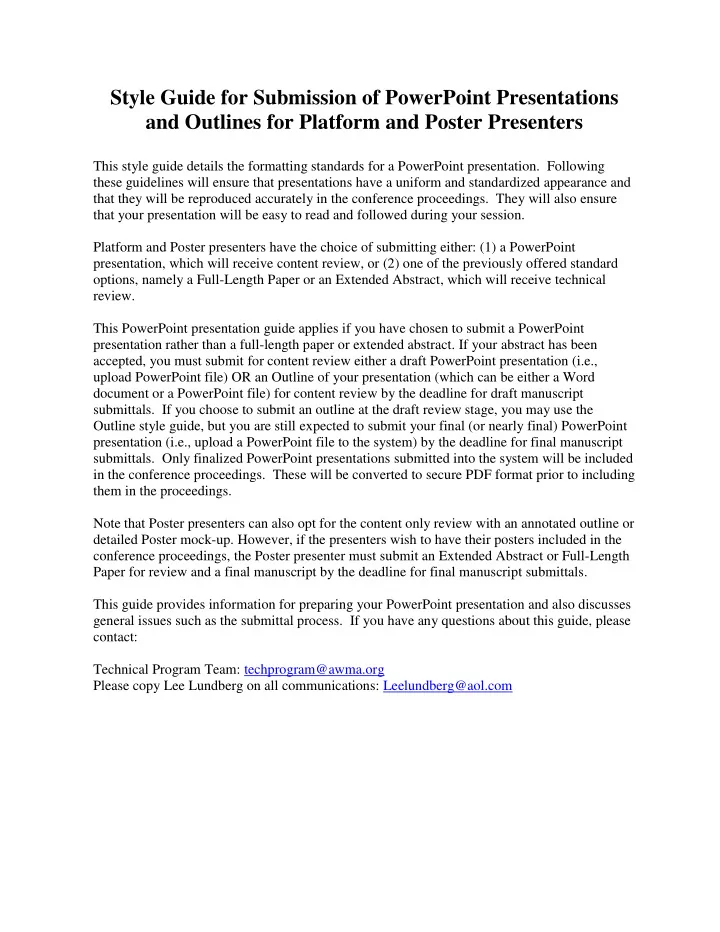
SLIDE 1 Style Guide for Submission of PowerPoint Presentations and Outlines for Platform and Poster Presenters
This style guide details the formatting standards for a PowerPoint presentation. Following these guidelines will ensure that presentations have a uniform and standardized appearance and that they will be reproduced accurately in the conference proceedings. They will also ensure that your presentation will be easy to read and followed during your session. Platform and Poster presenters have the choice of submitting either: (1) a PowerPoint presentation, which will receive content review, or (2) one of the previously offered standard
- ptions, namely a Full-Length Paper or an Extended Abstract, which will receive technical
review. This PowerPoint presentation guide applies if you have chosen to submit a PowerPoint presentation rather than a full-length paper or extended abstract. If your abstract has been accepted, you must submit for content review either a draft PowerPoint presentation (i.e., upload PowerPoint file) OR an Outline of your presentation (which can be either a Word document or a PowerPoint file) for content review by the deadline for draft manuscript
- submittals. If you choose to submit an outline at the draft review stage, you may use the
Outline style guide, but you are still expected to submit your final (or nearly final) PowerPoint presentation (i.e., upload a PowerPoint file to the system) by the deadline for final manuscript
- submittals. Only finalized PowerPoint presentations submitted into the system will be included
in the conference proceedings. These will be converted to secure PDF format prior to including them in the proceedings. Note that Poster presenters can also opt for the content only review with an annotated outline or detailed Poster mock-up. However, if the presenters wish to have their posters included in the conference proceedings, the Poster presenter must submit an Extended Abstract or Full-Length Paper for review and a final manuscript by the deadline for final manuscript submittals. This guide provides information for preparing your PowerPoint presentation and also discusses general issues such as the submittal process. If you have any questions about this guide, please contact: Technical Program Team: techprogram@awma.org Please copy Lee Lundberg on all communications: Leelundberg@aol.com
SLIDE 2
Submitting Your PowerPoint Presentation OR Outline
Your presentation has been assigned to a session by the reviewers of your abstract. The session chair and any other assigned reviewer(s) will review the content of your draft presentation to ensure that the topic is appropriate to the session; the title accurately reflects the content of the presentation; the presentation represents sound science, engineering, or practice; the presentation is not too commercial; the presentation is well organized; and the presentation is formatted in accordance with this style guide (Refer to the PowerPoint Presentation Style Guide for more information on preparing a slide presentation for the conference). During the review process, a dialogue will be created between you and your reviewer. You will be required to submit revised drafts until your reviewer accepts the presentation as final. The Association will convert your final presentation to secure PDF format prior to including it in the proceedings. For submissions of your PowerPoint slide presentation or draft Outline during the review process and for reproduction of the final PowerPoint slide presentations in the conference proceedings, include the Title slide as the first slide of your presentation. This Title slide must include the following information: Title A&WMA’s 111th Annual Conference and Exhibition Hartford, Connecticut June 25-28, 2018 Abstract # (Number referenced in your acceptance notification) Author Name - include all those who have made substantial contributions to the work. Use first names, initials, and surnames (e.g. John M. Smith). Separate authors with the same address by a comma. Author address - include the author(s)’s affiliation and address. Additional Author Name Additional Author address - include the author(s)’s affiliation and address. Immediately following the Title slide, include an abstract slide(s) of your presentation reflecting the content of the actual presentation. It is recognized that the final abstract may have to be completed towards the end of the review process. Do not use the abstract originally submitted with the call for Abstracts if it does not reflect the actual content of the presentation. You should delete the abstract slide(s) in your actual presentation at the conference. The abstract slide(s) submission is intended to keep the abstract and content together in one file and should include the following: Title Author Names with affiliations Abstract# (Number reference in your acceptance notification) Abstract
SLIDE 3 Additional Information for Submitting Your Draft Outline
Your outline is an early review draft of your planned PowerPoint Presentation (or Poster) that contains sufficient information for a content review and allow reviewers to guide authors in preparing their final presentations. The outline submitted (PowerPoint file) should contain the planned content and conclusions. The outline should be detailed enough for the reviewer to get a complete picture of your Presentation or Poster. Remember that 20 minutes is allotted for each platform presentation; therefore your final PowerPoint should include between 15 and 25 slides with 1 to 2 minutes allotted for each slide. You should recognize that some slides will take a very short time to present and others may require an extended explanation. You should rehearse your presentation to get a better sense of the timing requirements, to determine the right number of slides to include in your presentation. Refer to the PowerPoint Presentation Style Guide below for more information on preparing a slide presentation for the conference.
PowerPoint Presentation Style Guide
Introduction
These guidelines detail the standards for oral presentations using Microsoft PowerPoint. Creating an effective presentation can be time-consuming, but necessary to showcase the most important points of your research findings or topic and present it in a manner that is easy to
- follow. Following these guidelines will ensure that presentations have a uniform and
standardized appearance.
Parts of Your Presentation
Your presentation should contain an introduction, body, and summary. The title slide should include the title of your presentation; month and year presented; your name and affiliation, along with other co-author names and affiliations. The closing slide should encourage questions from the audience and include contact information. Formatting Your Presentation The presentation should be furnished in the Standard slide size. To elect the proper slide size in PowerPoint, click on the “Design” tab, click on “Slide Size”, and select “Standard (4:3)”. Use a design template to ensure consistency in your presentation. Standardize the position, color, and style of text and images. Also be consistent with any animation or transitions. Include only essential information. List key concepts, not full sentences. Put a title on each slide. Sans Serif fonts (e.g., Arial, Verdana, Tahoma) should be used.
SLIDE 4
Headings should be 32 point font or larger; sub-headings should be 30 point or larger; and text should be 28 point or larger if possible. No text on the slide should be less than 16 point. Avoid words in all capital letters. Limit the use of punctuation marks. Use no more than six words per bullet/line and six bullets/lines per slide. Create a high contrast between the text and the background (e.g., white text on a blue background, yellow text on a black background). Keep the background simple. Avoid the use of greys. Images or graphics can/should be used to complement the information you are trying to convey. Keep figures, tables, and other graphics simple. All lines should be heavy and dark. Symbols, letters, and numbers on figures and tables should be large enough to be seen 12 feet away. Do not include more than two graphics per slide. Keep your slides uncluttered, and leave some white space.
Length of Your Presentation
Carefully assess the amount of materials you plan to include in your presentation. A general guideline is to plan for 1-2 minutes per slide. For example, if you are speaking for 15 minutes, you should develop between 15-25 slides, recognizing that some slides will take a very short time to present and others may require an extended explanation. You should rehearse your presentation in advance to get a better sense of the timing requirements to determine the right number of slides to include in your presentation. All session presentations will be 20 minutes in length. Allow time at the end for questions.
Giving Your Presentation
Practice and time your presentation. You must come to your session room in advance (at least 10 – 15 minutes before the start your session). You must bring your PowerPoint presentation stored on a USB removable drive or memory stick and load your presentation on the computer in your session’s room. If you need help, your Session Chair or room monitor can assist you with loading your presentation on the computer. When standing at a podium, adjust the microphone height as necessary. Speak clearly and comfortably. Do not read your slides. Remember, they should just contain the key concepts and remind you of what you want to say. Don’t turn your back to the audience to look at your slides. Rather, look at the computer in front of you, and project your voice into your microphone and toward the audience. If you must reference the screen, always keep the microphone between yourself and the screen so that your voice will project into the microphone.