String Literals A string literal is a sequence of characters - - PDF document

string literals
SMART_READER_LITE
LIVE PREVIEW

String Literals A string literal is a sequence of characters - - PDF document

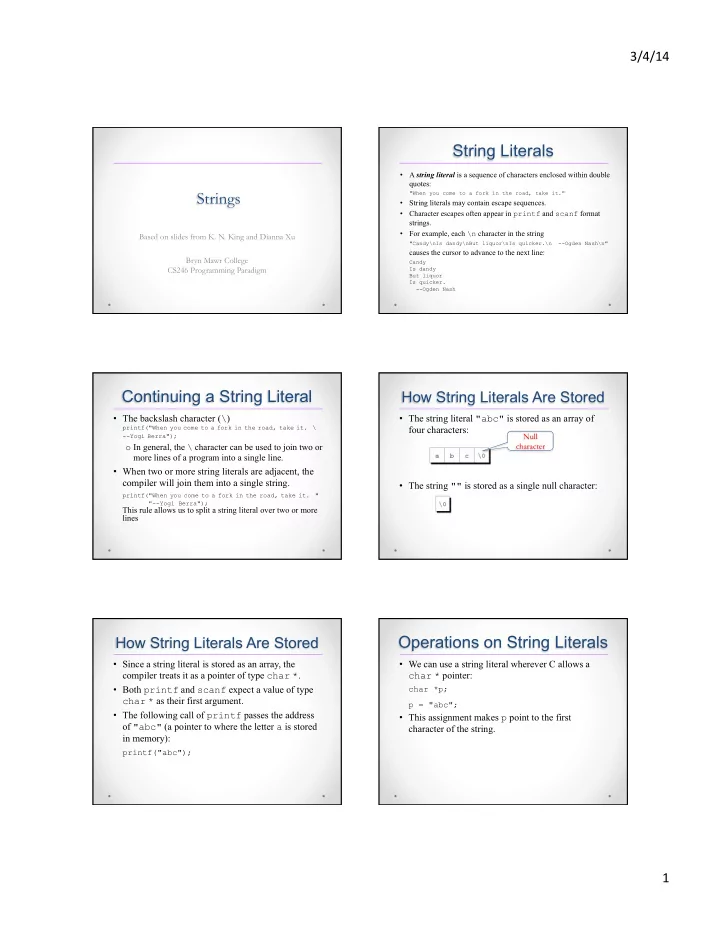
3/4/14 String Literals A string literal is a sequence of characters enclosed within double quotes: Strings "When you come to a fork in the road, take it." String literals may contain escape sequences. Character escapes


slide-1
SLIDE 1

3/4/14 ¡ 1 ¡

Strings

Based on slides from K. N. King and Dianna Xu Bryn Mawr College CS246 Programming Paradigm

String Literals

  • A string literal is a sequence of characters enclosed within double

quotes:

"When you come to a fork in the road, take it."

  • String literals may contain escape sequences.
  • Character escapes often appear in printf and scanf format

strings.

  • For example, each \n character in the string

"Candy\nIs dandy\nBut liquor\nIs quicker.\n --Ogden Nash\n"

causes the cursor to advance to the next line:

Candy Is dandy But liquor Is quicker.

  • -Ogden Nash

Continuing a String Literal

  • The backslash character (\)

printf("When you come to a fork in the road, take it. \

  • -Yogi Berra");
  • In general, the \ character can be used to join two or

more lines of a program into a single line.

  • When two or more string literals are adjacent, the

compiler will join them into a single string.

printf("When you come to a fork in the road, take it. " "--Yogi Berra");

This rule allows us to split a string literal over two or more lines

How String Literals Are Stored

  • The string literal "abc" is stored as an array of

four characters:

  • The string "" is stored as a single null character:

Null character

How String Literals Are Stored

  • Since a string literal is stored as an array, the

compiler treats it as a pointer of type char *.

  • Both printf and scanf expect a value of type

char * as their first argument.

  • The following call of printf passes the address
  • f "abc" (a pointer to where the letter a is stored

in memory):

printf("abc");

Operations on String Literals

  • We can use a string literal wherever C allows a

char * pointer:

char *p; p = "abc";

  • This assignment makes p point to the first

character of the string.

slide-2
SLIDE 2

3/4/14 ¡ 2 ¡

Operations on String Literals

  • String literals can be subscripted:

char ch; ch = "abc"[1]; //ch is ‘b’

  • A function that converts a number between 0 and

15 into the equivalent hex digit:

char digit_to_hex_char(int digit) { return "0123456789ABCDEF"[digit]; }

Operations on String Literals

  • Attempting to modify a string literal causes

undefined behavior:

char *p = "abc"; *p = 'd'; /*** WRONG ***/

  • A program that tries to change a string literal may

crash or behave erratically.

String Literals vs Character Constants

  • A string literal containing a single character is not

the same as a character constant.

  • "a" - represented by a pointer.
  • 'a’ - represented by an integer.
  • A legal call of printf:

printf("\n");

  • An illegal call:

printf('\n'); /*** WRONG ***/

String Variables

  • Any one-dimensional array of characters can be

used to store a string.

  • A string must be terminated by a null character.

#define STR_LEN 80 … char str[STR_LEN+1];

  • Defining a macro that represents 80 and then adding

1 separately is a common practice.

Initializing a String Variable

  • A string variable can be initialized at the same time

it’s declared:

char date1[8] = "June 14";

char date4[] = "June 14";

char date2[9] = "June 14";

Not a string literal. An abbreviation for an array initializer

Character Arrays vs Character Pointers

  • The declaration

char date[] = "June 14";

declares date to be an array,

  • The similar-looking

char *date = "June 14";

declares date to be a pointer.

  • Thanks to the close relationship between arrays and

pointers, either version can be used as a string.

Pointer variable Array name String literal – should not be modified. Characters can be modified

slide-3
SLIDE 3

3/4/14 ¡ 3 ¡

Character Arrays vs Character Pointers

  • char *p; //does not allocate space for a string.
  • Using an uninitialized pointer variable as a string is a

serious error.

An attempt at building the string "abc":

char *p; p[0] = 'a'; /*** WRONG ***/ p[1] = 'b'; /*** WRONG ***/ p[2] = 'c'; /*** WRONG ***/ p[3] = '\0'; /*** WRONG ***/

  • Before we can use p as a string, it must point to an

array of characters.

char str[STR_LEN+1], *p; p = str;

Reading and Writing Strings

  • Writing a string
  • printf
  • puts
  • Reading a string
  • in a single step
  • scanf
  • gets
  • read strings one character at a time.
  • Reading a string is a bit harder, because the input may

be longer than the string variable into which it’s being stored.

printf and puts

  • The %s conversion specification allows printf

to write a string:

char str[] = "Are we having fun yet?"; printf("%s\n", str);

The output will be

Are we having fun yet?

  • printf writes the characters in a string one by
  • ne until it encounters a null character.

printf and puts

  • A conversion specification: %m.ps
  • the first p characters of a string to be displayed in a field
  • f size m.
  • To print part of a string, use the conversion

specification %.ps.

  • printf("%.6s\n", str); //Are we
  • The %ms conversion will display a string in a field of

size m.

  • If the string has fewer than m characters, it will be right-

justified within the field.

  • To force left justification instead, we can put a minus

sign in front of m.

printf and Strings

int main() { char s[] = "01234"; char *p; p = s; printf("%c\n", s[0]); printf("%c\n", *s); printf("%c\n", *(p+1)); printf("%s\n", s); printf("%s\n", p+1); }

  • %d, %c, %f:

Displays the given value

  • %s: Displays

characters from the specified address until '\0'

Displaying Substrings

int main() { char s[] = "01234"; char *p; p = s; printf("%s\n", s); printf("%s\n", p); printf("%s\n", s + 0); printf("%s\n", &(s[0])); printf("%s\n", s + 2); printf("%s\n", &(s[2])); }

slide-4
SLIDE 4

3/4/14 ¡ 4 ¡ Displaying Characters of a String

int main() { char s[] = "01234"; char *p; p = s; printf("%c\n", s[0]); printf("%c\n", *p); printf("%c\n", *(p + 0)); printf("%c\n", s[2]); printf("%c\n", *(p + 2)); }

printf and puts

puts(str);

  • After writing a string, puts always writes an

additional new-line character.

#define BUFLEN 200 int main() { char buf[BUFLEN]; gets(buf); puts(buf); return 0; } puts adds '\n' to output, equivalent to printf("%s\n", buf);

scanf and gets

  • The %s conversion specification allows scanf to

read a string into a character array:

scanf("%s", str);

  • When scanf is called,
  • it skips white space,
  • reads characters and stores them in str until it

encounters a white-space character.

  • scanf always stores a null character at the end of

the string.

str is treated as a pointer no & in front of str

scanf and gets

  • gets: read an entire line of input
  • Properties of gets:
  • Does not skip white space before starting to read

input.

  • Reads until it finds a new-line character.
  • Discards the new-line character instead of storing it;

the null character takes its place.

scanf and gets

  • Consider the following program fragment:

char sentence[SENT_LEN+1]; printf("Enter a sentence:\n"); scanf("%s", sentence);

  • Suppose that the user enters the line

To C, or not to C: that is the question.

  • scanf will store the string "To" in sentence.
  • gets will store the string

" To C, or not to C: that is the question." in sentence.

scanf and gets

  • As they read characters into an array, scanf and

gets have no way to detect when it’s full.

  • Consequently, they may store characters past the

end of the array, causing undefined behavior.

  • scanf:use the conversion specification %ns

instead of %s.

  • gets is inherently unsafe; fgets is a much better

alternative.

slide-5
SLIDE 5

3/4/14 ¡ 5 ¡

Accessing the Characters in a String

  • A function that counts the number of spaces in a

string:

int count_spaces(const char s[]) { int count = 0, i; for (i = 0; s[i] != '\0'; i++) if (s[i] == ' ') count++; return count; }

  • A version that uses pointer arithmetic instead of

array subscripting :

int count_spaces(const char *s) { int count = 0; for (; *s != '\0'; s++) if (*s == ' ') count++; return count; }

Accessing the Characters in a String